
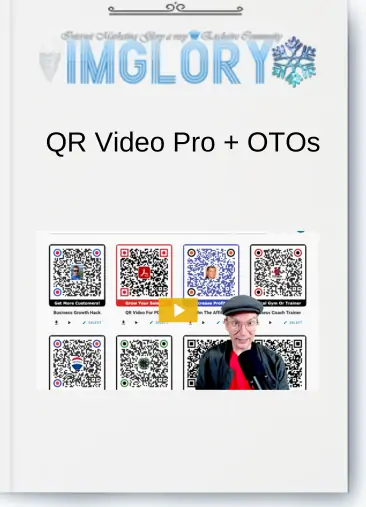
[Group buy] QR Video Pro + OTOs
Original price was: $144.00.$20.00Current price is: $20.00.
What is QR Video Pro?
QR Video Pro is an advanced WordPress plugin that redefines how marketers and business owners engage audiences through video. Rather than relying on long URLs or clunky embedding methods, this tool enables users to generate scannable QR codes that link directly to mobile-optimized video pages. These QR codes are tailored for high engagement, working seamlessly across offline and online platforms. With no need for external services or subscriptions, QR Video Pro puts full control in your hands—making interactive, trackable video marketing more accessible than ever.
QR Video Pro OTOs:
FE – QR Video Pro – Business – $47

- ✔ Instant QR Video Creation – Just add your video
- ✔ Mobile-First Scanning with Clean, Fast Video Playback
- ✔ Built for Flyers, Cards, Packaging, Displays, and Signs
- ✔ Use Anywhere — Print, Stickers, Merch, Storefronts
- ✔ One-Time Access — No recurring fees
OTO1 – QR Video Pro – Winning Edge Entrepreneur Kit – $97
OTO2 – QR Video Pro – Agency Builder License – $297
QR Video Pro Features
QR Video Pro stands out in the crowded marketing tools landscape thanks to its rich feature set, all aimed at streamlining video engagement and boosting conversions.
- Easy QR Code Generation
Creating a QR code is fast and intuitive. Users can upload video files in popular formats like MP4, MOV, or WEBM, or link directly to videos hosted on YouTube or Amazon S3. The entire process happens inside the WordPress dashboard, with no coding required. - Mobile-Optimized Video Experience
With more than 70% of video views now happening on mobile devices, QR Video Pro delivers a sleek, distraction-free viewing interface optimized for smartphones. This ensures your videos load quickly and retain audience attention from the first second. - Custom Call-to-Action Buttons
The Plus and Business plans unlock CTA buttons that appear beneath your videos. These are fully customizable, allowing you to direct viewers to a booking form, checkout page, or even initiate a phone call—turning passive viewers into active leads or customers. - Branded QR Codes
If you're serious about branding, the Business package lets you personalize your QR codes by embedding logos, colors, or other visual assets. This not only enhances trust but also helps your materials stand out in a crowded marketplace. - Real-Time Analytics
Insightful tracking is key to any marketing campaign. With QR Video Pro’s Business plan, you can monitor how often your QR codes are scanned, what devices are used, and where the engagement happens geographically. These real-time analytics offer the data you need to refine and scale your campaigns. - Multi-Domain Licensing
Depending on your package, QR Video Pro supports one (Basic), three (Plus), or unlimited (Business) WordPress sites. This flexibility makes it suitable for solopreneurs, agencies, and businesses managing multiple web properties. - No Third-Party Dependence
One of the most appealing features of QR Video Pro is its complete independence from outside platforms. There are no recurring costs, watermarks, or limitations imposed by third-party services—just full autonomy.
Each of these features has been thoughtfully designed to maximize the effectiveness and efficiency of your video marketing efforts, giving users a practical, scalable solution for 2025 and beyond.
How to Use QR Video Pro
Getting started with QR Video Pro is refreshingly simple. Here’s how to launch your first campaign:
Step 1: Install and Activate
After purchasing your preferred plan, install the plugin directly from your WordPress dashboard. Activation is instant and doesn’t require complex configuration.
Step 2: Create a New QR Code
Go to the QR Video Pro section in your admin panel and click on “Add New.” Give your QR code a name—perhaps something campaign-specific like “Holiday Promo Video.”
Step 3: Upload or Link a Video
Choose whether to upload a video file or use a hosted link. Short-form videos (30-60 seconds) tend to work best, especially when used on physical materials or social channels.
Step 4: Customize (Optional)
If you're using the Plus or Business packages, you can add a CTA button with a personalized message. Business users can further brand their QR codes with logos or thematic designs.
Step 5: Generate and Download
Once everything is set, click “Continue” to generate the QR code. Download the image file and test it with a smartphone to ensure proper redirection.
Step 6: Deploy
Print your QR code on product packaging, flyers, business cards, or digital platforms. Use clear CTAs like “Scan to Watch” or “See It in Action” to encourage interaction.
Step 7: Analyze (Business Plan)
Monitor engagement directly from your dashboard. Review scan frequencies, peak times, and geographic data to determine what’s working and where adjustments are needed.
This streamlined process empowers even non-technical users to deploy high-impact video campaigns with confidence.
Pros and Cons of QR Video Pro
Like any tool, QR Video Pro has its strengths and limitations. Here's a balanced look:
Pros
- High Engagement: Video content outperforms text by a wide margin, and QR Video Pro makes that content instantly accessible.
- No Monthly Fees: A one-time payment model ensures long-term affordability without ongoing costs.
- Easy to Use: The plugin’s UI is intuitive, making it approachable even for non-developers.
- Branding Options: The ability to embed logos and add CTA buttons helps reinforce your visual identity.
- Actionable Analytics: Data-driven marketers will appreciate the real-time metrics available in the Business plan.
Cons
- Basic Plan Limitations: The entry-level plan lacks key features like CTAs and analytics, which are crucial for serious campaigns.
- WordPress-Only: Users on other platforms like Shopify or Wix won’t be able to use this plugin.
- Customization Curve: While the basics are easy, some branding and design features may require a learning curve.
- File Size Constraints: Direct video uploads have size limits; long videos may need to be hosted externally.
Despite minor drawbacks, QR Video Pro remains a highly compelling solution for modern video marketers, especially those working within the WordPress ecosystem.
Who Should Use QR Video Pro?
QR Video Pro isn’t just for tech-savvy marketers. Its flexibility and feature set make it suitable for a wide range of users:
Small Business Owners
Local businesses such as coffee shops, boutiques, or personal trainers can use QR Video Pro to engage customers on-site with short promotional videos or tutorials. Imagine placing a QR code on your storefront window that invites people to “See What’s New Inside.”
Digital Marketers & Agencies
Marketing professionals can incorporate QR codes into email newsletters, social ads, and printed materials. Linking to personalized video messages or product demos adds a layer of interactivity that flat content can’t match.
Real Estate Agents
Instead of handing out brochures, agents can provide QR codes on property signs that link to high-quality video walkthroughs, complete with a CTA to schedule a tour.
Consultants and Coaches
Service providers can deliver targeted messages to prospective clients through branded QR codes that lead to testimonials, course previews, or exclusive offers.
E-commerce Sellers
Whether placed on thank-you cards or shipping boxes, QR codes that link to product tutorials or upsell videos can enhance the post-purchase experience and encourage repeat business.
Whether you’re aiming to boost foot traffic, increase email conversions, or improve product education, QR Video Pro offers the tools to do it effectively.
Conclusion: Group Buy QR Video Pro Now at Imglory
In a world where mobile-first marketing and visual storytelling dominate, QR Video Pro presents an elegant, practical solution to bridge the gap between offline interaction and online video content. With its powerful features, ease of use, and analytics-backed performance, it's clear why so many businesses are turning to this plugin for 2025 and beyond.
If you’re ready to elevate your marketing game, don’t miss out on the opportunity to access QR Video Pro at a fraction of the regular cost. Group buy QR Video Pro now at Imglory and unlock the full potential of video-driven engagement—without the burden of recurring fees or third-party limitations.
Start converting scans into sales today!
FAQs

Related products
GB WordPress
GB WordPress
GB WordPress
GB WordPress

GB WordPress