
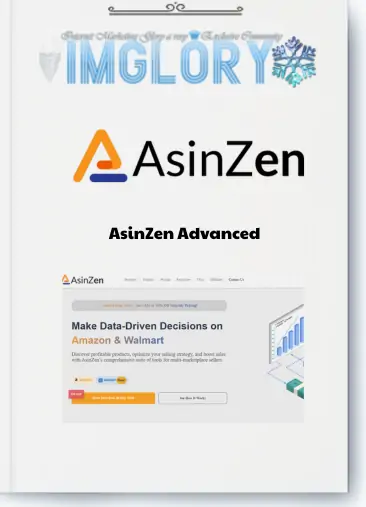
[Group buy] AsinZen
$42.00
AsinZen empowers Amazon sellers with rapid profit analysis, IP, and Hazmat checks for seamless Arbitrage
As of the first quarter of 2025 Amazon hosts over 9.7 million sellers, with around 2.5 million active accounts worldwide (source: Forceget, Yaguara). These figures highlight the platform’s massive scale and intense competition.
Without robust analytical tools, it’s easy to pick the wrong products, misjudge trends, and lag behind. That’s where AsinZen comes in a powerful ally that enables faster, more precise decisions and maximizes profits from the outset.
What is AsinZen?

AsinZen is a comprehensive suite tailored for Amazon and Walmart sellers, designed to streamline product research and business decisions. Its ecosystem includes:
- AZInsight: A robust Chrome extension for real-time product analysis.
- ScanEZ: A mobile app for quick barcode scanning in retail arbitrage.
- Google Sheets Add-On: For bulk data processing.
- Web Portal: For managing accounts and teams.
As an official Amazon partner, it delivers reliable, accurate data across eight Amazon and Walmart US marketplaces. With over 50,000 users and a 98% satisfaction rate, it’s a top choice for sellers from novices to pros looking to source profitable products, analyze competitors, and boost sales efficiently.
Author/Company of AsinZen tool
AsinZen LLC, a US-based tech company, was founded by seasoned Amazon FBA sellers and e-commerce experts. With hands-on experience in retail, arbitrage, and private label, the team deeply understands the daily challenges sellers face, from product evaluation to profit calculations and account risks.
Born from these real-world needs, AsinZen offers a “sales performance optimization” toolkit, empowering Amazon and Walmart sellers to make swift, accurate, and high-return decisions. Evolving from a simple Chrome extension, AsinZen is now a full-fledged sales ecosystem.
Outstanding Features of AsinZen

AsinZen equips sellers with tools to optimize every facet of their Amazon and Walmart businesses. Here are its standout features:
Sophisticated Profit Calculator
AsinZen’s profit calculator is a must-have, ensuring you know your exact earnings. It automatically factors in all Amazon and Walmart fees FBA/FBM, storage, and referral fees while allowing custom inputs like cost of goods, import taxes, or PPC costs. Real-time data provides clear insights into net profit, ROI, and margins, enabling confident decisions without errors.
Real-Time Restricted & Hazmat Check
A major pitfall in Amazon selling is selecting restricted or hazardous (Hazmat) products. AsinZen prevents costly mistakes by instantly verifying if a product is brand-gated or Hazmat-classified. This is critical for arbitrage sellers, allowing quick safety checks while sourcing in stores.
Deep Product Analysis
It delivers a detailed product overview directly on Amazon or Walmart pages. Access data on variations (color, size), sales rank, customer reviews, and estimated revenue in a clear, user-friendly format. This eliminates tab-switching, making it easy to compare variations and pinpoint high-profit items.
Monitor Your Competition
To thrive on Amazon and Walmart, you need to outsmart competitors. AsinZen’s Stock Checker tracks other sellers’ inventory, offer statuses, and product conditions. Spot when competitors are low on stock to capture the Buy Box or identify low-competition products. This multi-platform feature gives you a competitive edge.
Seamless Google Sheets Integration
For spreadsheet enthusiasts, the AsinZen Insight Google Sheets Add-On is a game-changer. Export product data to Google Sheets, apply custom formulas to analyze bulk products, compare supplier prices, or manage wholesale lists. This integration streamlines data management for large inventories or team collaboration.
Flexible ScanEZ Mobile App
Retail arbitrage fans will love ScanEZ, which brings AsinZen’s power to your phone. Scan barcodes in-store to instantly view profit margins, sales ranks, and restriction alerts. Save promising products for later analysis. Optimized for smooth performance, ScanEZ is ideal for sourcing trips to stores or malls.
Historical Analysis with Zengraph
The Zengraph Plugin offers deep historical data through visual charts. Track price fluctuations, sales ranks, and revenue trends to spot market patterns and optimal sourcing or pricing moments. Ideal for wholesale and private label, Zengraph ensures data-driven decisions.
Effective Team Management
AsinZen supports both solo sellers and teams. Its sub-account management lets you assign roles for scanning, data access, or reporting. Detailed activity logs track each member’s performance, from scanned products to estimated revenue. This makes it perfect for VA teams or scaling businesses.
Supplier Search & Multi-Platform Comparison
This tool simplifies sourcing by identifying reliable suppliers and comparing prices across Amazon and Walmart for arbitrage opportunities. Track Buy Box changes, sales trends, and more to make informed sourcing decisions, ideal for online arbitrage, wholesale, or dropshipping.
AsinZen Tool Package and Price Comparison Table (Latest 2025)
| Feature | Starter | Advanced |
| Avg. Monthly Price | ~$5.00/month | ~$9.75/month |
| Hazmat Checker | ✅ Yes | ✅ Yes |
| Seller Restrictions Checker | ✅ Yes | ✅ Yes |
| Brand Notification Alerts | ✅ Yes | ✅ Yes |
| Amazon FBA/FBM Profit Calculator | ❌ No | ✅ Yes |
| ScanEZ Mobile App (barcode scanner) | ❌ No | ✅ Yes |
| Stock Checker & Variation Viewer | ❌ No | ✅ Yes |
| Walmart WFS/FBM Calculator | ❌ No | ✅ Yes |
| ASIN Historical Data & Trends | ❌ No | ✅ Yes |
| Google Sheets Add-On (AZInsight) | ❌ No | ✅ Yes |
| Sales & Revenue Estimation | ❌ No | ✅ Yes |
| Free Sub-Accounts | 2 sub-accounts | 2 sub-accounts |
| 30-Day Free Trial | ✅ Yes | ✅ Yes |
| Savings vs Monthly Plan | ~50% | ~60% |
How much does it cost to buy an AsinZen account at Imglory?

At Imglory, you can secure an AsinZen account for just $42 , a highly competitive price compared to the official $97/month.
Why pay nearly $100 monthly when you can access AsinZen’s full suite of powerful features for product analysis, market research, and sales growth at a fraction of the cost? Imglory offers a smart, cost-effective solution for sellers.
Why Buy AsinZen at Imglory?
Purchasing account through Imglory is more than just getting a tool—it’s a savvy investment with exclusive perks:
- Maximum cost savings: Instead of high monthly fees, Imglory offers AsinZen at a budget-friendly price, perfect for new sellers.
- 24/7 support: No language barriers Imglory’s team is available via email to resolve issues promptly.
- Convenient payments: Multiple payment methods ensure quick, hassle-free transactions.
- Stable, full access: Enjoy all features, including AZInsight, ScanEZ, IP/Hazmat Checker, and Google Sheets export, without restrictions.
- Trusted and transparent: Imglory has served thousands of sellers with positive feedback, a supportive community, and clear usage commitments.
Compared to buying directly from AsinZen’s website, Imglory provides a more accessible and localized experience, especially for Vietnamese sellers.
How to buy AsinZen at Imglory: Step by Step
Acquiring account through Imglory is straightforward:
- Visit Imglory’s website: Go to the homepage or search “AsinZen Imglory” on Google.
- Choose the Advanced package: Click “Buy Now.”
- Fill in information: Provide your email, phone number, and payment details.
- Choose payment method: Select the option that suits you.
- Confirm order: Complete payment and receive account details and activation instructions via email.
- Activate AsinZen: Download AZInsight from the Chrome Web Store, install ScanEZ on your phone, and start exploring.
AsinZen Pros and Cons
Pros:
- Versatile toolkit: AsinZen’s ecosystem includes a Chrome extension, mobile app, Google Sheets integration, and web portal, covering all aspects of product research and team management.
- Multi-platform support: Analyze products on both Amazon and Walmart, maximizing opportunities across major marketplaces.
- Real-time data: Instant insights on inventory, Buy Box prices, and restrictions enable quick, accurate decisions.
- Flexible customization: Tailor data displays, integrate with Google Sheets, and manage sub-accounts for solo or team use.
Cons:
- Limited third-party integrations: Supports only Google Sheets and InventoryLab, lacking connections to tools like Arbitrage Hero or Seller Toolkit.
- No automated product sourcing: You must manually find leads, as AsinZen doesn’t offer automated product discovery.
- Estimated data limitations: Sales and revenue figures are estimates and should be cross-checked with tools like Keepa or CamelCamelCamel.
- Incomplete Walmart support: Features like Stock Checker and Variations Viewer are optimized for Amazon but less robust for Walmart.
Who Should Use AsinZen?
It caters to a wide range of sellers:
- New Amazon/Walmart sellers: Beginners benefit from user-friendly features like profit calculators and Hazmat checks, avoiding common pitfalls.
- Online arbitrageurs: Find profitable products across supplier websites with tools for inventory and price comparison.
- Retail arbitrageurs: ScanEZ’s barcode scanning delivers instant profit and restriction data for in-store sourcing.
- Wholesalers: Zengraph’s trend analysis and Stock Checker help identify high-potential products and assess competition.
- Private label sellers: Analyze variations, reviews, and pricing trends to build a successful brand.
- Large sales teams: Sub-account management and performance tracking streamline operations for VAs or scaling businesses.
- Multi-platform sellers: Compare opportunities between Amazon and Walmart to optimize profits and reduce risks.
How to Use AsinZen: Step by step
Here’s a beginner-friendly guide to using AsinZen:
- Install AZInsight: Search “AZInsight” in the Chrome Web Store, add it to Chrome, and log in. A data panel appears on Amazon product pages.
- Use the Profit Calculator: Input cost, taxes, PPC, or shipping expenses to see ROI, net profit, and margins, along with sales rank and revenue estimates.
- Check Restrictions & Hazmat: Use the Restrictions tab in AZInsight to verify if a product is gated or Hazmat, ensuring compliance before sourcing.
- Analyze Competitors: Check competitors’ stock with Stock Checker, review product variations, and compare Buy Box prices for competitive pricing.
- Scan with ScanEZ: Download ScanEZ from the App Store or Google Play, log in, and scan barcodes in-store for instant profit and restriction data.
- Export to Google Sheets: Install the AsinZen Insight Add-On from Google Workspace Marketplace, input ASINs or URLs, and analyze bulk products with custom formulas.
- Track History with Zengraph: Access Zengraph in AZInsight to view price, rank, and sales trends for strategic sourcing decisions.
AsinZen FAQs
- What is AsinZen, and what does it do?
It is a product research suite for Amazon FBA and Walmart Marketplace, optimizing profits and decisions with tools like AZInsight, ScanEZ, and IP/Hazmat checkers. - How does the AsinZen Chrome Extension work?
AZInsight displays real-time data on Amazon product pages, including FBA fees, net profit, IP alerts, Hazmat status, price history, and seller counts. - Is AsinZen suitable for sellers on both Amazon and Walmart?
Yes, it supports cross-platform analysis, tracking ASINs, Buy Box prices, and inventory for smarter decisions on both marketplaces. - Does AsinZen integrate with Google Sheets?
Absolutely, the Google Sheets Add-On enables seamless data export for tracking, sharing, and advanced analysis, a favorite among pro sellers. - Is AsinZen worth using more than Jungle Scout or Helium 10?
It excels in fast profit calculations, IP checks, and Amazon-Walmart comparisons, ideal for arbitrage, wholesale, or dropshipping, while Jungle Scout and Helium 10 focus more on private label. - Does AsinZen support arbitrage?
Yes, it’s built for Walmart-to-Amazon and Amazon-to-Walmart arbitrage, identifying high-margin products and tracking price fluctuations. - Does AsinZen integrate with any other software?
It integrates with Google Sheets and InventoryLab, with potential for future expansions. - What is an Imglory Shared Account?
An Imglory shared account provides legitimate access to licensed tools at a lower cost, ideal for budget-conscious sellers. - Is it safe to buy an Imglory Shared Account?
Yes, Imglory ensures secure, separate accounts with no personal data risks, using legally sourced tools for reliable access.
Conclusion
For Amazon or Walmart sellers aiming to sell smarter, AsinZen is a must-have. It delivers rapid profit calculations, restriction alerts, inventory analysis, and market trend insights with just a few clicks. By choosing Imglory, you access all these features at a fraction of the cost, safe, reliable, and trusted by thousands of sellers. Start optimizing your e-commerce journey with Imglory today!
Reference:
- How Many Sellers Are on Amazon: 2025 Key Statistics
- https://forceget.com/blog/how-many-sellers-are-on-amazon-2025-key-statistics/?utm_source=chatgpt.com
- Asinzen Review
- https://jordiob.com/amazon-tools/asinzen/
| Time | 1 Year |
|---|
Related products

GB Spy Tools
Original price was: $999.00.$108.00Current price is: $108.00.

GB Spy Tools
$21.00
GB Spy Tools
$1.00
GB Spy Tools
$200.00

Original price was: $77.00.$10.00Current price is: $10.00.