

BioRender Account
$101.00
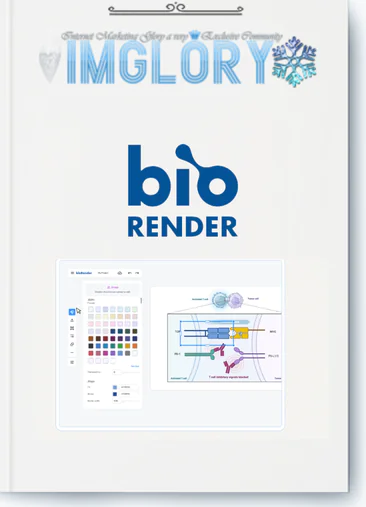
BioRender: Illustrate molecular biology mechanisms, access anatomy assets, and scale high-impact research papers fast.
Ask any researcher who switched to BioRender when they started using it, and the answer is usually the same: the day before a manuscript deadline.
That origin story says a lot. BioRender is not a tool people discover and then find a use for. It fills a very specific, very painful gap — the one between having good science and being able to show it clearly. Once that gap becomes obvious, usually at the worst possible moment, BioRender tends to stick around permanently.
This review is not a feature tour. It's an assessment of whether BioRender is worth adopting as a core part of your research workflow in 2025 — and for whom, specifically, it makes the most sense.
What Is BioRender?

BioRender is a browser-based scientific illustration and data visualization platform. No installation, no local files, no version conflicts between lab members. Everything lives in the cloud, every figure is co-editable in real time, and the output meets the resolution and licensing requirements of the world's top journals.
That's the pitch. Here's the more precise version.
At its core, BioRender solves a domain-specificity problem that general design tools have never addressed. Adobe Illustrator can technically produce any scientific figure, but it ships with zero biological content. You are starting from a blank vector canvas every single time. BioRender ships with 50,000+ peer-reviewed icons spanning cell biology, immunology, molecular biology, neuroscience, oncology, pharmacology, structural biology, and the full catalogue of research equipment and model organisms. Every icon was built by a certified scientific illustrator and reviewed for accuracy before it entered the library.
The practical difference: searching “clathrin-coated vesicle” in BioRender returns an anatomically correct, publication-ready asset. Searching for the same thing in Illustrator returns nothing. That asymmetry multiplies across every figure a researcher builds over a career.
Beyond illustration, BioRender now operates as a more complete platform:
- BioRender Graphing handles statistical analysis and graph generation — importing directly from CSV, Excel, or GraphPad Prism files, running guided statistical tests computed in R, and outputting publication-ready graphs styled to match your figures
- AI tools compress the most manual parts of figure production: style-converting uploaded images, removing backgrounds, editing figure elements via text prompt, and generating first-draft flowcharts, protocols, and timelines from written descriptions
- Collaboration infrastructure — shared folders, real-time co-editing, team galleries, admin controls — replaces the chaotic email-and-flat-file system most labs default to
The result is a platform that covers the full arc from raw data to finished figure to presentation-ready visual — without switching applications.
Where BioRender Is Genuinely Excellent?

The Icon Library Sets the Ceiling High
Fifty thousand icons sounds like a marketing number until you spend an afternoon trying to find a publication-grade lipid raft, a Golgi apparatus with the right stack orientation, or a structurally accurate TCR-pMHC complex in PowerPoint or Canva. You won't find them. In BioRender, you will — usually within the first three search results.
The library's value compounds over time. The more you build figures inside BioRender, the faster each subsequent figure gets, because you develop fluency with where things live. A pathway diagram that would take a new user two hours takes an experienced BioRender user twenty minutes.
The AI Protocol and Flowchart Generators Are Genuinely Useful
Most AI-for-science tools disappoint on contact with real scientific content. BioRender's generators work because they don't hallucinate biology — they route text descriptions through the existing peer-reviewed icon library rather than generating novel imagery. The output is a structured, editable draft assembled from vetted components.
The Protocol Generator in particular has an outsized impact on manuscript preparation time. Paste your Methods section into the generator and receive a step-by-step illustrated protocol diagram with layout already applied. It is not perfect — you will always refine it — but arriving at an 80% solution in two minutes versus building from scratch in two hours is a material change in how figure production feels during a manuscript push.
Importantly, BioRender does not use your uploaded or created content to train its AI models. For researchers handling unpublished data or proprietary pharmaceutical research, this is a non-trivial assurance.
The Publication Licensing System Removes a Persistent Headache
One of the least glamorous but most practically valuable features is the automatic publication license. Every high-resolution export from a paid plan includes a formatted rights statement that journals accept without additional correspondence.
This matters because the alternative — tracking down licensing documentation for stock imagery, negotiating rights with stock agencies, or hoping an editor doesn't flag your figure's provenance — is a real friction point in the submission process that BioRender eliminates entirely.
Collaboration That Actually Reflects How Labs Work
Real-time co-editing, shared team folders, a team gallery for browsing and remixing lab figures, and an admin panel for managing access — these features are not flashy, but they reflect an accurate understanding of how research groups function. Figures are iterated between PIs and students, revised across multiple co-authors, and need to maintain visual consistency across a lab's entire publication output.
The version history with rollback is underrated. In a lab context where a student may make changes that a PI then needs to revert, having full version history without any additional setup is genuinely useful.
Where BioRender Has Real Limitations?
Honest assessment requires naming the gaps.
Statistical depth in Graphing is a work in progress. BioRender Graphing covers the core analysis types — t-tests, ANOVAs, nonparametric alternatives, dose-response curves, Kaplan-Meier survival analysis, outlier detection — competently. For standard experimental data, it is a credible alternative to GraphPad Prism. But labs doing pharmacokinetics modeling, multi-level mixed-effects analyses, or complex nonlinear regression with custom constraint equations will still need Prism or a dedicated R environment for those specific workflows. BioRender Graphing is not Prism yet. For many labs, it doesn't need to be.
The free plan is more a trial than a functional tier. Three figures and no publication rights is not a working free plan for anyone doing active research. It is appropriate for evaluating the platform or for students using it for coursework, but researchers preparing manuscripts are going to need the Individual paid plan. This is worth naming upfront rather than discovering it mid-deadline.
The icon library has coverage gaps in specialized subfields. Novel model organisms, highly specific subcellular structures unique to your research, and niche assay formats may not have representation. The AI Custom Edit tool can modify existing icons to approximate novel structures, and Institution-tier users can request custom icons with conditions. But if your research sits at the intersection of biology and physics, or uses equipment that didn't exist five years ago, you may hit library edges.
It requires the internet. There is no offline mode. For researchers who work in low-bandwidth environments, this is a genuine constraint rather than a minor inconvenience.
BioRender Pricing — What You Actually Need to Pay For?

BioRender runs separate pricing for academic and industry users.
| Features | Free | Individual | Lab | Institution |
| Price | $0/month | $35/month Paid annually, or $39 monthly | $99/month for 5 seats Extra seats +$20/month | Custom Pricing |
| Best For | Educational use & basic design | Individual scientists & researchers | Team collaboration managed by a PI | Large departments & organizations |
| Figures | Up to 3 figures | Unlimited figures | Unlimited figures | Unlimited figures |
| Commercial Use & Publication | ✗ | ✓ | ✓ | ✓ |
| High-Resolution Export | Low-resolution only | ✓ No watermarks | ✓ No watermarks | ✓ No watermarks |
| Templates Library | 1,000+ expert-designed templates | ✓ | ✓ | ✓ |
| Upload Custom Images & Icons | ✓ | ✓ | ✓ | ✓ |
| Unlimited Version History | ✓ | ✓ | ✓ | ✓ |
| Protein 3D Models (PDB) | ✓ | ✓ | ✓ | ✓ |
| AI Figure Generation Credits | Free trial credits | Available as Add-on | Available as Add-on | Available as Add-on |
| Graphing Files | 1 graphing file | Unlimited with Add-on | Unlimited with Add-on | Unlimited with Add-on |
| Slide Deck Creation | ✗ | ✓ | ✓ | ✓ |
| Premium Bio-Brushes | ✗ | ✓ | ✓ | ✓ |
| Color Gradients | ✗ | ✓ | ✓ | ✓ |
| Premium Fonts | ✗ | ✓ | ✓ | ✓ |
| Live Customer Support | ✗ | ✓ | ✓ | ✓ |
| Team Collaboration | ✗ | ✗ | ✓ | ✓ |
| Shared Folders | ✗ | ✗ | ✓ | ✓ |
| Team Management | ✗ | ✗ | ✓ | ✓ |
| Admin Panel Access | ✗ | ✗ | ✓ | ✓ |
| Single Sign-On (SSO) | ✗ | ✗ | ✗ | ✓ |
| Manage Multiple Labs & Teams | ✗ | ✗ | ✗ | ✓ |
| Dedicated Design Support | ✗ | ✗ | ✗ | ✓ |
| Custom Branded Icons | ✗ | ✗ | ✗ | ✓* |
| Dedicated Account Manager | ✗ | ✗ | ✗ | ✓ |
| Onboarding & Training Sessions | ✗ | ✗ | ✗ | ✓ |
| Usage Analytics & Metrics | ✗ | ✗ | ✗ | ✓ |
Available Add-Ons
| Add-On | Price | Features |
| BioRender Graphing | $15/seat/month Billed annually | CSV, Excel & Prism import, statistical analysis guidance, graph customization, unlimited graphing files & dataset uploads |
| AI-Assisted Figure Generation | Starting at $5/month Annual pricing | Generate scientific figures from concepts, customizable icon styles, editable drafts for protocols, flowcharts & timelines, flexible credit plans |
BioRender vs. the Tools Already in Your Stack
- vs. PowerPoint: Not a competition. PowerPoint is a presentation assembly layer; BioRender creates the scientific visuals that go inside it. BioRender graphs can now live-link directly to PowerPoint slides, making the two tools complementary rather than competing.
- vs. Adobe Illustrator: Illustrator wins on creative flexibility for custom illustrations that fall outside BioRender's library. For the 90%+ of standard life science figures, BioRender wins on speed, domain-specific content, and built-in licensing — with no design training required.
- vs. GraphPad Prism: Prism is deeper statistically, particularly for complex curve fitting and pharmacological analysis. BioRender Graphing is more integrated — graphs live alongside figures, teams can co-edit in real time, and there's no separate software to install or license. For many labs, BioRender Graphing as a Prism replacement for standard analyses plus illustration in one platform is a net simplification.
- vs. Canva / Figma: These are general-purpose design tools without peer-reviewed biological content, without publication licensing infrastructure, and without statistical analysis. They are not appropriate substitutes for manuscript figure creation.
Who Gets the Most Value From BioRender?
High fit:
- Labs producing 3+ papers per year — the time savings compound significantly at publication volume
- Grant-intensive groups — visual clarity in specific aims pages has documented impact on NIH funding outcomes; BioRender's AI generators materially speed up this work
- Pharmaceutical and biotech teams — the MOA schematics, pipeline visuals, and board-level science summaries that commercial research teams produce constantly are exactly BioRender's use case at the enterprise tier
- Multi-author collaborative labs — the co-editing and shared folder infrastructure solves real coordination problems
Lower fit:
- Occasional-use researchers publishing one paper every few years — the Individual plan is still useful, but the ROI timeline is longer
- Labs in physics, chemistry, or engineering domains — the icon library is life-sciences focused; coverage outside biomedical research is thinner
- Researchers in consistent low-bandwidth environments — the lack of offline mode is a hard constraint
The Bottom Line on BioRender
BioRender has earned its position as the de facto standard for scientific illustration not by being the most full-featured design tool, but by being the most useful one for the specific job of communicating life science research clearly.
The 50,000-icon peer-reviewed library is a genuine competitive moat. The publication licensing framework solves a real problem invisibly. The AI tools — particularly the protocol and flowchart generators — deliver on their promise in a domain where most AI tools don't. And the move into statistical graphing with BioRender Graphing is a credible attempt to consolidate the scientific figure workflow under a single platform.
The limitations are real: the free plan is constrained, the statistical depth doesn't match Prism at the high end, and some niche subfields will find library gaps. None of these are dealbreakers for the majority of life science researchers.
If you are producing figures for publication, building grant visuals, or coordinating figure creation across a research group, BioRender is worth the subscription. The only question worth asking is which plan tier matches your current workflow — and that answer changes as your lab scales.
BioRender FAQs
- Is there a BioRender free plan?
Yes — up to 3 figures, 1,000+ templates, PDB protein visualization, and free AI credits to trial the AI tools. No publication rights on the free plan. - Can I publish BioRender figures in journals?
Yes, on any paid Individual plan or above. Each export includes an auto-generated publication license accepted by journals including Nature, Science, and Cell. - Does BioRender need installation?
No. It runs entirely in the browser on any operating system. - Can I import GraphPad Prism files into BioRender?
Yes. Drag and drop Prism (.pzfx) files directly into BioRender Graphing. Graphs are recreated in BioRender style with analyses intact. - Does BioRender use my data to train its AI?
No. BioRender does not use user-uploaded or user-created content to train its AI models. - Is there a student discount?
Yes — register with an institutional .edu email and student pricing appears at checkout automatically.
| Time | 1 Year |
|---|
Be the first to review “BioRender”
You must be logged in to post a review.
Related products

Account

Account

Account

Account
Account
Reviews
There are no reviews yet.