
[Group buy] AffiliEngine AI + OTOs
$29.00
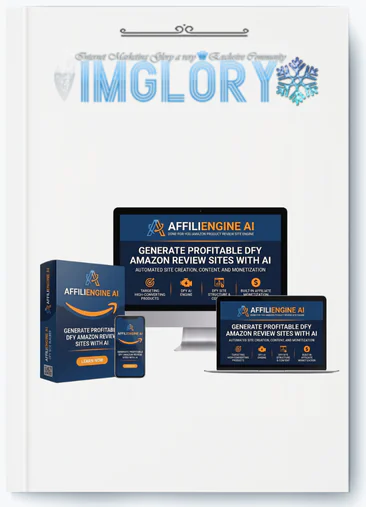
AffiliEngine AI is a WordPress plugin that builds Amazon affiliate websites and generates AI-powered product reviews, roundup articles, and affiliate content automatically.
Most reviews of content generation software describe features in the abstract: it generates reviews, it adds images, it inserts links. What these descriptions often leave out is the lived experience of actually using the tool, what the screen looks like, what decisions the user makes at each step, and what the output actually contains when the process finishes. For a tool like AffiliEngine AI, developed by Kurt Chrisler, this experiential gap matters because the value proposition is fundamentally about workflow, taking a process that traditionally spans multiple tools and multiple hours and consolidating it into a single plugin and a few clicks.
Understanding whether that consolidation genuinely delivers requires walking through what actually happens at each stage: what the niche selection screen presents, what happens during product import, what the generated review actually contains section by section, and what decisions remain for the user after generation completes. This review takes that walkthrough approach, examining AffiliEngine AI as a sequence of concrete steps and outputs rather than a list of abstract capabilities, to give a grounded sense of what using the plugin is actually like.
What Is AffiliEngine AI?
AffiliEngine AI is a WordPress plugin by Kurt Chrisler that creates done-for-you Amazon affiliate sites using AI, featuring a built-in API system for importing Amazon products without PA API approval, dual AI providers GPT-5.5 and Koala.sh for generating SEO-formatted reviews and “Best X Products” roundup articles, automatic affiliate link insertion, product boxes with images and Amazon buttons, over 100 pre-loaded niches with custom niche support, bulk generation up to 20 products, automatic image import, and auto-publishing scheduling, including 100 lifetime credits at a one-time front-end price of $27 with a 30-day money-back guarantee.
Before walking through the workflow, it helps to understand the overall shape of what AffiliEngine AI produces: a WordPress post that looks like a professionally formatted product review or comparison article, complete with images, structured sections, and monetization elements, generated from minimal input, a product selection and a generation click, rather than from a blank editor screen.
Feature-by-Feature Examination in Workflow Context
Dual AI Providers in Practice
In practice, the choice between GPT-5.5 and Koala.sh manifests as a setting within the generation interface, where the user selects which provider to use for a given generation task. For individual reviews, this might default to GPT-5.5, while roundup generation specifically routes through Koala.sh given its required role in that feature. Users who want to compare output quality between providers for individual reviews can generate the same product through both providers and compare results, though this would consume credits for each generation attempt, making such comparisons something to do thoughtfully rather than routinely.
Product Roundup Articles in Practice

The practical experience of roundup generation depends on having already imported the products that will be featured in the roundup. This means the workflow for a roundup article actually begins with several individual product imports, perhaps five to seven products within the target category, before the roundup generation step itself, which then synthesizes these individually imported products into the comparison format. Users planning roundup content should account for this sequencing, importing the candidate products first before initiating the roundup generation that references them.
Built-In Amazon Product Importing in Practice
The search interface for product import functions as the user's primary interaction with Amazon's catalog through AffiliEngine AI. In practice, effective use of this search benefits from having a relatively specific idea of what products to search for, since searching broad terms within a popular category might return many results, requiring the user to evaluate which specific products best fit their content plans before consuming credits on imports. Users who have done some preliminary research, perhaps browsing Amazon directly to identify specific products worth covering, before using AffiliEngine AI's import search, may find the import process more efficient than using the import search itself as the primary research tool.
1-Click Product Reviews in Practice
The “1-click” framing accurately describes the generation trigger itself, a single button click initiates the complete generation process. What follows that click, however, is where the user's actual time investment in each review occurs: reading through the generated content, checking the accuracy of specific claims about the product against the actual Amazon listing or other research, and making edits directly within the WordPress editor where the generated content appears as a standard editable post. The one click produces the draft; the subsequent review and editing is where the “review” in “product review” becomes something the user has genuinely engaged with rather than simply approved.
Automatic Affiliate Link Insertion in Practice
In practice, this feature operates invisibly once configured. The user does not see a separate step for link insertion; instead, when reviewing generated content, the affiliate links are already present, correctly formatted, wherever the content generation process determined a link placement was appropriate, typically on product name mentions and within call-to-action phrases. The only practical action required from the user is the one-time entry of their affiliate ID in settings before beginning content generation, ensuring all subsequent generated content carries correctly attributed links from the start.
Product Boxes in Practice
When viewing a generated review in the WordPress editor, product boxes appear as distinct visual blocks within the content, typically positioned after the introduction and again before or within the conclusion. These blocks are editable like other WordPress content elements, meaning users can reposition them, adjust their styling within the constraints of their theme, or in principle remove them if a different presentation is preferred for a specific post, though the default placement reflects positions that generally support conversion based on where readers' attention tends to focus.
100 Credits in Practice
The credit balance is visible within the AffiliEngine AI dashboard, decreasing by one with each product import. In practice, users develop an intuitive sense of their credit consumption rate based on their content production pace, whether that's a handful of products per week for a measured approach, or larger batches consumed more quickly for users in an initial content-building sprint. The visibility of the remaining balance allows users to plan remaining imports against their content strategy, for example, deciding to reserve some credits for a planned roundup article that will need several individually imported products.
Custom Niches in Practice
Entering a custom niche in practice is a text input, with the resulting niche designation then informing how the AI approaches subsequent content generation for products imported under that niche, in principle producing content with framing and context appropriate to that specific niche audience rather than generic framing. The practical value of a well-defined custom niche becomes apparent in how naturally the generated content's introductions and framing align with the specific audience the niche targets, versus more generic framing that might result from less specific niche definitions.
Auto-Publishing Schedule in Practice
Setting up auto-publishing involves a straightforward scheduling interface, typically specifying frequency, daily or weekly, and potentially timing. Once configured, this setting applies to the queue of generated, unpublished content, releasing it according to the schedule. Users who generate content in bulk sessions, building up a queue, and then rely on auto-publishing to distribute that queue over subsequent days or weeks, experience a workflow where active generation sessions and passive publishing happen on different timelines, the generation session is a discrete time investment, while publishing happens automatically afterward.
Automatic Image Import in Practice
During product import, images are pulled automatically alongside other product data. In the WordPress editor, the generated review already includes these images placed appropriately, with one set as the featured image. Users do not experience a separate image search or upload step in the normal workflow; the images are simply present when the generated content is reviewed.
Bulk Generation in Practice
The practical experience of bulk generation involves selecting multiple previously imported products, up to 20, and initiating generation for the group. Depending on processing time, this may take longer than a single generation, and the practical workflow often involves initiating a bulk batch and then working on other tasks, niche research for the next batch, reviewing previously generated content, before returning to find the batch complete and ready for review.
WordPress Native Plugin in Practice
In practice, generated content appears in the WordPress posts list alongside any other posts on the site, in draft or published status depending on workflow choices. Editing a generated post uses the same WordPress editor interface as any other post, meaning any familiarity the user has with WordPress editing, adding blocks, adjusting formatting, inserting additional elements, applies directly to refining AffiliEngine AI-generated content.
Koala.sh Integration in Practice
Connecting a Koala.sh account involves an integration setup within AffiliEngine AI's settings, typically an API key or account connection process. Once connected, the Koala.sh-powered features, particularly roundup generation, become available within the same generation interface used for standard reviews, with the provider selection determining which underlying system handles the generation.
Pricing Plans and OTOs detailed
FE – AffiliEngine AI ($27)
- WordPress plugin for Amazon affiliate websites
- Import Amazon products directly into WordPress
- AI-generated product reviews and content
- Automatic affiliate link insertion
- Product image integration
- Product comparison and product box creation
- Direct publishing to WordPress
- One-time payment with no monthly fee
- 30-day money-back guarantee
OTO 1 – AffiliEngine AI Unlimited ($47)
- Create unlimited AffiliEngine AI websites
- Build multiple Amazon niche sites
- Target unlimited product categories and niches
- Includes 100 additional Amazon product import credits
- Scale affiliate content production faster
- Expand commission opportunities across multiple sites
- Suitable for marketers managing several niche websites
OTO 2 – Done For You Edition ($97)
- Complete affiliate site setup handled by the team
- WordPress installation and configuration
- Affiliate website creation
- Content setup included
- Ready-to-launch Amazon affiliate site
- Minimal technical involvement required
- Designed for beginners and busy marketers
- Faster launch process
OTO 3 – Reseller License ($197)
- Sell AffiliEngine AI and keep 100% of sales
- Access to the complete sales funnel
- Professional sales pages included
- Sales video included
- Vendor handles support and maintenance
- Hosting and software updates managed by the vendor
- No need to create your own software product
- Limited reseller licenses available
- Business opportunity for marketers and affiliates
OTO 4 – iMarketers Hosting
- Hosting optimized for affiliate websites
- Free website setup
- Free WordPress installation
- cPanel access
- Softaculous one-click installer
- Unlimited bandwidth
- Technical support included
- Reliable hosting environment
- Suitable for new and multiple affiliate sites
- Simplifies website deployment and management
How AffiliEngine AI Works
Step 1: Set Up Niche and Import Initial Products
Select or enter a niche, name the site or content collection, and use the product search to import an initial set of products relevant to the niche, consuming credits as products are imported. Aim for a manageable initial batch, perhaps 10-15 products, to begin the content generation process.
Step 2: Generate Reviews and Roundups, Then Review in WordPress Editor
Use 1-click generation for individual product reviews, and for niches where comparison content is valuable, import additional related products and use Koala.sh-powered roundup generation to create “Best X Products” articles. Open generated content in the WordPress editor to review structure, check factual accuracy, and make refinements before publishing.
Step 3: Configure Ongoing Production and Publishing Rhythm
Set up the affiliate ID for automatic link insertion if not already configured, establish an auto-publishing schedule for the content queue, and plan ongoing generation sessions, whether individual or bulk, to maintain a sustainable content production rhythm aligned with remaining credits and content strategy.
Who AffiliEngine AI Is For
- Users who want to understand exactly what they are getting before purchasing. This walkthrough-style examination is particularly useful for prospective buyers who want a concrete sense of the actual user experience, rather than an abstract feature list, before deciding whether the workflow matches how they want to work.
- Visual and process-oriented learners who benefit from understanding workflows step by step. Some users find abstract feature descriptions difficult to translate into “what will I actually be doing,” and benefit from the kind of sequential walkthrough this review provides to form accurate expectations.
- Users planning their first content production session and wanting to know what to expect. New users who have purchased or are considering AffiliEngine AI can use this workflow description to plan their first session realistically, understanding the sequence from niche selection through published content and what decisions they will encounter along the way.
- WordPress users are curious about how generated content integrates with their existing editor experience. For users specifically wondering whether generated content will feel like “real” WordPress content they can edit normally, or some separate, harder-to-modify format, this walkthrough clarifies that generated content behaves as standard, editable WordPress posts.
Who AffiliEngine AI Is Not For
- Users who want a fully automated, zero-interaction content pipeline from import through publication. As this walkthrough illustrates, meaningful decision points exist throughout the process, niche definition, product selection during import, review of generated content, that involve user judgment rather than being fully automatic, even though each individual step is streamlined.
- Users uncomfortable with the WordPress editor interface. Since generated content appears as standard WordPress posts for review and editing, users who find the WordPress editor itself challenging to navigate may face a learning curve with this aspect of the workflow independent of AffiliEngine AI's own interface.
- Users who want to skip product research entirely and have the tool determine what to import. The import search, while powered by AffiliEngine AI's built-in API, still requires the user to search for and select specific products, meaning some level of product research or category familiarity informs more effective use of this search step.
Pros and Cons
Pros
- The workflow genuinely consolidates what traditionally requires multiple separate tools, product research, content writing, image sourcing, link management, formatting, into a single plugin interface with a coherent sequence of steps.
- Generated content appearing as standard, editable WordPress posts means the refinement step uses an interface most WordPress users are already familiar with, rather than requiring a separate editing environment.
- The credit balance visibility and straightforward import process give users clear feedback about resource consumption, supporting informed planning about content pace relative to the 100 included credits.
- Bulk generation's batch-and-return workflow fits naturally into how many users prefer to work, dedicating focused sessions to generation and separate sessions to review, rather than requiring continuous one-at-a-time attention.
- Auto-publishing's separation from generation, publishing from a queue rather than requiring generation timed to publishing schedule, provides flexible workflow planning.
Cons
- Effective use of the product import search benefits from some preliminary product research or category familiarity, meaning the search itself is a tool for executing on research rather than a substitute for it.
- Roundup generation's workflow requires importing multiple individual products before the roundup generation step, an additional sequencing consideration users should plan for.
- The review and refinement step, while using a familiar WordPress editor, still represents real time investment per piece of content that should be planned for rather than assumed away by the “1-click” framing of generation itself.
AffiliEngine AI vs. Comparable Workflow Tools
| Workflow Step | AffiliEngine AI | Separate Tools Approach |
| Niche/category selection | Built-in 100+ niches + custom | Manual research across tools |
| Product research/data | Built-in API, 100 credits | Manual Amazon browsing or PA API |
| Content generation | 1-click, dual AI providers | Separate AI tool (ChatGPT, Jasper) |
| Roundup/comparison content | Built-in (Koala.sh) | Separate prompting/research |
| Image sourcing | Automatic during import | Manual download/upload |
| Affiliate link insertion | Automatic after setup | Manual per-link |
| Product box creation | Automatic | Separate plugin or manual HTML |
| Bulk processing | Up to 20 at once | One at a time across tools |
| Publishing | Direct to WordPress | Manual copy from AI tool to WordPress |
| Scheduling | Built-in auto-publish | Separate scheduling plugin or manual |
| Total tools required | One | Potentially five or more |
The workflow comparison against a separate-tools approach illustrates AffiliEngine AI's core consolidation value most clearly. A user assembling equivalent functionality from separate tools would need a product research method, a content generation AI tool, an image sourcing process, a method for affiliate link management, a product box plugin or manual HTML approach, and a publishing/scheduling solution, each with its own interface, learning curve, and in many cases separate cost.
AffiliEngine AI's integration of these steps into a single plugin with a coherent workflow is the practical manifestation of its value proposition: not that any individual step is otherwise impossible, but that performing all of them in a coordinated, consolidated workflow within WordPress represents a meaningfully different experience than coordinating multiple separate tools for each piece of the process.
Frequently Asked Questions
- What does the niche selection screen actually look like, and how many pre-loaded categories are realistically useful?
The niche selection presents the library of over 100 pre-loaded Amazon niche categories in a browsable format alongside a custom niche entry option. While 100+ categories exist, the realistically useful number for any individual user depends on their interests and the specific market opportunities they want to pursue. Many users will find that browsing reveals several categories that align with personal interest or perceived opportunity, while a custom niche entry remains available for anyone whose specific direction, often a more narrowly defined sub-niche, is not represented as a standalone pre-loaded category. The pre-loaded categories function more as inspiration and starting points than as an exhaustive menu users must choose from.
- When I click “Generate Review,” how long does the actual generation process take?
Generation time depends on factors including server load, the AI provider selected, and the complexity of the content being generated, but users should generally expect the process to complete within a timeframe of under a minute to a few minutes for individual reviews, with bulk generation of multiple products naturally taking longer in total, though this is typically handled as a background process the user can return to rather than requiring active waiting. The practical experience is that generation does not feel instantaneous but also does not require the extended waiting that would make the workflow impractical, fitting within a normal working session's pace.
- Can I edit the generated content before publishing, and how much flexibility do I have?
Yes, and this is a core part of the intended workflow rather than an exceptional case. Generated content appears within the standard WordPress editor as an editable post, meaning every element, text content, headings, image placement, product box positioning, can be modified using normal WordPress editing capabilities. Users can rewrite sections, add new sections, remove elements they do not want, adjust the tone of the writing, insert additional images or content blocks, and make any other modification that WordPress's editor supports. The generated content represents a starting point that is fully editable, not a locked or restricted format.
- What happens to a product import if I decide not to generate a review for it right away?
Imported products, having consumed a credit, remain available within AffiliEngine AI's system for generation whenever the user chooses, whether immediately or at a later time. This means users can front-load product imports, perhaps importing a larger set of candidate products for a niche during initial research, and then generate reviews for these imported products over time as part of their ongoing content production rhythm, rather than needing to generate immediately upon each import. This separation between import and generation provides flexibility in how users structure their workflow sessions.
- How does the roundup article generation actually combine multiple individually imported products into one article?
When initiating roundup generation, the user selects from their previously imported products, typically choosing a set that shares a category or use case relevant to the roundup's theme, such as several wireless headphone products for a “best wireless headphones” roundup. The generation process, powered by Koala.sh integration, then produces a single article structured around this set, introducing the category, presenting each selected product with its own summary and product box, and typically organizing the products with some comparative framing, such as identifying which might be “best overall” versus “best for a specific use case” among the selected set.
The user's product selection for the roundup determines which products are featured; the generation process handles the comparative structure and writing around that selection.
- Is there a way to preview what a generated review will look like on the live site before publishing?
Since generated content exists as a standard WordPress post, typically in draft status before publishing, users can use WordPress's standard preview functionality, which shows how the post will appear on the live site using the active theme's styling, before making the post publicly live through publishing. This preview capability is a standard WordPress feature that applies to AffiliEngine AI-generated posts the same way it would to any other post, allowing users to check how product boxes, images, and formatting will actually display to site visitors before the content goes live.
- What does the affiliate ID setup process look like, and is it a one-time action?
The affiliate ID setup is a settings field within AffiliEngine AI where the user enters their Amazon Associates affiliate tracking ID. This is designed as a one-time configuration step; once entered, this ID is used automatically for affiliate link generation across all subsequent content generation, individual reviews and roundups alike. Users would only need to revisit this setting if their affiliate ID changes, for example if they begin operating under a different Amazon Associates account, in which case updating the setting would apply the new ID to subsequently generated content.
- If I use bulk generation for 20 products, do I review all 20 before any of them publish, or can some publish while others are still pending review?
This depends on the user's chosen workflow rather than being dictated by the bulk generation feature itself. Since each generated post exists individually within WordPress as a draft, users can review and publish posts individually as they complete their review of each, rather than needing to treat the entire batch as an all-or-nothing unit. A user might review and publish five posts from a batch of 20 in one session, leaving the remaining 15 in draft status for review in subsequent sessions, with auto-publishing scheduling then potentially applying to whichever posts have been moved to a publish-ready state.
- How does automatic image import handle products that have multiple images on their Amazon listing?
AffiliEngine AI's automatic image import pulls images from the product's Amazon listing during the import process, with one image typically set as the featured image and potentially additional images available for use within the generated content depending on how the review structure incorporates visuals. The specific number and selection of images imported relates to what is available on the product's Amazon listing, which varies by product and seller, meaning some products may have richer image sets available for import than others.
- Can I use the same imported product in multiple different pieces of content, such as both an individual review and a roundup?
Yes. Since imported products are stored within AffiliEngine AI's system after the credit is consumed for import, the same imported product can be referenced for an individual review generation and also included as one of the products in a roundup article generation, without requiring a second import or consuming an additional credit for the same product's inclusion in different content pieces. This means a thoughtfully imported set of products can support both individual review coverage and roundup comparison coverage from the same underlying product imports.
- What does the WordPress posts list look like after generating a batch of content, in terms of organization?
Generated posts appear within the standard WordPress posts list, typically as drafts initially, alongside any other posts on the site. Depending on how the user has configured categories, tags, or other WordPress organizational features, generated posts might be automatically categorized based on the niche they were generated under, though the specific organizational behavior depends on the site's existing WordPress configuration and any categorization settings within AffiliEngine AI itself. Users managing a growing library of generated content may want to establish a categorization or tagging convention early to keep the posts list organized as the content library grows.
- After publishing my first few AffiliEngine AI-generated reviews, what should I check to confirm everything is working correctly?
After publishing initial content, useful checks include verifying that affiliate links, when clicked, correctly direct to the Amazon product page and include your tracking ID, which can typically be confirmed by examining the link URL or testing the click-through process. Check that images display correctly and that product boxes render as intended within your theme's styling, since theme compatibility can occasionally affect how custom content blocks like product boxes appear.
Review the published post as a visitor would see it, using WordPress's view post functionality, to confirm the overall presentation meets your standards. These checks on initial published content help catch any configuration issues, such as an incorrectly entered affiliate ID, early, before they affect a larger volume of subsequently published content.
Be the first to review “AffiliEngine AI + OTOs”
You must be logged in to post a review.
Related products
GB SAAS Tools
Original price was: $372.00.$29.00Current price is: $29.00.
GB SAAS Tools
Original price was: $335.00.$47.00Current price is: $47.00.
GB SAAS Tools
Original price was: $885.00.$25.00Current price is: $25.00.
GB SAAS Tools
$67.00
GB SAAS Tools
$39.00
Reviews
There are no reviews yet.