

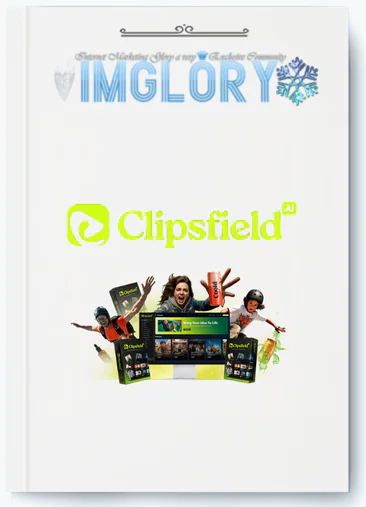
[Group buy] ClipsField AI + OTOs
Original price was: $67.00.$25.00Current price is: $25.00.
ClipsField AI is an AI video maker that turns text, images, or clips into stunning, ready-to-share videos in minutes.
Creating videos today is often more challenging than it appears. Between scripting, filming, editing, and formatting for different platforms, creators frequently spend more time managing the process than producing content. DIY video production can also be expensive and time-consuming, with constant adjustments needed to match your vision.
Many AI tools promise ease of use but often fall short, delivering robotic results or limited creative options. That’s why I tested ClipsField AI. In this review, I’ll share my experience, explain how it works, and evaluate whether it truly simplifies professional video creation.
What is ClipsField AI?

ClipsField AI is an AI-driven video creation platform that transforms images, short clips, or text prompts into captivating videos in just minutes. Designed for marketers, creators, and business owners, it produces professional-quality results without the complexity of traditional editing software.
The AI automatically applies motion effects, transitions, captions, and background music to create ready-to-publish videos for TikTok, Instagram, YouTube, and Facebook. Whether you’re promoting products, building a brand, or engaging clients, ClipsField AI streamlines the process of creating high-converting, shareable videos, with options to customize speed, style, and audio.
Pricing Plans

FE ($37)
- AI-Powered Cinematic Video Creation: Transform ideas into visually compelling videos with realistic motion, depth, and artistic style, while the AI handles directing and production.
- Text-to-Video Engine: Convert scripts or text into fully animated scenes, turning simple words into engaging visual stories.
- Image-to-Video Engine: Animate images with dynamic movement, lighting, and depth, perfect for products, logos, or portraits.
- Faceless Viral Clips: Produce engaging videos without appearing on camera, ideal for niche channels, promotions, or branded content.
- Hollywood-Grade Visual Effects: Add cinematic camera movements, realistic lighting, and professional visuals with one click.
- AI Director Mode: Control camera angles, lighting, and pacing, while the AI applies your vision consistently throughout the video.
- Smart AI Prompt Writer: Enter a brief idea, and the AI expands it into a detailed, optimized creative prompt.
- Intelligent Video Workflow Engine: Follow a simple 4-step guided process from concept to final render for efficiency and consistency.
- Smart Image Scanner: Upload an image and receive five video concept suggestions; select one, and the AI generates the complete video.
- AI Reels & Shortform Generator: Produce vertical clips perfectly formatted for Reels, Shorts, or TikTok, optimized for mobile engagement.
- Visual Style Studio: Adjust your video’s mood by selecting from cinematic, anime, 3D, neon, vintage, minimalist, and other visual styles.
- Create Any Video Type: Generate ads, explainers, tutorials, trailers, and more—all within a single platform.
- Storyboard Preview: Preview your video before rendering to make early adjustments to motion, framing, and style.
- Timeline Video Synthesizer Editor: Edit, reorder, trim, and enhance video segments with AI guidance, add visuals, and get suggestions for smooth flow.
- Up to 60-Second Videos: Merge multiple 5-second clips into a complete 60-second story with music, transitions, and export-ready formatting.
- Animated Text & Motion Graphics: Automatically include titles, captions, and animated transitions to enhance attention and professionalism.
- Integrated Audio Studio: Add music, sound effects, or voiceovers directly in the editor, with easy trimming and fading.
- Custom Images and Graphics: Import logos, product photos, or branded visuals for consistent branding across videos.
- Cut, Join & Remix: Trim clips, merge sequences, or remix content to perfect your final video.
- Professional Template Library: Access ready-made templates to start quickly, just adding your text, visuals, and branding.
- Complete Control Interface: Fine-tune lighting, tone, motion, and style to match your creative vision without technical barriers.
- AI Prompt Refinement: If your input is unclear, the AI rewrites it into a precise prompt for accurate video results.
- Logo and Watermark Overlays: Add your brand logo or watermark to every video to protect your content and maintain a professional look.
OTO 1: Unlimited Pro — $67 (One-Time)
- Unlimited projects, renders, and uploads
- Create videos up to 3 minutes long
- Access to 200+ premium 3D and cinematic templates
- Priority rendering for faster results
- 5 team member accounts
- 5x cloud storage for assets
- Premium & niche ad templates (Beauty, Fashion, Real Estate, etc.)
- Advanced visuals & cinematic effects (Lens Flares, Neon Glow, Particle Motion, etc.)
- Storytelling tools for trailers, explainers, vlogs, and more
- Luxury product ad templates for premium brands
OTO 2: Agentic AI (Magic Assistant Edition) — $47 (One-Time)
- Chat-based editing assistant for natural language commands
- Real-time visual edits via text prompts
- Blend up to 5 images per session
- Object add/remove and background replacement
- Full color, lighting, and material control
- Artistic filters: anime, neon, vintage, minimalist
- Brand Kit and watermark-free exports
- Batch editing, version history, and saved presets
- Integrated video workflow and social-safe zones
- Commercial license for business use
OTO 3: Producer Edition — $47 (One-Time)
- Turn AI clips into full videos up to 5 minutes
- Cloud-based timeline editor with multi-track control
- Precision trimming, layering, and transitions
- Audio and voiceover integration
- Text overlays, animations, and logo placement
- HD rendering (720p) with watermark-free exports
- Adjustable aspect ratios for all platforms
- Auto-save, version history, and cloud storage
- Batch export for multiple formats
OTO 4: Designers Edition — $47 (One-Time)
- Access to 7 AI Designers (Logo, Social Media, Photography, Sketch, Doodle, Abstract, Quotes)
- 500 design credits/month
- Ready-to-use templates and presets
- Smart prompt enhancer for optimized design inputs
- AI copywriting for captions and ad text
- Magic background remover
- High-resolution, print-ready downloads
- Free commercial rights
- 100% cloud-based design studio
OTO 5: Store Builder — $47 (One-Time)
- Create a digital store to sell AI videos, images, and templates
- No coding or hosting required
- Integrated checkout with PayPal and Stripe
- Access to 26,000+ ready-to-sell assets
- SEO-optimized listings and traffic tools
- Automated delivery and email notifications
- Fully customizable storefront design
If you’re still unsure about the official pricing or want to access ClipsField AI OTO1 at a much lower cost, IMGlory is the place to go. Here, you can grab it for just $25—far below the standard price. It’s a fantastic deal for anyone ready to start creating professional videos effortlessly.

Advantages
- Beginner-Friendly Interface: Produce stunning videos without any prior editing or technical skills.
- AI Video Creation: Instantly turn text, images, or concepts into cinematic, high-quality clips.
- Fast Production: Move from idea to finished video in minutes.
- All-in-One Platform: Easily create ads, tutorials, reels, explainers, and promotional videos.
- Faceless Video Support: Ideal for creators who prefer to remain off-camera while making engaging content.
- Cinematic Effects: Add Hollywood-style lighting, motion, and atmosphere with a single click.
- Social Media Optimized: Export videos perfectly formatted for TikTok, YouTube Shorts, Reels, and Facebook.
- Smart Editing Tools: Adjust visuals, pacing, and style using AI Director Mode and Visual Style Studio.
- Unlimited Creativity: Access 3D visuals, templates, and niche effects with the Pro plan.
- Commercial License Included: Use videos freely for clients, marketing campaigns, or resale.
- One-Time Payment: Gain full access without recurring subscriptions.
- Cloud-Based Speed: Enjoy smooth, fast rendering even for longer videos.
- Monetization Ready: Sell videos, offer editing services, or use them to grow your business.
Disadvantages
- Stable Internet Required: All video processing occurs in the cloud, so a reliable internet connection is necessary for optimal performance.
Who Should Use ClipsField AI?
- Digital Marketers and Advertisers: Create compelling promotional, sales, and social media videos that drive conversions.
- Content Creators and Influencers: Produce viral short-form content for TikTok, YouTube Shorts, and Instagram Reels without complex editing.
- Agencies and Freelancers: Deliver professional-quality videos for clients and scale your creative services.
- E-Commerce Sellers: Showcase products with cinematic visuals and dynamic motion to capture attention.
- Small Business Owners: Produce branded marketing videos without hiring editors or buying expensive software.
- Coaches, Educators, and Course Creators: Create polished tutorials, explainers, and educational videos efficiently.
- Social Media Managers: Keep your content calendar full with engaging, creative videos.
- Beginners in Video Marketing: Start producing content confidently with AI guidance and an intuitive workflow.
FAQs About ClipsField AI
- Do I need any video editing or design experience?
Not at all. ClipsField AI is made for beginners. The AI automatically handles camera angles, motion effects, lighting, and transitions. Simply input your idea or upload visuals, and the platform produces professional videos effortlessly. - What types of videos can I create?
You can create cinematic ads, product demos, explainer videos, branded promos, reels, tutorials, and social media content in vertical, square, or widescreen formats. ClipsField AI works seamlessly for YouTube, TikTok, Instagram, and Facebook, delivering polished, professional results. - Can I sell or use these videos for clients?
Yes. All Commercial Plans include a full commercial license, so you can sell, deliver, and use videos for clients, agencies, or businesses while keeping 100% of the profits. - Is there a limit to the number of videos I can create?
The Front-End plan allows up to 500 videos per month, each lasting up to 5 seconds. You can merge these clips into longer projects with the Video Synthesizer Editor. OTO upgrades remove all limits for unlimited video creation. - Will exported videos have a watermark?
No. All videos are watermark-free and ready for professional use or client delivery. - Can I add music or sound effects?
Yes. You can upload your own audio or use the Integrated Audio Studio to add royalty-free background music, soundtracks, and cinematic effects. - Is ClipsField AI a one-time payment?
Yes. During the launch, you can get lifetime access to the Commercial Plan with a single payment. There are no recurring fees. Optional OTO upgrades are available for extra features.
Conclusion
ClipsField AI revolutionizes video creation by combining AI power with a user-friendly, guided workflow. Tasks that used to take hours—editing, rendering, and designing—can now be completed in a few simple steps, producing professional, cinematic-quality videos ready to share anywhere.
Don’t wait—start creating high-quality, engaging content today. Secure your ClipsField AI access through IMGlory for a reliable purchase and take advantage of exclusive pricing and bonuses while they last.
Related products

GB SAAS Tools
Original price was: $59.00.$19.00Current price is: $19.00.
GB SAAS Tools
Original price was: $224.00.$15.00Current price is: $15.00.
GB SAAS Tools
Original price was: $885.00.$25.00Current price is: $25.00.
Out of stock
GB SAAS Tools
Original price was: $435.00.$33.00Current price is: $33.00.
Out of stock
GB SAAS Tools
Original price was: $230.00.$35.00Current price is: $35.00.