

INSTANT
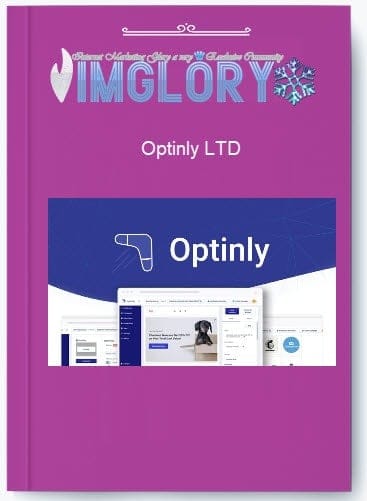
[Group buy] Optinly LTD
Original price was: $300.00.$25.00Current price is: $25.00.
Optinly lets you display Slide-in popups on the left/right of your screen and floating bars at the top/bottom of your screen.
Popups are one of the most effective tools for capturing attention and increasing conversions, with studies showing they can boost results by up to 50%. They are ideal for making announcements or collecting immediate feedback, but designing and displaying them at the right moment can be challenging. This is where Optinly comes in—a simple, powerful solution to create and manage popups on your website.
Let’s take a closer look.
What is Optinly?

Optinly is a comprehensive WordPress popup plugin that helps businesses and eCommerce stores drive leads, conversions, and sales. With goal-focused templates, you can set up popup campaigns in just a few minutes. The plugin also offers multiple triggers and targeting options, a built-in editor for easy customization, and seamless integration with various email service providers, making it one of the most efficient popup solutions for WordPress users.
Key Features

- Intuitive Drag-and-Drop Editor: Optinly’s editor is extremely user-friendly, allowing anyone to create custom popups without coding knowledge. You can adjust every element—images, text, buttons, backgrounds, borders, shadows, and more—giving you full control over design. From personal experience, even beginners can create professional-looking popups within minutes.
- Extensive Template Library: Optinly provides a wide selection of professionally designed templates for campaigns such as email sign-ups, contact forms, promotions, announcements, surveys, and more. These templates are quick to customize, enabling you to launch campaigns faster while maintaining a polished look.
- Advanced Targeting Options: You can personalize popups based on visitor behavior and attributes like location, device, browser, referral source, and more. Proper targeting ensures your messages are relevant, increasing engagement and conversion rates.
- Smart Triggering: Popups can appear based on visitor actions such as scroll depth, time on page, clicks, or cart abandonment. These triggers display your message at the optimal moment, maximizing impact.
- Engaging Animations: Make popups more eye-catching with entrance and exit animations like fade, slide, zoom, and flip box. These effects help capture visitor attention and enhance the professional look of your popups.
- Countdown Timers: Create urgency with evergreen or limited-time countdown timers on popups. These timers encourage visitors to act quickly, which is ideal for promotions and special offers.
- Interactive Spin-the-Wheel Popups: Engage visitors with entertaining “Wheel of Fortune” popups. This interactive format adds fun while delivering offers, creating a memorable experience that often increases conversions.
- Exit-Intent Popups: Target visitors who are about to leave your site with exit-intent popups. Special offers or calls-to-action at this stage can help reduce bounce rates and recover potential leads.
- Built-In A/B Testing: Easily test multiple variations of your popups. You can experiment with designs, copy, offers, colors, and placement to find the most effective combinations and continuously improve results.
- Insightful Analytics: Optinly provides comprehensive analytics, tracking views, clicks, conversions, and opt-in rates. This data allows you to monitor performance, adjust strategies, and maximize the ROI of your popup campaigns.
Pricing Plans

- Free Plan ($0): Suitable for bloggers, freelancers, or small startups testing popup campaigns with low traffic and minimal budget.
- Starter Plan ($19/month): Ideal for small businesses or side projects handling moderate traffic, offering more flexibility and features.
- Growth Plan ($49/month): Best for growing online stores or marketing teams managing multiple sites, requiring higher limits and advanced functionalities.
- Advanced & Premium Plans ($99–$149/month): Designed for agencies or high-traffic businesses with multiple domains and advanced needs.
If you want to access Optinly at a more affordable price, IMGlory offers significantly lower rates—from $25 to $99—compared to official pricing, making it an excellent deal.
Why Buy Optinly from IMGlory?
- Top-Quality Assurance: Every account is tested, fully functional, and ready to use, ensuring reliability.
- Best Value: Prices range from $25 to $99 with no hidden fees, offering one of the most affordable options available.
- Convenient Payment Options: Pay easily via MOMO or online banking for a smooth checkout process.
- 7-Day Refund Guarantee: If you’re not satisfied, request a full refund within 7 days without complications.
- 24/7 Support: Dedicated support is available anytime to help with questions or issues.
How to Buy and Use Optinly
- Step-by-Step Purchase Guide:
- Select Your Product: Browse the available plans and add your preferred option to the cart.
- Confirm Your Order: Check your order details for accuracy before proceeding.
- Choose a Payment Method: Select MOMO or online banking and enter your email for account information.
- Complete Your Purchase: Finalize the transaction. Login details will be sent via email; follow the instructions to start using Optinly immediately.
- Usage Instructions:
- Sign Up & Install: Create an Optinly account and install the plugin on your WordPress site.
- Choose a Popup Type: Select from exit-intent, floating sidebar, gamification, notification, full-screen overlay, or timed popups.
- Pick a Template: Use one of 30+ ready-made templates or design from scratch.
- Customize Your Popup: Edit text, images, colors, and layout using the drag-and-drop editor.
- Set Triggers & Targeting: Define when and to whom the popup appears, such as exit-intent, scroll, or time delay.
- Publish & Monitor: Launch the popup and track its performance through the dashboard, including views, conversions, and analytics.
Advantages
- User-Friendly Drag-and-Drop Popup Builder: Easily design and customize popups using Optinly’s intuitive drag-and-drop interface, requiring no coding skills.
- Extensive Selection of Professional Templates: Access a wide variety of pre-designed templates created by professionals, allowing you to build visually appealing popups for any campaign with ease.
- Fast and Simple Setup: Launch popups quickly with a straightforward process that guides you through creation and deployment without technical complications.
- Advanced Targeting and Personalization Options: Deliver highly relevant popups by targeting visitors based on behavior, interests, or location, and customize messages to enhance engagement.
- Comprehensive Analytics and Reporting: Monitor performance with detailed analytics, measure conversions, and optimize popups for maximum effectiveness.
- Seamless Integration with Email and CRM Platforms: Easily connect Optinly with popular email marketing services and CRM systems to manage leads and automate follow-ups efficiently.
Disadvantages
- Limited Customization Compared to Some Competitors: While it provides a range of templates, the flexibility to fully customize designs may be less extensive than other popup solutions.
- No Native Heatmaps or Click Tracking: Optinly does not include built-in visual analytics to see exactly how users interact with your popups.
- Lacks Some Advanced Features: Certain capabilities such as dynamic content or behavior-based personalization are not available, which may restrict more complex marketing strategies.
Who Should Use Optinly?
Optinly is well-suited for:
- Small to medium eCommerce stores aiming to increase email subscriptions, conversions, and sales with targeted popups.
- Digital marketers and agencies needing a quick and easy way to run multiple popup campaigns for clients.
- Businesses promoting special offers or campaigns that want to capture visitors’ attention at key moments.
- Website owners focused on lead generation who want advanced targeting and personalization to grow their email lists.
- Content creators or bloggers looking to boost engagement, gather feedback, or promote products without technical knowledge.
In short, Optinly is ideal for anyone seeking a user-friendly, conversion-focused popup tool that requires no coding.
FAQs about Optinly
- Is Optinly compatible with all website platforms?
Yes, Optinly works seamlessly on websites built with WordPress, Shopify, Squarespace, Webflow, and more. - Can I make mobile-friendly popups?
Absolutely. All Optinly popups are mobile-responsive by default, with a preview option to ensure proper display on mobile devices. - Is there a limit to how many popups I can create?
Popup limits depend on your subscription plan. For example, the Pro plan supports up to 5,000 popups, which is sufficient for most businesses. - What happens if I exceed my popup limit?
Exceeding the limit automatically deactivates additional popups. To create more, you will need to upgrade your plan. - Does Optinly work on SSL-secured websites?
Yes, it is fully compatible with SSL-enabled websites and will not cause security issues or mixed content errors. - Can I schedule popups to appear at specific times?
Yes, you can set timed triggers so popups appear exactly when needed, helping reach visitors at the most effective moments. - Can I target popups to specific visitor segments?
Definitely. Optinly allows popups to be shown based on user behavior, location, device, referral source, or previous interactions for maximum relevance. - Does Optinly integrate with email marketing tools?
Yes, it supports integration with major ESPs and CRM platforms for seamless lead collection and automated follow-ups. - Can I customize popups for mobile devices?
Yes, popups are mobile-responsive by default, and you can adjust layouts specifically for mobile or tablet screens. - Can Optinly popups be used on multiple domains?
Depending on your plan, you can deploy Optinly on several websites, making it suitable for agencies or businesses managing multiple sites. - How do I track popup performance?
Optinly offers detailed analytics and reporting, allowing you to monitor views, clicks, conversions, and overall campaign effectiveness in real time. - Can I personalize popups with user names or custom messages?
Yes, using shortcodes and advanced targeting, you can display popups that greet users by name or show content tailored to their interests.
Conclusion
Optinly is an excellent solution for anyone seeking a simple and effective popup builder to improve website conversions. Its intuitive drag-and-drop editor, diverse template library, and advanced targeting make it easy to create high-converting popups without technical expertise.
For the best pricing and a smooth purchasing experience, consider buying Optinly through IMGlory.
Related products
GB SAAS Tools
Original price was: $59.00.$19.00Current price is: $19.00.
Out of stock
GB SAAS Tools
Original price was: $435.00.$33.00Current price is: $33.00.

GB SAAS Tools
Original price was: $290.00.$31.50Current price is: $31.50.

GB SAAS Tools
$67.00
GB SAAS Tools
$59.00