
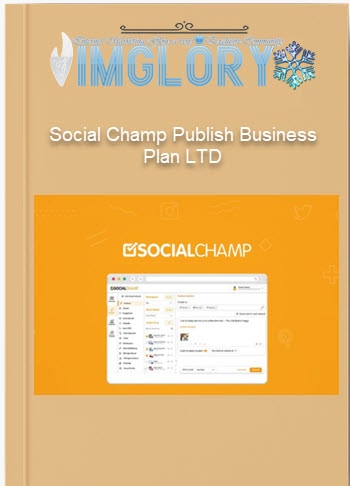
[Group buy] Social Champ “Publish” Business Plan LTD V.2.0
Original price was: $400.00.$79.00Current price is: $79.00.
Social Champ is a social media management tool with an all-in-one dashboard that lets you easily create and schedule posts.
It can be challenging to manage several social media accounts concurrently, particularly when you're attempting to prepare content, reply to messages, stay consistent, and monitor outcomes all at once. You've arrived to the proper spot if you want to keep things organized or simplify things without spending hours on daily manual posting.
We'll examine Social Champ, a social media automation tool that helps you produce better content faster, in more detail in this review. We'll explain the main functions of the program, show you how it operates, identify its target audience, and explain why you should include Social Champ in your arsenal of digital marketing tools.
What is Social Champ?

Social Champ is an intuitive social media automation tool that makes it much easier to schedule, post, and manage content across multiple social networks from one simple dashboard. With its support for popular networks like Facebook, Instagram, Pinterest, LinkedIn, Twitter, and Google My Business, you can plan out all of your social media posting tasks with a few clicks.
You can plan posts ahead of time, upload content in bulk, monitor performance, and work with team members without switching between applications or browser tabs thanks to Social Champ, which makes managing many accounts highly efficient. You can see exactly what's working and what needs to be improved, including how your target audience is interacting over time, thanks to built-in analytics.
Social Champ eliminates the hassle of daily manual posting for marketers, influencers, small businesses, startups, and agencies. It saves time and improves content visibility by making it simple to manage multi-channel marketing campaigns, boost productivity, and maintain a consistent online presence with just a few clicks.
Key features of Social Champ

- All-in-One Social Media Scheduling Dashboard: Facebook Pages and Groups, Instagram Business accounts, LinkedIn profiles and company pages, Twitter/X, Pinterest, YouTube, TikTok, and Google My Business are all supported by Social Champ's all-in-one social media scheduling dashboard. Everything is in one well-organized hub, so there's no need to switch devices, log in and out frequently, or utilize multiple tools.
- Bulk Upload & Publish: Ideal for seasonal promotions, agency workloads, and campaigns. Use spreadsheets, CSV files, or bulk import tools to upload hundreds of posts at once. Before posting, Social Champ enables editing, previewing, and customization while automatically allocating scheduled time. A great deal of manual labor is saved as a result.
- Convert your finest content into recurring traffic with Evergreen Automation & Auto Reposting. To keep your feed fresh, especially during peak hours, evergreen posts are automatically reposted at predetermined intervals. Rules such as “repost on weekends,” “repost monthly,” or “repost until engagement goal is reached” might be established.
- Smart Drag-and-Drop Content Calendar: An easy-to-use planning tool that enables you to view your strategy by day, week, or month, move posts around easily, and identify blank publishing windows. Planning is simple and intuitive thanks to color coding, platform filtering, planned time previews, and fast modification choices.
- See which posts generate the most clicks, comments, reach, and engagement with AI-Powered Analytics & Reporting. Monitor follower growth over time, top performing content genres, peak publishing hours, and audience behavior. Make Excel and PDF reports that can be downloaded for campaign audits, team presentations, or clients.
- Invite team members with bespoke responsibilities, such as administrator, editor, content writer, or watcher, to participate in client team access and collaboration. Integrated approval processes aid in avoiding mistakes prior to publication. Include comments, tag coworkers, and maintain an easy-to-read, documented log of your content creation process.
- Integrated tracking parameters and URL shorteners: Social Champ also comes with link tracking tools that let you evaluate website conversions straight from campaigns, shorten URLs, and add UTM parameters. Since everything is done within the platform, there is no need for any third-party tracking services.
- Find popular subjects, news, blog entries, quotations, and specialized content from a variety of sources with content curation, RSS feeds, and automation. Integration of RSS feeds allows you to easily schedule posts that are pulled straight from your favorite websites. Excellent for keeping up a feed without having to make one all the time.
- Branded Media Library & Asset Management: Create your own media library to hold logos, brand kits, campaign graphics, templates, video clips, and other commonly used items. You never have to waste time looking for content on several computers or shared files because everything remains organized.
- Browser Extensions & Fast Sharing Tools: You may post straight from any website with Social Champ's Chrome extension. Have you noticed anything intriguing? Select a channel, set a time, and then click once. This is quite helpful for quickly selecting audience-relevant information, category updates, and industry news.
- Customize posts according to the platform: Make one, then make numerous changes. In a single procedure, add hashtags for Instagram, modify character restrictions for Twitter and X, optimize picture formats for Pinterest, and create calls to action for LinkedIn. Every platform has its own version, so you don't have to do it all at once.
- Handle Saved Hashtags & Templates: Keep your top-performing content formats, caption styles, and hashtags. To keep your brand consistent and increase engagement over time, reuse tried-and-true themes.
How to use Social Champ
Step 1: Add Social Accounts
- Connect all of your social media accounts after logging into your Social Champ dashboard. Your Google My Business page, LinkedIn profile, Instagram Business account, Twitter/X account, Pinterest board, TikTok, YouTube, and Facebook Page can all be linked.
- Social Champ will synchronize everything once you're connected, allowing you to begin publishing.
Step 2: Create Content
Make posts with text, pictures, videos, GIFs, and well chosen links. You are able to
- You can upload media straight from your PC.
- Choose pictures from the integrated library.
- Add groups of stored hashtags.
- Modify photos to change branding, cropping, and filters.
Your material becomes more engaging and professional as a result.
Step 3: Customize Posts by Platform
Make sure every post is platform-appropriate before scheduling:
- Add pertinent Twitter/X accounts.
- Include Instagram hashtags.
- Add Links to LinkedIn
- Modify Pinterest Image Sizes
Your platform selections are automatically saved by Social Champ, ensuring that every network receives optimum material without requiring a complete overhaul.
Step 4: Schedule Posts
Select a time, date, and frequency. You could:
- Make a single appointment
- Decide on a posting frequency of daily, weekly, or monthly.
- Make use of an evergreen content loop.
- Posting from your blog or news feed automatically is made possible via RSS automation.
This guarantees regular posting even when you're busy or offline.
Step 5: Monitor & Test Results
- Use the Calendar to see, amend, or drag-and-drop scheduled posts.
- View performance metrics with insights such as clicks, reach, engagement, sentiment, and the optimal times to post after publishing.
- To share reports with clients or team members and keep refining your approach, you can export them as Excel or PDF files.
Why you should use Social Champ
- Manage all of your social media accounts in one location: Social Champ allows you to manage all of your social media accounts from a single workspace rather than having to continually move between various apps, dashboards, and mobile interfaces. Without wasting time or missing messages, you can now create, edit, schedule, monitor, and reply to comments on a variety of platforms.
- Use automation to save time every week: To cut down on the amount of time spent manually posting every day, schedule posts in advance, upload many posts at once, and reuse evergreen material. Social Champ keeps your accounts constant and active around-the-clock, even when you're asleep.
- Smart analytics to improve performance: You can learn what kinds of content work and what don't by using insights into clicks, engagement rates, user behavior, optimal posting times, and sentiment. Instead of relying solely on conjecture, these insights enable you to make data-driven decisions to enhance outcomes.
- Cooperation without chaos: Social Champ helps prevent misunderstandings caused by various responsibilities and approval procedures when working in teams. To prevent overlapping posts or inadvertently removing them, you can assign duties and keep track of who completed what.
- Scale campaigns and manage numerous clients: This feature is ideal for independent contractors, agencies, and company owners managing several brands. It allows you to create PDF reports for every client without the need for extra software and manage dozens of accounts from a single dashboard.
- Use AI to increase engagement: AI tools assist you in identifying good or negative sentiment, optimizing hashtags, and determining the ideal moment to publish for optimal exposure. Higher viral performance and organic reach will result from this.
- You'll never run out of content ideas because to features like content management, trending topic suggestions, built-in RSS feeds, and evergreen recycling. This keeps your sites active and gets rid of creative barriers.
- Professional-grade, reasonably priced solution: You receive advanced features that are often only available with costly corporate solutions at a significantly reduced cost. Social Champ handles everything, so there's no need to subscribe to several applications or hire a full-time social media manager.
- Complete mobile control at any time and from any location: Android and iOS mobile apps enable you to plan, modify, and track campaigns from any location, ensuring that your social media strategy remains constant while you're on the go, at meetings, and at events.
- Perfect for both novices and experts: The automation and analytics balance is strong enough for large corporations to employ, but easy enough for small enterprises, neighborhood stores, and even content producers who are just starting out in social media management.
Social Champ Pricing

Champion – $26/month (yearly)
- Accounts: 12 social media accounts
- Users: 2 users
- Key Features:
- Unlimited Post Scheduling
- Aggregator Post Calendar
- Instagram Grid View
- All-in-One Inbox
- Unlimited Analytics and Reporting
- And More
- This plan is suitable for individuals or small businesses who want to manage a moderate number of social media accounts with powerful scheduling and analytics tools.
Business – $89/month (yearly)
- Accounts: 40 social media accounts
- Users: 6 users
- Additional features over Champion:
- Annual reporting and analytics
- 2 shared calendars
- Social media listening (Beta)
- Basic media library storage
- Email and chat support
- This is the most popular plan, designed for medium-sized businesses that need to manage multiple social media accounts and coordinate work across teams.
Agency – $269/month (annual)
- Accounts: 100 social accounts
- Users: 10 users
- 5 shared calendars
- Editing features in shared calendars
- Social listening (Advanced)
- Advanced media library storage
- Priority support via email and chat
- This plan is suitable for agencies or large organizations that manage multiple brands and need more detailed reporting and collaboration features.
Enterprise – Custom pricing
- Accounts: Customizable
- Users: Custom
- Unlimited shared calendars
- Custom white-labeled reports
- Unlimited social listening
- 1:1 dedicated support
- This plan is designed specifically for large enterprises that need custom social media management solutions to optimize performance and provide in-depth support.
- All plans come with a 14-day free trial so you can try it out before you decide.
Advantages
- Ease of Use: Even if you've never used a social media scheduling software before, Social Champ's clear, intuitive design makes managing several social media accounts simple.
- Multi-Platform Support: You can manage all of your campaigns with Social Champ without switching between platforms because it supports all of the main ones, including Facebook, Instagram, Twitter/XP, LinkedIn, Pinterest, and Google My Business.
- Rich Feature Set: To optimize productivity and expedite daily social media duties, Social Champ offers post scheduling, bulk uploads, analytics, interaction management, content recycling, RSS auto-posting, and mobile app support.
- Comprehensive Analytics & Reporting: Social Champ can export reports as PDFs for client updates or presentations, and it offers easily readable analytics on interaction, reach, sentiment, posting frequency, and platform performance.
- Features for Team Collaboration: Assign team members various roles, such as author, editor, and administrator. Work together on drafts. Accept the material. Control accounts without disclosing login information. This is perfect for companies.
- AI-powered automation: For more discoverable and interesting postings, built-in AI facilitates sentiment analysis, content recommendations, suggested posting timings, and hashtag optimization.
- Reduced Costs Compared to Competitors: Social Champ is a good choice because it is less expensive than Hootsuite and Buffer while still providing top-notch scheduling, analytics, and team collaboration features.
Disadvantages
- User learning curve when moving from other tools: It may take some time to become acclimated to Social Champ's style and feature set if you've been using programs like Hootsuite or Buffer for a long.
- Limited creative templates: Social Champ does not have Canva's vast collection of design templates, despite being excellent for scheduling and statistics. If you want to produce high-end visual content and graphics, you might still need to use some third-party design tools.
Who is it for?
- Small Business Owners & Startups: Without hiring a full-time social media manager, real estate agents, retail store owners, food and beverage companies, beauty salons, and neighborhood service providers can all maintain active social media profiles. Posting frequently promotes brand recognition, draws in new clients, and establishes credibility online.
- Social Marketing & Management Teams: This tool allows experts managing numerous campaigns through various platforms to plan, oversee approvals, and monitor data all in one location. Campaign performance is enhanced, less manual labor is required, and missed posting times are prevented.
- Agencies & Freelancers: Content producers that collaborate with numerous customers can assign roles to team members, manage dozens of accounts on a single dashboard, and provide brand performance reports, all of which enable them to effectively and professionally inform clients.
- Big Businesses & Academic Institutions: Centralized content management is advantageous for internal corporate communications teams, banks, real estate firms, hospitals, restaurant chains, and universities. Additionally, Social Champ facilitates multi-level collaboration, which makes it simple to publish announcements, campaigns, and updates across departments.
- Influencers and Content Creators: By scheduling content on a weekly or monthly basis, YouTubers, TikTokers, Instagram creators, and bloggers can establish consistency and interact with their communities more quickly. Posting frequently guarantees that people will continue to view your greatest material without the need for manual reposting.
- Nonprofits & Communities: To increase participation and awareness, charities, youth organizations, church groups, volunteer initiatives, and event planners should plan outreach materials, fundraising events, and postings with anecdotes.
- Online service providers and e-commerce merchants: Shopify sellers, Etsy stores, dropshippers, coaches, and online course developers can automatically communicate customer reviews, product changes, specials, and seasonal campaigns to increase conversions.
What You Get (Compared to Buying at IMGLORY)
- Best Prices & Exclusive Discounts: We provide the most affordable rates and exclusive deals that aren't available on the official website. Purchasing from us would be a smart choice if you want to save money on premium packages.
- Instant Access & Simple Setup: This implies that you will receive comprehensive, step-by-step instructions and prompt activation as soon as you place your order. Use Social Champ immediately; there are no waiting periods or delays.
- Verified & Secure Purchases: Every order is performed thanks to secure payments and verified access. 100% active accounts with official access and no unstated costs are what we promise.
- Devoted Customer Support: Unlike when you purchase from random resellers, our support staff is always available to assist you personally if you need assistance with installation, user manuals, or particular features.
- Free extras for Marketing Success: You may occasionally be eligible for special extras when you make a purchase on our website. These bonuses include social media strategy guides, ready-to-use content templates, and posting schedules to accelerate your growth.
- Some options include lifetime upgrades, which guarantee that your tool will remain stable and helpful for many years to come without requiring any more monthly payments.
FAQs
- Is Social Champ suitable for beginners?
Beginners may schedule posts, monitor statistics, and automate social media duties without undergoing a laborious training procedure because to the interface's simplicity, intuitiveness, and ease of learning. - Can I manage multiple social media accounts?
Sure, Social Champ supports multiple accounts on Facebook, Instagram, LinkedIn, Pinterest, Twitter/X, Google My Business, and YouTube, among others. - Do I need a separate analytics tool?
No, Social Champ has built-in analytics and reporting capabilities. Reports in PDF format are available for download so you may evaluate performance or show them to teams or clients. - Does Social Champ support team collaboration?
In order to enable various team members to make, amend, or approve posts without exchanging passwords, you can designate roles like admin, editor, or author. - Does the system support batch scheduling?
Yes, you may schedule weeks or even months in ahead and upload posts in bulk using CSV. - Does Social Champ have mobile apps?
Yes. There are mobile apps for iOS and Android, dedicated to managing content and tracking performance on the go.
Conclusion
All things considered, Social Champ provides a full suite of tools for scheduling, organizing, and evaluating content on all of the main social media networks from a single dashboard. You can automate your whole workflow and concentrate on what actually matters—growth, engagement, and results—instead of juggling various apps, which may often result in content loss and uneven publishing.
Social Champ is among the most affordable options accessible, whether your goal is to execute more intelligent campaigns, boost productivity, or save time. The greatest prices, more secure access, plus a few extras that make getting started even simpler are all included when you buy through our website. Get in touch with Social Champ right now to begin automating and simplifying the transformation of your online presence.
Related products
GB SAAS Tools
Original price was: $116.00.$12.00Current price is: $12.00.
GB SAAS Tools
Original price was: $220.00.$22.00Current price is: $22.00.

GB Spy Tools
Original price was: $260.00.$57.00Current price is: $57.00.
GB SAAS Tools
Original price was: $53.50.$25.00Current price is: $25.00.
GB SAAS Tools
Original price was: $335.00.$47.00Current price is: $47.00.