

[Group buy] Keepa Premium
$99.00
With constantly fluctuating prices and increasing competition, finding potential products on Amazon is more difficult than ever. Losing your edge, missing out on great business opportunities, and even importing the wrong products can lead to inventory and losses. Keepa solves all of these problems. Keepa's smart deal hunting, trend analysis, and price tracking capabilities will help you make more accurate purchasing and selling decisions to optimize profits.
What is Keepa?

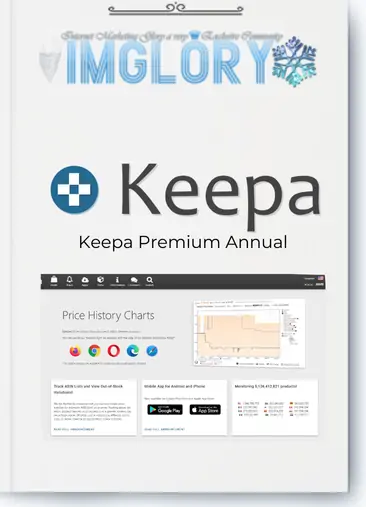
Keepa is a great tool for market research and price tracking for Amazon sellers. It is a cloud-based platform that can be used as an add-on for browsers such as Chrome, Firefox, Opera, Edge, and Safari.
It allows you to track the price history of any product on Amazon, analyze price changes over time, and accurately assess market trends. It's visual data charts make it especially easy for sellers to determine when to stock up or change their pricing strategy to optimize profits. It is definitely an indispensable tool to help you make wise decisions and increase your revenue if you sell on Amazon.
About the Author/Company of Keepa
Keepa is a company known for its software expansion and development. It has won the trust of thousands of Amazon sellers with its years of experience. The company is known for providing price tracking services and sales history data for products sold on Amazon. A paid data access plan with additional features and a free service plan that provides basic pricing information.
Keepa Features

If you are a smart consumer looking for the best price or if you sell on Amazon, Keepa is a must-have tool. Find potential products with it , track historical prices, and provide detailed market data to help you make better purchasing and trading decisions.
1. Keepa Deals – Hunting for Deals & Amazon Flips
You can track products that are heavily discounted on Amazon using the “Deals” feature. This is useful for those who want to buy products at the lowest price or use the Amazon to Amazon Flips strategy, which is to buy products at low prices and then resell them when the price increases. With a constantly discounted product list, you can find business opportunities quickly. You can optimize your profits during Arbitrage by using Keepa together with tools like Tactical Arbitrage or SellerAmp.
2. Keepa Product Finder – Smart Sourcing Tool
Finding the right products to sell on Amazon can take hours if you do it manually. You can find potential products in minutes with Keepa Product Finder. You can use a variety of criteria, such as reviews, sales, number of sellers, and price. The ability to customize detailed filters allows you to quickly select the products that best suit your business. If you are an FBA seller or dropshipper, this is a great feature to save a lot of time when finding products with high profit potential.
3. Product Viewer – Get Product Data Quickly
You can enter up to 10,000 ASINs or UPCs to access detailed product information. This helps in choosing the right product. To help you quickly evaluate whether a product is worth investing in, Product Viewer has the ability to pull historical data on price, sales volume, and competition. Combine this feature with Product Finder to create a product list to track to help you make more accurate business decisions.
4. Best Sellers – Trends & Hot Products Update
The Best Sellers category is updated every six hours, helping you identify the best-selling products on Amazon. If you know how to take advantage of this data, you can stay ahead of the trend and maximize your sales. It will display the most purchased products by category, helping you know which products are most popular in the market. If you are a trend-seeking seller, this feature will help you grasp potential business opportunities and “stay one step ahead” of your competitors.
5. Top Seller List – Research & Analyze Competitors
It allows you to track products and review your competitors. ListTop Sellers allows you to view a list of top Amazon sellers, view their product categories, and evaluate their reputation and pricing strategies. Use this feature to learn about successful sellers and use their experience to optimize your selling strategy.
6. Category Tree – Navigate by Amazon Category
The Category Tree tab helps you better understand how product categories on Amazon are created and helps you choose the right industry. You can learn about potential market segments and modify your product strategy according to current trends. If you are new to selling on Amazon, study the category tree. This will allow you to get an overview of the market, helping you avoid over-competition and choosing the wrong category.
7. Seller Lookup – Competitor Spy Tool
You are allowed by Seller Lookup to enter the seller name to search for information about the seller's store on Amazon. You will be able to know the seller's rating, the number of customer reviews, and the product categories they sell.
To gain experience, you can use this as a useful tool to analyze your competitors and identify the most successful sellers in your industry. Contact the top sellers in your industry if you want to “learn from the best”. This will assist in developing a more effective business strategy.
8. Price Tracking – Automatic Price Fluctuation Tracking
This is the most important feature of Keepa, allowing you to track the prices of your products and receive notifications when the price reaches the desired level. Real-time tracking of product prices will help you determine when to optimize your profits. You can set price alerts for products you are interested in and the tool will send you a notification as soon as the price drops to a desired level. This feature is especially useful for sellers who are looking to optimize their pricing strategy or who want to buy products at the lowest possible price.
How much does Keepa cost?

Should you need to employ Keepa to examine Amazon data, Imglory is the finest choice if you wish to save money. Purchasing via Imglory just requires you to pay 52$/year (~4$/month, saving up to 5 times), instead of 19€/month if you purchase straight on the website. Product Finder, Keepa API, and best seller lists are among its features accessible to you. It also facilitates quick payment. With decent service and quick support, Imglory is the finest option to maximise Keepa with the most affordable price! Purchase now at Imglory to maximise Amazon business performance!
Instructions for Buying Keepa at Imglory
Step 1: Order
- Visit the Imglory website
- Log in to the website, if you don't have one, register an account
- Use the search bar to search for “Keepa”
- Add the Keepa Imglory package you are selling to your cart
Step 2: Payment
- Fill in all the required information to start paying (make sure to use the correct email)
- Choose the appropriate payment method: bank transfer, Momo, or other e-wallets.
- After paying, you send a transaction receipt to confirm the order goods.
Step 3: Get account & activate
- Imglory will provide a premium account or support direct activation to your Amazon account.
- You just need to log in and start using all the features of Keepa.
Comparison table of Keepa service packages
| Features | Free | Subscription plan (19€/month) |
| Visit Product Finder | ✔ | ✔ |
| Maximum ASINs per search | 5 | 10,000+ |
| Visit Product Viewer | ✔ | ✔ |
| Maximum ASINs per upload | 5 | 10,000+ |
| Visit Best Seller Lists | ✔ | ✔ |
| Maximum Number of ASINs per Best Seller List | 5 | 5,000+ |
| Visit Top Seller List | ✔ | ✔ |
| Maximum Number of Sellers per List | 5 | 100,000+ |
| Visit Seller Storefront | ✔ | ✔ |
| Maximum ASINs per Storefront Listing | 5 | 5,000+ |
| Visit Category Tree | ✔ | ✔ |
| View Product Details | ✔ | ✔ |
| View Offer List for Each ASIN | ✔ | ✔ |
| Maximum number of offers per ASIN | 5 | Top 60 offers |
| History and number of available offers | ❌ | ✔ (Unlimited) |
| Export product variation list | Restrictions | ✔ |
| Interactive charts (Sales Rank, Buy Box, Ratings price…) | ✔ | Unlimited |
| Access Deals | ✔ | Unlimited |
| Maximum number of rows in Deals table | 480 | Unlimited |
| Product price increase data | ✔ | ✔ |
| Access Keepa API | ❌ | 5 tokens/minute |
| Quota refresh rate | 2.5% every 24h | 5% every hour |
- Free plan, just basic price tracking, suitable for individual shoppers or Amazon newbies.
- Subscription plan (19€/month) for professional sellers, dropshippers, FBA sellers and market researchers who require deep data.
Keepa alternatives
| Tools | Key Features | Free Fees | Suitable For | Notes |
| Keepa | Price Tracking, Data Analysis, Product Search, Competitor Tracking | ✅ (Limited) | Shopper, Amazon Seller | Paid Plan with More Advanced Features |
| CamelCamelCamel | Price History Tracking, Price Drop Alerts | ✅ | Personal Shopper | Doesn't Support In-Depth Analytics Like Keepa |
| Jungle Scout | Product research, sales forecasting, keyword analysis | ❌ | Amazon Seller | Strong in market research & product |
| Helium 10 | Price tracking, product research, keyword analysis, PPC management | ❌ | Professional Amazon Seller | The most comprehensive tool for sellers |
| AMZScout | Market analysis, find potential products, track trends | ✅ (Limited) | Beginner Amazon Seller | Similar to Jungle Scout but easier to use |
| Revseller | Profit Analysis, Amazon Fee Calculator, Chrome Extension | ❌ | FBA Seller | Useful for sellers who need to quickly evaluate costs & profits |
Who is best suited to use Keepa?
- Amazon sellers: It is widely used to make decisions based on price history, sales ratings, and buy box data.
- Online and in-person dispute sellers: benefits for tracking pricing and sales trends across multiple platforms.
- Private label sellers: Support market demand analysis and competitive pricing strategies for private label products.
- Amazon FBA sellers: Support inventory decisions based on sales trends and historical data
Keepa Pros and Cons
Pros:
- Price drop alerts: It allows users to set up price drop alerts prices so they can track price changes and make informed purchasing decisions.
- Accurate information: It ‘s API allows users to track Amazon data and present it through detailed charts and graphs, helping users identify patterns and trends.
- Convenience: It s browser and mobile apps make it easy for users to access its tools.
Cons:
- Limited free version: Keepa's free tools only have basic features. Users must sign up for a paid pricing plan to use tools like price drop alerts.
How to use Keepa most simply? (Step-by-step instructions)
- Step 1: Create a Keepa account
Go to the website and choose the plan that suits your needs (they offer a free version with limited features).
Complete the registration and log in to your account. - Step 2: Install the Keepa extension
It offers extensions for Chrome, Firefox, and Edge that let you access data right on the Amazon product page.
Install and make sure the extension is enabled on your browser. - Step 3: Search and track products
Using the search bar of Keepa to find the products you want to track.
Once you find a product, click “Add to Keepa” to start tracking its price and sales data. - Step 4: Analyze Product Data
It displays a graph of historical prices and sales ratings.
Based on this data, you can identify price trends, seasonal fluctuations, and potential business opportunities. - Step 5: Set up price alerts and notifications
Use Keepa's alert system to get notified when prices or sales ratings reach your desired levels.
This helps you stay up to date with the market and capitalize on business opportunities. - Step 6: Analyze Competitors
Track the prices and sales performance of your competitors' products on Keepa.
This information helps you understand their pricing strategy and figure out how to create a competitive advantage. - Step 7: Use the profit calculator
Keepa's built-in profit calculator helps you estimate the profitability of your product, including Amazon fees and shipping costs.
Use this tool to evaluate the potential of your product before investing. - Step 8: Stay informed with Keepa's blog and resources
It has a blog and knowledge base with tips on how to use the tool effectively.
Regularly update information to grasp new features and optimize sales strategies.
Frequently asked questions when buying Keepa at Imglory ?
- Is Keepa free?
It offers a free version but has many limited features. If you want access to tools like Product Finder, Best Seller Lists, competitor tracking, and APIs, you’ll need to upgrade to a paid plan. - What platforms does Keepa support?
It’s available in-browser via Keepa.com and comes with extensions for Chrome, Firefox, and Edge. - Does Keepa support real-time price tracking?
Yes. It updates price data continuously and allows you to set alerts when prices drop to a desired level. - Can Keepa analyze products for sale on Amazon?
Yes. It has tools like Product Finder, Best Seller Lists and Seller Lookup to help you find potential products, analyze competitors and optimize your product catalog. - How are Keepa's free and paid plans different?
Free plan: Shows basic price history/ Paid plan: Offers product search, competitor tracking, API, data exportand many other advanced tools. - Which countries does Keepa support Amazon tracking?
It tracks prices on all major Amazon markets such as the US, UK, Germany, France, Japan, Canada, India, Italy, Spain, Australia, Mexico… - Where to buy Keepa at the best price?
You can buy genuine Keepa on the website. However, if you want to save money, you can buy it through Imglory for only 52$/year, much cheaper than the original price. - Can Keepa be used on phones?
Yes, but only via web browser. Currently, Keepa does not have its own mobile app. - Can Keepa help find products for dropshipping or FBA?
Yes. It helps analyze prices, sales history, and competition – important factors in dropshipping or Amazon FBA business. - Shared Account What does Imglory offer?
A Shared Account is a paid account that many people use together to reduce costs. Instead of buying individually, a group of people can share one account.
Conclusion
Keepa is not only a price tracking tool but also a great assistant to help Amazon sellers optimize their business strategy. By providing historical price data, product analysis, and deal hunting support. It helps businesses make informed decisions, increase profits, and reduce risks.
Whether you are an Amazon seller, FBA seller, or dropshipper, It is a great tool for smart buyers looking for the best prices. Take advantage of Amazon's profit optimization opportunities! Sign up for today at Imglory to exploit the best market data.
| Time | 1 Month, 1 Year, Trial |
|---|
Related products

GB Spy Tools
Original price was: $999.00.$108.00Current price is: $108.00.

GB Spy Tools
$200.00

GB Spy Tools
$21.00

GB Spy Tools
Price range: $1.00 through $25.00

GB Spy Tools
$2.00