

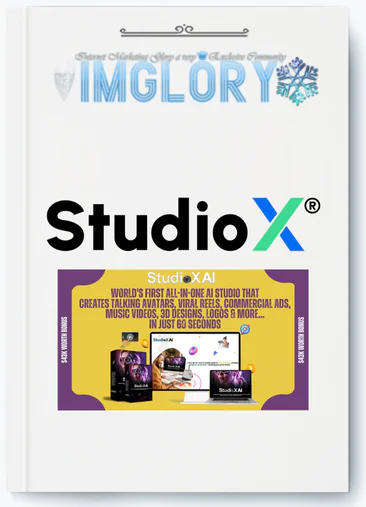
[Group buy] StudioX AI + OTOs
Original price was: $67.00.$19.00Current price is: $19.00.
StudioX AI is an all-in-one AI platform that combines video production, AI avatars, 3D design, branding, and social media automation into a single, easy-to-use dashboard with a commercial license.
If you’ve ever tried creating videos, graphics, or marketing materials online, you know how tedious it can be: switching between multiple tools, spending hours editing, and paying for expensive subscriptions that quickly add up. StudioX AI is designed to solve exactly that problem.
With StudioX AI, most of the repetitive and time-consuming work is automated, so you can focus on growing your business instead of struggling with complicated software.
In this review, IMGlory will explain how StudioX AI works, detail its features, discuss the pros and cons, and help you decide if it’s truly worth your investment.
What is StudioX AI?

StudioX AI is a complete all-in-one artificial intelligence studio created to replace multiple tools and costly subscriptions. It combines everything into a single platform, including video production, AI avatars, branding, 3D design, and social media automation. Developed by VJ Tech Labs, it’s cloud-based, easy for beginners, and includes a commercial license so you can monetize your content.
No downloads, no complex software, no hiring freelancers—just one dashboard where automation powers your creativity.
Key Features

StudioX AI offers a wide range of tools that go beyond typical editing platforms:
- Talking Avatars in 50+ Languages: Create realistic avatars that speak over fifty languages, perfect for reaching global audiences without hiring multiple voice actors.
- AI Lip-Sync Video Translation: Translate videos while automatically syncing lip movements, producing a natural, professional result instead of a typical dubbed clip.
- Script-to-Scene Video Generation: Input your script and StudioX generates full video scenes with voiceovers, captions, and transitions—ideal for ads, presentations, and storytelling.
- Automatic Shorts, Reels, and TikTok Creator: Turn long videos into short clips for YouTube Shorts, Instagram Reels, or TikTok, with highlights automatically selected and formatted.
- Music Video Generator: Upload or select a song, and StudioX creates a music video with transitions, lighting effects, and motion that matches the rhythm.
- 3D Object and AR Creation: Design or generate 3D models and AR assets for product demos, virtual experiences, or dynamic visuals.
- Logo and Brand Kit Generator: Create a full branding kit, including logos, color schemes, fonts, and other assets to ensure consistent branding.
- AI Image Upscaler to 8K HD: Enhance low-resolution images to ultra-clear 8K quality for online, print, or large displays.
- Meme and GIF Generator: Quickly make memes and GIFs with captions or effects to boost social media engagement.
- Podcast-to-Blog Converter: Transform audio content like podcasts into written blog posts or articles, saving time and improving SEO.
Pricing Plans

FE – StudioX AI – $14.97
Full access for one-time $14.97
Replaces multiple apps: video, logos, websites, 3D objects
Beginner-friendly, cloud-based dashboard
Commercial license included
Automates avatars, logos, reels, translations
Features: AI video, lip-sync, 3D/AR, music videos, podcast-to-blog, image upscaler, memes/GIFs
30-day money-back guarantee
OTO1 – StudioX AI Unlimited Edition – $67
Unlimited videos, designs, branding
Extra niche templates
Priority rendering & automation
CRM/email integration
For freelancers, agencies, heavy users
OTO2 – StudioX AI DFY Edition – $97
Ready-to-use AI content system
Niche AI trainers, 100+ languages
Voiceovers included
Monetize across ads & affiliates
Priority support
OTO3 – StudioX AI Traffic Edition – $77
1,000–2,000 targeted clicks daily
No SEO or content creation needed
Ideal for affiliates & marketers
Includes Email Verifier Pro & Classified App
OTO4 – StudioX AI Agency Edition – $97
Manage 100 client accounts
Automated business systems
Marketing campaigns included
24/7 support tools
Easy, no technical skills needed
OTO5 – StudioX AI Reseller Edition – $67–$97
Resell under your link
Keep 100% profits
Create client accounts
No setup needed
High-converting sales pages
OTO6 – StudioX AI WhiteLabel Edition – $297–$497
Rebrand StudioX AI
Custom domain & logo
Host & support handled by vendor
Create & sell accounts
Limited to 30 licenses
OTO7 – StudioX AI Live Edition – $197
Host unlimited live events
Stream to Facebook, YouTube, Zoom
Live chat & Q&A
Record sessions
Analytics included
If you want to get StudioX AI at a lower price than official plans, IMGlory offers it for just $19. This is an excellent opportunity to save money while accessing the full power of the platform.
Why Buy StudioX AI from IMGlory?
- Reliable Accounts: Each account is tested, fully functional, and ready to use.
- Best Price: Only $27, one of the most affordable deals, with no hidden fees.
- Easy Payment: Pay via MOMO or online banking for a smooth checkout.
- 7-Day Refund Guarantee: Not satisfied? Request a full refund within 7 days.
- 24/7 Support: Dedicated support team available anytime for guidance and assistance.
How to Buy and Use StudioX AI
- How to buy
Step 1: Select Your Product
Browse the plans and add your choice to the cart.
Step 2: Confirm Your Order
Check your order details before proceeding.
Step 3: Choose Payment Method
Select MOMO or Online Banking and provide your email to receive account details.
Step 4: Complete Purchase
Finalize payment and follow activation instructions sent by email.
For full details on buying and payment, visit: https://imglory.net/
- Usage Instructions
- Step 1: Log in & Pick Your Project
Open the dashboard and select your project type: videos, avatars, logos, 3D models, websites, or music videos. - Step 2: Add Input or Use Template
Enter text, upload images, or select a ready-made template. The AI converts your input into professional content in seconds. - Step 3: Export & Profit
Review, make quick edits if needed, then download or publish. The commercial license allows you to sell your content and keep all earnings.
Advantages
- Saves Time: Tasks that normally take days, like videos, logos, or graphics, can be completed in just minutes.
- Beginner-Friendly: No design or technical skills required to create professional-quality content.
- All-in-One Solution: Combines multiple tools into one platform, removing the hassle of managing different apps or subscriptions.
- Commercial License Included: Start selling your creations immediately and keep all profits.
- Consistent Branding: Generates cohesive visuals across logos, videos, and graphics for a professional brand image.
- Affordable: A single low one-time payment is cheaper than even a month of most design or video software.
- Agency-Ready: Perfect for freelancers or agencies looking to scale their services quickly.
- Versatile Across Industries: Suitable for social media, eCommerce, marketing, small businesses, or personal branding.
- Easy to Use: Templates and prompts make content creation simple, even for beginners.
Disadvantages
- Requires Internet: Since it’s cloud-based, a stable internet connection is needed to use the platform.
Who Should Use StudioX AI?
StudioX AI is designed to streamline and speed up content creation while helping users generate revenue. It works well for both beginners and established online businesses. Key users include:
- Beginners: No technical or design experience needed; the intuitive interface lets you create professional content immediately.
- Freelancers: Quickly produce videos, graphics, or logos for clients while keeping all profits.
- Digital Marketers: Generate viral reels, ads, and branded content to drive traffic and increase conversions without hiring expensive help.
- Small Business Owners: Develop brand assets like logos, websites, and marketing videos fast to strengthen your presence.
- Content Creators & Influencers: Enhance social media visibility with AI-generated reels, avatars, and striking visuals.
- Agencies: Expand offerings by providing multiple creative solutions from a single AI-powered platform.
- E-commerce & Product Sellers: Create product mockups, 3D visuals, and promotional ads efficiently to sell products faster.
FAQs about StudioX AI
- Is StudioX AI easy for non-technical users?
Yes. Users can create professional content on their first day. The interface is intuitive, and tutorials are comprehensive. - Can it produce professional content in about a minute?
Yes. Most projects are ready in 45–75 seconds and usually do not require extra editing. - How does it compare to hiring freelancers or agencies?
It’s faster and more cost-effective for routine content. Highly specialized or artistic work may still benefit from human creativity, but StudioX AI is very efficient for foundational content. - What if I’m not satisfied with the results?
The 30-day money-back guarantee protects your purchase. Most users see value within the first week. - Can I use the content commercially?
Yes. All purchases include a commercial license, allowing unlimited commercial use at no extra cost. - How often is it updated?
The platform is regularly improved with updates and new features, though release dates are not always announced. - Can I use it on mobile devices?
Yes. The desktop version offers more features, but mobile is sufficient for quick edits and content generation. - What support is available?
Email support is responsive, usually replying within 2–3 hours with detailed guidance.
Conclusion
After testing StudioX AI thoroughly, it’s clear that this is a must-have tool, especially at the launch price of $14.97. Instead of paying for multiple apps or outsourcing basic tasks, you can produce professional videos, graphics, and branding content quickly from one intuitive platform.
For the best price and a secure purchase, get StudioX AI now through IMGlory while the early-bird offer is still available.
References
Official website
https://sales.vjtechlabs.com/studiox/live/?r=257&platform=
StudioX AI Review
https://www.deviantart.com/curtisclementduaneod/art/StudioX-AI-Review-1246734416
Related products
Out of stock
GB SAAS Tools
Original price was: $308.00.$22.00Current price is: $22.00.
Out of stock
GB SAAS Tools
Original price was: $230.00.$35.00Current price is: $35.00.
GB SAAS Tools
Original price was: $116.00.$12.00Current price is: $12.00.
GB SAAS Tools
Original price was: $335.00.$47.00Current price is: $47.00.
GB SAAS Tools
Original price was: $59.00.$19.00Current price is: $19.00.