
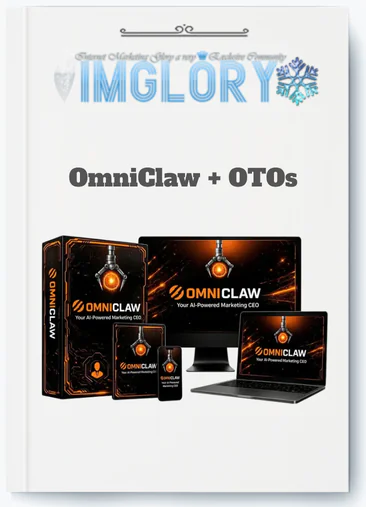
[Group buy] OmniClaw + OTOs
$15.00
OmniClaw is a cloud-based AI marketing platform that uses an AI CEO and specialized agents to create complete marketing campaigns from a single command.
If you run your own online business in 2026, your marketing workflow probably looks something like this. You have an idea for a campaign on Monday. By Tuesday you have drafted the email copy in ChatGPT. Wednesday you try to get social captions that match the same offer. Thursday you realize the landing page copy does not quite align with either. By Friday you are still editing and have not launched anything.
This is not a motivation problem. It is not a skills problem. It is a coordination problem.
Each piece of your campaign is created in isolation, in a different tool, in a different session, with a different mental context. The pieces do not naturally cohere because they were never produced from the same coordinating instruction. You assemble them manually, which takes time, and the result often feels like it was written by several different people even though it was written by the same person across several different days.
OmniClaw is built around the observation that this coordination problem is solvable, not by making you a better marketer, but by giving you an AI team that handles the coordination internally. One instruction, twelve plus agents working in parallel, one coordinated campaign output. That is the premise. This review examines whether it holds up.
What Is OmniClaw?
OmniClaw is a cloud-based autonomous AI marketing platform where an AI CEO coordinates a team of more than twelve specialized agents to produce full campaign assets from a single plain-English instruction. It is built on an open-source multi-agent foundation called OpenClaw, runs entirely in the cloud with no installation or technical setup required, and is available at a one-time lifetime price of $14.95 for the front-end with commercial rights included.
The platform is not a chatbot with extra features. It is not a writing tool with a social media add-on. It is a campaign-level execution system designed to replace the manual orchestration work that currently sits between your marketing ideas and your published campaigns.
When you type something like “Create a 5-day email sequence to sell my online fitness coaching to women aged 28 to 45 interested in sustainable weight loss,” OmniClaw's AI CEO distributes that instruction across agents built for email copy, subject line generation, landing page copy, social captions, and video script production. They work simultaneously, not in sequence, and return outputs that all reflect the same offer, audience, and messaging foundation because they all originated from the same coordinating brief.
The one-time pricing model positions it as a direct alternative to the monthly subscription stack that most solo marketers currently maintain, typically at a combined cost of $100 to $300 per month across separate AI writing, design brief, email copy, and scheduling tools.
Main Features of OmniClaw

AI CEO Orchestration Layer
The AI CEO is the architectural core of OmniClaw and the feature that most directly distinguishes it from any single-purpose AI tool. When a campaign instruction is submitted, the AI CEO does not pass it to one agent. It analyzes the full scope of the request, determines which specialized agents are needed, distributes the work across those agents in parallel, and maintains the shared brand and offers context across all simultaneous executions. The outputs that return reflect this shared coordination, which is why cross-channel messaging alignment is a structural feature of OmniClaw rather than something users have to engineer manually.
Twelve-Plus Specialized Agents
Each agent in the OmniClaw team is purpose-built for a specific marketing function rather than being a general-purpose model handling every output type with equal depth. The agent roster covers email sequence writing, subject line generation, social media caption production, landing page and funnel copy, video script creation, lead generation content, and more. Agent specialization is what allows the platform to produce professional-quality outputs across multiple formats simultaneously without the quality trade-offs that come from asking one model to cover everything at once.
Plain-English Single-Command Interface
The operational model requires no prompt engineering knowledge, no API configuration, and no tool-specific syntax. A structured plain-English instruction covering your offer, audience, channels, tone, and goal is sufficient for the AI CEO to coordinate a complete campaign output. The instruction format is accessible to complete beginners and improves in output quality as users develop their prompting practice over time, but the floor is productive from the first session.
Persistent Brand Profile Context
Before running any campaign, users complete a brand profile covering niche, target audience, tone of voice, and primary offer. This context is applied to every agent output across every campaign, maintaining brand voice consistency without requiring users to re-specify their brand identity in every individual instruction. The brand profile is the most important configuration step for output quality and the investment most directly correlated with the consistency of results across multiple sessions.
Template Library
Pre-built campaign templates for common marketing scenarios provide structured starting points that help new users understand the instruction format and give experienced users fast-start frameworks for recurring campaign types. Templates cover basic launches, 7-day promotional sequences, lead magnet campaigns, and product introduction sequences, all customizable to any specific offer or audience.
Multi-Channel Parallel Output
A single OmniClaw instruction produces outputs across email, social media, landing pages, video scripts, and lead generation channels simultaneously. The cross-channel consistency maintained through the AI CEO coordination layer produces better messaging alignment than manually assembled campaigns typically achieve, and the parallel production timeline eliminates the sequential tool-switching overhead of multi-tool workflows.
Commercial Rights and Cloud Access
Front-end access includes commercial rights for client and agency use without additional licensing fees. The cloud-based architecture requires no installation and no technical setup, with the dashboard as the complete interface between the user and the agent team.
Pricing Plans and OTOs detailed
Front-End – OmniClaw ($14.95 one-time)
- AI-powered marketing and automation platform with lifetime access
- Includes AI CEO Agent and multiple specialist AI agents
- Supports content creation, funnels, emails, lead generation, and automation
- Includes video tools, image tools, local marketing features, and cloud access
- Comes with Commercial Rights for client and agency use
- Designed for affiliates, freelancers, marketers, agencies, and small businesses
- Includes a 30-day money-back guarantee for risk-free testing
OTO 1 – OmniClaw Unlimited ($67 – $167 one-time)
- Removes restrictions and expands platform capabilities
- Supports larger campaigns, heavier workflows, and more client projects
- Provides a more scalable environment for long-term use
- Designed for marketers and agencies using OmniClaw regularly
- Helps users create and manage more campaigns without limitations
OTO 2 – DFY Money Campaigns ($67 one-time)
- Provides ready-made affiliate-style marketing campaigns
- Includes prebuilt promotional assets and campaign structures
- Helps users avoid starting campaigns from scratch
- Reduces research, planning, and setup time
- Best for beginners and users wanting faster campaign launches
OTO 3 – Chatbot Profit Automation ($37 one-time)
- Adds automated AI chatbot functionality for websites and Telegram
- Helps convert visitors into leads and buyers automatically
- Supports visitor engagement, follow-ups, and lead collection
- Acts as an AI sales and support assistant for offers and pages
- Useful for marketers generating traffic and leads
OTO 4 – Email Profit Automation ($47 one-time)
- Adds automated email-marketing and follow-up systems
- Helps users generate leads and nurture prospects through email
- Supports prospect discovery, campaigns, and automated sequences
- Designed for affiliates, agencies, coaches, eCom sellers, and marketers
- Focuses on long-term buyer relationships and repeat traffic
OTO 5 – Local Profit Automation ($47 one-time)
- Focused on local-business marketing and lead generation
- Helps users find local businesses and identify marketing opportunities
- Supports audits, outreach, proposals, and follow-up automation
- Useful for freelancers, consultants, and local-marketing agencies
- Helps position services around SEO, visibility, and lead generation
OTO 6 – OmniClaw Agency Reseller ($197 one-time)
- Allows users to sell OmniClaw-powered services to clients
- Includes client-account creation and agency-style management
- Lets users charge for AI marketing and automation services
- Supports branding services under your own business name
- Designed for agencies, freelancers, and service providers
OTO 7 – OmniClaw Whitelabel ($297 one-time)
- Lets users fully rebrand OmniClaw as their own software business
- Includes custom branding, logo, colors, and platform positioning
- Allows selling software access under your own brand
- Hosting, updates, and technical support are handled for you
- Designed for entrepreneurs wanting a SaaS-style AI business
- Provides full control over branding, pricing, and customer management
How to Use OmniClaw: Getting From Setup to First Campaign
Complete the Brand Profile Before Anything Else
The brand profile is where OmniClaw's output quality begins. Before running any campaign instruction, spend ten to fifteen minutes defining your niche with specificity, describing your target audience with demographic and psychographic detail, articulating your tone of voice with concrete descriptors, and outlining your primary offer. Users who treat this step as a formality and fill it in broadly receive generic outputs. Users who fill it in with genuine specificity receive outputs that reflect their actual brand from the first campaign.
Choose a Template or Write a Structured Instruction
For first sessions, selecting a template that matches your immediate campaign type provides a useful starting framework. For users ready to write their own instruction, the structured format that consistently produces the best outputs specifies the audience first, then the channels required, the offer and its key benefits, the tone, the conversion goal, and any format constraints such as email length or number of social posts.
A practical example of a well-structured instruction: “Create a 3-email welcome sequence for new subscribers to my business coaching program. Target audience: Vietnamese entrepreneurs aged 28 to 45 transitioning from employment to self-employment. Tone: direct, practical, no jargon. Goal: book a free 30-minute discovery call. Include a subject line for each email and a clear call to action.”
The difference in output quality between this instruction and “write some emails for my coaching business” is the difference between something you edit for 15 minutes and something you rewrite from scratch.
Let the Agents Run and Review Everything
After submitting your instruction, the agent team processes it and returns a coordinated output set. Review every piece before publication. Check factual accuracy against your actual offer details, confirm brand voice consistency, remove any claims that do not reflect your real product structure or guarantee, and verify any specific details the AI has generated. OmniClaw produces first drafts at speed. The human review pass is what converts those first drafts into publishable content.
Build a Prompt Library Over Time
Save the instruction structures that produce the most usable outputs from each session. A personal prompt library built over the first month of use becomes a significant productivity asset, reducing the setup time for new campaigns and consistently producing outputs that reflect your evolved brand voice and audience understanding.
Pros and Cons
Pros
- Campaign-level orchestration from one instruction is the most differentiated feature OmniClaw offers and the primary reason to choose it over any single-purpose AI tool. No individual tool in the standard marketing stack coordinates across multiple output types simultaneously. OmniClaw does this natively, which is where its most concrete productivity advantage comes from.
- Parallel processing compresses multi-day workflows into single sessions. The sequential time cost of a manual multi-tool campaign assembly disappears when twelve agents work simultaneously rather than in sequence.
- Lifetime pricing at $14.95 eliminates the recurring subscription overhead that accumulates to $1,200 to $3,600 per year across a standard tool stack, producing a break-even calculation that favors OmniClaw within the first month for most active users.
- Beginner accessibility through the plain-English instruction format, guided templates, and no-code dashboard makes the platform productive for non-technical users from the first session.
- Commercial rights in the base purchase allow immediate use for client deliverables without additional licensing costs, making the platform viable as a service production tool for freelancers and small agencies from day one.
- Cross-channel messaging consistency maintained through the AI CEO coordination layer produces better campaign coherence than manually assembled multi-tool outputs typically achieve.
Cons
- Every output requires human review before publication. OmniClaw accelerates first-draft production. It does not replace editorial judgment, factual verification, or compliance review. Skipping the review process is the single most common mistake users make and the primary source of published content errors.
- Output quality has a direct dependency on instruction quality. The platform's value ceiling is defined by prompt clarity and specificity. Vague instructions produce generic outputs regardless of how capable the underlying agents are.
- No native email sending infrastructure. Email copy is generated but not delivered. A separate email service provider is required for the deployment layer.
- Cloud-only with no offline functionality. Internet connectivity is required for all platform functions, and users working with sensitive data should review OmniClaw's privacy policy before entering proprietary information.
- Not a substitute for finished visual production. OmniClaw produces copy and creative briefs rather than completed graphic design assets. Users who need finished visuals maintain a design tool alongside OmniClaw.
Who Is OmniClaw For?
- Solopreneurs managing their own marketing who currently maintain a fragmented tool stack and spend more time on tool management than campaign execution. OmniClaw's consolidation model addresses exactly this workflow by replacing the manual orchestration layer with the AI CEO coordination system.
- Online coaches and course creators who regularly launch products and need coordinated campaign assets across email, social media, and landing pages produced efficiently without a marketing team. The promotional sequence and launch campaign templates directly serve the most common campaign types in this category.
- Affiliate marketers who need to produce promotional assets quickly for multiple offers and want a faster testing cycle for different campaign angles without maintaining separate tool workflows for each one.
- Freelancers and small agencies who want to expand their deliverable range and production speed without increasing their subscription overhead. The commercial rights in the base purchase make OmniClaw a viable client production backend from day one.
- Non-technical users who have found standard AI tools frustrating because of the prompt engineering requirement. OmniClaw's plain-English instruction model is the most accessible entry point to multi-agent marketing capability currently available.
Less suited for: Enterprise teams with brand governance workflows and multi-stakeholder approval processes, businesses requiring legal review of all content in regulated industries, and users who need complete visual production depth rather than copy and creative briefs.
OmniClaw vs. Competing Approaches
| Factor | OmniClaw | Jasper | ChatGPT | Full Manual Stack |
| Campaign orchestration | AI CEO, 12+ agents | None | None | Human operator |
| Multi-channel from one prompt | Yes | No | No | No |
| Parallel processing | Yes | No | No | No |
| Brand profile persistence | Yes | Partial | No | Manual |
| Email copy | Yes | Yes | Yes | Yes |
| Landing page copy | Yes | Yes | Yes | Yes |
| Video scripts | Yes | No | Yes | Separate tool |
| Social captions | Yes | Yes | Yes | Separate tool |
| Visual production | Brief only | No | No | Canva etc. |
| Email delivery | No | No | No | ESP required |
| Pricing | One-time $14.95 | $49+/month | $20+/month | $100-$300+/month |
| Commercial rights | Included | Included | Restricted | Varies |
Frequently Asked Questions
- Is OmniClaw genuinely different from using ChatGPT for multiple tasks in one session?
The structural difference is in the coordination architecture. ChatGPT processes one prompt at a time sequentially, and each response is independent of the others unless explicitly given connecting context. OmniClaw's AI CEO coordinates multiple specialized agents simultaneously from a single instruction, with a shared brand and offer context maintained across all parallel executions. The practical result is coordinated multi-format outputs that cohere structurally rather than outputs that the user has to manually align after production. The speed difference from parallel versus sequential processing is also significant for campaigns requiring multiple output types.
- How does OmniClaw handle campaigns for physical product businesses as well as digital offers?
OmniClaw's campaign generation works for any offer type that requires marketing content across multiple channels. Physical product eCommerce campaigns, local service business promotions, SaaS product launches, and affiliate marketing campaigns are all supported by the same instruction model. The key is specifying the offer type and audience clearly in the instruction so the agents produce outputs calibrated to the correct purchase journey and conversion context rather than defaulting to a digital product structure.
- What is the most common mistake new users make with OmniClaw?
The most consistently reported issue among new users is submitting vague instructions and expecting specific outputs. “Promote my product” produces a generic output. “Create a 5-day Instagram and email campaign to promote my handmade skincare range to Vietnamese women aged 25 to 40 who prioritize natural ingredients, tone: warm and educational, goal: drive traffic to my Shopify store” produces a usable output. The instruction is the primary variable that determines output quality, and investing two to three minutes in specificity before submitting consistently saves fifteen to thirty minutes of editing afterward.
- How does OmniClaw compare financially to hiring a freelance copywriter for the same campaign?
A freelance copywriter for a full campaign including email sequence, landing page, and social content typically charges between $300 and $1,500 depending on experience and scope. OmniClaw's $14.95 front-end produces the same structural output in minutes rather than days, though the human editing pass and the strategic direction remain the user's responsibility. For users who currently outsource campaign copywriting, the financial case for OmniClaw as a first-draft production layer is significant. For campaigns where strategic differentiation and brand voice precision are critical, combining OmniClaw's speed with a light copywriting review layer produces strong output at a fraction of the cost of full copywriter engagement.
- Can the Email Profit Automation upgrade replace a dedicated email marketing platform?
The Email Profit Automation upgrade adds automated email marketing and follow-up sequences as a system, covering prospect discovery, campaign structure, and automated nurture sequences. It is most accurately described as an email marketing automation layer rather than a full email delivery infrastructure replacement. Users who need full subscriber list management, A/B testing infrastructure, deliverability optimization, and detailed analytics for high-volume email operations should maintain a dedicated email service provider. The upgrade is most valuable for users who want to automate the email nurture and follow-up system around their OmniClaw-generated campaign content.
- How does the Local Profit Automation upgrade work alongside the core platform?
The Local Profit Automation upgrade focuses specifically on local business lead generation, covering local business discovery, opportunity identification, outreach automation, audit and proposal generation, and follow-up sequencing. Used alongside OmniClaw's core campaign generation, it creates a complete local agency service workflow: identify local business clients, audit their current marketing, generate a proposal, and use OmniClaw to produce the campaign assets for the service you deliver. For freelancers and consultants positioning around local business marketing services, the combination of the core platform and this upgrade provides a more complete service delivery system than either provides independently.
- What is the practical difference between the Agency Reseller and Whitelabel upgrades?
The Agency Reseller upgrade at $197 allows users to sell OmniClaw-powered marketing services to clients and manage those clients from an agency dashboard, with the service branded under the user's business name. The Whitelabel upgrade at $297 goes further by allowing users to fully rebrand the OmniClaw platform itself as their own software product with a custom name, logo, and positioning. Agency Reseller is for users who want to sell marketing services using OmniClaw as the backend production tool. Whitelabel is for users who want to sell software access to the platform itself under their own brand.
- How many campaigns can be run simultaneously on the front-end tier?
The front-end tier is designed for individual business use with the standard campaign scope and volume appropriate for a solopreneur or small business. Users who need to run multiple simultaneous campaigns, manage high-volume client workflows, or operate at agency scale will typically need the Unlimited upgrade, which removes the platform's scope and volume restrictions. The most practical approach is to start on the front-end tier and upgrade to Unlimited if and when volume constraints become a limiting factor in your workflow.
- How does OmniClaw handle revision requests after an initial output is generated?
Revision requests are handled through follow-up instructions in the same session or through refined prompts in new sessions. If the initial output is close but needs specific adjustments, a follow-up instruction identifying the specific elements to change, such as “make the email subject lines more curiosity-driven” or “adjust the tone of the landing page copy to be more direct and less conversational,” produces a revised output. Users who maintain notes on what worked and what did not in each session develop a refinement process that gets progressively faster as their prompt library and brand profile become more detailed.
- What security considerations should users be aware of before entering business data into OmniClaw?
As a cloud-based platform, OmniClaw processes all inputs and generates all outputs on remote servers. Before entering client data, proprietary product specifications, confidential business strategies, or sensitive audience information, users should review OmniClaw's official privacy policy to understand what data is processed, stored, and retained. For users working with high-sensitivity client information or operating in industries with data protection requirements, a review of the platform's data handling practices against applicable compliance requirements is advisable before integrating OmniClaw into those specific workflows.
- What is the best campaign type to start with as a complete OmniClaw beginner?
The most effective starting campaign for a complete beginner is a scoped single-channel brief with a clear output definition. A prompt like “Generate 10 Instagram captions for a handmade jewelry brand targeting women aged 25 to 40 in Vietnam, tone: warm and personal, focus on the craftsmanship story behind each piece” produces an evaluable output set that teaches you how OmniClaw interprets your instructions without the review overhead of a full multi-channel campaign. Starting with a focused brief gives you a quality benchmark for your prompting approach before you commit to a larger campaign scope.
- How does OmniClaw's lifetime pricing affect the long-term cost calculation for an active user?
The lifetime pricing model means the cost per campaign approaches zero over time as the number of campaigns produced increases. For a user producing two campaigns per month, the $14.95 front-end cost translates to less than $0.63 per campaign after the first year, compared to the $50 to $150 per month that a comparable tool stack costs regardless of how many campaigns are run. For active users who consistently use the platform, the cost efficiency advantage over subscription-based alternatives compounds with every session, making the lifetime deal one of the clearest financial arguments for early adoption in the current promotional window.
Be the first to review “OmniClaw + OTOs”
You must be logged in to post a review.
Related products
Out of stock
GB SAAS Tools
Original price was: $804.00.$55.00Current price is: $55.00.
GB SAAS Tools
$25.00

GB Spy Tools
Original price was: $260.00.$57.00Current price is: $57.00.
GB SAAS Tools
Original price was: $885.00.$25.00Current price is: $25.00.
GB SAAS Tools
Original price was: $775.00.$43.00Current price is: $43.00.
Reviews
There are no reviews yet.