

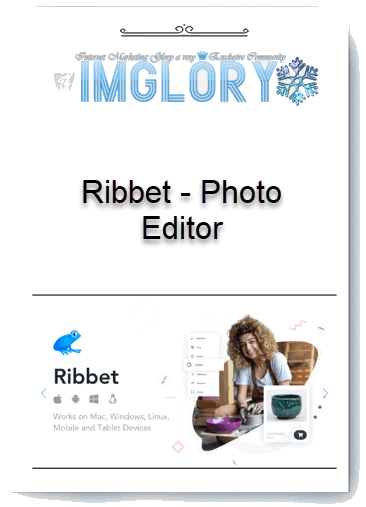
[Group buy] Ribbet – Photo Editor
Price range: $2.00 through $12.00
Photo Editor | Ribbet: Free Online Photo Editing
The need to own beautiful photos is not limited to anyone, whether you are a professional photographer or a young person with a passion for photography. Photo editing software such as Adobe Photoshop or Lightroom, although comprehensive, requires users to pay quite a high fee. Finding a good-nutritious-cheap photo editing tool is not easy.
If you are still struggling to find or are not satisfied with the existing editing tools, Ribbet – Photo Editor may be the perfect solution. As a photo editing utility with both free and paid versions, Ribbet offers great features and is easy to use, enough to satisfy even the most demanding users.
Let's Imglory explore Ribbet – Photo Editor in detail through this article.
What is Ribbet – Photo Editor?
Ribbet – Photo Editor is a simple but effective graphic editing tool, suitable for both basic color grading and skin/face editing. This is an ideal choice for those looking for a photo editor that doesn't take up much space and is designed to handle simple tasks.
A big advantage of Ribbet is its availability on multiple platforms, including web, PC, and mobile versions, allowing users to edit photos anywhere.

However, the web version of Ribbet is often slower than the PC version. Therefore, if possible, you should use the PC version for a smoother and more efficient experience.
Ribbet offers a range of powerful editing tools such as cropping, rotating, adjusting colors, adding filters and effects. In addition, there are advanced features such as retouching and adding text to photos, making it easy to personalize images as you like.
Features of Ribbet – Photo Editor
Ribbet – Photo Editor provides users with a variety of powerful and diverse features, making it easy to edit and enhance the quality of your photos. Here are the main features of Ribbet:
1. Basic Photo Editing

Ribbet provides users with basic photo editing tools including cropping, rotating, resizing, adjusting brightness and color. The “Basic Edits” section makes it easy to remove unwanted parts, adjust the perspective and resize photos to suit your needs. The “Auto-Fix” function allows you to automatically edit photos with just one click, saving you time and effort.
2. Effects and Filters

Ribbet has a rich collection of effects and filters to help you transform your photos. The “Picks” section offers a variety of effects, while the “Effects” section allows you to change the color and light to make your photos more vivid. Users can adjust the intensity and blur the edges of each effect to create more special photos.
3. Insert Text and Stickers

With Ribbet, you can add text and stickers to your photos by choosing from a variety of fonts, colors, and styles to create creative and eye-catching messages. In addition, Ribbet offers users a variety of sticker packs by theme.
4. Frames and Face Editing
Ribbet offers a variety of options for creating photo frames and editing faces. You can add beautiful borders to your photos through the “Frames” section, or edit facial flaws such as smoothing skin, removing blemishes, and whitening teeth through the “Touch-up” section.
5. Create Collages and Make Cards

Ribbet also has a collage maker feature, allowing you to combine multiple photos together to create beautiful and personalized cards for special occasions such as birthdays, holidays, and New Year. You can choose from many available collage templates and customize them to your liking with basic edits such as: adjusting the size of the combined photos, spacing between cells, rounding the corners, adding a suitable background image.
How Much Does It Cost to Buy a Ribbet Pro Account?
Ribbet Pro is an upgraded version of Ribbet – Photo Editor, providing a professional photo editing experience with many advanced features that the free version cannot meet. According to official information from the Ribbet homepage, the Ribbet Pro package has a listed price of 76.99 USD/year. This may be a worthwhile expense for many people.
The good news is that you don't have to spend this amount of money! At Imglory, a reputable group buying platform in Vietnam, you can own a Ribbet Pro account at a super-saving price – only $12/year. This is a much lower price than the original price, helping you access all the advanced features of Ribbet Pro without spending too much money. In particular, Imglory also offers a free trial package for you to experience before deciding to upgrade.

For only $12/year, you will have access to all the following powerful tools:
- Multi-platform: Use Ribbet on Web, Desktop, Mobile and Tablet, convenient for all devices.
- Unlimited AI photo editing: Includes tools such as background removal (Remove Background), object removal (Remove Objects), photo upgrade (Upscale & Enhance), text removal (Remove Text), black and white photo coloring (Colorise), photo editing (Mend/Repair), face cropping (Face Cutout).
- Unlimited number of projects: Store and edit photos freely without limits.
- High quality image export: Supports resolution up to 4096 x 4096 pixels, suitable for printing or displaying details.
- Advanced editing tools: Autofix, Crop, Resize, Rotate, Exposure, Colors, Sharpen, Adjust, Clone, Curves, Levels, Dodging, Burning.
- Flexible photo deletion: Allows to remove unwanted images, effects or any details.
- Diverse text tools: More than 300 fonts, supports alignment, rotation, color change, border effects, drop shadow, gradient, curved text, spacing adjustment text.
- Rich effects store: More than 75 photo editing effects from classic to modern.
- Create professional collages: Support many templates such as Basic, Grid, Big Photo and Jigsaw Templates.
With these features, the price of $12/year at Imglory is not only cheap but also a smart choice for those who are passionate about professional photo editing.
Why Should You Buy Ribbet Pro Over Imglory?
Still Confused? Here are the reasons why you should choose Imglory
- Super attractive price: Only $12/year, saving more than 85% compared to the original price 76.99 USD.
- Try it for free before you buy: You can experience the full features without any immediate commitment.
- Fast, dedicated support: The customer care team is always ready to support via email to ensure a smooth experience.
- Top reputation: A trusted digital tool sharing platform in Vietnam, trusted by many people.
If you are looking for a powerful photo editing tool at a reasonable price, Ribbet Pro from Imglory is the perfect choice!
Edit Photos With Ribbet Photo Editor
- Step 1: Open Ribbet Photo Editor: To get started, you need to open the Ribbet Photo Editor app on your web browser or launch the app if you have it installed on your computer. Then, click the “Upload” button to upload a photo from your computer or connected device. This will allow you to start editing your photo right away.
- Step 2: Basic Editing: Once your photo has been uploaded, you can start with basic editing. Use tools like cropping, rotating, resizing, and aligning your photo. In addition, Ribbet also provides filters to enhance the color and brightness of the photo, making the image more vivid.
- Step 3: Advanced Editing: To make more complex edits, you can use advanced tools such as curve adjustment, level and color to fine-tune the image as you like. In addition, the “Effects” tab also provides many creative filters and effects, helping you create unique and interesting photos.
- Step 4: Add Text and Stickers: If you want to add text or stickers to your photos, Ribbet provides easy-to-use tools for you to do this. You can add text, customize the font, size, color and style, or add stickers and graphics to make the image more vivid.
- Step 5: Save and Export Image: Once you are satisfied with the edits, click the “Save” button to save and export the edited image. You can choose the desired format and quality to save the photo in the best way.
- Step 6: Share the Image: So you have got the photo edited to your liking, let's share the image directly to social networking platforms and show off your achievements to friends and family!
Advantages
- Friendly and Easy-to-Use Interface: Ribbet has an intuitive and easy-to-use interface, suitable for both beginners and experienced users. The editing tools are well-organized, making photo editing easy and quick.
- Diverse Features: Ribbet offers a variety of powerful editing tools, from basic tools like cropping, rotating, and color adjustment, to advanced features like AI background removal, face retouching, and collage making. This allows users to create high-quality and unique photos.
- Multi-Device Accessibility: Ribbet supports multiple platforms including web, mobile apps (iOS and Android), and desktop software (Windows and Mac). This gives users flexibility, allowing them to edit photos anytime, anywhere.
- Free Version: Ribbet offers a free plan with many basic features, allowing users to experience it without paying. This is an ideal choice for beginners or those who do not need in-depth editing.
Cons
- Web Version Speed: Some users have reported that the web version of Ribbet can be slower than the desktop version, especially when processing large image files or using advanced features. This can reduce the user experience.
- Lack of Some Advanced Tools: While Ribbet offers a wide range of powerful editing tools, it still lacks some of the advanced features that other advanced photo editing software such as Photoshop or Lightroom offer. This can be a limitation for users who need professional editing tools.
- Asynchronous Work Mode: Some users have difficulty working synchronously across different devices. Despite the cloud storage feature, data transfer and syncing is sometimes not smooth.
Who is Ribbet – Photo Editor For?
Ribbet – Photo Editor is a versatile photo editing tool, suitable for a wide range of users, from amateurs to professionals in the design field. Here are some of the main user groups that Ribbet targets:
1. Amateurs and Beginners
Ribbet is especially useful for those who are new to photo editing or do not have much experience. The friendly and easy-to-use interface makes it easy for them to get acquainted with basic editing tools such as cropping, rotating, and color adjustment. In addition, automatic features such as “Auto-Fix” help users quickly improve photo quality without requiring specialized skills.
2. Photo and Editing Enthusiasts
For photography enthusiasts who want to enhance their photos, Ribbet offers a wide range of tools and effects to transform photos. Artistic filters and effects, along with the ability to add text and stickers, allow users to be creative and personalize their photos with ease.
3. Social Media Users
People who regularly post photos on social networks such as Facebook, Instagram will find Ribbet very convenient. This tool allows them to quickly create beautiful photos, impressive collages and greeting cards to share directly on social media platforms. The cloud storage feature also makes it easy for them to access and edit photos from any device.
4. Marketing Professionals and Small Business Owners
Ribbet offers a variety of graphic design tools for marketing professionals and small business owners. They can use Ribbet to create marketing content such as banners, posters, and invitations quickly and professionally without investing much in advanced editing software. The integrated AI feature helps optimize photos and graphics, saving time and improving work efficiency.
Conclusion:
The above is information about Ribbet – Photo Editor software, including features, advantages and disadvantages as well as suitable users.
Hopefully, the article has given you a comprehensive view of this photo editing tool. Wish you have beautiful and creative photos. If you are interested, buy Ribbet at a discount price at Imglory.
Frequently Asked Questions When Buying Ribbet Pro at Cheap Price at Imglory
If you are considering buying Ribbet Pro at Imglory, you may have some questions. Here are the detailed answers:
- Is the Ribbet Pro account at Imglory genuine?
Absolutely genuine! Imglory provides Ribbet Pro accounts that are legally activated through the group buy model, ensuring full premium features without any limitations. - I have an error when using Ribbet, what should I do?
If you are using the browser version, try exiting the browser and restarting Ribbet. If you still have an error, you can download the installation file from the Ribbet homepage. If the problem is not resolved, please check for the latest update or restart your computer. If it still does not resolve the issue, please contact Imglory support team via email. - Need further assistance, how to contact?
If you encounter any problems while using Ribbet Pro – from technical errors, feature questions to account purchase instructions – Imglory customer care team is always ready to support you quickly and effectively.
| Time | 1 Month, 1 Year, 3 Months, 6 Months, Lifetime, Trial |
|---|
Related products

GB Spy Tools
GB Spy Tools
GB Spy Tools
GB Spy Tools
GB Spy Tools