
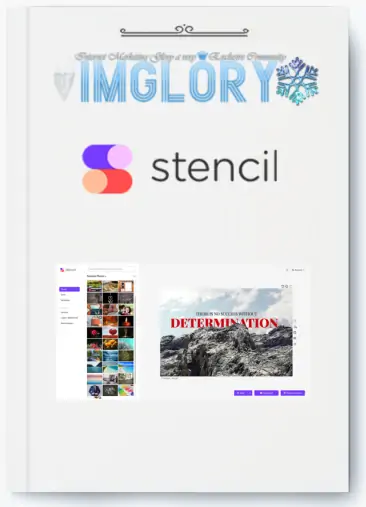
[Group buy] Stencil Unlimited
Price range: $2.00 through $25.00
Stencil: The Web's Favorite Online Graphic Design Tool
The use of visual content for marketing is becoming more popular and effective than traditional marketing. However, some marketers have not yet exploited its full potential. According to statistics, 23.7% of content marketers consider creating images as their biggest challenge.
To solve this problem, Imglory introduces you to Stencil – an online graphic design solution that helps users easily create impressive images for social networking platforms.
What is Stencil?
Stencil is an online graphic design tool that helps you create beautiful images in just a few seconds. Designed specifically for bloggers, small business owners, and social media marketers, Stencil allows you to easily create engaging social posts, ads, and blog headlines without any design skills.
With a user-friendly interface, Stencil works on all modern browsers and integrates extensions such as Chrome Extension, Firefox Add-on, or WordPress Plugin, allowing you to work anytime, anywhere. Simply choose a background, add text, and you're done!

Stencil's outstanding features
Stencil is not just a regular design tool, but also brings a series of powerful features to turn your ideas into reality. Here are some of the highlights you can't miss:
- Create images quickly and easily: Just choose a background, add text, and edit to your liking. The process is so simple that anyone can get started right away.
- 5 million free stock photos: Stencil offers over 5 million high-quality, royalty-free images from trusted partners like Unsplash, Pixabay, and Pexels. Thousands of new images are added every week, ensuring you always have a rich source of resources.
- 1,350+ stunning designs: If you don't know where to start, Stencil has over 1,350 professionally designed templates, ready for you to customize to your own style.
- Upload and store multiple logos: You can upload any version of your logo or logos of different brands, making it easy to create diverse and consistent designs.
- Share directly to social media: Stencil supports instant sharing to Facebook, Twitter, Instagram, Pinterest and Buffer, saving you maximum time for marketing campaigns.
- 6,800+ fonts from Google: Find the perfect font for your images with 6,800 fonts from Google Web Fonts. If you want to get more personal, you can even upload your own fonts.
- 3.1 million icons and graphics: Stencil offers millions of beautiful, royalty-free icons and graphics suitable for both personal and commercial use.
- 140+ available sizes: From social media posts to ads to blogs, Stencil has the optimal sizes available. You can also create custom sizes if needed.
- Browser Extensions: With Chrome Extensions and Firefox Add-ons, you can create images while surfing the web, significantly increasing your work efficiency.
These features not only save you time but also ensure your images are always professional and eye-catching.

Benefits of using Stencil
So why should you choose Stencil over other design tools? Here are the practical benefits it brings:
- Superior speed: Stencil is designed to create images faster than any tool you've ever used. Just a few clicks and you've got a complete design.
- Unexpectedly easy to use: The friendly interface and simple operations make Stencil suitable for even beginners. You don't need to learn complicated software like Photoshop.
- Continuous improvement: The Stencil development team always listens to user feedback to upgrade the product, ensuring you always have the best experience.
- Top-notch customer support: With premium support service, all your questions will be answered quickly, helping you focus on your work.
- Super high resolution: All images from Stencil are high quality, ready for any use, from printing to posting online.
- Convenient favorite storage: You can save your favorite images in one place, without having to search for them again.
- Royalty free: All resources on Stencil do not require attribution, whether you use them for personal or commercial purposes – a big advantage over many other tools.
- Collaboration with reputable partners: Photos and resources from Unsplash, Pixabay and Pexels are carefully moderated, ensuring safety and legality when used.
How Much Does It Cost to Buy a Stencil Unlimited Account?
Stencil Unlimited is the most premium package of Stencil – an online graphic design tool trusted by more than 400,000 users worldwide. According to information from Stencil's official homepage, the original price of the Unlimited package is $12/month, equivalent to about $144/year. For this price, you will have access to all the premium features that Stencil has to offer, from its huge resource base to its unlimited storage capacity.
However, if you think this price is a bit “expensive” and want to find a more economical solution, then here is good news! At Imglory, we are offering Stencil Unlimited accounts at an extremely attractive price: only $25 for 1 year of use. Yes, you read that right!

So for the price of $15/year, what will you get? Here are the standout features of the Stencil Unlimited plan:
- All Pro Features: Includes all the premium design tools that Stencil offers.
- Unlimited Image Storage: Save as many designs as you want without worrying about running out of space.
- Unlimited Image Uploads: Upload your own photos to personalize your designs.
- Create Unlimited Collections: Organize and manage your designs scientifically.
- Unlimited Favorites: Keep your favorite photos, icons, or designs to reuse anytime.
- 100 Instagram SMS/month: Send direct messages via Instagram to promote your content you.
With this super cheap price, you not only save a lot of money but also own a powerful tool that helps you create professional images in a snap. But why should you choose to buy at Imglory instead of buying directly from the homepage? Let's find out!
Why Should You Buy a Stencil Unlimited Account at Imglory?
Buying a Stencil Unlimited account at Imglory is not only a smart financial choice but also brings many other practical benefits. Here are 5 reasons why you can't miss it:
- Super-saving price: With only $15/year, this is a great opportunity to own a high-end tool at an extremely low cost.
- Full warranty: Imglory commits to warranty the account throughout the usage period. If there are any problems, you will be supported to change to a new account immediately – absolutely assured!
- Enthusiastic support 24/7: Imglory's team is always ready to answer all questions and support you to install and use Stencil in the easiest way. You will never be abandoned!
- Fast payment: With just a few clicks, you have completed the payment and received the account on the same day. No hassle, no long waiting!
- Reputation guaranteed: Imglory is a reputable unit, having served thousands of customers with quality SEO and design tools. You can trust the quality of the service.
Who is Stencil Unlimited For?
Do you think a design tool like Stencil is only for professional designers? Not necessarily! Stencil Unlimited is designed to serve a wide range of audiences, from beginners to seasoned professionals. Specifically, who should use Stencil Unlimited:
- Blogger: Need eye-catching images for your blog posts? Stencil helps you create impressive headlines, unique illustrations in just minutes, without knowing Photoshop.
- Small business owner: If you are running a business and need to quickly design social media posts, ads or banners without hiring a designer, Stencil is the perfect solution.
- Social media marketer: With over 5 million stock photos, 3 million icons and 1,350 ready-made designs, Stencil helps you create engaging content on Facebook, Instagram, Twitter… easily.
- Freelancer: Are you a freelancer and need to diversify your visual content for clients? Stencil Unlimited gives you unlimited storage and management, making your workflow smoother.
- Content Creators: Whether you make videos, write ebooks, or design t-shirts, Stencil has you covered with its royalty-free resources and flexible features.
How to Use Stencil
Stencil is an easy-to-use online graphic design tool that helps users create high-quality images for social media and more. Here's a basic guide on how to use Stencil:
- Log in and choose an image size: Once you've logged in to Stencil, you'll see the main interface with tools on the left and a work area on the right. The first step is to choose an image size that suits your needs. Stencil offers preset sizes for social media platforms like Facebook, Instagram, Twitter, and Pinterest, so you don’t have to worry about choosing the wrong size.
- Choose a background and add text: After choosing a size, you can choose a background from Stencil’s stock of royalty-free images or upload your own. To add text, simply click the “T” icon and type in your text. You can easily adjust the font, size, color, and effects like drop shadows or outlines to make your text stand out.
- Edit and customize: Stencil offers a variety of editing tools that allow you to resize, rotate, and adjust your images as you like. You can also add icons, graphics, and logos to your designs. Drag and drop makes it easy to place elements on the canvas without any hassle.
- Test and save: Once you've completed your design, you can use the preview feature to check how your image will look on different devices. This is especially useful when creating Facebook ads or Instagram posts, ensuring that your image isn't cropped or displayed at the wrong size.
- Save and download: Once you're happy with your design, you can save it to your personal collection or download it as a high-quality PNG or JPG file. Stencil also supports template saving, allowing you to easily reuse designs for future projects.
- Share and automate: Stencil integrates with multiple social media platforms, allowing you to share images directly to Facebook, Twitter, Instagram, Pinterest, and Buffer. You can also use Stencil to schedule posts and manage social media campaigns efficiently.
Pros:
- Easy to use and fast: Stencil is designed with a friendly and easy-to-use interface, suitable for people without in-depth design skills. With just a few clicks, you can create professional images for social networks, blogs, and more.
- Rich resource: Stencil offers more than 5 million stock photos and more than 3 million royalty-free icons. These resources are updated regularly, making it easy to find the right images or icons for your designs.
- Convenient storage and sharing features: You can store images and designs in the cloud, easily accessing and editing from anywhere. Direct sharing to social networks like Facebook, Twitter, Instagram, and Buffer saves time and optimizes workflow.
- Multiple integrations: Stencil integrates with many browsers (Chrome and Firefox) and has a plugin for WordPress, allowing you to create and edit images directly from your browser or website.
- Reasonable pricing: Stencil offers a variety of service plans, from free to paid plans like Pro and Unlimited. The Unlimited plan is especially useful for businesses and marketing professionals, allowing them to create and store unlimited images for a reasonable fee.
Cons:
- Limited advanced features: Compared to other graphic design tools like Canva or Adobe Creative Cloud, Stencil lacks some advanced features like creating color palettes, editing gradients, and creating logos.
- Limited team sharing: Stencil doesn't support sharing accounts well between team members. Each account is limited to a single user,
- Limited free and Pro plans: Stencil's free and Pro plans have limits on the number of images that can be stored and used per month. Users can quickly reach this limit if they need to create a lot of visual content regularly.
Some Frequently Asked Questions About Cheap Stencil Unlimited Accounts at Imglory
When buying a Stencil Unlimited account at a super cheap price at Imglory, you will definitely have a few questions. Here are the most common questions and detailed answers for your peace of mind:
- 1. Is the account at Imglory genuine?
Absolutely genuine! Imglory provides Stencil Unlimited accounts purchased directly from the developer, ensuring full functionality as when you buy from the homepage. The only difference is that we share the cost among many users to reduce the price, but the quality is not inferior. - 2. How to use Stencil after purchase?
It's simple! After payment, you will receive your account information via email. You can use Stencil directly in your browser in their web application, or install extensions such as Chrome Extension, Firefox Add-on, or WordPress Plugin. With these extensions, you can simply right-click on an image or text on the web to create an instant design. - 3. Are the images and icons on Stencil royalty-free?
Of course! All of the stock photos (over 5 million) and icons (over 3 million icons) on Stencil are royalty-free, meaning you can freely use them for personal and commercial purposes without attribution. From social media posts, ads, to posters or ebooks – all are safe and legal. - 4. What if there is a problem with the account?
Don't worry! Imglory commits to a 1-for-1 warranty during the entire period of use. Just contact us via fanpage or email, we will handle it immediately so that your work is not interrupted. - 5. Can I use my account on multiple devices?
Yes! Stencil works on all modern browsers and supports multiple platforms. You can use it on laptops, tablets or even phones, as long as there is an internet connection.
These answers hopefully have helped you better understand the Stencil Unlimited account at Imglory . If you have any questions, don't hesitate to contact us for support!
Conclusion
With the price of only $25/year at Imglory, you not only save a large amount of money but also experience all the premium features: from a huge resource library, unlimited storage, to convenient integration on all platforms. This is a great opportunity for you to upgrade your content without having to worry about costs or design skills.
So what are you waiting for? Visit Imglory now to own a Stencil Unlimited account at a super cheap price and start creating impressive designs today. If you have ever used Stencil or intend to try it, please share your feelings in the comments section! Wishing you success and endless creativity!
| Time | 1 Month, 1 Year, 3 Months, 6 Months, Lifetime, Trial |
|---|
Related products

GB Spy Tools
Original price was: $260.00.$57.00Current price is: $57.00.

GB Spy Tools
Original price was: $999.00.$108.00Current price is: $108.00.

GB Spy Tools
$19.00
GB Spy Tools
$1.00