
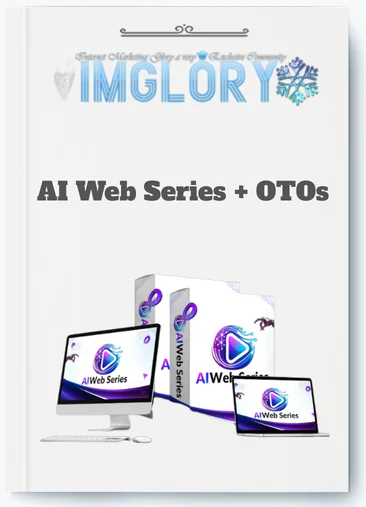
[Group buy] AI Web Series + OTOs
$15.00
AI Web Series is a cloud-based AI platform that turns a simple idea into a complete, ready-to-watch web episode with scripts, visuals, voiceovers, and editing—no filming skills needed.
AI Web Series is a cloud-based SaaS platform that lets you build full episodic video content, scripts, visuals, voiceover, and publishing, from a single dashboard, without a camera, editing software, or production crew. If you've also seen the term “AI web series” used loosely to describe any video series scripted or produced with AI tools, that's a separate but related idea, and this guide covers both angles clearly.
The difference between traditional video production and what AI Web Series does is a gap measured in time and money. A standard episodic series might take weeks per batch, and cost thousands of dollars in writers, editors, and voice talent. With AI Web Series, the same output, scripts drafted, scenes matched, voices applied, can happen in minutes for a fraction of the ongoing cost. That shift is what's driving a growing segment of YouTubers, marketers, solopreneurs, and educators toward AI-first content workflows in 2026, as these tools mature past early-stage limitations.
This guide is built for readers who want a practical, unbiased picture of the platform. You'll find:
- What problem AI Web Series is designed to solve
- A step-by-step breakdown of how the workflow actually runs
- A feature-by-feature look at the platform's core capabilities
- Pricing structure, pros, and real limitations
- Who it fits well, and who should probably look elsewhere
- A direct comparison with other AI video tools on the market
- Answers to the most common questions about the platform
This is not a promotional pitch. It's a user-first assessment, built to help you decide whether AI Web Series belongs in your content stack.
To understand whether you need AI Web Series, you first have to see the production problems it's trying to solve.
What Problem Does AI Web Series Actually Solve?

Producing episodic video content, the kind that runs on a weekly schedule, builds a channel audience, or nurtures a marketing funnel, is one of the more operationally demanding tasks in digital content. The challenge isn't making one good video. It's making ten, consistently, without burning out or blowing a budget.
Traditional web series production moves through five distinct stages, each with its own cost and time drain. Ideation and scripting alone can take one to three weeks when you're working with freelance writers or doing it yourself. Casting and filming require cameras, actors, and locations, none of which are free or fast. Post-production editing takes a professional editor three to seven days per episode. Then you still need voiceover talent and a sound designer before the episode is ready for publishing, which itself requires manual metadata entry and platform uploads.
For a solo creator or small marketing team, that pipeline is the primary reason content falls behind schedule. The skills barrier is real. You need to be a writer, a visual director, an audio engineer, and a scheduler, all at once.
AI Web Series collapses that pipeline into a single automated sequence:
| Step | Traditional Web Series | With AI Web Series |
| Script writing | 1 to 3 weeks, paid writers | 60 to 120 seconds AI draft, quick tweak |
| Filming | Cameras, actors, locations | No filming, AI or stock scenes |
| Editing | 3 to 7 days professional editor | Automated edits in minutes |
| Voiceover | Studio + VO talent | 100+ AI voices built in |
| Publishing | Manual uploads & metadata | Auto-scheduling & cross-posting |
Where the platform particularly stands out is its orientation toward recurring, episodic output, not one-off videos. The entire architecture assumes you're building a series with structure and continuity. Take a solo YouTuber running a finance education channel: instead of producing one video a month, they can batch three to five episodes in a single session. Or a small SaaS marketing team that needs a 10-part onboarding series but has no video production resources, AI Web Series gives them a workable path that doesn't require hiring an agency.
So how does AI Web Series actually turn a simple idea into a finished episode? Let's walk through the workflow step by step.
How AI Web Series Works: End-to-End Workflow
AI Web Series runs entirely in the browser, no software to install, no hardware requirements beyond a modern computer and a stable connection. It works on Mac and Windows, and has mobile-accessible versions depending on the plan. The core experience is prompt-in, video-out, with human control at every stage.
Here's what the process looks like from start to a published episode:
- Step 1: Choose a project type or template. You start by selecting the format that matches your goal, YouTube series, TikTok shorts, educational mini-series, product walkthroughs, or niche narrative content. Templates pre-configure the structure so you're not building from a blank slate.
- Step 2: Enter your prompt. You describe the topic, target audience, tone, episode length, and niche. The platform's AI engine uses this input to generate a structured episode or a full multi-episode arc.
- Step 3: AI generates the scripts. Within roughly 60 to 120 seconds, the platform drafts episode scripts with hooks, narrative structure, calls to action, and series continuity baked in. For a prompt like “Top 10 AI productivity tools, 10-episode series,” you get 10 scripts with natural progression built across episodes.
- Step 4: Scene breakdown and visual matching. The platform segments the script into scenes and pairs each segment with matching stock footage, AI-generated visuals, motion graphics, or B-roll clips. You can accept the suggestions or swap them out manually.
- Step 5: Voiceover and audio layering. Select a voice from the built-in library, covering languages, genders, accents, and emotional range, and the platform syncs the audio to the timeline. Background music and sound effects layer on top through an automated mixing process.
- Step 6: Branding and visual customization. Apply your logo, brand colors, intro and outro sequences, lower thirds, and auto-generated subtitles. Style presets let you lock these settings across an entire series.
- Step 7: Preview, adjust, and export. Watch a full preview before export. Output formats include 1080p HD, with aspect ratio options for 16:9 (YouTube), 9:16 (TikTok/Reels), and 1:1 (social feeds). Rendering time for a 5 to 10 minute episode typically runs a few minutes on the platform.
- Step 8: Publish or schedule. Connect your YouTube, TikTok, or Instagram account and either publish directly or queue episodes to a content calendar.
The boundary between what the platform handles and what you control is worth spelling out clearly. The AI handles draft generation, scene selection, voice sync, and scheduling. You retain full editorial authority, every AI-generated script line, scene, and audio track can be overridden. For teams running bulk production, the platform also supports season-level creation: generating all episodes in a series simultaneously using topic lists or structured outlines.
Behind this workflow are specific features you'll rely on daily, script writing, scene-to-video conversion, publishing, and analytics. Let's break them down.
Core Features of AI Web Series (With Practical Use Cases)
The features below represent the platform's primary production layers. Each one handles a specific part of the content creation chain, and they work as a connected sequence rather than isolated tools.
| Feature | What It Does | Who Benefits Most |
| AI Script & Story Engine | Generates multi-episode scripts from a prompt | Creators, educators, marketers |
| Scene-to-Video Visual Engine | Converts script beats into matched visuals | Faceless channel operators, agencies |
| AI Voiceover, Subtitles & Audio | Applies voice, captions, music, and SFX | Any creator needing narrated video |
| Bulk Generation & Templates | Produces episodes in batches from topic lists | Agencies, content teams, course creators |
| Publishing, Analytics & Integrations | Schedules posts and tracks performance data | Marketers, channel managers |
AI Script & Story Engine
The script engine sits at the center of the platform because everything downstream, visuals, voice, timing, derives from the script. You feed it a topic, niche, audience type, and episode length, and it returns a structured script with a hook, body sections, and a call to action. Supported formats include narrative series, explainers, listicles, product reviews, tutorials, and interview-style content.
The controls go well beyond a basic text generator. You can set tone of voice, reading level, target episode duration, and recurring characters or themes that carry across a series arc. You can also auto-generate all ten episodes of a series at once, create topic variations from a single premise, or regenerate specific sections without discarding the rest of the script. The platform treats your edits as the final word, AI suggestions are a starting point, not a locked output.
A practical example: building a “Beginner Crypto Basics” series with structured progression, from wallet setup in episode one through security practices in episode eight, is the kind of task the engine handles well because it can maintain thematic continuity across episodes without repeating itself.
Scene-to-Video Visual Engine
The visual engine reads the script and breaks it into scenes at the sentence or “beat” level. For each scene, it selects a matching visual from one of three sources: licensed stock footage, motion graphics templates, or AI-generated imagery (availability depends on plan tier). A script line describing “a busy office setting during a productivity tips episode” would pull relevant B-roll automatically.
From there, you control the output directly. You can replace clips on a per-scene basis, adjust pacing, shift between visual styles (minimal, cinematic, illustrated, animated), and add overlays, text cards, icons, and branded lower thirds. Transitions between scenes apply automatically but can be changed manually.
The engine also handles multi-format export natively. The same episode renders in horizontal 16:9 for YouTube, vertical 9:16 for TikTok and Reels, and square 1:1 for social feeds, without re-editing the content. Watermark policy and resolution limits vary by plan, so checking the current pricing page before committing to a specific tier is worth doing.
AI Voiceover, Subtitles & Audio
The platform ships with a text-to-speech engine that covers more than 100 voices across multiple languages, genders, accents, and emotional registers. Speed, pitch, and pacing are adjustable at the clip level, giving you control over how the narration lands in each section of the episode.
Voice sync works automatically, the system aligns audio to scene timing and adjusts pacing where needed. If the platform supports lip-sync for avatar-based content, that function applies at the visual layer. Subtitle generation runs concurrently: captions are auto-generated from the script, displayed as styled text overlays, and exportable as SRT or VTT files for external platform use.
Audio mixing handles background music and sound effects from a royalty-free library. Volume levels duck under the voiceover automatically, reducing the need for manual mixing passes.
Bulk Generation, Templates & Automation
For teams and agencies, the most time-relevant feature is batch creation. You can feed the platform a CSV of topics or a keyword list and have it generate a full set of scripts and episodes in a single session. An agency producing 30 product highlight videos for a client in one afternoon, using a CSV import and a locked brand preset, is a realistic output scenario, not an edge case.
The template library organizes pre-built structures by niche: fitness, personal finance, true crime, history, product reviews, and more. Each template carries layout, pacing, and tonal defaults that match the content category. These pair with reusable brand presets, logo placement, color palette, intro/outro style, so that every episode in a series looks consistent without manual configuration.
Automation layers on top of templates in two ways. First, you can set up a recurring episode schedule, weekly releases, for example, with the platform queuing and publishing on your behalf. Second, you can create rule-based content variations: the same core script re-cut into a long-form YouTube version and a short-form TikTok version, generated simultaneously.
For agencies managing multiple clients, workspace features allow separate project environments, permission controls, and saved style profiles per client account. Bulk creation in this context typically reduces per-episode production time by a meaningful margin compared to one-off workflows.
Publishing, Analytics & Integrations
The publishing layer connects directly to YouTube, TikTok, Instagram Reels, and Shorts. When you publish from within the platform, it auto-fills title, description, tags, and thumbnail, using metadata templates you configure once and apply across a series. That removes the manual step of writing metadata for each upload and reduces the chance of inconsistent formatting across episodes.
The analytics dashboard aggregates data from connected accounts, showing views, watch time, audience retention, and click-through rates at the series, episode, and platform level. Retention charts are particularly useful for identifying where viewers drop off, that data directly informs decisions about episode length and hook structure. If the first 90 seconds of every episode loses 30% of viewers, you know where to focus the next script revision cycle.
API access is available at enterprise tier for teams that want to connect the platform to CRM systems, email marketing tools, or custom distribution pipelines. Mid-tier users can rely on the native integrations for most publishing needs.
Pricing Plans and OTOs detailed
Front-End – AI Web Series ($14.95 one-time)
- Complete AI-powered web series creation system in one platform
- Generate story ideas, scripts, characters, voiceovers, visuals, music, and subtitles
- Build, edit, and export full episodes ready for publishing
- Replaces multiple tools like writers, editors, and voice artists
- No monthly fees, pay once for lifetime access
- Beginner-friendly with end-to-end workflow from idea to video
- Includes a 30-day money-back guarantee for risk-free testing
OTO 1 – AI Web Series Unlimited ($67 – $167 one-time)
- Removes all creation limits and usage restrictions
- Unlimited projects, scenes, episodes, and content generation
- No daily caps, throttling, or production limits
- Faster and smoother workflow for consistent publishing
- Ideal for scaling multiple series or client work
OTO 2 – AI Web Series Done-For-You ($97 one-time)
- Provides ready-made scripts, ideas, and proven content frameworks
- Eliminates brainstorming and planning
- Plug-and-play system for instant content creation
- Perfect for beginners or users who want faster execution
OTO 3 – AI Web Series Automation ($67 one-time)
- Unlocks full autopilot AI Agent Engine
- Automatically generates ideas, scripts, scenes, and full episodes
- Runs 24/7 content production without manual input
- Includes trend-based generation and batch creation
- Ideal for building a hands-free content system
OTO 4 – AI Web Series Monetization Kit ($47 one-time)
- Complete system to turn content into revenue streams
- Monetize via ads, affiliate offers, brand deals, and licensing
- Includes proven storytelling frameworks for higher conversions
- Comes with client-selling model and outreach scripts
- Helps turn content into a real business
OTO 5 – AI Web Series Movie Models Upgrade ($67 one-time)
- Access to advanced AI models and future upgrades
- Improves visual quality, lighting, and cinematic effects
- Faster rendering and higher-quality outputs
- Keeps your system updated with new AI technology
OTO 6 – AI Web Series Publishing Accelerator ($37 one-time)
- One-click publishing to multiple platforms
- Automatically distributes content to YouTube, Facebook, Instagram, and more
- Supports HD exports for courses and external platforms
- Eliminates manual uploading and formatting work
OTO 7 – AI Web Series Agency License ($197 one-time)
- Create and manage unlimited client accounts
- Sell AI Web Series services and keep 100% profits
- Charge recurring or one-time fees
- Includes support system for managing clients
- Ideal for building an AI video agency
OTO 8 – AI Web Series Franchise License ($147 one-time)
- Keep 100% front-end profits and 50% on OTOs
- Done-for-you sales pages and funnels included
- No product creation or support handling required
- System manages delivery, updates, and payments
- Perfect for affiliate-style income model
OTO 9 – AI Web Series Whitelabel License ($297 one-time)
- Rebrand and sell the platform as your own software
- Full control over branding, pricing, and business model
- Create unlimited client accounts under your brand
- Includes setup, hosting, and support handled for you
- Ideal for launching a SaaS-style AI business
Pros, Cons & Limitations of AI Web Series
No production tool fits every workflow, and AI Web Series is no exception. The trade-offs here matter more to some users than others, so read the breakdown with your specific use case in mind.
| Pros | Cons / Limitations |
| Produces a full episode in minutes vs. days | Visuals can feel generic without manual customization |
| Lower per-episode cost for recurring series | Less granular control than a professional NLE |
| No filming or editing skills required to start | AI script drafts can sound formulaic without human editing |
| Built-in templates and branding for series consistency | Requires stable internet and a modern browser |
| Batch creation and scheduling for content calendars | Long-form episodes with complex dialogue are harder to execute |
| Multi-language voice and caption support | Asset licensing limits apply, check terms before commercial use |
| Fits faceless channel workflows and test-niche strategies | Rendering quality varies by plan tier |
| Direct platform publishing with metadata templates | Analytics depend on connected account permissions |
A scenario where AI Web Series is ideal: a solopreneur running a personal finance channel who wants to publish three episodes per week without hiring a team. The platform handles the production load, the creator focuses on topic selection and quality review.
A scenario where manual production is clearly better: a brand producing a cinematic interview series with custom on-location shoots, original music scoring, and frame-by-frame color grading. The platform is not built for that level of post-production specificity. For those projects, tools like DaVinci Resolve or Adobe Premiere handle the workflow correctly.
The user pattern that runs across most feedback: praise for speed and consistency, criticism for visual genericness and AI script tone when left unedited. Both are accurate, and both are manageable with the right expectations going in.
These trade-offs matter differently to different users. Next, we'll break down who AI Web Series is best for, and who might want alternatives.
Who AI Web Series Is Best For (And Who Should Skip It)
The platform is not a one-size-fits-all tool. Three user profiles get consistent, practical value from it. One group consistently runs into its limits.
Solo Creators & Faceless YouTube Channels
A Solo Creator building a Faceless YouTube Channel, one where the host never appears on camera, is the profile AI Web Series was built around. The platform handles every visible element: narration, visuals, subtitles, and branding. The creator's job is topic selection, quality review, and audience strategy.
The practical shift this enables: instead of publishing one or two episodes per month due to production time constraints, a solo creator using the platform can move to three to five episodes per week. That output cadence matters for channel growth because YouTube's algorithm responds to consistency and volume, particularly in the early stages of a channel's development.
The platform is especially well-matched for niche education content (finance, history, science, technology), list-format videos, and story-driven narration. A starting approach that works: pick one or two series templates, run three episodes through the full workflow, review them against your quality standard, and iterate from there. The learning curve flattens quickly.
Marketers, Brands & Agencies
Marketing Teams use AI Web Series most effectively at the top of the funnel and inside onboarding sequences. A five-part “feature spotlight” series for a SaaS product, each episode covering one product capability, formatted for YouTube and re-cut for LinkedIn, is a repeatable production pattern the platform supports well.
For agencies managing multiple clients, the value compounds. A single afternoon of production using CSV imports, client-specific presets, and batch rendering can deliver 20 to 30 pieces of platform-ready content across three or four client accounts. White-label outputs, saved style profiles, and multi-workspace support make the agency use case viable at scale.
The content types that fit marketing workflows well include: educational explainer series for audience building, product walkthrough sequences, industry commentary series, and seasonal campaign content with a recurring format.
Educators, Course Creators & Trainers
Course Creators who build structured learning content have a specific production challenge: they need many short videos that follow a logical sequence and maintain consistent formatting. AI Web Series addresses that directly. A course outline becomes the episode list, the platform generates each lesson as a standalone video that follows the pedagogical arc.
Micro-episode formats work particularly well here, videos of three to seven minutes that focus on a single concept, with captions for accessibility and multi-language versions for international learners. An 8-lesson mini-course can be turned into 8 to 16 short videos (with variation cuts for different platforms) in a single production session. That output would take a traditional production approach several weeks.
When AI Web Series Is Probably Not the Right Fit
The platform has clear boundaries. If your production requirements fall into any of the following categories, a different tool or workflow will serve you better.
- High-budget cinematic projects: Live-action storytelling with complex on-location sets, professional lighting, and multi-camera direction requires a full production crew. AI Web Series doesn't replace that.
- Fully custom animation styles: If your brand requires a specific illustration or motion design aesthetic that falls outside available stock and generated visuals, you'll hit a ceiling quickly. Custom animation studios handle this correctly.
- Frame-level post-production control: Users who need precise control over every transition timing, audio layer, and color grade should work directly in professional non-linear editors like Premiere Pro or DaVinci Resolve. AI Web Series automates those decisions, it doesn't expose them.
For all three scenarios, the production requirement exceeds what any automated video platform is designed to handle. The tool is built for speed and consistency at scale, not for craft-level control at the frame level.
AI Web Series vs. Alternatives: How Does It Compare in 2026?
The AI video tool space has matured considerably. Several platforms now offer text-to-video or script-to-video workflows, and choosing between them comes down to what you're actually trying to produce at scale.
AI Web Series sits in a specific position: it's built for episodic, faceless, recurring content with an automated publishing layer. That's a narrower focus than general-purpose video generation tools, and it's deliberately so. The trade-off is depth of automation in that specific workflow versus breadth of creative capability across other formats.
| Tool | Focus | Automation Level | Best For |
| AI Web Series | Episodic series creation | High (script to publish) | Faceless channels, content-heavy marketers |
| Runway-type tools | AI effects & visual composition | Medium | Experimental editing, creative production |
| Synthesia-type tools | AI avatars & presenter-led explainers | Medium | Corporate training, HR content, demos |
| Pictory-type tools | Text-to-short video clips | Medium–Low | Repurposing blogs into short-form video |
The comparison axis that matters most is automation level relative to episodic output. Runway-type platforms give you more creative control over individual frames and generative effects, but they don't have an opinionated workflow for producing a 10-episode series from a single prompt. Synthesia-type platforms are strong for avatar-based corporate training content but are less suited for faceless entertainment or educational channels. Pictory-type tools excel at converting existing text content into short clips but aren't built around multi-episode arc management or series-level scheduling.
Where AI Web Series has a positioning advantage: if you need to produce a high volume of episodic content on a recurring schedule, with consistent branding and an automated publishing layer, it's the most purpose-built option in the current landscape. If you need hyper-realistic avatars, experimental generative video effects, or granular post-production control, one of the alternatives fits better.
Supplemental FAQ: Short Answers to Common Questions About AI Web Series
Is AI Web Series Free to Use?
AI Web Series offers a free trial, but ongoing use requires a paid plan. The free tier typically limits the number of episodes you can generate, caps video resolution, and applies a watermark to exports. What's available under the trial changes periodically, so checking the current pricing page before starting is the most reliable approach. Most substantive features, batch generation, custom branding, direct publishing, sit behind paid tiers.
What's the Difference Between “AI Web Series” the Product and “AI-Generated Web Series” in General?
AI Web Series (capitalized) refers to the specific SaaS platform reviewed in this guide. “AI web series” (lowercase, generic) describes any episodic video series where AI tools, scripts, visuals, voice, did a significant share of the production work. That second category includes content made with tools like Pictory, Synthesia, Runway, or combinations of ChatGPT and video editors. The platform is one specific product within a broader category of AI-assisted video production.
Do I Need Video Editing or Scriptwriting Experience to Use AI Web Series?
No. No prior experience is required to produce your first episode. The platform is structured so that a first-time user can follow the workflow without knowing how to edit video or write a script from scratch. That said, the output quality goes up when you bring niche knowledge and basic storytelling judgment to the process. Reviewing and editing the AI draft before export consistently produces better results than publishing unedited. Treat the platform as a production assistant, not a replacement for editorial judgment.
Can I Use AI Web Series for Non-English or Multilingual Channels?
Yes. The platform supports script generation and voiceover across multiple languages, with the exact language list varying by plan. A practical workflow for multilingual channels: produce the source series in English, then generate localized versions with translated scripts and matching voice selections for Spanish, Hindi, Portuguese, or other target languages. Subtitle export in SRT or VTT format carries across all versions, which helps with platform caption compliance and accessibility on YouTube and other services.
Who Owns the Copyright of Videos Made With AI Web Series?
In most cases, the user retains ownership of the exported project, subject to the platform's terms of service and the licensing conditions attached to any third-party assets (stock footage, music, AI-generated imagery) used in the video. Jurisdiction-specific copyright rules around AI-generated content are still evolving in many countries. Reading the platform's current terms carefully before commercial use, especially for videos used in paid advertising, licensing, or product distribution, is the right starting point. This is not legal advice, consult the platform's official documentation for current policy.
Can I Edit AI Web Series Outputs in Other Video Software?
Yes. The platform exports in MP4 format, which is compatible with Premiere Pro, Final Cut Pro, DaVinci Resolve, and most other professional non-linear editors. A hybrid workflow where you do the rough assembly in AI Web Series and then bring the export into an NLE for detailed finishing, color grading, custom sound design, motion title work, is a practical option for users who want both speed and granular control. The two approaches are not mutually exclusive.
How Is AI Web Series Different From Traditional Video Editing Software?
Traditional NLEs like Premiere or DaVinci Resolve are timeline-first tools: you import raw assets and manually assemble every cut, transition, audio layer, and color decision. AI Web Series is script-first: you provide the content idea, and the platform assembles the production elements around it. The trade-off is control versus speed. NLEs give you precise authority over every frame, AI Web Series gives you a publishable episode in a fraction of the time. For one-off cinematic projects, NLEs are the right tool. For recurring episodic content at scale, the automated workflow has a clear efficiency advantage.
Can AI Web Series Help With SEO and Discoverability?
The platform contributes to discoverability in indirect but measurable ways. Consistent publishing cadence signals to YouTube's algorithm that the channel is active, which supports organic reach over time. Auto-generated metadata templates reduce the risk of poorly formatted titles and descriptions. Caption files improve accessibility and help platforms index the spoken content of your videos. What the platform does not do is replace a deliberate YouTube SEO strategy, topic selection, keyword research, thumbnail testing, and audience retention optimization still require human judgment. The tool supports distribution, it doesn't determine ranking.
Be the first to review “AI Web Series + OTOs”
You must be logged in to post a review.
Related products
Out of stock
GB SAAS Tools
Original price was: $435.00.$33.00Current price is: $33.00.
GB SAAS Tools
Original price was: $800.00.$40.00Current price is: $40.00.
Out of stock
GB SAAS Tools
Original price was: $297.00.$33.00Current price is: $33.00.
GB SAAS Tools
Original price was: $224.00.$15.00Current price is: $15.00.
Out of stock
GB SAAS Tools
Original price was: $230.00.$35.00Current price is: $35.00.
Reviews
There are no reviews yet.