


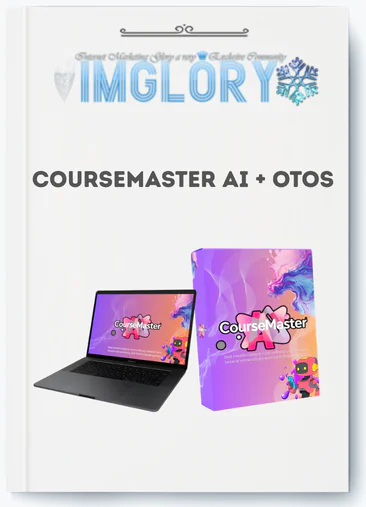
[Group buy] CourseMaster AI + OTOs
$17.00
CourseMaster AI is a cloud-based platform that generates complete course outlines, lesson scripts, and learning materials from a single topic input.
CourseMaster AI is a cloud-based program that converts a single topic into a whole course bundle, including outlines, lesson scripts, workbooks, and digital downloads, in minutes, not weeks. As passive income and “done-for-you” digital products gain popularity, AI course generators are becoming a viable solution for first-time makers, instructors, and affiliate marketers who require speed without sacrificing structure.
CourseMaster AI is built by a team with over ten years of experience in software and digital tools, which shapes how the platform is structured. This review will go over what CourseMaster AI actually does (beyond the sales page), how the workflow works step by step, its pricing and upsell structure, honest pros and cons, and how it compares to tools like ChatGPT, Teachable AI, and Kajabi AI.
Before we go into workflow and pricing, let's define CourseMaster AI and its promises.
What Is CourseMaster AI?

CourseMaster AI is a cloud-based AI platform that uses a course topic as input to create a structured course bundle that includes outlines, module breakdowns, lesson scripts, workbooks, checklists, and supporting PDFs. It uses a built-in library of 6,000+ AI prompts and 3,000+ ready-made modules to match curriculum frameworks relevant to the topic you select.
The value here is practical. Most course authors do not stop on ideas; rather, they stall on outlining, scripting, and producing initial drafts. CourseMaster AI bypasses the blank-page phase by creating a structured starting point in under five minutes.
Enter a topic like “Beginner Digital Marketing,” and the platform will return a multi-module curriculum, lesson scripts, and a workbook of up to 100 pages. Enter “Passive Income for Busy Moms” and you'll receive the same treatment, tailored to that audience's learning context and intended outcomes. The platform uses pattern-matching across its module database to ensure that the content is relevant to the learner's needs.
One aspect to consider before purchasing: CourseMaster AI creates course content and structure. It does not host your course. You can export the contents and publish them to Teachable, Kajabi, Thinkific, or sell digital downloads on Gumroad.
How CourseMaster AI Works: From Topic Input to Ready-to-Launch Course
Step 1 – Enter Your Topic or Niche
The workflow begins with one input: your niche or course idea. Enter “Affiliate Marketing for Complete Beginners,” “Beginner Digital Marketing Bootcamp,” or “Freelance Writing for Busy Parents” into the platform interface, and CourseMaster AI searches its 6,000+ prompt library to find applicable curriculum frameworks for your topic.
Specificity determines output quality. A generic input such as “Business” will not result in a tight, usable curriculum. A focused standpoint, one that identifies the target audience and defines the learning outcome, provides the system with adequate information to generate organized material. You may also create many sub-niche variations from a single main topic, which is handy for testing different viewpoints or creating product bundles.
Step 2 – Auto-Generate a Complete Course Outline
CourseMaster AI takes the confirmed topic and develops a structured course design consisting of 10 to 20 modules, each with lesson titles and built-in learning objectives. The entire outline is completed in approximately five minutes.
Here's how it appears for a sample topic, “Digital Marketing for Beginners”:
- Module 1: Understanding Digital Marketing Fundamentals — Lesson 1.1: What Digital Marketing Is and How It Works, Lesson 1.2: The Core Channels You Need to Know
- Module 2: Building Your Online Presence — Lesson 2.1: Setting Up a Website That Converts, Lesson 2.2: Social Media Profiles That Attract the Right Audience
- Module 3: Content and Traffic Strategies — Lesson 3.1: Creating Content That Ranks, Lesson 3.2: Paid vs. Organic Traffic Trade-offs
Before proceeding, you may accept, delete, or reorder modules. You can also add or remove lessons before creating the whole material. The practical benefit here is that you can bypass the “what should I include?” research stage entirely.
Step 3 – Generate Lessons, Scripts, Workbooks, and Assets
CourseMaster AI develops the actual course contents based on the finalized outline. The software can create whole lesson scripts and talking points, PowerPoint ideas, workbooks with exercises and checklists, quiz questions, and eBook or lead magnet drafts based on course content.
The drag-and-drop editor enables you to rearrange sections, modify AI-generated content, and duplicate or repurpose modules for various product forms. A single multi-module course normally creates a workbook of about 100 pages.
One thing to clarify: this content is a first draft, not a final product. After editing, testers determined that the product was around 80-85% ready for sale. The remaining 15-20% is for customisation, which includes adding your individual case studies, updating any time-sensitive data, deleting generic segments, and customizing for your natural voice.
Step 4 – Export, Package, and Launch Your Course
CourseMaster AI converts your course contents into document-ready forms. You may download scripts and outlines in Word or PDF format, copy and paste slide content into PowerPoint, Keynote, or Canva, and post workbooks and checklists to Gumroad, Etsy, or use them as course goodies and lead magnets.
Two common delivery flows look like this:
- CourseMaster AI → Teachable: Export lesson scripts, record video lessons using the scripts, upload the video content and course description into Teachable, set pricing, and publish.
- CourseMaster AI → Gumroad digital bundle: Export workbooks and checklists, package them as a downloadable product bundle, list on Gumroad or Etsy with a sales description built from the platform's output.
The time savings are significant; creating these items from scratch manually might take days to weeks. That being said, CourseMaster AI does not manage your marketing. Pricing, sales funnels, email sequences, and visitor development are all your responsibility.
Key Features of CourseMaster AI (and How They Compare to Doing It Manually)
The table below maps CourseMaster AI's core features against what manual course creation requires at each stage.
| Feature | CourseMaster AI | Manual Creation | Approximate Time Saved |
| Prompt Library | 6,000+ built-in prompts | None, user-researched | Several hours of research per topic |
| Module Database | 3,000+ ready-made modules | Built from scratch | Days of curriculum planning |
| Output Types | Outlines, scripts, quizzes, eBooks, workbooks, video scripts | Written manually per asset | ~80–90% of drafting time |
| Customization | Drag-and-drop editor for text and structure | Manual writing and redesigning | Variable per project |
| Platform Exports | Compatible with Teachable, Kajabi, Thinkific, Gumroad | Manual copy-paste per platform | 2–4 hours per course |
| Bonus Content | Passive income niches, extended prompt packs | Not included | Immediate access |
Manual course development provides you complete control over all word and structural decisions. CourseMaster AI trades control for speed, producing a functioning draft in minutes instead of days. The practical concern is how much editing effort you're ready to devote to personalizing the product, as that stage is still necessary.
Pricing Plans and OTOs detailed
Front-End: CourseMaster AI Core – $17/$37
- AI course generator that automatically creates structured lessons, modules, and training materials.
- Built-in academy builder for launching and managing your own online learning platform.
- Access to the initial Done-For-You (DFY) library of ready-made courses and educational content.
- Simple dashboard for publishing, organizing, and delivering digital courses to students.
- Beginner-friendly platform designed for entrepreneurs entering the e-learning market.
OTO 1: Pro Edition – $97
- Removes platform limitations to allow unlimited course creation and content generation.
- Provides 5X more AI processing power for faster and larger content production.
- Agency rights to create courses for clients and sell course-building services.
- Unlimited digital assets including templates, course materials, and content resources.
- Scalable system designed for agencies, marketers, and professional course creators.
OTO 2: eCover & Graphics Creator – $47
- AI tool that generates professional 3D eBook and course covers automatically.
- Built-in logo creator for branding online courses and digital academies.
- Social media banner generator for promoting courses across marketing channels.
- Customizable visual templates designed specifically for digital product sales pages.
- High-resolution graphics suitable for websites, ads, and course marketplaces.
OTO 3: Flipbook Creator – $17
- Converts standard PDF eBooks into interactive page-turning flipbook experiences.
- Enhances the visual presentation of digital products to increase perceived value.
- Mobile-friendly flipbooks that work smoothly across desktop, tablet, and smartphone devices.
- Easy embedding options for websites, course platforms, and landing pages.
- Professional presentation format that helps justify higher product pricing.
OTO 4: Monthly Membership – $27/month or $197 one-time
- Monthly delivery of new trending eBooks and video courses for your academy.
- Continuous content updates to keep your digital learning platform fresh and relevant.
- Ready-to-use training materials that can be added directly to your course library.
- Access to a growing vault of digital education resources across multiple niches.
- Opportunity to expand your academy catalog without creating content from scratch.
OTO 5: Reseller License – $197
- Permission to resell the CourseMaster AI software and keep 100% of the profits.
- Access to the complete sales funnel including front-end and upsell commissions.
- Ready-made marketing materials and sales assets for promoting the software.
- No need to manage product development, hosting, or technical support.
- Ability to run your own software reselling business using the CourseMaster AI platform.
Pros and Cons of CourseMaster AI
Key Advantages: Where CourseMaster AI Delivers
CourseMaster AI addresses particular, reoccurring pain points in the course creation process. Here's where it really holds up:
- Quickly transition from idea to outline. A topic input is converted into a structured multi-module program in less than five minutes. For a seasonal launch or a client deadline, that turnaround is a clear advantage versus starting from scratch.
- Ends the blank-page cycle. Creators who are stuck on structure rather than ideas will receive a workable beginning framework immediately. The 6,000+ prompts and 3,000+ modules cover a wide range of topics, therefore the system rarely gives an empty response.
- Create scalable products. From a single central course concept, you may create mini-courses, lead magnets, eBook bundles, and workbook sets. A single niche can yield multiple sellable digital items without having to rebuild the foundation every time.
- Flexible output formats. Lesson scripts, workbooks, quiz questions, eBook drafts, slide outlines—one topic creates several asset types rather than just one document.
- Non-technical individuals will find it easy to use. No coding, no design knowledge, and no LMS experience needed to get a course package from the platform.
- There is a low initial fee. A one-time front-end fee, rather than a regular membership, lowers the barrier to entry when compared to platforms such as Kajabi or Teachable.
After editing, testers from a range of niches found that the result was about 80–85% ready to be used. Personalization, changing the tone, adding real-life examples, and checking any facts that may change over time are the only things left to do.
Limitations and Downsides: Where You'll Still Need to Work
No AI course creation tool removes all the work. CourseMaster AI has real limitations that matter for buyers to understand before purchase:
- Generic output with no editing. AI-generated material follows specific patterns. If you copy and paste the output without customizing it for your voice, examples, or audience context, the course may feel impersonal and may overlap with what other people create.
- Not a complete course platform or business system. CourseMaster AI generates content. It does not create a sales funnel, send email sequences, host videos, or generate visitors. You still need a different platform, such as Teachable or Gumroad.
- Reliant solely on the cloud. The platform requires an internet connection and relies on the vendor's uptime. If access is lost, your workflow comes to a halt.
- Scale-based overlap risk. Users who do not personalize their output may wind up with course structures that are comparable to other buyers in the same sector. The level to which you personalize the material determines its differentiation.
- Learning curve for prompting. Getting the tightest output needs some experimentation with topic framing, audience specificity, and module selection.
- Time-sensitive content requires manual review. Any topic that involves current data, changing legislation, or dynamic platforms (SEO, social media algorithms) need fact-checking after generation.
Who CourseMaster AI Is Best For
CourseMaster AI is suited to a special type of creator: one who needs to produce structured course content faster than manual authorship allows, but is ready to devote time in modifying and personalizing the results. Here's who matches that profile:
- New course developers are overwhelmed by structure. If you have experience but can't get past the “what goes in module 3?” stage, CourseMaster AI will provide you with a starting curriculum architecture immediately. You can then add your specific knowledge and experience on top.
- Coaches and consultants monetize their knowledge. CourseMaster AI is useful for transforming a one-on-one coaching framework into a structured, sellable online course. Sarah, a fitness instructor, utilized it to turn her previous program into a structured 6-week online course, retaining the framework but replacing generic scripts with her own teaching language.
- Affiliate marketers create additional course packs. Tom, an affiliate marketer, used CourseMaster AI to create three evergreen mini-courses as bonus offers for promotional campaigns. The time-to-launch advantage had a direct impact on his ability to match campaign windows.
- Agencies and freelancers create educational content for their clients. If you create course content for clients in multiple niches, the module database saves you time researching each project.
- Content providers repurpose blog or podcast content. If you already have content in one format, CourseMaster AI can shape it into a curriculum with minimum rebuilding.
The platform is not ideal for users who require a hosted educational environment, a built-in audience, or a sales and marketing system. Those needs necessitate a particular type of tool.
CourseMaster AI vs Competing Tools in 2026
The table below gives a direct comparison across four tools commonly evaluated alongside CourseMaster AI.
| Tool | Speed | Prompt Library / Templates | Price Level | Best For |
| CourseMaster AI | Fast — outline in minutes | 6,000+ prompts + 3,000+ modules | Low one-time fee | Rapid course content generation, digital product creation |
| ChatGPT | Variable — depends on user skill | None built-in, fully user-driven | Free / Sub (~$20/month) | Flexible content across any topic or format |
| Teachable AI | Moderate | Limited, tied to Teachable platform | Sub (from ~$39/month) | Course creation integrated with hosting |
| Kajabi AI | Moderate | Limited, tied to Kajabi ecosystem | High Sub (from ~$149/month) | End-to-end business platform — courses, email, funnels |
The main trade-offs are straightforward. CourseMaster AI focuses on content generating speed at a cheap one-time cost, while leaving hosting, marketing, and community entirely up to you. ChatGPT is more flexible, but the user must create each prompt and structure from scratch.
Teachable AI and Kajabi AI are platform-integrated applications. Their AI capabilities are secondary to their hosting and business management platforms. If you want AI course generation within a platform that also handles payments, student administration, and email, one of them fits the bill. If you want to quickly produce course content and then decide where to publish it, CourseMaster AI handles that stage better than either.
Frequently Asked Questions About CourseMaster AI
1. Is CourseMaster AI Beginner-Friendly?
Yes, with certain qualifications. The interface itself requires no coding, design knowledge, or prior LMS expertise. You specify a topic, and the platform manages the structure output. Beginners need to be willing to learn the workflow and edit the output.
2. How Good Is the AI-Generated Content Quality?
The output quality is solid for structure and first drafts; testers rated it as 80-85% ready to use after editing. Three elements influence quality: the specificity of your topic input, the intricacy of the subject matter, and your willingness to edit the work.
3. What Is the Refund Policy and Risk Level?
Many suppliers have 30-day money-back guarantees, however the terms differ by launch period. A realistic option is to use the refund window to test the tool with one or two actual course tasks rather than a walkthrough. This offers you a clear indication of whether the workload meets your demands.
4. Will CourseMaster AI Be Updated for 2026 and Beyond?
Responsible tools in this space often grow their prompt libraries, add new specialist modules, and improve their generation models over time. The vendor's product plan will determine whether CourseMaster AI pursues that course. Check the current documentation or changelog for verified updates. A relevant framing question: would the existing features (6,000+ prompts, 3,000+ modules, drag-and-drop editing, multi-format exports) provide sufficient value if no additional features were added? If so, the present version is already worth evaluating. The overall AI and e-learning business is expanding, giving products in this category a strong motivation to stay and flourish.
Be the first to review “CourseMaster AI + OTOs”
You must be logged in to post a review.
Related products
GB SAAS Tools
Original price was: $775.00.$43.00Current price is: $43.00.
GB SAAS Tools
Original price was: $885.00.$25.00Current price is: $25.00.
GB SAAS Tools
Original price was: $800.00.$40.00Current price is: $40.00.
GB SAAS Tools
$67.00
GB SAAS Tools
Original price was: $350.00.$75.00Current price is: $75.00.
Reviews
There are no reviews yet.