
INSTANT
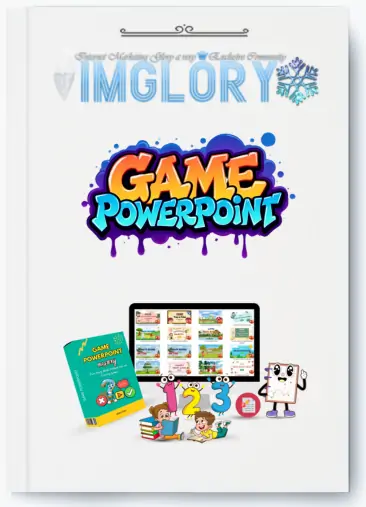
[Group buy] Game PowerPoint Mastery + OTOs
Original price was: $54.00.$17.00Current price is: $17.00.
Game PowerPoint Mastery: Unlocking the Future of Interactive Learning Design
2025 is shaping up to be the year of interactive educational resources, and PowerPoint games are leading the charge. While traditional low-content products—like journals and planners—face heavy saturation, PowerPoint games occupy a less crowded, high-potential space. The demand is rising, especially in homeschooling circles and digital classrooms.
Moreover, video platforms like YouTube and TikTok have become springboards for viral growth. Content creators are showcasing their games in action, generating buzz, building followings, and converting viewers into customers.
As the market grows, there’s still room for stand-out creators. Those who know how to merge story, design, and interactivity will dominate. That’s exactly what Game PowerPoint Mastery teaches you to do.
What is Game PowerPoint Mastery?
Game PowerPoint Mastery is a specialized course designed to teach creators how to build visually stunning and highly interactive games using PowerPoint and Canva—no coding required. With step-by-step video tutorials, it guides learners through designing, animating, and structuring engaging games that not only entertain but also educate. This program empowers digital entrepreneurs, educators, and creatives to tap into the booming market of interactive learning with ease and confidence.
What Will You Learn In This Course?
FE – Game PowerPoint Mastery – $17
Game PowerPoint Mastery isn't just another how-to series—it’s an experience that takes you from idea to execution with a toolkit of design principles, storytelling tactics, and technical tricks. Here's a breakdown of what you’ll uncover in each module:
Module 1
🔹 Video 1: Introduction to PowerPoint Games
This module lays the groundwork. You’ll begin with an overview of what interactive PowerPoint games are and why they’re transforming digital education and entertainment. You’ll learn how to use Link – Action to create responsive navigation between slides and how to trigger animations that make objects appear, move, or react dynamically—just like magic! Naming objects properly is also covered, which helps avoid technical mishaps. By the end, you'll know how to craft a simple, functional game.
🎯 Outcome: A strong technical foundation in game interactivity using native PowerPoint tools.
🔹 Video 2: How to Generate Ideas and Write a Game Script
Creating a game is more than flashy visuals—it starts with a compelling idea. In this lesson, you'll discover brainstorming techniques to unlock creativity. Then, you'll learn how to structure a game script that keeps players engaged from start to finish. Think: mission-based challenges, narrative arcs, and winning objectives that spark curiosity and keep users coming back for more.
✨ Outcome: Confidence in crafting creative, marketable game narratives.
🔹 Video 3: Designing the Game Interface with Canva
Welcome to the design lab! Canva takes center stage here as you learn how to leverage its expansive library to build stunning visual assets. You’ll create backgrounds, characters, icons, and UI elements that pop. Even without a paid account, the free version of Canva provides plenty to work with. Finally, you’ll export these assets and integrate them seamlessly into PowerPoint.
🎨 Outcome: Professionally designed visuals that elevate your game aesthetics.
🔹 Video 4: Using Link – Action for Seamless Navigation
Here, you’ll master how to guide players through your game logically. Whether you’re creating a quiz, a challenge, or a choose-your-own-adventure style game, this video teaches you to build interactive menus, track progress, and maintain intuitive user flows. The smoother the user experience, the more successful your game.
🧭 Outcome: Player-friendly navigation that feels effortless and polished.
🔹 Video 5: Controlling Objects with Animation – Trigger
PowerPoint’s Animation Trigger is your secret weapon. This module shows you how to program objects to appear, disappear, and respond to user clicks—creating an immersive experience. You’ll also build interactive features like pop-up hints, clickable questions, and character reactions. Think of it like programming, but without writing a single line of code.
🕹️ Outcome: Games that feel alive and react to every user action.
🔹 Video 6: Tips for Creating Smooth Page Transitions
Transitions can make or break the flow. Learn how to select the right effects to maintain continuity and avoid jarring scene changes. The goal? A professional, polished finish that keeps players in the zone from beginning to end.
📽️ Outcome: Polished transitions that create a smooth, cinematic game experience.
Module 2:

Bonus Goodies to Sweeten the Deal
Enrolling in Game PowerPoint Mastery doesn’t just give you skills—it gives you assets. You’ll receive:
- Math Activity Book for Kids – Ready-to-use content to plug into your games or sell as a standalone product.
- Summer Planner for Kids – Boost your seasonal digital product offerings.
- Positive Affirmations Canva Templates – Perfect for educational games focused on mental well-being.
- Animals Workbook – Create themed quizzes and activities using these pre-designed pages.
OTO1 – Game PowerPoint Mastery Pro – $37
- Guide to Adding Voice to Objects, Making Characters in the Game Speak Dynamically.
- How to Add Background Music to Enhance Emotion and Professionalism in the Game.
- How to Design Slides with Multiple Answers and Automatic Correct/Incorrect Feedback.
- Guide to Creating Timed Quiz Games to Increase Challenge and Engagement for Players.
- Guide to Designing Word Guessing Games, Perfect for Educational Activities.
- How to Create Matching Games to Make Gameplay More Interactive and Creative.
- 30 Day Money Back Guarantee

Pros and Cons of Game PowerPoint Mastery
✅ Pros:
- No Coding Required – Just creativity and your mouse!
- Use Free Tools – Works perfectly with free Canva accounts and basic PowerPoint.
- Step-by-Step Structure – Perfect for beginners and seasoned designers alike.
- Professional Game Aesthetic – Thanks to Canva’s design capabilities.
- High Demand Market – Tap into the fast-growing world of educational games.
- Commercial Potential – Sell your creations on Etsy, Gumroad, or Teachers Pay Teachers.
- 30-Day Money-Back Guarantee – Risk-free trial period.
❌ Cons:
- Requires Basic PowerPoint Knowledge – Total newbies may need to catch up on the basics.
- Time Investment – Designing well-thought-out games takes time, especially in the beginning.
- Limited to Slide-Based Interactivity – While powerful, PowerPoint has its natural boundaries compared to native apps or coding platforms.
Who Is Game PowerPoint Mastery For?
Game PowerPoint Mastery is perfect for a wide range of creatives, educators, and entrepreneurs:
🎓 Teachers & Homeschoolers – Spice up your lesson plans and improve engagement.
💼 Digital Product Creators – Add a new vertical to your Etsy, Gumroad, or TpT shop.
🎮 Course Creators – Gamify your lessons or workshops to keep students hooked.
📱 Content Creators – Turn your TikTok, YouTube, or Instagram following into buyers with visually rich, interactive content.
🎁 Passive Income Seekers – Create once, sell forever. Educational games are in demand year-round.
If you're already in the digital product space, Game PowerPoint Mastery is a no-brainer to scale your brand and diversify your offerings.
Conclusion
If you're looking to create something that educates, engages, and earns, Game PowerPoint Mastery is the course to take. It strips away the need for coding, leverages the power of free tools, and empowers you to build interactive digital products that wow your audience.
Whether you're an educator seeking to gamify your lessons, a digital entrepreneur ready to expand into high-demand niches, or simply a creative mind craving a new outlet—this course is your launchpad.
🔥 Create. Play. Engage. Join the movement and turn your ideas into interactive PowerPoint games today.
Related products
Original price was: $997.00.$49.95Current price is: $49.95.
GB Courses
Original price was: $997.00.$69.95Current price is: $69.95.
Original price was: $2,447.00.$48.50Current price is: $48.50.
Original price was: $997.00.$49.95Current price is: $49.95.
GB Courses
Original price was: $395.00.$35.00Current price is: $35.00.