


INSTANT
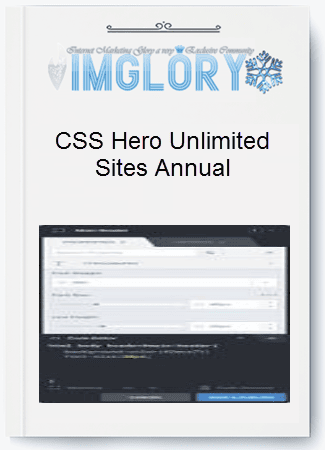
[Group buy] CSS Hero Unlimited Sites Annual
Original price was: $199.00.$20.00Current price is: $20.00.
CSS Hero is the definitive WordPress plugin to easily customize the look of your site, with an easy and intuitive point and click interface.
If you’ve ever felt completely drained trying to tweak your WordPress design because coding isn’t your thing or even if you know a bit of CSS but still get lost in endless, dry lines of code every time you want to make a small change—then CSS Hero was built exactly for you. This plugin lets you customize your website visually: hover, click, tweak, and see the results instantly, without writing a single line of code.
What is CSS Hero?

CSS Hero – A visual CSS customization tool that makes WordPress design fast, safe, and code-free
CSS Hero is a WordPress plugin specialized in real-time visual customization using a point-and-click approach. In simple terms, you can edit your WordPress theme directly on the live website, as if you were literally touching the design itself.
Instead of modifying theme files or manually overriding CSS, CSS Hero creates a separate CSS layer. This ensures every change is safe, reversible, and never interferes with your original theme.
Why CSS Hero is so popular:
- Edit your website design live, without writing CSS
- Compatible with most popular WordPress themes and plugins
- No changes to core theme files, reducing update risks
- Responsive previews for desktop, tablet, and mobile
- Export CSS or LESS for standalone use when needed
- Built-in CSS error checking, beginner-friendly
Who is behind CSS Hero?
CSS Hero is developed by a team with years of hands-on WordPress experience and a deep understanding of the pain points faced by non-coders. The plugin has been praised by major brands in the WordPress ecosystem such as Astra, HostGator, HubSpot, Kinsta, WPBeginner, and WPCrafter.
This recognition proves that CSS Hero isn’t a short-term gimmick—it’s a stable, long-term solution suitable for individuals, freelancers, and businesses alike.
Key Features of CSS Hero
Video Backgrounds – Add eye-catching video backgrounds to WordPress with just a few clicks
Real-time WordPress theme editing
- Hover over any element and edit it instantly
- All changes appear immediately without page reloads
- Full control over headers, content areas, and footers
Smart color management
- Visual color picker with live background and text previews
- Automatically saves previously used colors
- Suggested color palettes aligned with your brand style
Flexible typography control
- Massive Google Fonts library, applied with one click
- Typekit support for professional font projects
- Upload custom fonts in common formats
Visual spacing adjustment
- Drag and drop to adjust margin and padding
- No need to remember complex CSS syntax
Advanced CSS made simple
- Create gradients, shadows, and text effects visually
- Support for modern CSS properties
Mobile-first responsive optimization
- Preview designs on desktop, tablet, and mobile
- Customizable breakpoints
- Live Mobile Preview via QR code on real devices
- Desktop-only mode to avoid mobile display issues
Maximum safety when editing
- No changes to original theme or plugin files
- Deactivate the plugin and the site returns to its original state
- Static CSS output with no performance impact
- Export CSS/LESS for independent use
Advanced Code Inspector & CSS Editor
- Live preview CSS/LESS editor
- View and fine-tune the CSS generated by CSS Hero
- Automatic detection of common CSS errors
- Advanced media query support
Unsplash integration for backgrounds
- Access a library of high-quality, royalty-free images
- Search by keyword and apply instantly as backgrounds
Dynamic video backgrounds
- Easily add background videos to your website
- Free video library from Coverr
Scroll-based animation effects
- Add animations on scroll for more engaging pages
- Effects include fade, slide, zoom, and flip
- Powered by the lightweight and stable AOS library
Live JavaScript Editor
- Insert JavaScript directly within the visual interface
- Supports popular libraries with live linting
Built-in HTML/CSS Inspector
HTML/CSS Inspector – Analyze and edit CSS directly on your live website
- Precisely identify and target the exact element you want to edit
CSS snippets and custom classes
- Pre-built snippet library for instant use
- Save your own snippets for reuse across the site
- Example: turn a plain link into a stylish button in seconds
Sitewide preview
- Preview how CSS changes affect the entire website
- Easier global design control
Edit history and checkpoints
- Tracks every design change
- Fast undo and redo
- Instant recovery in case of issues
- Save multiple versions and restore the best one
Custom WordPress login page
- Brand your WordPress login page
- Preview the login design even when logged out
How to use CSS Hero to customize a WordPress theme
Getting started with CSS Hero is straightforward, even for beginners:
Step 1: Install the plugin
Go to Plugins > Add New, upload CSS Hero, and activate it.
Step 2: Activate your license
Enter the license key you received via email and activate it.
Step 3: Launch the CSS Hero Editor
Visit your website and click the CSS Hero button in the admin bar.
Step 4: Select an element
Hover over and click the element you want to customize. CSS Hero will automatically highlight it.
Step 5: Adjust properties
Modify backgrounds, fonts, spacing, and more using the drag-and-drop interface.
Step 6: See instant results
All changes appear immediately, along with the corresponding CSS.
Steps 7–9: Advanced options
Use Unsplash images, CSS snippets, and define the scope of your changes.
Step 10: Save and publish
Click Save and Publish to apply your changes live on the website.
CSS Hero – Pricing 2026
| Plan | Websites | Price | Billing | Best For | Key Features |
| Starter | 1 Site | $29 / year | Annual | Individual users who only need CSS Hero for a single website | • 1-year product updates
• Install on 1 site • 1-year basic support |
| Personal | Up to 5 Sites | $59 / year | Annual | Freelancers, bloggers, and small site owners managing 2–5 WordPress sites | • 1-year product updates
• Install on up to 5 sites • 1-year basic support |
| Pro | Up to 999 Sites | $199 / year | Annual | Web agencies and professional publishers handling a large number of websites | • 1-year product updates
• Install on up to 999 sites • 1-year basic support • WP Multisite support |
| Lifetime Pro + Animator | Up to 999 Sites | $599 (one-time payment) | Lifetime | Agencies and developers who want full access forever | • CSS Hero + Animator plugin included
• Lifetime product updates • Install on up to 999 sites • Priority support • WP Multisite support |
Where to Buy CSS Hero at a Great Price for Long-Term Peace of Mind?
Latest CSS Hero pricing – a cost-effective, visual CSS editing solution for WordPress websites
Once you decide to use CSS Hero, the next question almost everyone asks is:
Where can I buy it at a fair price while still ensuring a legitimate license and stable support?
In reality, the premium WordPress plugin market can feel like a jungle — low prices are everywhere, but many come with hidden risks related to licensing, updates, or long-term usability.
Instead of trial and error, many webmasters and freelancers turn to Imglory as a safer alternative.
This platform specializes in providing licensed SEO tools and WordPress plugins through a shared-access model, helping users significantly reduce costs while still enjoying full functionality.
What truly sets Imglory apart isn’t just pricing. It’s the strong user community and a support team that actually understands real-world website-building challenges. You’re not just buying a plugin — you’re buying long-term confidence.
Why Choose CSS Hero from Imglory?
It’s no coincidence that Imglory has become a familiar choice among WordPress users in Vietnam and beyond. Here are the key reasons:
- Affordable pricing suitable for individuals, freelancers, and agencies managing multiple websites.
- Stable license access with all essential features required for CSS customization.
- Regular updates to ensure compatibility with the latest WordPress versions and themes.
- Fast, practical support for common installation and activation issues.
- Flexible payment options designed for local users.
- Transparent pricing with no hidden fees or confusing terms.
- Experience-sharing community that helps you discover smarter ways to use CSS Hero.
If you’re aiming to stay professional while keeping your budget under control, this is an option worth serious consideration.
How to Buy CSS Hero on Imglory
The purchasing and setup process on Imglory is intentionally simple — even for beginners:
- Visit the official Imglory website and search for CSS Hero.
- Select the plan that matches your personal site or multiple project needs.
- Add the product to your cart and review your order details.
- Enter a valid email address to receive activation information.
- Complete the payment following the provided instructions.
- Receive usage details and start installing CSS Hero on your WordPress site.
If you run into any issues, the support team is available to guide you step by step.
CSS Hero Review: Strengths and Considerations
Before deciding whether to invest, it’s important to look at CSS Hero objectively.
It offers clear advantages, along with a few limitations you should be aware of.
Key Advantages
- No coding required, perfect for users without a programming background.
- Real-time visual editing, see changes instantly as you work.
- Responsive design support for desktop, tablet, and mobile views.
- No core file modification, keeping theme updates safe.
- Wide compatibility with popular themes and page builders.
- Major time-saver, especially when managing multiple websites.
- Smart color management to maintain design consistency.
- Free image and video library integration to support content creation.
- Exportable CSS, reducing long-term dependency on the plugin.
Things to Keep in Mind
- It’s a paid plugin, which may not suit extremely tight budgets.
- Not a full replacement for hand-coded CSS in highly complex projects.
- Initial learning curve if you’re completely new to CSS concepts.
- Regular updates recommended to maintain optimal compatibility.
Overall, CSS Hero remains an excellent choice for most WordPress users who don’t want to dive deep into code.
Who Should Use CSS Hero?
Based on real-world usage, CSS Hero is especially suitable for:
- Website owners who want full design control without relying on third parties.
- Freelancers needing to optimize workflow across multiple projects.
- Marketers frequently testing layouts to improve conversion rates.
- Bloggers looking to personalize their sites with a unique style.
- Agencies managing multiple client websites.
- Startups that need to polish MVP designs quickly.
On the other hand, projects requiring extremely advanced CSS logic or developers who prefer full manual control may find CSS Hero less suitable.
Frequently Asked Questions About CSS Hero
- Does CSS Hero work with Elementor?
Yes. Elementor handles layout building, while CSS Hero fine-tunes visual details. - Which themes are supported?
CSS Hero works with most popular themes such as Astra, GeneratePress, OceanWP, Divi, and many others. - Does it affect website speed?
Minimal impact. CSS Hero generates static CSS files without injecting heavy scripts. - Can I export the CSS?
Yes. You can copy or export all generated CSS for independent use. - Does it modify original theme files?
No. All changes are stored separately, ensuring safe theme updates. - Does it support responsive design?
Yes. You can customize styles for each device and preview them live. - Are fonts supported?
Yes. Google Fonts are included, with support for Typekit and custom font uploads.
Conclusion
CSS Hero introduces a completely different approach to WordPress design — faster, more visual, and with far fewer technical barriers. In an era where speed and flexibility matter more than ever, this tool can save you a massive amount of time and effort. Investing in CSS Hero isn’t just about buying a plugin; it’s about gaining control and agility in shaping your website’s identity.
If you’re looking for a reliable place to buy CSS Hero at a reasonable price with clear support and stable usage, Imglory is well worth considering.
Explore it now at Imglory and start optimizing your WordPress design more effectively.
Additional reference:
CSS Hero official website: https://www.csshero.org/
Related products
GB WordPress
Original price was: $299.00.$55.00Current price is: $55.00.
GB WordPress
Original price was: $249.00.$27.00Current price is: $27.00.
GB WordPress
Original price was: $120.00.$20.00Current price is: $20.00.

GB WordPress
Original price was: $77.00.$11.00Current price is: $11.00.
GB WordPress
Original price was: $110.00.$14.00Current price is: $14.00.