
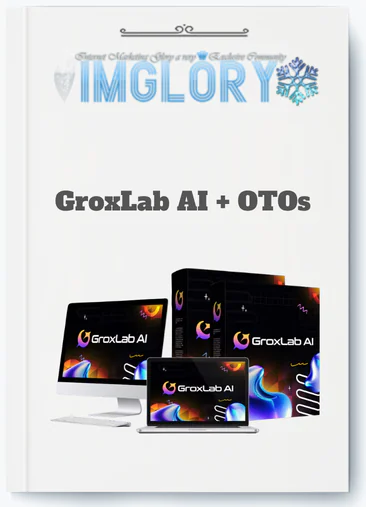
[Group buy] GroxLab AI + OTOs
$17.00
GroxLab AI is a dashboard that connects and manages Grok AI models to create text, images, and audio in one platform.
GroxLab AI is a cloud-based dashboard that gives you lifetime access to multiple Grok models, including Grok 4.2, 4.1 Fast, 4, and 3, through a single, one-time payment, wrapping Elon Musk's xAI Grok ecosystem into one unified interface.
If you're a creator, marketer, founder, or small team currently paying $20 to $30 per month per AI tool, and managing four separate logins on top of that, this guide is written for you. Based on 10+ years working with software, tools, and technology, this breakdown covers what GroxLab AI actually is, how it's priced, what it can do, how it compares to ChatGPT and Claude, and where it genuinely fits, and where it doesn't.
Here's what we'll cover:
- A clear definition and at-a-glance fact table
- The subscription fatigue problem this product addresses
- Every core feature, with real workflow examples
- A step-by-step look at how the platform works
- An honest legitimacy assessment and risk breakdown
- A side-by-side comparison with ChatGPT Plus, Claude Pro, and direct Grok access
- Real-world use cases by persona
- Setup tips, prompting guidance, and a first-day checklist
- Six frequently asked questions that don't fit neatly elsewhere
Let's start with the clearest possible definition, then get into the problem it's built to solve.
GroxLab AI in One Look (Quick Definition & Key Facts)

GroxLab AI is a third-party, web-based platform that consolidates access to xAI's Grok model family, text, image, voice, code, and document tools, under a one-time lifetime license, rather than a recurring monthly fee.
That one sentence carries a lot of weight, so here's the full picture in table form:
| Aspect | Summary |
| Type of product | Cloud-based AI dashboard, multi-tool platform |
| Main models | Grok 4.2, 4.1 Fast, Grok 4, Grok 3, and task-specific variants |
| Pricing model | One-time lifetime access, three tiers |
| Tier prices | SuperGrok ($67), Business ($97), Enterprise ($197) |
| Main capabilities | Text generation, code, image creation, voice, document analysis, automation |
| Commercial rights | Included across all tiers |
| Target users | Creators, marketers, agencies, developers, small teams |
| Platform | Browser-based, no local installation required |
One distinction worth making clear upfront: GroxLab AI is not an official xAI product. It does not operate grok.com. GroxLab is built around the xAI Grok ecosystem as a dashboard and partner solution, giving you consolidated, lifetime access to those models rather than routing you through a standard xAI subscription. Think of it as a curated interface built on top of the Grok infrastructure, rather than the infrastructure itself.
This distinction matters when you're evaluating it against direct Grok access or other first-party AI subscriptions. The value is not just in the model, it's in the bundled toolset, the unified workspace, the commercial licensing, and the one-time pricing structure.
To understand why that structure exists and who it was built for, we need to look at the problem it addresses.
The Problem GroxLab AI Solves: Subscription Fatigue and a Fragmented AI Stack
Ask any agency owner, solo creator, or startup founder what their monthly AI spend looks like in 2025, and the number tends to surprise people outside the space. A realistic stack includes ChatGPT Plus at $20/month, Claude Pro at $20/month, a dedicated image generation tool at $10 to $20/month, a voice or transcription service, and possibly a code assistant on top. Per user, per seat, per month, that's $60 to $100 or more just for AI access, before you factor in per-generation limits, watermarked outputs, or non-commercial licensing restrictions.
The operational friction compounds the cost. Switching between four different interfaces to write a blog post, generate a thumbnail image, create a voiceover, and review a contract document means four different logins, four different prompt styles, four different export flows. When you're doing this at volume, producing content daily, serving multiple clients, or running a lean team, that context-switching adds up in ways that don't appear on a subscription invoice.
There's also a structural risk that most users don't think about until it happens: when a tool changes its pricing, shifts a feature behind a higher tier, or adjusts its API terms, you're forced to react. Plans that work in Q1 stop working in Q3.
GroxLab AI addresses all three layers of this problem. It pulls text, image, voice, code, and document tools into a single dashboard. It charges once, not monthly. And the commercial rights for everything you generate, copy, images, audio, are included from the start, which removes one of the less-discussed friction points for agencies and freelancers whose clients own the output.
A practical comparison: a solo content creator paying for three separate tools at $20/month each spends $720 per year. GroxLab's entry tier sits at $67, a one-time figure. After the first year, the cost difference is not marginal.
Core Features of GroxLab AI (Text, Image, Voice, Code, and More)
GroxLab AI organizes its capabilities across seven functional areas. Each one maps to a real production workflow, not a list of theoretical use cases. Here's how each layer works in practice.
1. Multi-Model Grok Access (Grok 4.2, 4.1 Fast, 4, and 3)
The platform gives you access to Grok 4.2, Grok 4.1 Fast, Grok 4, and Grok 3, plus task-specific variants where provided, from within a single interface. The practical value here is model switching without app switching. You don't need to open a different browser tab or log into a separate service to move from a high-complexity task to a quick iteration.
Grok 4.2 handles the reasoning-heavy work well: long-form strategy documents, structured research, multi-step analysis. Grok 4.1 Fast is built for speed, generating dozens of social posts, running outline iterations, producing rapid drafts. Grok 4 and Grok 3 cover lighter generation tasks where inference cost matters more than depth. Because you're on a lifetime license, you can test the same prompt across all four models without worrying about burning through a monthly usage cap, an advantage that shapes how you can actually work with AI rather than how you have to ration it.
Once you've chosen a model, most users move directly into the content creation layer.
2. Content Creation Suite (Copy, Long-Form, Scripts, and Campaigns)
The text generation suite covers the full range of commercial writing formats: sales landing pages, ad copy, email campaigns and flows, blog posts and SEO articles, YouTube scripts, and social media calendars. These are not toy outputs, the commercial rights bundled with every tier mean that agencies can assign client IP to generated content without running into non-commercial use clauses that affect some consumer-grade AI tools.
The practical workflow looks like this: a marketer needs a product launch. They generate an email sequence, a set of ad variations, and a landing page draft in a single session. Each output can be refined within the same interface and exported as a document or PDF. An agency running the same process for ten clients in a week gets the same commercial protection on every piece.
3. Image Generation: Unlimited 4K, No Watermarks
GroxLab AI uses models including Flux for image generation, producing output at 4K resolution without watermarks. Most tools in this category either cap HD output behind a higher subscription tier or embed watermarks on anything generated outside a paid plan. GroxLab's generation is unlimited and clean across all tiers.
The practical range covers thumbnails for YouTube channels, ad creatives for Meta or Google, blog header images, social media carousels, and ecommerce product visuals. Because commercial rights are included, you can use every image in client-facing work or in paid advertising without a separate licensing review. A prompt like “a clean 4K ecommerce hero image showing a minimalist skincare product on a white marble surface” returns a usable asset, not a starting point that still needs a rights clearance.
Great visuals are only part of the equation, though. Content that's built on current data tends to perform better, which is where the real-time intelligence layer matters.
4. Real-Time Intelligence and DeepSearch
Unlike static language models trained to a fixed knowledge cutoff, Grok's DeepSearch gives GroxLab access to live web data. That distinction matters more than it might appear. A model trained to early 2024 will give you 2024 information on a 2025 question, with confidence. A model with live web access gives you the actual current state.
The workflow applications are direct. A marketer uses DeepSearch to pull current competitor pricing before writing a comparison page. A blogger validates the statistics in a draft before publishing. A research analyst pulls 2025 benchmark data for a client report. The output isn't just text, it's text grounded in what's actually true right now, which cuts down the fact-checking cycle considerably.
From current data, many production workflows move into multimedia, which brings us to the voice and audio layer.
5. Voice and Audio Tools (Voiceovers, Podcasts, Transcription)
The audio capabilities cover three directions. Text-to-speech output handles natural-sounding voiceovers for video content, ads, explainer videos, and social clips. Podcast tooling supports episode outlining, script writing, and basic editing structure. Speech-to-text transcription works in the opposite direction, taking recorded calls, interviews, or podcast episodes and converting them into clean text for show notes, blog articles, or repurposed social content.
A practical example: a faceless YouTube channel operator uses GroxLab to write a script with Grok 4.2, generate a voiceover from that script in the same session, and produce a 4K thumbnail before exporting. Three production steps, one platform, one session. The time saved per video compounds across a channel that publishes weekly.
Once the media layer is covered, many users, particularly those in business and agency contexts, still have a significant volume of structured documents to handle.
6. Document Analysis and Workflow Automation
GroxLab AI handles PDF and document processing through three main operations: summarization, key-point extraction, and data or table parsing. The application set is wide. A lawyer's assistant can pull specific clause language from a 40-page contract. A consultant can turn a 50-page industry whitepaper into a one-page brief and a set of slide bullet points. A product team can extract technical specifications from a manufacturer's PDF and reformat them into a structured comparison sheet.
Where the platform supports no-code automation, users can build repeatable workflows for tasks they run on a regular schedule, removing the manual re-setup cost that comes with one-off prompting. The document layer connects well with the content creation suite: a summarized whitepaper becomes a blog outline becomes a finished article, all within the same interface.
For users who need to go deeper into technical infrastructure, there's a dedicated development and automation layer.
7. Coding and Automation Support
Grok 4.2 handles code generation across common languages and frameworks, writing functions, generating boilerplate, debugging existing code, and producing structured code reviews. For developers building an MVP, the platform can produce a working starter app structure without the back-and-forth of a traditional development cycle. For teams maintaining legacy codebases, the debugging and refactoring support reduces the time spent tracing logic across inherited files.
Business and Enterprise tier subscribers gain API access, which means outputs can be piped into internal dashboards, Slack bots, internal tools, or custom automation pipelines. The platform also supports no-code and low-code workflow building for users who need automation without direct programming. One practical task: “build a simple Node.js webhook to receive a form submission and push it to a Google Sheet” is the kind of structured request Grok 4.2 handles reliably.
Code output, like all AI-generated code, should still be reviewed before production deployment, the platform accelerates writing, but it doesn't replace engineering judgment.
With the full feature set mapped out, the next practical question is how the platform actually works from the moment you sign up.
Pricing Plans and OTOs detailed
Front-End – GroxLab AI ($17 one-time)
- All-in-one AI platform combining multiple content and automation tools
- Create content, funnels, websites, and marketing assets in one dashboard
- Includes commercial license for client work and monetization
- No monthly fees, pay once for lifetime access to core features
- Beginner-friendly system with flexible use cases
- Includes a 30-day money-back guarantee for risk-free testing
OTO 1 – GroxLab AI Unlimited ($97 – $147 one-time)
- Removes all usage limits and unlocks full platform capacity
- Unlimited content generation, AI models, and workflows
- Faster processing speed and improved performance
- Ideal for scaling content production and client work
OTO 2 – GroxLab AI Done-For-You ($97 one-time)
- Access to ready-made templates, funnels, and content systems
- Generate complete assets with minimal input
- No need for planning, prompting, or structuring workflows
- Best for users who want fast, plug-and-play results
OTO 3 – GroxLab AI Creative Studio ($47 one-time)
- Adds multi-format content tools including image and voice generation
- Create visuals, voiceovers, and structured content in one place
- Eliminates the need for external creative tools
- Ideal for users who want more content flexibility
OTO 4 – GroxLab AI Agent ($67 one-time)
- Autonomous system that executes tasks based on your goals
- Handles multi-step workflows and parallel processes automatically
- Designed for full business and content automation
- Best for hands-free scaling
OTO 5 – Financial Freedom System ($47 one-time)
- Training and systems to monetize AI tools effectively
- Includes ready-made offers and business models
- Focuses on building consistent income streams
- Great for beginners entering AI-based businesses
OTO 6 – GroxLab AI Enterprise ($37 one-time)
- Unlocks enhanced performance and deeper system capabilities
- Faster processing and improved output quality
- Access to future updates and expanded features
- Ideal for users needing better speed and scalability
OTO 7 – AutoFlow Engine ($47 one-time)
- Automates workflows based on triggers and schedules
- Runs processes continuously without manual input
- Supports multi-task automation in the background
- Best for consistent, hands-free operations
OTO 8 – GroxLab AI Franchise ($76 one-time)
- Done-for-you affiliate system with ready-made funnels
- Keep 100% of front-end profits and earn commissions on OTOs
- No product creation, support, or tech setup required
- Includes sales pages, videos, and automated delivery
- Ideal for users who want a plug-and-play income model
OTO 9 – GroxLab AI Agency ($197 one-time)
- Create and manage client accounts from one dashboard
- Set your own pricing and offer recurring services
- Full control over client management and delivery
- Best for building a scalable AI service business
OTO 10 – GroxLab AI White Label ($297 one-time)
- Rebrand the platform with your own name, logo, and domain
- Launch your own AI software business without development
- Hosting, setup, and support handled by the team
- Keep 100% of profits while selling as your own product
How GroxLab AI Works: From Sign-Up to Daily Workflow
The path from purchase to active use follows five steps. Each one is faster than comparable onboarding for multi-tool AI setups.
Step 1 — Choose your tier and pay once. Three tiers are available at a one-time price: SuperGrok at $67, Business at $97, and Enterprise at $197. There is no monthly billing cycle. The payment you make at purchase is the total cost of access.
Step 2 — Access the unified cloud dashboard. After purchase, you log into a browser-based workspace, no software installation required. The interface is organized by tool category: content, code, image, voice, documents. Projects and workspaces can be structured by client, brand, or initiative depending on how you work.
Step 3 — Select a model and tool. From the dashboard sidebar, you choose which Grok version to run for a given task. Grok 4.2 for strategy, research, or complex drafting. Grok 4.1 Fast for bulk generation, brainstorming sessions, or rapid iterations. Grok 4 and Grok 3 for lighter tasks where speed matters more than depth.
Step 4 — Create, refine, and export. Outputs can be exported as PDF, DOCX, images, or audio files depending on the tool in use. Prompt templates and frameworks can be saved for recurring workflows, so the campaign brief you write for one client becomes a reusable structure for the next.
Step 5 — Receive lifetime model updates. As xAI releases new Grok model generations, GroxLab advertises access to those updates without additional upgrade fees. The same one-time purchase that gives you Grok 4.2 today covers future model additions as they're rolled in.
A marketer who signs up on a Monday morning can realistically have a full campaign, headline variations, email sequence, ad creative, landing page draft, completed by that same afternoon. The workflow isn't theoretical. It's the kind of output that's been typical for users with 10+ years of experience running AI tools in production environments.
The economics make sense on paper. But the question many people ask before buying isn't about features, it's about whether the product is actually legitimate.
Is GroxLab AI Legit or a Scam? Trust, Guarantees, and Limitations
The direct answer: GroxLab AI is a legitimate commercial product. It's a third-party AI dashboard built around xAI's Grok model ecosystem, not a fraudulent or deceptive offering. That said, “legitimate” and “perfect for every buyer” are different statements, so here's what the trust picture actually looks like.
On the positive side of the ledger: the product carries a 30-day money-back guarantee, described as no-questions-asked. The developer claims 4.8/5 ratings across 1,000+ user reviews, though prospective buyers should treat that figure as self-reported and verify it against independent review platforms like Trustpilot or Capterra before purchasing. The commercial rights and lifetime access terms are stated upfront. The refund policy is stated terms you can check before committing.
Some clarifications that matter for due diligence:
On the xAI relationship: GroxLab AI is built around xAI's Grok ecosystem but is not an official xAI product. It functions as a partner-tier dashboard, not as grok.com itself. If you're looking for direct, first-party access to Grok, you'd purchase directly from xAI. GroxLab's value is the bundled toolset, the commercial licensing, and the one-time pricing structure, not a claim of being the official source.
On lifetime updates: The offer, as advertised, includes access to future Grok model generations without extra upgrade fees. That's the claim. Lifetime tool licensing always carries the qualification that “lifetime” typically refers to the viable life of the product or service, not a legally guaranteed forever. Verify the current terms at checkout, not just from a third-party review written six months ago.
On vendor risk: Any lifetime software deal carries the standard risk that the company behind it could change pricing structure, infrastructure access, or upstream model agreements over time. This isn't unique to GroxLab AI, it applies to any lifetime SaaS product. The mitigation is practical: buy only if you can recoup the investment within 6–12 months, and export important assets regularly rather than leaving everything inside the platform.
If you're serious about purchasing, the checklist before you do: confirm the refund policy is current on the product page, check recent dated reviews on independent platforms, and verify the current tier pricing and terms at checkout. Offers like this can change.
GroxLab AI vs ChatGPT Plus, Claude Pro, and Direct Grok: Which Is Right for You?
Comparing AI tools without a fixed basis leads to confusion. Here, we compare on three dimensions that actually determine purchasing decisions: cost over time, model and feature coverage, and usage limits with commercial rights.
1. Pricing and Cost Over Time
The cost comparison becomes clearer when you run the math across 12 months:
| Platform | Pricing Model | Typical Cost (12 Months) |
| GroxLab AI | One-time lifetime fee | $67 to $197 total |
| ChatGPT Plus | $20/month | ~$240/year |
| Claude Pro | $20/month | ~$240/year |
| grok.com | Subscription (varies by plan) | Depends on current xAI pricing |
For any user generating content daily, GroxLab's entry point pays for itself within three to four months of what a single-tool subscription would cost. By month 13, the gap between a GroxLab AI one-time fee and two active subscriptions is around $400 to $500. The math compounds further for teams, subscription tools charge per seat, while GroxLab's lifetime pricing doesn't scale up per user in the same way at the Business and Enterprise tiers.
What the table doesn't show is the feature density behind each price point, which takes us to the next layer of comparison.
2. Model and Feature Coverage
Each platform covers different ground:
- GroxLab AI gives you access to Grok 4.2, 4.1 Fast, Grok 4, and Grok 3, plus text generation, image creation (Flux-based, 4K, no watermarks), voice synthesis, transcription, document analysis, code generation, and API access at higher tiers. All of this lives inside a single dashboard, meaning you're not moving between applications to complete a multi-format workflow.
- ChatGPT Plus provides access to the GPT-4.x and GPT-4o family, DALL·E image generation, browsing, and some integrated tool use. It does not include Grok models, and image output is tied to DALL·E's specific aesthetic and limitations. The tool coverage is solid but the workflow is still fragmented if you need voice or document analysis outside the core chat interface.
- Claude Pro gives you strong long-context reasoning through the Claude 3 model family, the platform handles very long documents well. Image generation is limited. There are no Grok models. It's a focused tool, not a multi-format workspace.
- Direct Grok.com access gives you first-party access to Grok models through xAI's own interface, on a subscription basis. You're getting the official experience, but without the bundled image, voice, and document layer, and without lifetime pricing.
User reports and early benchmarks in 2025 suggest Grok 4.2 performs competitively with GPT-4o on certain reasoning-intensive tasks, though performance varies by task category, treat any such comparison as directional rather than definitive until you've tested your own prompts.
3. Usage Limits, Rights, and Commercial Use
This dimension separates tools that look similar on surface from tools that work differently in a production environment.
GroxLab AI advertises unlimited generation across content, images, and voice, with full commercial rights for all outputs. That means no daily message caps cutting off a campaign mid-session, and no licensing friction when a client asks who owns the output.
ChatGPT Plus carries daily message caps on GPT-4 model access, depending on the current OpenAI policy. Commercial use is permitted under OpenAI's terms, but the rate limits mean high-volume users hit ceilings.
Claude Pro operates with usage limits as well, Anthropic publishes current caps on the platform, and heavy users report hitting them during intensive work sessions. Commercial use is permitted within Anthropic's terms of service.
Each vendor's terms evolve, so verify current rate limits and commercial use policies directly on each platform before making decisions based on this snapshot.
The “best” choice depends on your usage pattern. For light or occasional AI use, any paid subscription handles the job. For daily high-volume output across multiple formats, the economics and the feature consolidation behind GroxLab AI's lifetime model make a stronger case. The use cases below will help you identify which profile fits your situation.
Real-World Use Cases: Who GroxLab AI Is Best For (and Not For)
1. Content Creators and YouTube Automation
A YouTube operator running a faceless channel uses GroxLab AI to write a video script with Grok 4.2, generate a voiceover from that script in the same session, create a 4K thumbnail image, and draft the video description with keyword-targeted tags. Long-form videos become short-clip ideas, tweets, and email newsletter content through the same interface. The entire production cycle, script to published asset, happens without leaving the platform.
2. Marketers, Agencies, and E-Commerce Teams
An agency team uses GroxLab AI to produce ad copy variations, product descriptions for category pages, and a launch email sequence for a client campaign. DeepSearch pulls current competitor pricing and market data to inform the copy before it's written. Because commercial rights are included, every output belongs to the client without a licensing audit. Batch generation across multiple client accounts in a single session is a direct productivity multiplier for small agency teams.
3. Developers, Startups, and Automation Builders
A startup founder uses Grok 4.2 to generate an MVP prototype structure, routes, database schema, API endpoints, in a fraction of the time a manual build would take. Business and Enterprise tier API access allows outputs to be piped into internal tools, Slack bots, or no-code automation platforms. The platform works as a coding accelerator, not an engineering replacement. Code review before production deployment is still non-negotiable.
4. Who Should Probably Skip GroxLab AI
Not every buyer is the right fit. If you use AI only occasionally, a few prompts per week for light research or quick questions, the free tiers on ChatGPT, Claude, or Google's built-in AI tools handle that load without any spend. If your organization already runs a negotiated enterprise AI contract with strict data governance terms, replacing that with a third-party lifetime dashboard introduces risk rather than removing it. And if your compliance requirements call for on-premises infrastructure or specific data residency controls, GroxLab AI, as a cloud-based SaaS, won't meet those standards. The platform is built for high-frequency, multi-format commercial users. Light users and enterprise compliance buyers should stay with tools designed for their specific constraints.
Getting Started with GroxLab AI: Setup Tips, Prompts, and Best Practices
The difference between a tool that pays for itself and one that sits unused comes down to setup decisions in the first 48 hours. Here's how to set up GroxLab AI in a way that builds compounding value rather than one-off outputs.
- Organize your workspace by context, not by date. Structure your projects by client, brand, or content type, not by when you created them. A workspace labeled “Client A, Q3 Campaigns” is more retrievable than “Project 7” six weeks from now.
- Build saved prompt templates before you need them. Identify three recurring tasks you run weekly. Write a prompt template for each one, with role, audience, format constraints, and specific context slots that change per session. Saving these templates means you're not rewriting the same structural logic every time.
- Use the right model for the task. Grok 4.2 for strategy documents, research briefs, complex analysis, and anything where reasoning depth matters. Grok 4.1 Fast for brainstorming, bulk social post generation, email subject line variations, and anything where speed matters more than depth. Grok 4 and Grok 3 for simple, repeatable tasks where you're generating at scale.
- Prompt with specificity, not generality. A good prompt structure: role (“You are a direct-response copywriter”), audience (“for B2B SaaS buyers in the HR space”), format (“write a 5-email drip sequence”), and constraint (“no jargon, each email under 150 words”). Vague prompts return vague outputs. Specific prompts return usable drafts.
- Review everything before it goes out. AI generation accelerates production, it doesn't replace brand voice judgment or factual accuracy. Run AI-produced statistics through DeepSearch or manual verification. Check tone against your client's brand guidelines before delivery.
- For teams: Where the platform supports template sharing, standardize your prompt frameworks across team members. Consistency in prompting produces consistency in output quality, which matters when multiple people are producing content for the same brand.
Practical First-Day Checklist
- Define the three core tasks you want to automate or accelerate.
- Create one saved prompt template for each task.
- Run the same prompt through Grok 4.2 and Grok 4.1 Fast, compare quality and speed for your specific use case.
- Export a sample output and review it against your quality bar.
- Adjust the prompt based on what's missing or off-tone.
- Save the version that performs best.
- Decide where GroxLab AI sits in your weekly production schedule, and block time for it.
Most users who follow this sequence have their core workflows functional within a single workday.
Supplemental FAQs About GroxLab AI (2025)
Does GroxLab AI really include all future Grok AI updates for free?
Yes, as currently marketed. The offer states that lifetime access includes future Grok model generations as xAI releases them, without requiring additional upgrade payments. That's the advertised position. The practical qualification is that “lifetime access” in the SaaS context typically means the lifetime of the product or service, not an unconditional forever guarantee. Model licensing agreements between third-party platforms and upstream providers like xAI can also change over time. Verify the exact wording of the update guarantee at checkout, not from a review written six months ago, before you treat this as a hard commitment.
What's the difference between GroxLab AI and grok.com?
Grok.com is xAI's own official platform, the first-party interface for accessing Grok models directly from the company that built them. It runs on a subscription model and gives you access to Grok's core conversational and reasoning capabilities through xAI's native product experience.
GroxLab AI is a third-party dashboard built around Grok models, positioned as a one-time lifetime bundle. The distinction is the packaging: GroxLab layers image generation (Flux), voice tools, document processing, and code assistance on top of Grok model access, and prices the whole thing as a one-time purchase rather than a recurring fee. If you want the official xAI experience with direct support and first-party guarantees, grok.com is the route. If you want a multi-tool, one-time-fee workspace built on Grok's infrastructure, GroxLab AI is the route.
Can I use GroxLab AI for client work and sell the outputs?
Yes, as advertised, commercial rights are included across all GroxLab AI tiers. That means you can use generated copy, images, code, and audio in client-facing deliverables without a separate licensing review for each project. Before setting up an agency workflow at scale, review the current terms of service for two specific scenarios: white-label resale (where you sell AI-generated content under your own brand name) and high-volume output resale (where the generated content itself is the product being sold). The general commercial rights are clear, edge cases around resale models sometimes have additional conditions worth confirming.
How does GroxLab AI handle data privacy and security?
As with most cloud-based SaaS platforms, data sent to GroxLab AI is processed through model providers, which means prompts and inputs travel through external infrastructure. Standard SaaS data practices apply: inputs may be logged, retained for a defined period, and used in accordance with the platform's privacy policy. The practical guidance is straightforward: don't paste personally identifiable information, confidential client data, or proprietary business intelligence into any cloud AI tool, GroxLab AI or otherwise, without first reviewing the data retention and processing terms in the current documentation. For organizations with strict compliance requirements (HIPAA, GDPR, SOC 2), a cloud-based third-party AI dashboard is not a substitute for purpose-built enterprise infrastructure with contractual data governance.
Does GroxLab AI completely replace tools like ChatGPT or Claude?
Not for every user. For creators, marketers, and small teams who generate content daily across multiple formats, GroxLab AI can cover 80 to 90% of the workflow currently spread across multiple subscriptions. For users with specific platform dependencies, Claude's long-context document processing for legal work, or GPT-4o's integration with specific OpenAI plugins, a parallel subscription may still make sense. The practical advice: run GroxLab alongside your current tools for the first 30 days rather than cancelling subscriptions immediately. Use the money-back window to validate whether the platform actually covers your use case before making permanent decisions.
What are the biggest risks of buying a lifetime AI tool like GroxLab AI?
There are five risks worth mapping before you buy. First, vendor viability: a smaller company offering lifetime access may not maintain the same infrastructure or model relationships five years from now that it has today. Second, upstream licensing changes: xAI's model access terms could change in ways that affect what third-party partners can offer.
Third, platform stagnation: if GroxLab AI's development slows, you may find yourself on a frozen product while the broader AI tooling market continues to move. Fourth, “lifetime” is a legal term: it typically means the life of the product, not the life of the buyer, and isn't a guaranteed perpetual obligation. Fifth, the ROI window: if you're not a high-frequency user, a lifetime tool that costs $67 upfront might offer worse value than a $10/month subscription you cancel after three months.
The mitigation strategy for each: calculate whether you'd recover the entry-tier cost within six months at your current usage pace. Export outputs regularly rather than storing everything inside the platform. Monitor the product's communication cadence and update releases as a signal of active development. And treat the 30-day refund window as an active evaluation period, not a formality.
Be the first to review “GroxLab AI + OTOs”
You must be logged in to post a review.
Related products
Out of stock
GB SAAS Tools
Original price was: $297.00.$33.00Current price is: $33.00.
Out of stock
GB SAAS Tools
Original price was: $230.00.$35.00Current price is: $35.00.
Out of stock
GB SAAS Tools
Original price was: $804.00.$55.00Current price is: $55.00.
GB SAAS Tools
Original price was: $53.50.$25.00Current price is: $25.00.
GB SAAS Tools
Original price was: $372.00.$29.00Current price is: $29.00.
Reviews
There are no reviews yet.