

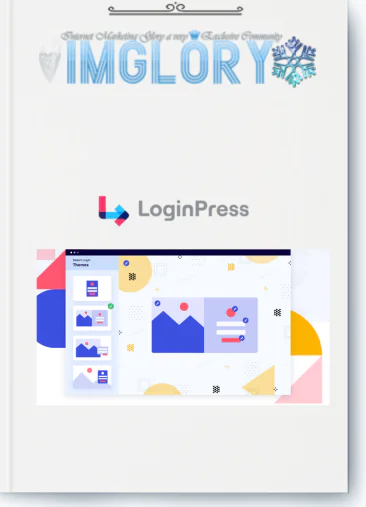
[Group buy] LoginPress
$20.00
LoginPress – the best WordPress login customization plugin for powerful styling, advanced features, and easy branding.
When searching for the keyword “LoginPress” on Google, most users are not simply looking for a plugin to make the WordPress login page look nicer. What they truly care about is a solution that helps their website appear more professional and trustworthy, enhances security, and clearly reflects brand identity. If that’s exactly what you’re aiming for, then LoginPress is absolutely worth considering. Let’s explore this plugin in detail together with Imglory below.
What Is LoginPress?

LoginPress – An intuitive and easy-to-use tool for customizing the WordPress login page
LoginPress is a dedicated WordPress plugin for personalizing the login page and is currently used by more than 250,000 websites worldwide. It allows you to completely transform the default wp-login.php interface using simple drag-and-drop controls, no coding knowledge required.
With LoginPress, you can quickly:
- Customize the login page design in just a few minutes
- Apply your brand’s logo, colors, fonts, and background
- Enhance login security while keeping the website lightweight
- Create a professional login experience for users and clients
Who Is Behind LoginPress?
LoginPress is developed by WPBrigade, a team of experienced WordPress experts founded by Muhammad Adnan. From the very beginning, his goal was not to build a complex, developer-only plugin, but a solution that anyone even beginners could easily use.
This “simple yet effective” philosophy has helped LoginPress build a loyal user base, with more than 10,000 brands relying on it daily. The plugin is highly regarded for its accessibility, stability, and suitability for both individuals and agencies.
Key Features of LoginPress
After working with many WordPress login customization plugins over the years, I rate LoginPress very highly for its balance between powerful features and user-friendly experience. Below are the reasons why this plugin truly stands out.
Pre-Built Login Page Templates
LoginPress offers more than 12 professionally designed login templates, ranging from minimalist styles to elegant, classic layouts. All templates are fully responsive, mobile-friendly, and include subtle animations that enhance aesthetics without affecting loading speed.
Logo and Brand Identity Customization
Replacing the default WordPress logo is incredibly easy. Simply upload your logo, adjust its size visually, and the plugin automatically optimizes it for Retina displays. This feature is especially popular among agencies that need to white-label websites for clients.
Image or Video Background Support
LoginPress allows you to use images or videos as the login page background, complete with customizable overlays to keep the login form readable. Smart lazy loading ensures background videos do not slow down page load times.
Social Media Login
The Social Login feature lets users sign in via Google, Facebook, or Twitter. In practice, reducing login friction significantly increases registration and return rates—especially for community-driven or membership-based websites.
Enhanced Security with CAPTCHA
The plugin supports Google reCAPTCHA v2, v3, hCAPTCHA, and Cloudflare Turnstile to prevent bots and brute-force attacks. reCAPTCHA v3 works silently in the background, protecting your site without disrupting real users.
Limit Failed Login Attempts
You can define the maximum number of failed login attempts before an account is temporarily locked or additional verification is required. LoginPress also lets you customize lockout duration and whitelist trusted IPs, adding an extra layer of security.
Hide or Change the Default Login URL
Changing the default wp-login.php URL significantly reduces automated bot attacks. Unauthorized access attempts can be redirected to a 404 page, making it much harder for attackers to locate the login endpoint.
Auto Login and Smart Redirects
LoginPress supports auto-login links for individual accounts, which is extremely useful for website demos or development environments. You can also configure role-based redirects after login for a more tailored user journey.
Typography with Google Fonts
The plugin integrates more than 700 Google Fonts, allowing you to apply different fonts to headings, labels, and buttons on the login page. Matching the login typography with your main website creates a seamless brand experience.
Detailed Login Form Customization
You can customize every element of the login form: background color, borders, border radius, shadows, padding, and hover effects. Real-time previews make it easy to design either a modern or minimalist login interface.
Personalized Notifications and Messages
LoginPress lets you replace default WordPress messages with custom text that matches your brand tone. You can create different messages for specific scenarios or user groups, delivering a more personalized experience.
Footer, Custom Code, and Import/Export
The login page footer can be customized to display contact details or policy links. For advanced users, the plugin supports custom CSS and JavaScript that only load on the login page, ensuring overall site performance remains unaffected. The import/export feature is especially valuable for agencies—design once, apply to multiple websites in seconds.
Fully Responsive on All Devices
LoginPress automatically adjusts layout, fonts, and spacing for desktop, tablet, and mobile devices. You can also preview and fine-tune each device view to ensure a smooth login experience everywhere.
Step-by-Step Guide to Installing and Using LoginPress
Step 1: Log In to the WordPress Admin Dashboard
First, access the WordPress admin area using an account with administrator privileges so you can install plugins.
Step 2: Install the LoginPress Plugin
From the left menu, go to Plugins → Add New, then type “LoginPress” into the search box. When the official plugin appears, click Install and then Activate.
Step 3: Access the LoginPress Dashboard
- After activation, LoginPress will appear in the admin menu.
- Click it to quickly check the plugin’s status and settings.
Step 4: Configure Basic Settings
In the general settings, you can configure options such as remembering login sessions, choosing login via username or email, displaying the language switcher, and handling data cleanup when uninstalling the plugin.
Step 5: Open the Login Page Customizer
This is the main area where you design the login page. All changes are displayed in real time, making it easy to control the final result.
Step 6: Choose a Suitable Template
You can start with a pre-built login template and then fine-tune colors and layout to match your website’s style.
Step 7: Customize Background and Logo
Here, you can change the background to a solid color, image, or video, and update your brand logo. The logo can also be linked to your homepage or a specific landing page.
Step 8: Edit the Login Form and Button
LoginPress allows detailed customization of the form and login button—from size and color to hover effects—helping the login page look more consistent and professional.
Step 9: Save and Test
Once finished, save your changes and open the login page in a new tab to review the full design and user experience.
Comparison table of LoginPress packages
| Feature | StartUp | Agency (Most Popular) | Lifetime |
| Regular Price | $199 | $399 | $999 |
| Discounted Price | $99 / year | $199 / year | $499 / Lifetime |
| You Save | $100 | $200 | $500 |
| Number of Websites | 2 Sites | Unlimited | Unlimited |
| Pre-Designed Login Templates | ✔️ | ✔️ | ✔️ |
| Google reCAPTCHA | ✔️ | ✔️ | ✔️ |
| Google Fonts | ✔️ | ✔️ | ✔️ |
| Social Login (Add-on) | ✔️ | ✔️ | ✔️ |
| Limit Login Attempts (Add-on) | ✔️ | ✔️ | ✔️ |
| Login Redirects (Add-on) | ✔️ | ✔️ | ✔️ |
| Auto Login (Add-on) | ✔️ | ✔️ | ✔️ |
| Login Widget (Add-on) | ✔️ | ✔️ | ✔️ |
| Hide / Rename Login URL (Add-on) | ✔️ | ✔️ | ✔️ |
| All Current & Future Add-ons | ✖️ | ✔️ | ✔️ |
| Support Level | General Support | Priority Support | Priority Support |
| Lifetime Updates | ✖️ | ✖️ | ✔️ |
| One-Time Payment | ✖️ | ✖️ | ✔️ |
Buy LoginPress at a Great Price, Use with Peace of Mind
LoginPress Pricing – A cost-effective solution for customizing your WordPress login page
When deciding to upgrade LoginPress to the paid version, choosing the right place to buy is not only about cost but also directly affects your long-term user experience. Instead of spending a significant amount on an individual license, many website builders today prefer using shared licenses through Imglory — a familiar platform within the WordPress community.
This model allows you to access all LoginPress Pro features at a much more affordable price, making it especially suitable for individuals, freelancers, and small web development teams looking to optimize their budget.
Why Buy LoginPress from Imglory?
It’s no coincidence that Imglory is a popular choice when it comes to premium WordPress plugins. Some key advantages include:
- Significantly lower cost compared to purchasing a license directly from the developer
- Full access to all LoginPress Pro features
- Fast activation, ready to use almost immediately after payment
- Ideal for personal website owners, freelancers, and small agencies
- Support available if you encounter issues during installation or use
For those already familiar with shared-license premium plugins, Imglory is a practical way to reduce website operating costs while maintaining performance and functionality.
How to Buy LoginPress from Imglory
The purchasing process is straightforward and beginner-friendly:
- First, visit the Imglory website and create an account.
- After logging in, search for the LoginPress plugin in the WordPress tools section.
- Select the appropriate package and proceed with payment following the provided instructions.
- Once completed, you will receive activation details or an account to start using LoginPress Pro.
LoginPress Pros and Cons
To determine whether LoginPress is the right fit for your website, it’s important to consider both its strengths and limitations.
Key Advantages of LoginPress
- Easy to use, no coding required
The intuitive interface allows even beginners to customize the login page within minutes. - Deep branding customization
From logos and colors to fonts, backgrounds, and login forms, every detail can be adjusted. - Enhanced security features
The Pro version adds essential protections such as two-factor authentication, reCAPTCHA, login attempt limits, and hiding the default login URL. - Social login support
Users can log in via Google, Facebook, and other platforms, reducing friction and improving user experience. - Smart redirect settings
Redirect different user roles to specific pages after login, optimizing user journeys. - Lightweight and performance-friendly
The plugin is well optimized and has minimal impact on website speed. - Wide compatibility
Works smoothly with most popular themes and plugins, including WooCommerce. - Easy backup and import of settings
Especially useful for managing multiple websites. - Mobile-optimized display
Login pages automatically adapt to all screen sizes. - Large user community
Trusted by over 250,000 websites with support from the WPBrigade team.
Points to Consider
- Limited free version
Advanced security and customization features are only available in the Pro version. - Pro license can be expensive if purchased individually
For small personal websites, the official license price may be a barrier. - Plugin dependency
If conflicts or errors occur, the login page may be affected. - Not fully optimized for large multisite networks
Complex WordPress multisite setups may require more advanced solutions.
Who Should Use LoginPress?
LoginPress is suitable for a wide range of WordPress website types, including:
- Freelancers and web agencies needing white-label login pages for clients.
- Business websites aiming to maintain brand consistency, even on internal login pages.
- WooCommerce stores looking to improve customer login experience.
- Membership websites requiring smooth and professional onboarding.
- Bloggers and personal sites wanting a login page that reflects their unique style.
- Online learning platforms needing a user-friendly login interface for students.
- Non-profit organizations seeking consistent experiences for volunteers.
- Tech startups needing a fast and efficient way to launch professional websites.
- Online communities and small forums aiming to increase sign-ups via social login.
- Websites requiring high security with advanced login protection layers.
💡 Frequently Asked Questions About LoginPress (FAQs)
- 1. What is LoginPress used for?
LoginPress allows you to completely customize the default WordPress login page, from logos and colors to layout, creating a professional first impression. - 2. What security features does LoginPress Pro offer?
- Hiding the default login URL to reduce attacks
- Limiting failed login attempts to prevent brute-force attacks
- reCAPTCHA to block automated bots
- 3. Can users log in with Google or Facebook?
Yes. The Social Login add-on enables quick sign-in through popular social platforms. - 4. Does LoginPress support post-login redirects?
Yes, you can set different redirects based on user roles, which is very useful for eCommerce and community websites. - 5. Does the plugin conflict with themes?
LoginPress works independently and is compatible with most modern themes and page builders. - 6. Is passwordless login supported?
The Pro version supports Magic Link, allowing users to log in via a secure link without entering a password.
Conclusion
LoginPress is a highly recommended plugin if you want to elevate your WordPress website’s image right from the login page. Beyond branding customization, it also adds strong security layers and noticeably improves user experience.
If you’re looking to use LoginPress Pro at a more affordable cost with reliable support, Imglory is a solid starting point without requiring a large upfront investment.
Learn more at the official website:
https://loginpress.pro/
Be the first to review “LoginPress”
You must be logged in to post a review.
Related products
GB WordPress
GB WordPress
GB WordPress
GB WordPress

GB WordPress
Reviews
There are no reviews yet.