

[Group buy] Pismo
$30.00
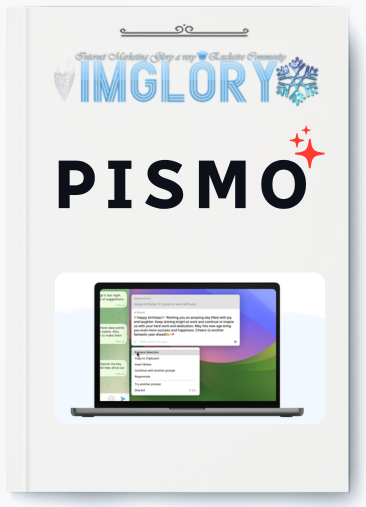
Today, we'll look at Pismo, a brand-new, multipurpose smart writing tool that is regarded as Grammarly's “upgraded version” but even more potent. Pismo uses cutting-edge AI technology to help you compose and enhance various kinds of texts, including emails, blog posts, and instant chats, rather than just fixing grammatical and spelling errors.

What is Pismo?
Pismo is an intelligent writing assistance application designed to enhance the quality of users' writing through AI technology. It offers more than simple spelling and grammar checks, providing a range of features such as content expansion, text condensation, tone modification, and instant translation.
Pismo seamlessly integrates with well-known applications like Slack, Google Docs, Outlook, and several others, enabling users to swiftly enhance the quality of articles, emails, messages, and other content without needing to switch between apps.
FE – Pismo – $16/month
- Writing and translation support
- Download for free
- Quick and high-quality feedback
- Create unlimited custom reminders
- Shortcuts for quick use anywhere
- Access AI quickly from any application on your Mac or PC
Pismo Features
Pismo offers many robust features that enable users to enhance writing effectiveness and quality while effortlessly adapting content to various circumstances. The following are Pismo's standout features:
- Instant Translation: Pismo helps users get over language barriers and communicate with friends, coworkers, or clients around the world by enabling them to translate text into a variety of languages quickly.
- Enhance writing quality: Pismo makes your writing better and clearer with intelligent AI corrections and suggestions. This application offers recommendations to help you optimise your content while automatically fixing spelling and grammar mistakes.
- Text length can be easily changed to fit certain length requirements, allowing you to save words when needed or fully express your views.
- Modify tone and style: Pismo can alter the tone and style of your writing to fit your audience or situation, ranging from lighthearted and friendly to sombre and professional.
- Fix spelling and grammar mistakes: Pismo eliminates the need for you to worry about minor mistakes in your writing. With this tool, you can always be sure that your optimised content is free of spelling, grammar, and punctuation mistakes.
- Develop and use custom commands: To streamline their workflow, boost output, and save time, users can develop custom commands and assign them to keyboard shortcuts.
- Content summary: Assists in condensing lengthy texts into their essential elements, which is very helpful for people who need to understand the information fast.

How to Use Pismo
- Select Your Text: In any application, select the text you want to work with. This could be in an email, document, chat, or browser.
- Invoke Pismo: Press the shortcut (usually Shift + Command + C) to open the Pismo interface with your selected text. This will bring up the AI assistant ready to help.
- Choose or Create a Prompt: Select from Pismo’s preset commands like “Improve Writing,” “Translate,” or “Change Tone.” You can also create custom prompts for specific tasks and assign hotkeys for easy access.
- Review and Insert Output: Pismo will generate a response based on your selected prompt. You can choose to replace your original text, copy the response, or insert it below the original text.
- Streamline Workflow with Hotkeys: To speed up repetitive tasks, assign hotkeys to frequently used prompts. This allows you to apply AI enhancements without opening the Pismo interface each time.
Advantages of Pismo
- High security and privacy guarantee: Pismo doesn't store or process user text on its servers because it is dedicated to security. The strictest security requirements are followed when transmitting and storing user personal data.
- Smooth interaction with numerous apps: Pismo effortlessly connects with the most widely used Mac and PC programs, including Google Chrome, Safari, Slack, Figma, Telegram, Microsoft Outlook, Sublime Text, Microsoft Word, Notepad++, Google Docs, and more. As a result, users may write and modify text using AI in any application without having to move between tools.
- Encourage creativity: Pismo assists users in transforming concepts into captivating text for a range of applications, including academic research papers, blog entries, business emails, and marketing collateral. Users can easily begin writing, edit, and polish their content for increased efficacy.
- Flexible recommendation and writing style customisation: To meet their unique demands, users can alter ideas for various languages, styles, or tones. Working with multilingual audiences is further enhanced by Pismo's support for text augmentation and translation in several languages.
- Pismo's multilingual support allows users to generate unique suggestions in languages other than English and improve text and translation for different languages, which makes multilingual work and communication easier.
Pismo's Disadvantages
- Internet Connection Requirement: Because Pismo uses cloud AI models to process and interpret text, it needs an Internet connection to function. For people without internet or in places with erratic connectivity, this could be an issue.
- Uneven translation quality: Although Pismo employs sophisticated AI translation models to provide precise and contextually relevant translations, the level of accuracy may differ based on the text's intricacy and the language pair being translated. Accurate translation may be more challenging for less widely spoken languages or those with intricate grammatical structures.
Who is Pismo for?
- Pismo can be used to develop and finish communication materials by people who are not confident in their writing abilities. They feel more comfortable sharing knowledge and thoughts thanks to Pismo.
- Individuals who must send professional, succinct, and unambiguous emails and communications on a regular basis. With Pismo's multilingual support, investors may easily and swiftly communicate with colleagues throughout the world.
- Product managers, particularly those who are responsible for creating marketing and sales content. They can produce high-quality documents more rapidly using Pismo since it offers tailored recommendations for various scenarios, which saves time and boosts productivity.
Conclusion
The information and guidelines for utilizing Pismo, a fantastic tool for streamlining the writing process and enhancing material, are provided above. Pismo is a great option for both work and study because of its many customization options, multilingual translations, and easy interaction with other programs.
You should think about buying Pismo at Imglory, which will help you save money while still getting the most out of it, in order to utilise all the premium features and increase your writing productivity.
Related products
GB Softwares
Original price was: $104.00.$11.50Current price is: $11.50.
GB Softwares
Original price was: $244.00.$26.50Current price is: $26.50.

GB Softwares
$35.00

GB Softwares
Original price was: $561.00.$27.00Current price is: $27.00.
GB Softwares
Original price was: $84.00.$9.80Current price is: $9.80.