
[Group buy] Prezent IQ + OTOs
$40.00
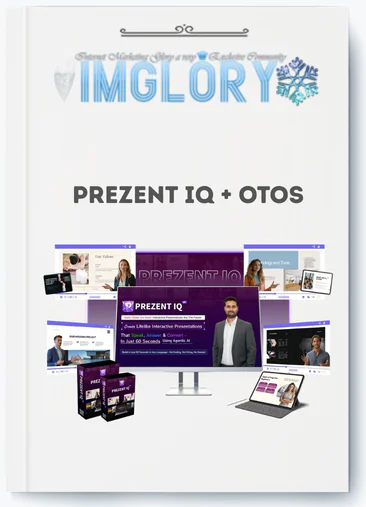
Prezent IQ is a browser-based platform that converts content into interactive AI-avatar presentations with voice narration and live chat.
If you came here after searching for “Prezent IQ,” you presumably want to know what this tool is, what it can accomplish, and whether it is worth your time and money.
Prezent IQ is a cloud-based AI presentation platform that converts text prompts, URLs, or PowerPoint files into interactive, talking presentations that can answer your viewers' queries, record their contact information, and qualify them as leads—all without you being present. Consider this: rather than attaching a static PDF to an email, you send a link to a presentation that speaks, responds, and works around the clock.
This guide explains everything a marketer, sales professional, coach, consultant, agency, or freelancer should know before making a decision. That includes what Prezent IQ actually accomplishes, how each feature relates to a real-world business outcome, who benefits the most from it, how the creation workflow appears step by step, and where the tool has real constraints. Pricing and specific features may change during 2026, so use these figures as a guideline and always check the official product site for the most up-to-date information.
The team behind Prezent IQ has over ten years of experience assessing software, tools, and technology, and their track record lends credibility to this platform. This guide will help you determine whether that track record translates into concrete results in your individual scenario.
First, let's describe Prezent IQ and the problem it was designed to answer.
What Is Prezent IQ?

Prezent IQ is a browser-based AI presentation platform that transforms your current information, such as a web page URL, a written prompt, or an uploaded PowerPoint deck, into an interactive presentation powered by AI avatars, synthetic voice narration, and a chat interface.
The main notion distinguishes it from other slide-building programs such as Google Slides and Canva. These tools generate static decks, which must be presented in person. Prezent IQ creates what you may term an AI sales agent: a shareable link via which a photorealistic avatar delivers your message, answers visitor inquiries in real time, and records lead information, all without your presence. A product manager of a SaaS company, for example, might enter their landing page URL into Prezent IQ and create a fully narrated, interactive product tour to share with prospects in minutes.
The platform includes 2,000+ AI avatars, 1,500+ voices, and compatibility for 150+ languages, making localization a viable option rather than a major production process. Real-time chat allows viewers to ask questions during a presentation and receive answers based on the content you've loaded. Built-in CRM lead capture takes names, emails, and qualifying information. An analytics dashboard reveals exactly where viewers drop off or interact. A commercial license is included, which is useful for agencies and freelancers who wish to create and sell these presentations as a service.
There is no installation. There is no design background required. If you can write a prompt or paste a URL, you can create an AI-powered presentation.
To see why this is important, consider what the standard presenting process costs in time and what Prezent IQ substitutes.
Core Features of Prezent IQ, And Why They Matter
1. 2000+ AI Avatars & 1500+ AI Voices
Prezent IQ provides access to more than 2,000 photorealistic avatars of various ages, professional styles, and demographic backgrounds. With 1,500+ text-to-speech (TTS) voices in 150+ languages and regional dialects, you can create a presentation that sounds like a human is delivering it without capturing a single video.
Why does this matter for your workflow? A worldwide SaaS team can create one master deck and five language variants in an afternoon. Each version features a culturally appropriate avatar and accent, providing prospects in various markets with a localized experience rather than a translated subtitle scroll. The end effect is improved attention retention and a presentation that does not feel foreign to the viewer. The avatar library saves solitary operators and small teams the cost of employing presenters and setting up a recording studio.
2. Real, Time AI Chatbot Inside Each Presentation
Each Prezent IQ presentation incorporates a conversational AI layer. When a viewer watches and has a question regarding pricing, integrations, delivery timeframes, or anything else, they may ask it right in the chat box. The AI interprets the context of your loaded material and responds in real time.
This tackles one of the most common friction points in asynchronous sales: the viewer who views a demo, becomes concerned about a specific feature, and then departs because there is no one to answer their questions. The chat layer handles objection settlement, explanation, and even mild qualifying without requiring a phone call.
3. Smart CRM Lead Capture & Qualification
Prezent IQ contains built-in lead forms that activate at specific points in the presentation, such as the beginning, middle, or end of an important segment, or on a call-to-action (CTA) slide. The following form fields are customizable: name, email, firm name, role, budget range, and custom questions.
The lead capture logic extends beyond a passive form. You can create qualifying flows that segment leads based on their responses before the data reaches your CRM or email platform. This decreases the amount of time your sales team spends on leads that do not match your buyer profile while also improving the quality of data entering your pipeline.
4. AI Slide & Deck Generator (From Prompt, URL, or PPT)
The deck generation engine accepts three types of input, each useful in a different situation.
- Text Prompt: Works when you're building from scratch. Describe your goal, target audience, and the AI structures the slide sequence, drafts the script, and applies a theme.
- URL Import: Works when you already have a sales page, blog post, or landing page. The AI reads the content and identifies key messages.
- Uploaded PowerPoint/PDF: Works when you want to take an existing deck and add avatar narration, voice, and interactive chat on top of it.
The practical outcome is that a task that previously required a copywriter, a designer, and a recording session can now be completed by one person in under 30 minutes.
5. Engagement Analytics & Viewer Behavior Tracking
Prezent IQ monitors how individual viewers progress through each presentation, including which slides they see, where they replay sections, how long they stay on each frame, if they complete the lead form, and when they depart.
This data reveals which aspects of your pitch are effective and which are failing to capture attention. A price slide with a significant drop-off rate indicates the need to restructure or reinterpret that portion. A viewer who watches the demo part three times is a warm lead that deserves a personal follow-up. The analytics layer transforms viewer activity into sales intelligence.
6. Branding Controls & Templates
You can submit your brand kit, logo, color palette, font choices, and background images to Prezent IQ and then use them in all of your presentations. When you save templates, your team can always start from the same place when making content that is used over and over, like product demos, training decks, and webinar pitches.
The useful gain is speed, not just consistency in the way things look. If someone new joins the team next month, they won't need to look at a design guide to make a properly branded deck. Separate brand kits help companies that work with more than one client make sure that each client's work looks professional and unique.
7. Commercial Rights & White, Label Use
Prezent IQ includes a business license, which allows you to produce presentations for clients and charge for them. This is the basis of a service offering.
An agency can include “AI Presentation Services” as a line item in their retainer. A freelancer can market themselves as someone who transforms client websites and brochures into dynamic 24-hour sales tools. Potential vertical markets include real estate listing presentations, SaaS product demos, and course previews for online educators.
Price and OTOs detailed
Front-End: Prezent IQ ($37 one-time)
- AI-powered platform for creating presentations with avatars, slides, and visuals.
- Built-in CRM for capturing and managing leads from presentations.
- Commercial license included to create presentations for clients or businesses.
- Tools for generating AI slides, images, and interactive content.
- Lifetime access with a 30-day money-back guarantee and no monthly fees.
OTO 1: Prezent IQ Unlimited ($97)
- Remove all limits on AI presentations, workspaces, avatars, and voices.
- Generate unlimited slides, images, exports, chats, and QR codes.
- Capture up to 10,000 leads per month with expanded CRM capacity.
- Access support for 50+ languages for global presentations.
- Priority support and higher processing capacity for heavy users.
OTO 2: Prezent IQ Enterprise ($97)
- Create unlimited advanced presentations with custom AI agent goals.
- Central management hub for presentations, chats, and lead tracking.
- Integrated appointment booking, webinar tools, and surveys.
- Built-in analytics and sales boosters for higher conversion rates.
- Enterprise license to manage unlimited clients and projects.
OTO 3: Prezent IQ Automation ($97)
- Smart CRM automation with AI lead scoring and follow-up systems.
- Multi-channel inbox for managing customer conversations.
- Behavior-based triggers for automated marketing workflows.
- Integration with 2,000+ apps via automation platforms.
- Mobile access for managing leads and campaigns on the go.
OTO 4: Prezent IQ Agency ($77 for 100 Licenses / $97 Unlimited)
- White-label platform for creating AI presentation services for clients.
- Manage multiple client accounts and team members from one dashboard.
- Custom branding for dashboards and presentation portals.
- DFY agency kit including proposals, contracts, and sales scripts.
- Scalable system for selling AI presentation services.
OTO 5: Prezent IQ Done For You ($147)
- Expert team sets up and launches your AI presentation system.
- Custom AI avatar creation and voice cloning included.
- Full branding and configuration tailored to your business.
- CRM setup for capturing and managing leads automatically.
- Fast deployment with guided setup and support.
Who Is Prezent IQ For? (Use Cases & Return Scenarios)
1. Marketers & Demand Generation Teams
Marketers currently use static PDFs, live webinars, and landing page videos to guide prospects through the funnel. Prezent IQ substitutes or enhances all three with an always-on, interactive format that captures leads and delivers the message.
The most straightforward application is to convert a product launch page into a guided, narrated presentation and link it to sponsored ads or email campaigns. Visitors who land on a talking, interactive deck remain longer and provide more contact information than those who land on a text-only site. One user experienced a 300% increase in leads from interactive decks vs static PDF downloads, demonstrating the engagement difference between a passive content and a responsive experience.
2. Sales Teams & SDRs
Sales development representatives (SDRs) are continually sending out decks. The difficulty is that they have no idea what happens once the email is opened. A Prezent IQ link alters that. The analytics layer displays which slides the prospect viewed, whether they engaged with the deck after passing it to a colleague, and what queries they posed to the AI chat.
This transforms a cold follow-up into a warm, data-driven interaction. “I saw you spent time on the integration slide, let me walk you through that in more detail” is a far stronger opening than “Just checking in.” High-intent viewers, those who replay sections or fill out the qualification form, automatically surface as priority leads, without the SDR having to guess.
3. Coaches, Consultants & Course Creators
Coaches and consultants devote a disproportionate amount of their time to 1:1 explanation calls, repeating the same discovery process with each new prospect. A Prezent IQ presentation based on a discovery or intake flow can replace or pre-screen the call, addressing typical questions before the conversation begins.
A business coach, for example, may create a five-slide “How We Work” presentation that describes their process, resolves common concerns, and concludes with a calendar booking link embedded in the lead capture form. The presentation works when they are doing a live session elsewhere. Course makers can utilize the format as a preview module, providing potential students with an interactive sample lesson prior to purchase.
4. Agencies & Marketing Service Providers
Interactive AI presentation creation is a new product line for agencies that wasn't there before Prezent IQ. This type of presentation can be used for client ideas, onboarding decks, quarterly reports, and ad campaign briefs.
Present IQ stays in the background when white labeling is turned on. This way, the agency's name and the client's brand are put front and center. If an agency charges a small flat fee for each presentation job and turns them around in hours instead of weeks, they can make a lot of money with little overhead. Prices for services in the market usually range from $300 to $800 per show. The cost of the tool is a very small part of that.
5. Freelancers & Solo Creators
As a freelancer, you can use Prezent IQ to build a truly unique positioning statement: “I'll turn your website or brochure into a 24/7 talking sales representative.” This isn't something that's commonly offered in most local business markets, so you should fill the gap.
People who work as real estate agents, restaurant owners, event planners, and local service providers all have websites with information that doesn't do any selling. If that content is turned into an interactive presentation with the client's name, an AI character that fits with their brand tone, and a lead form at the end, that freelancer gives you something that you can measure and use again and again. The cost of the software up front is low compared to how much the service can be charged.
6. Internal Training, HR & L&D Teams
The HR and Learning & Development (L&D) teams always have trouble getting workers to finish training modules and remember what they've learned. A PDF deck that doesn't change or a movie of someone talking has little appeal. With a Prezent IQ presentation that includes built-in Q&A, workers can ask questions that help them understand during the training, not three days later when they've forgotten what was being talked about.
The data layer makes people responsible. Managers can see which team members have finished the onboarding courses, which slides they went over again, and any areas where team members may not fully understand. This is especially helpful for teaching on compliance, rolling out new products, and getting new employees up to speed across teams that work in different places.
How Prezent IQ Works Step, By, Step (From Prompt to Live Presentation)
A first, time user can realistically go from account access to a shareable link in under 10 minutes. Here's how the full process flows.
Step 1, Input Your Content (Prompt, URL, or PowerPoint)
Log in to the Prezent IQ dashboard and select your input method. If you're starting from scratch, type a question that explains your goal and target audience, such as “Create a 6-slide pitch introducing a project management SaaS to operations directors at medium-sized businesses.” The more specific the request, the tighter the output.
If you have current content, simply insert the URL of a sales page or blog post and let the AI extract the main messaging. For existing slide assets, simply upload your PowerPoint or PDF file. The platform supports standard file formats and uses the uploaded content as the structural foundation for the AI narration and avatar layer.
Step 2, Let AI Generate the Structure & Slides
Once you've given your input, the AI creates a slide sequence by highlighting the essential points, writing the speaking text for each slide, and arranging the content in logical order. This normally takes less than two minutes.
The output is editable. If the first pass arranges the product incorrectly, or if a part is too long, you can renew individual slides or alter the script language manually. Consider this process as obtaining a functioning draft rather than a finished result. Most users spend 5 to 10 minutes tweaking the AI-generated framework before proceeding to personalization.
Step 3, Customize Avatar, Voice & Branding
With the slide layout in place, choose the avatar that best suits your use case: a professional in business clothes for B2B sales or a more casual presenter for consumer-facing material. Select the voice, language, and accent. If your audience is largely Vietnamese, you should choose the appropriate language and voice profile.
Upload your brand kit, which includes the logo, primary and secondary colors, and any background images. If you have a saved template, use it, otherwise, manually configure the brand elements. When this stage is completed, the presentation will appear and sound like it is from your organization rather than a generic AI tool.
Step 4, Turn On Chat, Lead Capture & CRM Integration
To use the built-in chatbot, you need to tell it what kinds of questions it can answer, which are usually related to the show. This keeps the AI from talking about things that aren't related to what you want to say.
Set up your lead capture form. Choose which fields to collect (name, email, business, phone, budget, timeline), when it should show up in the presentation, and what questions should be asked before the full content is shown. You can connect the form's data to your email or CRM tool. In this step, you don't need to know how to code because most of the setup is done in the platform interface using dropdowns and toggle switches.
Step 5, Publish, Share the Link & Track Results
Put it out there. Prezent IQ makes a URL that can be shared and, if needed, an embed code that can be used to put the show right on a landing page or in an email. People can view it using any web browser on a computer or a mobile device; they don't have to log in.
Once the first group of users has watched, open the analytics dashboard. See how many people finish each slide, how long they watched, where they left off, if they logged in or not, and how many people filled out the lead form. Use that information to pick one specific thing that needs to be changed in the deck. For example, you could rewrite the first slide or move the lead form to the beginning.
Key Advantages (Where Prezent IQ Really Shines)
The strengths of Prezent IQ are grounded in specific workflow problems it removes, not in abstract claims.
- Speed up the transition from input to live presentation. In less than 30 minutes, you can convert a prompt, URL, or PowerPoint file into a narrated, interactive deck. This replaces a production cycle that generally lasts two to five business days.
- Real interaction, not passive video. The embedded chatbot allows viewers to engage in the middle of the presentation and receive answers without having to schedule a call. This decreases the “I have a question but don't want to bother them” drop-off, which reduces lead conversion.
- Capture qualified leads rather than just collecting them. The built-in forms capture structured data and can segment leads before they enter your pipeline. This improves data quality while reducing time spent on unqualified follow-ups.
- 2,000+ avatars and 1,500+ voices in 150+ languages. The library's depth allows small teams to achieve localization. A single campaign can create five language versions without requiring five separate recording sessions.
- Commercial license included. This is a non-trivial differential between agencies and freelancers. The option to create and sell presentations as a service without incurring additional license payments alters the tool's economics.
- Browser-based access. There is no installation or operating system dependency. The platform is compatible with modern browsers on both desktop and laptop devices.
- Behavioral analytics. Viewer-level data on slide interaction, watch time, and chat history provides sales and marketing teams with signals that previously required a live conversation to surface.
Drawbacks & Who Might Not Need It
- Prezent IQ requires a consistent internet connection for both creation and distribution. If your audience routinely operates in low-connectivity situations, or if your presentations must run completely offline, this is a fundamental limitation that the platform does not address.
- Advanced customisation, deep workflow automation, sophisticated multi-step integrations, or very precise white label branding may necessitate higher-tier plan options or one-time offer (OTO) upgrades above base access. Buyers should carefully study what is available at each level before presuming full feature parity.
- Users who have never used AI content tools before will face a learning curve. The platform is simpler than starting from scratch, but it still takes a few sessions to become acquainted with the avatar selection, voice settings, and chatbot configuration. Teams seeking a zero-touch experience may need to adjust their expectations.
- Prezent IQ isn't a CRM, marketing automation platform, or project management tool. It works alongside those systems but does not replace them. If your team already has a well-functioning content pipeline and a successful presentation process, the ROI of adding Prezent IQ is determined by the amount of presentations produced and the quality of leads generated from them.
One honest fitness test: if you only present in live circumstances and never send decks for asynchronous viewing, the interactive and lead/capture capabilities will not function. The platform's usefulness is in the moments when you are not present with the viewer. If these instances do not occur in your workflow, the return will be minimal.
Is Prezent IQ Legit? Common Questions Answered
Is Prezent IQ a Legitimate AI Tool or Just Hype?
Yes, Prezent IQ is a true cloud-based technology that will launch in March 2026. It is created by Dr. Amit Pareek and his colleagues, who have a lengthy history in the digital marketing software industry. It is not a “vaporware” product; it includes an operational admin dashboard, live AI avatars, and functional lead collecting systems.
The vendor backs access with a 30-day money-back guarantee. While the platform leverages “Agentic AI” technology to automate chores, the final commercial outcome is determined by your strategy, the quality of your source content, and how you drive visitors to your presentation links. The tool is a functional infrastructure for asynchronous selling, not a “push, button” income generator.
Can I Import My Existing PowerPoint or PDF Slides?
Yes. Prezent IQ is specifically intended to bridge the gap between traditional and AI-powered presentations. You can upload your current PowerPoint (.pptx) or PDF files directly. The AI then “reads” your slides, creating a narration script and assigning an AI avatar to present them.
One practical note: very complicated PowerPoint animations and proprietary typefaces may not transfer with complete visual fidelity. The platform focuses on the content and interaction layer (the “talking” element) rather than reproducing sophisticated Microsoft Office transitions. It is ideal to view your upload as a structural basis that you can then refine within the Prezent IQ editor.
Do Prezent IQ Presentations Work on Mobile Phones & Tablets?
Yes. Presentations are cloud-hosted and delivered via a regular URL or QR code. They are mobile and responsive, so viewers on Android or iOS can view the avatar, interact with the AI conversation, and fill out lead forms without having to download an app.
Because video rendering and chat interfaces can differ between devices, we recommend conducting a “Five, Minute Check” before starting a significant campaign. Simply view your published link on a smartphone to confirm that the CTA buttons and avatar positioning seem exactly as you planned for a mobile audience.
What Is the Refund Policy?
Prezent IQ now has a 30-day money-back guarantee. This allows you to try out the avatar library, voice synthesis, and lead creation capabilities risk-free.
To ensure a seamless transaction, save all purchase receipts from platforms such as JVZoo or the official website. If the tool does not fit your workflow, please contact their support team during the 30-day period. Be sure to read the final terms on the checkout page, since certain “bundle” or “discounted” offerings may have special terms.
What Kind of Support or Training Is Available?
The platform offers a step-by-step video training course, which is available immediately from the dashboard. This includes everything from URL to presentation conversion and CRM integration setup.
For technical concerns, the vendor offers a dedicated support desk (usually by email at support@prezent.ai or a ticketing portal). During the March 2026 launch period, many users will additionally receive a “Bonus Support” package that includes live chat or priority support, depending on the OTO (One-Time Offer) tier selected.
Is My Data Safe in Prezent IQ?
Prezent IQ is a cloud-based SaaS, thus your presentations and lead data are stored on the vendor's secure servers. The platform is designed with enterprise-level security, including SSL encryption for data transport and GDPR/CCPA-compliant data management procedures.
If you work in a highly regulated field, such as healthcare or finance, you can utilize the built-in CRM to track initial interest before exporting that information to your primary, encrypted CRM (such as HubSpot or Salesforce). Always verify the official site's privacy policy to confirm that the storage techniques meet your organization's specific regulatory standards.
The primary question was simple: is Prezent IQ suitable for you? The answer is based on one practical filter. Do you need to get a pitch or product description in front of people who aren't in the room with you, and do you want them to be able to participate, ask questions, and leave contact information without you being present in real time? If so, Prezent IQ bridges that gap directly. For marketers, SDRs, coaches, agencies, and freelancers in 2026, this platform provides a solid basis for scaling your digital presence.
Be the first to review “Prezent IQ + OTOs”
You must be logged in to post a review.
Related products
GB SAAS Tools
Original price was: $372.00.$29.00Current price is: $29.00.
GB SAAS Tools
$59.00

GB Spy Tools
Original price was: $260.00.$57.00Current price is: $57.00.
GB SAAS Tools
Original price was: $335.00.$47.00Current price is: $47.00.
GB SAAS Tools
Original price was: $224.00.$15.00Current price is: $15.00.
Reviews
There are no reviews yet.