

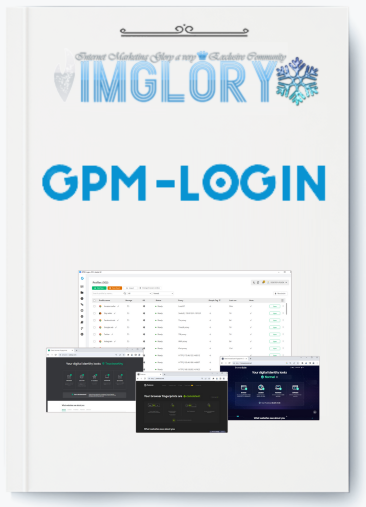
[Group buy] GPM-Login Solo LTD
Original price was: $125.00.$90.00Current price is: $90.00.
GPM-Login is a reliable tool for managing multiple accounts on one device while bypassing strict detection tests.
Managing thousands of accounts across different platforms has become a standard task for many people, from large enterprises to solo operators in e-commerce, affiliate marketing, or even those farming airdrops. With GPM-Login, businesses and individuals can control thousands of accounts on a single device, cutting down costs and streamlining account management efficiently.
But how can you manage such a large number of accounts safely, without facing the common issue of bans due to “suspicious activity”? IMGlory is here to introduce you to GPM-Login – the solution you need.
What is GPM-Login?

GPM-Login is a professional account management and browser automation tool built to help users operate and control multiple accounts simultaneously on one machine. With over 20,000 active users worldwide, this tool is widely trusted for its reliability. GPM-Login not only passes strict detection tests on platforms like iphey.com, pixelscan.net, browserleaks.com, creep, or f.vision, but also optimizes account management processes to the highest level.
By using GPM-Login, you can run thousands of accounts on one system, reduce costs, and save valuable time while ensuring security.
Key Features

- Profile Manager: GPM-Login lets you organize and manage hundreds of thousands of accounts under separate, isolated profiles. More importantly, you can apply actions to large batches of profiles at once, removing the need for tedious one-by-one account management and speeding up your workflow.
- Database Fingerprint: With one of the largest fingerprint databases available, each profile mimics a unique real device, complete with independent parameters such as OS, browser, IP, and more. This creates a “clean” environment that minimizes the risk of bans due to duplicate devices, ensuring every account runs securely.
- Sync Action: This feature allows you to replicate actions across multiple browser windows simultaneously. By performing a task in one window, Sync Action duplicates it in dozens of profiles instantly, saving significant time and effort.
- API Service: GPM-Login includes an easy-to-use, well-documented API, enabling smooth integration with third-party applications or custom automation systems. This makes it a versatile solution for businesses looking to scale automation.
- GPM Automate: With its built-in no-code automation tool, GPM Automate, you can create advanced automation flows without programming. Using a drag-and-drop interface, you can design tasks ranging from account operations to large-scale data collection.
- Independent Data Control: GPM-Login gives you complete authority over where your profile data is stored, whether on your local device, in the cloud via Amazon S3, or on private servers. This ensures maximum flexibility and protection for sensitive information.
- E-commerce & Dropshipping: Instead of relying on multiple VPS setups, you can now manage hundreds of online stores directly from one dashboard. This approach reduces costs and eliminates the hassle of switching between systems.
- Affiliate Marketing: Automation within GPM-Login works like having a dedicated support team in the background. Running campaigns across thousands of accounts becomes efficient, and many users have seen significant revenue growth after adopting it.
- Airdrops: Manual management of wallets and accounts is slow and inefficient. With GPM-Login’s automation, airdrop participation can be scaled massively, transforming the process into a streamlined and industrial-level operation.
- Social Media: By managing multiple accounts simultaneously, tasks like posting and replying are automated. This makes it possible to reach thousands of potential customers daily, essentially building a fully automated engagement team.
Pricing Plans

- SOLO – $125
A one-time license for individuals. Perfect for freelancers, small-scale entrepreneurs, or solo users operating on a single device.
Additional devices: $60 each.
- TEAM-5 – $245 (Most Popular)
Best suited for small groups and startups. Enables collaboration for up to 5 users at a competitive rate.
Additional devices: $50 each.
- TEAM-10 – $405
Ideal for growing companies or agencies that require around 10 active devices. Strikes a good balance between scalability and cost savings.
Additional devices: $42 each.
- TEAM-20 – $790
Built for mid-sized businesses or teams running large operations across multiple devices. A strong choice for organizations seeking high capacity. - SUPER-TEAM – Contact for Pricing
Customized plans for enterprises or organizations needing extensive automation and unlimited scalability.
At IMGlory, however, you can bypass the official pricing and get GPM-Login for only $90 with a lifetime license—a huge saving compared to the regular rates.
Why Buy GPM-Login from IMGlory?
- Top-Quality Guarantee: Every account is tested, verified, and ready to use right after delivery.
- Unbeatable Value: Lifetime package for just $90, with no hidden costs.
- Flexible Payments: Pay securely through MOMO or Online Banking for convenience.
- Refund Policy: If you’re not satisfied, you can request a full refund within 7 days—no questions asked.
- 24/7 Support: Our customer service team is always available to help resolve issues and answer questions promptly.
How to Buy and Use GPM-Login
- How to buy
Step 1: Select Your Product
Browse available plans and add your chosen option to the cart.
Step 2: Confirm Your Order
Review your order details to make sure everything is correct.
Step 3: Choose a Payment Method
Select MOMO or Online Banking at checkout. Enter your email correctly to receive account details.
Step 4: Complete Your Purchase
Finish the payment process. Login credentials will be sent to your email, along with activation instructions so you can start using GPM-Login immediately.
For more information about the purchasing process, visit this website: https://imglory.net/
- How to use
Step 1: Download & Install
After purchase, download GPM-Login and install it. Choose a storage folder (preferably not on drive C:) to prevent data loss.
Step 2: Select Storage Method
- Local Storage: Save directly on your computer.
- Amazon S3: Store securely in the cloud.
- Black Server: Premium private server option (requires extra fee).
Step 3: Configure Settings
Set your preferred language (Vietnamese/English) and browser kernel (Chromium/Firefox) for each profile.
Step 4: Add Extensions
Install necessary plugins, such as cookie managers, from the Chrome Web Store or Firefox Add-ons.
Step 5: Create Profiles & Add Proxy
Each profile is assigned unique parameters. Add proxies to ensure every account operates independently and securely.
Advantages
- Scalability: Designed to handle thousands of accounts across various platforms on one device, removing the need for multiple VPS environments.
- Robust Profile Management: Every account runs inside its own isolated profile with distinct fingerprints (OS, browser, IP, and more), minimizing the chances of bans from duplicate setups.
- Automation Strength: With GPM Automate and Sync Action built in, repetitive workflows can be industrialized, saving significant time for users in e-commerce, affiliate marketing, airdrops, and social media.
- Seamless Integration: The included API enables simple integration with external tools or custom automation systems, offering businesses greater flexibility.
- Data Ownership: Users can decide where to store their profile data—locally, on the cloud (Amazon S3), or private servers—providing both security and adaptability.
- Cost Savings: Compared to managing numerous VPSs or manual work, GPM-Login drastically reduces operational costs. IMGlory’s lifetime plan makes it even more budget-friendly.
- Versatility: Can be applied across industries such as e-commerce, dropshipping, affiliate networks, airdrops, social media management, and data scraping.
- Ease of Use: The no-code drag-and-drop automation builder allows even beginners to set up processes without technical expertise.
- Dedicated Support: Round-the-clock customer service and a 7-day refund policy give users reassurance in case issues arise.
Disadvantages
- Learning Process: Although it offers no-code tools, beginners may need extra time to understand proxy settings, data storage options, and workflow automation.
- Proxy Reliance: To ensure maximum account safety, high-quality proxies are necessary, adding to the cost.
- Resource Demand: Running thousands of profiles on one machine may consume a lot of system resources, particularly memory and storage.
- Specialized Tool: Its real strength lies in large-scale account operations. For casual users or smaller projects, it may feel excessive.
Who Should Use GPM-Login?
- E-commerce & Dropshipping: In this sector, managing hundreds of stores on different platforms is often a bottleneck. GPM-Login centralizes management, saving time and expenses. Each store runs in its own independent environment with unique IPs, ensuring safer operation.
- Affiliate Marketing: For affiliates, having multiple accounts is crucial to scaling income. GPM-Login provides clean, isolated environments for every account, reducing lockout risks and allowing campaigns to scale safely.
- Airdrop Participants: Those involved in airdrop campaigns can manage hundreds of thousands of accounts at scale, without worrying about duplicate IP conflicts or suspensions.
- Social Media Managers: A perfect fit for professionals managing large networks of accounts. GPM-Login makes it easier to target audiences, and automation reduces workload significantly.
- Data Crawlers: With automation features, GPM-Login can gather information for research or extract critical data quickly, a major advantage for analytics firms or businesses that rely on market intelligence.
- Other Fields: Any sector that requires managing multiple accounts such as research, CRM, or corporate operations can apply GPM-Login to cut costs and enhance data protection.
FAQs about GPM-Login
- How does GPM-Login prevent account detection?
Each profile is built with unique fingerprints, IP configurations, and browser settings. This makes platforms like Facebook, Google, and TikTok identify them as if they were operating from different real devices. - Is GPM-Login superior to other anti-detect browsers?
Users often choose GPM-Login for its reasonable pricing, flexible storage solutions (local, Amazon S3, or private Black Server), and compatibility with both Chromium and Firefox. It serves as a competitive alternative to tools such as Multilogin, AdsPower, and GoLogin. - Can GPM-Login be used for Facebook and TikTok advertising?
Yes. It is commonly used for running ads on Facebook, TikTok, Google, and other platforms that need multiple verified accounts without triggering bans. - Does GPM-Login support proxy usage?
Yes. Proxies can be assigned to each profile for enhanced privacy and geo-targeting. This is highly valuable for affiliates, e-commerce operators, and ad agencies.
Conclusion
GPM-Login is a powerful solution for managing multiple accounts in a secure and efficient manner. With an extensive fingerprint library, synchronization capabilities, no-code automation, and flexible data storage, it provides a reliable option for individuals and businesses handling multiple profiles simultaneously.
Give it a try today to experience the advantages of GPM-Login—or reach out to IMGlory to get the software at the most competitive price with dedicated support.
References
Official website
Related products
GB Softwares
Original price was: $49.00.$19.00Current price is: $19.00.

GB Softwares
Original price was: $67.00.$12.00Current price is: $12.00.
GB Softwares
Original price was: $561.00.$27.00Current price is: $27.00.

GB SAAS Tools
Original price was: $301.00.$22.00Current price is: $22.00.
GB Softwares
Original price was: $184.00.$20.00Current price is: $20.00.