
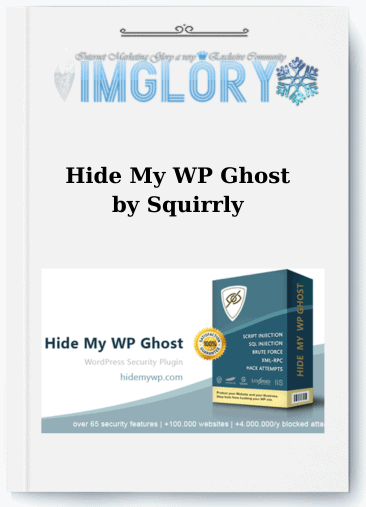
[Group buy] Hide My WP Ghost by Squirrly
$5.00 – $69.00Price range: $5.00 through $69.00
Hide My WP Ghost is a highly customizable WordPress plugin that makes it easy to upgrade your site’s security in minutes and better defend it.
- GB Name : Hide My WP Ghost by Squirrly Ghost Plan Multiple
- Version : Last
- OS : Anything
- Type : WordPress plugi
- Homepage : SalePage
Every single day, more than 140000 automated bots crawl and attempt to break into WordPress websites. Even more concerning, around 83 percent of compromised CMS sites are running on WordPress. That statistic alone says a lot. The more popular the platform becomes, the more attractive it is to attackers looking for easy targets.
If you are searching for a serious security layer to defend your site against brute force attempts, automated bots, or common vulnerabilities such as XML RPC exploitation, then Hide My WP Ghost deserves real attention. This is not just a plugin that renames your login page. It works as a full camouflage system, helping your WordPress site stay invisible to hackers before they even get close.
What Is Hide My WP Ghost?

Official presentation page of Hide My WP Ghost highlighting WordPress footprint masking technology and strong protection against bots and common attack vectors.
Hide My WP Ghost is an advanced WordPress security plugin built around the concept of system anonymity rather than relying solely on passive firewalls. Instead of waiting for an attack to happen and reacting afterward, it proactively removes the typical WordPress footprints that hackers and automated scripts look for.
In practical terms, the plugin will:
- Hide and customize default paths such as wp admin, wp login php, wp content, and wp includes
- Strengthen the admin area and restrict unauthorized access attempts
- Block brute force attacks, SQL Injection, XSS exploits, and XML RPC related threats
- Run more than 35 security checks and provide a detailed list of potential risks
- Avoid modifying core WordPress files by operating through a filter based layer
- Remain compatible with over 1000 themes and plugins, including cache systems, CDN services, and popular security tools
- Maintain an average load impact of around 0.03 seconds, making it faster than most security plugins
You can access the plugin through Imglory, where it is available for users who want a reliable and cost effective way to secure their WordPress projects.
The Team Behind Hide My WP Ghost
Hide My WP Ghost is developed by the WP Ghost Team, a group focused specifically on WordPress security and performance optimization. They are also the creators of Squirrly SEO, a well known SEO plugin trusted by a large segment of the WordPress community.
Each year, more than 25000 businesses rely on this product. That number is not just marketing language. It reflects consistent adoption in real world environments where uptime and protection truly matter.
Key Features of Hide My WP Ghost
Overview of essential Hide My WP Ghost capabilities including strong firewall integration, login protection, admin URL masking, and effective brute force prevention.
- Admin Area Protection
The wp admin dashboard is always a primary target. This plugin reinforces that sensitive zone and blocks unauthorized access before damage can occur. - System Path Obfuscation
Default WordPress URLs are replaced or concealed, making it significantly harder for bots to detect and exploit known structures. - Brute Force Defense
Login attempts are limited, and suspicious behavior triggers alerts. Think of it as a guard on duty around the clock. - SQL Injection Prevention
Additional filtering layers reduce the risk of malicious database queries being injected into your site. - XML RPC Control
You can disable or restrict access to xmlrpc php to minimize exposure through this common attack entry point. - XSS Protection
Security headers are implemented to lower the risk of Cross Site Scripting vulnerabilities. - URL Mapping and Text Mapping
Modify internal URLs and conceal sensitive information such as plugin or theme names from public view. - Automated Security Scans
More than 35 diagnostic tests are executed to detect weaknesses, followed by clear recommendations for improvement. - Activity Log
Important user actions are recorded so you can monitor behavior and quickly identify irregularities. - Two Factor Authentication
Adds an extra verification layer to admin accounts, reducing the likelihood of unauthorized takeovers. - 7G and 8G Firewall Integration
Incorporates firewall technology created by Jeff Starr, delivering strong protection without sacrificing performance. - Temporary Access Accounts
Generate time limited user access for partners or collaborators, reducing long term security risks.
Step by Step Guide to Using Hide My WP Ghost
- Step 1 Install and Activate
Go to your WordPress dashboard, navigate to Plugins then Add New, search for Hide My WP Ghost, install and activate it. Once enabled, the system will automatically scan your website and display your current security score. - Step 2 Enable Safe Mode
Inside the settings panel, activate Safe Mode first. This applies essential protection layers while minimizing the chance of conflicts with other themes or plugins. - Step 3 Change the Login Path
Under the Login and Admin section, modify the default slug for wp admin and wp login. After saving, verify the new path using an incognito browser window. - Step 4 Disable XML RPC if Not Needed
If your website does not require remote publishing, turn off this feature to remove a common attack vector. - Step 5 Activate Brute Force Protection
Set a limit for failed login attempts to prevent bots from continuously guessing passwords. - Step 6 Enable Security Headers
Turn on browser level headers such as X Frame Options and X XSS Protection to strengthen front end security. - Step 7 Configure Advanced URL Mapping
If you have technical knowledge, you can further conceal system paths. Apply changes gradually and test carefully after each adjustment. - Step 8 Refresh Permalinks
Go to Settings then Permalinks and click Save Changes to update rewrite rules. - Step 9 Clear Cache
If you are using a cache plugin or CDN service, purge all cached data to ensure the new configuration takes effect. - Step 10 Monitor Regularly
Review security logs on a routine basis and update the plugin whenever a new version is released. Website security is an ongoing process, not a one time setup.
Hide My WP Ghost – Pricing
| Feature / Plan | Ghost 5 LTD | Ghost 10 LTD | Ghost 200 LTD |
| 💼 Target | For Agencies | For Agencies | For Agencies |
| 💵 Original Price | $600 | $1196 | $2560 |
| 💰 Sale Price (One-Time) | $180 | $360 | $640 |
| 📉 Discount | 70% | 70% | 75% |
| 🖥 Websites Allowed | 5 | 10 | 200 |
| 🔒 One-Time Payment | ✔ | ✔ | ✔ |
| 🔐 Secure & Protect | ✔ | ✔ | ✔ |
| 🚀 Hide WP Common Paths | ✔ | ✔ | ✔ |
| 📂 Hide WP Common Files | ✔ | ✔ | ✔ |
| 🔐 Protect WordPress Paths | ✔ | ✔ | ✔ |
| 🧠 Script Injection Protection | ✔ | ✔ | ✔ |
| 🛡 SQL Injection Protection | ✔ | ✔ | ✔ |
| 📊 Activity Logs & Alerts | ✔ | ✔ | ✔ |
| 🔐 Brute Force Attack Protection | ✔ | ✔ | ✔ |
| 🛡 7G & 8G Firewall | ✔ | ✔ | ✔ |
| 🔑 Two Factor Authentication (2FA) | ✔ | ✔ | ✔ |
| 🌍 Country Blocking (GEO Security) | ✔ | ✔ | ✔ |
| ⏱ Temporary Login Access | ✔ | ✔ | ✔ |
| 🧪 Cross-Site Scripting (XSS) Protection | ✔ | ✔ | ✔ |
| 🔌 XML-RPC Attacks Protection | ✔ | ✔ | ✔ |
| ⚡ One-Click Security Fix | ✔ | ✔ | ✔ |
| 📌 And More… | ✔ | ✔ | ✔ |
Where to Buy Hide My WP Ghost at a Good Price – Trusted Source
Detailed pricing table for Hide My WP Ghost license plans for individuals, developers, and agencies managing multiple WordPress websites
If you're looking to get Hide My WP Ghost at a more reasonable cost compared to purchasing individual licenses directly from the developer, then Imglory is definitely worth considering. This platform specializes in providing WordPress plugins and tools under a shared license model, making it ideal for freelancers, marketers, and small website owners.
Why Buy Hide My WP Ghost at Imglory?
- More cost-effective compared to purchasing individual licenses separately.
- Installation and configuration support if you're not comfortable with technical setup.
- Continuous updates to ensure the latest features and security patches.
- Responsive support team that’s easy to reach when issues arise.
- Suitable for freelancers or agencies managing multiple websites at once.
Instead of paying the full license fee for every single site, you can manage your budget more flexibly while still accessing all essential features.
How to Buy Hide My WP Ghost at Imglory
The registration and download process is simple—even for beginners.
- Visit the Imglory website, enter the keyword “Hide My WP Ghost” in the search bar, and choose the plan that fits your needs.
- Create a new account or log in if you already have one.
- Complete the payment according to the on-site instructions.
- After payment, you’ll receive download details along with step-by-step activation instructions.
If you encounter any installation issues, you can contact the support team for detailed guidance.
Pros and Cons of Hide My WP Ghost
Key Advantages
- Proactive security approach: hides WordPress footprints instead of only reacting after an attack.
- Does not modify core WordPress files; uninstalling the plugin restores the original state.
- Lightweight performance, with an average processing time of around 0.03 seconds—minimal impact on page speed.
- Multiple features in one plugin: URL hiding, brute-force protection, two-factor authentication (2FA), activity logs, and temporary login links.
- Supports Multisite, White Label, and works well with thousands of popular themes and plugins.
- Includes a Security Check tool to help non-technical users understand what needs improvement.
- Quick setup, user-friendly interface, no coding knowledge required.
- Positively reviewed on platforms like G2, Capterra, and AppSumo.
Limitations to Consider
- Ghost Mode may conflict with certain cache or security plugins if not configured correctly.
- Not available for WordPress.com—only works with self-hosted WordPress installations.
- Security Headers should be reviewed carefully before enabling, as they may affect external scripts or CDN services.
- URL Mapping and Text Mapping should be configured carefully when used with WooCommerce or Elementor to avoid affecting core classes.
- Some advanced features are only available in the Pro version; the Lite version has limited customization depth.
Who Should Use Hide My WP Ghost?
- Personal website owners who want stronger security without technical complexity—the plugin is easy to deploy and delivers visible results.
- WooCommerce store owners who need to protect customer data and payment information from automated bots.
- WordPress freelancers and agencies managing multiple projects who need a lightweight solution with white-label capability.
- Developers who want to add a “stealth layer” alongside traditional security plugins like Wordfence or Sucuri.
- Bloggers and content publishers who don’t want competitors discovering which themes or plugins they use.
- Small and medium-sized businesses operating critical websites without the budget for a dedicated security specialist.
- Anyone who has previously experienced a WordPress hack and wants to prevent it from happening again.
Frequently Asked Questions About Hide My WP Ghost
- 1. What is Hide My WP Ghost?
It is an advanced security plugin for WordPress that hides all identifiable platform footprints. It replaces default URLs with custom ones, helping reduce detection by bots and hackers. - 2. Why hide WordPress footprints?
Most modern attacks are automated. Bots scan thousands of websites for common directories like/wp-admin/or outdated plugins. When these footprints are hidden, your website is far less likely to become a target. - 3. What is Ghost Mode and is it safe?
Ghost Mode is the plugin’s highest security level. It changes CSS, JS paths, upload folders, and other system components. When properly configured, your site becomes nearly invisible to vulnerability scanners. - 4. What if I forget the new admin URL?
After changing the login URL, the system sends the new link to the administrator via email. If necessary, you can access Hosting or FTP to temporarily disable the plugin and restore the default settings. - 5. Does the plugin conflict with Wordfence?
No. In fact, Hide My WP Ghost works well alongside Wordfence or iThemes Security. One focuses on firewall and malware scanning, while the other hides system structures—creating a multi-layered security approach.
Conclusion
Hide My WP Ghost offers a proactive security approach, helping WordPress websites reduce risk from the very beginning rather than waiting for an incident to occur.
With WordPress being the most widely used platform globally and frequently targeted by automated attacks adding an intelligent protection layer is a smart move you should make sooner rather than later.
If you want to use Hide My WP Ghost at an optimized cost, visit Imglory for regular updates and dedicated support. Investing in security today is how you protect long-term revenue and brand credibility.
Reference: https://hidemywpghost.com/
| Site | 1 Site, 10 sites, Unlimited |
|---|
Related products
GB WordPress

GB WordPress
GB WordPress

GB WordPress
GB WordPress