
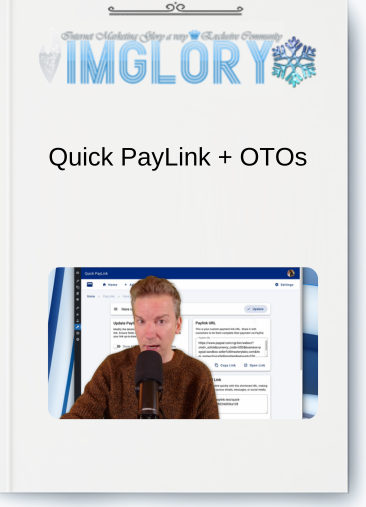
[Group buy] Quick PayLink + OTOs
Original price was: $72.98.$17.00Current price is: $17.00.
What is Quick PayLink?
Quick PayLink is a WordPress plugin designed to streamline online payments by allowing users to create custom PayPal payment links quickly. Ideal for freelancers, small businesses, and online sellers, Quick PayLink simplifies the payment process, eliminating the need for complex checkout systems.
Users can generate payment links for various purposes—like one-time payments, subscriptions, or donations—directly linked to PayPal. The plugin offers a seamless, user-friendly experience that reduces steps, leading to faster transactions and fewer abandoned carts. With Quick PayLink, users benefit from easy setup, multi-use links, and a direct, efficient way to receive payments.
Quick PayLink Features:
FE – Quick PayLink – The Payment Accelerator Bundle + Quick PayLink Unlimited – $26.98
👉 Create a Paylink Directly from WordPress Admin
Easily create payment links from your WordPress dashboard, connecting directly to your PayPal account. This integration eliminates the need for external payment processors, helping secure transactions and receive funds instantly.
👉 Direct Paylink URL for PayPal Payments
Generate a PayPal payment link in seconds by entering basic product details. This direct link streamlines the process, making it simple for customers to pay via PayPal without extra steps.
👉 Shortened Link for Easy Sharing
Quick PayLink offers a shortened link version, ideal for sharing on emails, social media, or messages, giving customers quick access to payment.
👉 Flexible Payment Options
Choose from various payment options to fit customer needs:
- Buy Now for instant purchases
- Add to Cart for multi-item orders
- Donations for charitable contributions
- Subscribe for recurring payments
This customization supports diverse business models.
👉 Enhanced Customer Experience with Powerful Payment Settings
QuickPayLink offers extensive settings to tailor the payment experience, including:
- Shipping details for physical products
- Notify URL to track payment status updates
- Return Page to guide customers post-payment
- Cancel Return for cancellations
- Discount Information to manage discounts
👉Unlimited Domains Package and install on all your sites.
OTO1 – Quick PayLink Premium Pro Upgrade – $46
How Quick PayLink works:

Quick PayLink works by allowing users to create fast, customized payment links directly from their WordPress dashboard, making it easier for businesses to collect payments through PayPal. Here’s a step-by-step look at how it functions:
- Install and Set Up
Start by installing the Quick PayLink plugin on your WordPress site. Once installed, connect your PayPal account by entering your PayPal email. This connection enables direct payments to your account, so you don’t need any third-party processors. - Create a Payment Link
In the WordPress admin area, navigate to the Quick PayLink interface. Enter the basic details like the product or service name, pricing, and any additional information such as shipping or tax. Choose from various payment types (Buy Now, Add to Cart, Donate, Subscribe) based on the type of purchase. - Generate a Direct PayPal URL
Once you’ve entered the details, QuickPayLink generates a unique PayPal link. Customers who click this link are directed straight to a secure PayPal checkout page without any rerouting. This direct link minimizes steps, reducing abandonment rates. - Use Shortened Links for Sharing
For easy distribution, Quick PayLink also provides a shortened version of each payment link. You can share this shortened link in emails, social media, or messages, making it easy for customers to access and complete payments. - Customize the Payment Experience
Configure additional settings like return pages, cancel redirects, notifications, and discount options to enhance customer satisfaction. You can also set up shipping for physical products, apply discounts, and select notification URLs to keep track of each transaction. - Manage Payments and Track Sales
As customers use the payment links, Quick PayLink records transaction details, allowing you to manage orders and monitor sales directly within WordPress. This lets you handle payments and view analytics all in one place.

Pros
- Simple Setup and Integration
Quick PayLink is easy to install and integrates directly with WordPress and PayPal, making it accessible to users without technical expertise. - Direct PayPal Links
The direct link to PayPal eliminates unnecessary redirects, minimizing cart abandonment and creating a seamless payment experience. - Flexible Payment Options
Users can choose from “Buy Now,” “Add to Cart,” “Donation,” and “Subscription” options, making it adaptable to various business needs, from one-time purchases to recurring billing. - Customizable Post-Payment Experience
The ability to customize “Return Page” and “Cancel Return” pages enhances customer experience by allowing post-transaction messages, thank-you pages, or additional offers. - Shortened Links for Easy Sharing
Quick PayLink’s ability to generate shortened links is convenient for promoting products or services across emails, social media, and messaging apps. - Robust Discount and Shipping Options
With features to add discounts and specify shipping details, Quick PayLink is ideal for sellers managing various products and promotional offers, enhancing customer value. - Self-Hosted with No Monthly Fees
Since it’s a WordPress plugin, there are no ongoing subscription costs, and users have full control over their payments directly on their site.
Cons
- Limited to PayPal Payments
Quick PayLink is exclusively tied to PayPal, so users who need multiple payment gateways (e.g., Stripe, Square) may find it limiting. - No Built-In Customer Management
Unlike more comprehensive eCommerce platforms, Quick PayLink doesn’t include advanced customer management features, making it less ideal for businesses needing detailed customer insights.
Who Should Use Quick PayLink?
- Quick PayLink is an ideal solution for freelancers, small businesses, and online vendors who need a fast, simple way to accept payments through PayPal. It’s perfect for professionals who sell individual services or products, like consultants, digital marketers, coaches, and creators, as well as small businesses that manage their own websites using WordPress. With minimal setup, these users can quickly generate secure PayPal payment links without dealing with complex eCommerce platforms or expensive third-party payment processors.
- Small nonprofits or charitable organizations can also benefit from Quick PayLink, as it supports donation payments, allowing easy fundraising through direct PayPal links. Additionally, subscription-based service providers, such as those offering memberships or online courses, will appreciate the plugin’s recurring payment options.
- For businesses focused on providing a seamless, fast checkout experience, Quick PayLink’s streamlined, direct-to-PayPal links can help reduce cart abandonment, making it easier for customers to complete transactions without unnecessary steps. However, it may not be suitable for larger, complex eCommerce stores that require multiple payment gateways or advanced analytics.
Conclusion
By reducing checkout steps and offering flexible payment options, Quick PayLink enhances both your workflow and the customer experience.
Don’t miss out on this valuable tool! If you’re interested, consider a group buy at IMGlory to access Quick PayLink at a reduced rate and unlock all the benefits for your business today.
Related products

GB WordPress
Original price was: $249.00.$27.00Current price is: $27.00.

GB WordPress
Original price was: $225.00.$22.50Current price is: $22.50.

GB WordPress
Original price was: $99.00.$10.00Current price is: $10.00.

GB WordPress
Original price was: $299.00.$55.00Current price is: $55.00.
GB WordPress
Original price was: $2,410.00.$150.00Current price is: $150.00.