


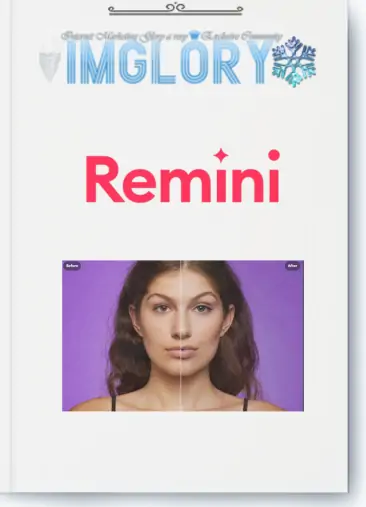
[Group buy] Remini
$39.00
Remini – An AI-powered tool that sharpens blurry photos, restores old pictures, and enhances videos with premium quality
Have you ever felt frustrated when you captured a nice photo but it turned out blurry, or your selfie looked okay but lacked sharpness to confidently post on social media? That’s exactly when Remini comes in as the “lifesaver” you need.
The first time I tried it, I was genuinely shocked by how fast it processed. Within seconds, every facial feature, eye sparkle, and even tiny details on clothes became incredibly sharp and realistic. From that moment on, I finally understood why the “social media addicted” community has been hunting for Remini so eagerly.
In this article, let’s dive deeper into this hot AI-powered tool with Imglory.
What is Remini?
Remini is a photo and video editing application powered by artificial intelligence (AI), specializing in transforming blurry, pixelated, or low-detail images into sharp, clear, high-quality photos as if taken with a professional camera.
Not only for new photos, Remini also has the ability to revive old, faded images, helping you preserve your memories in every single shot. That’s why millions of users worldwide – from photographers, online shop owners, to social media enthusiasts – rely on it to turn ordinary photos into professional-grade visuals.
The Company Behind Remini
Not only popular among individual users, Remini is also the choice of many photographers and major brands. But who’s behind this app?
Remini was developed by AI Creativity S.r.l., a tech company based in Italy specializing in AI solutions for image and video processing. As of today, the app records more than 100 million active monthly users and has enhanced over 5 billion photos and videos worldwide. Thanks to its solid technology foundation, Remini has won the trust of casual users, professional photographers, magazines, and even global e-commerce businesses.
Key Features of Remini
What makes Remini stand out is that it doesn’t just “sharpen for the sake of it” – every feature directly solves common pain points in photo/video capturing. Here’s the detailed list:
- Face Enhance:Focuses on optimizing facial details – clarifying eyes, nose, mouth while keeping a natural look. Perfect for portraits, ID photos, or event shots that demand high aesthetic quality.
- Face Glow: Adds a subtle glow, making faces look fresher and more radiant. Not the overdone “beauty filter” type, but a refined touch that brightens skin healthily. Ideal for portraits, weddings, or artistic shots.
- Auto Color:

Auto Color – automatically balances tones and adjusts colors, making photos look natural and professional in seconds Automatically adjusts overall color balance – white balance, contrast, saturation, etc. You can directly compare before/after to ensure your preferred tone without losing originality.
- Background Enhance: Sharpens and highlights background details such as skies, trees, architecture, or small objects. Very useful for landscapes, product photography, or scenes where the background plays a key role.
- AI Photos:
- Video Enhancer:

Video Enhancer – enhance low-quality videos into smooth and sharp HD versions Generates high-quality AI portraits with studio-like realism. Perfect for portfolios, professional resumes (CV/LinkedIn), or building a personal brand image.
- Unblur & Sharpener: Fixes blurriness caused by shaky hands, motion, or focus errors. Sharpens both photos and videos, saving moments that seemed lost.
- Denoiser: Removes noise and grain for smoother, clearer visuals – especially useful in low-light or night photography.
- Color Fixer: Recovers the full color spectrum, rebalancing natural tones for harmonious visuals. Prevents dull, washed-out, or oversaturated looks.
- Image Enlarger: Doubles photo or video size without losing quality. Perfect for large prints or high-resolution displays.
- Old Photos Restorer:

Restore old photos – bring old or damaged photos back to life with sharpness and clarity using online AI technology Restores aged, faded, or damaged photos, bringing them back to life while keeping their nostalgic vibe. Ideal for digitizing family memories or historical archives.
Remini Plans and Pricing Comparison Table
The free plan has quite limited editing features, so upgrading to a paid plan will help you experience the full experience and maximize the power of the application.
| Package | Price | Key Features |
| Free | Free | Access to only basic features, images contain watermark |
| Personal | $17.99/month | Up to 20 image enhancements per month, no watermark |
| Business | $24.99/month | Up to 20 image enhancements per month, no watermark, ideal for professional use |
Remini Pricing on Imglory
If purchased directly from international stores, Remini offers:
- Personal Plan: $17.99/month (~$259/year)
- Business Plan: $24.99/month (~$360/year)
But with Imglory, you get a massive discount: only 37.8$/year – up to 70% cheaper than the official price. The best part? You still enjoy all premium features: HD photo enhancement, old photo restoration, video editing, no watermark, and unlimited usage all year long.
Why Buy Remini on Imglory?
Compared to international retail prices, choosing Imglory is clearly smarter and more convenient. Here’s why:
- Super affordable: Only 37.8$/year, more than 70% cheaper than the official version. You can save the extra money for a tripod, lighting, or another editing tool.
- Instant activation: After payment, you’ll receive your account within minutes via Email/Zalo. No complicated setup required.
- Official Premium license: Imglory provides genuine Remini Premium accounts – guaranteed safe, no mid-term bans, and your photos/videos remain secure.
- 24/7 support: Fast customer service, even on weekends or evenings. You’ll always get step-by-step guidance if needed.
- Shared account, private data: Even if purchased through group buy, you still have full control over your private media.
How to Buy Remini on Imglory
Purchasing on Imglory is simple:
- Step 1: Visit Imglory website and search for “Remini” or navigate to Design Tools / AI Tools.
- Step 2: Select the Remini Pro plan for 37.8$/year, then add it to your cart.
- Step 3: Create an account (if you don’t have one), fill in details, and choose payment method (bank transfer or e-wallet).
- Step 4: Confirm the order and wait for support via email/message (usually within 24h).
- Step 5: Log in and start using instantly. If any issue arises, just contact live chat support.
Who Should Use Remini?
Remini isn’t just for individuals who love aesthetic photos – it’s practical for many groups:
- Professional photographers: Speed up editing, restore old photos, and optimize workflows.
- Social media users: Crisp, clear content for Instagram, TikTok, Facebook – boosting engagement naturally.
- E-commerce owners: More detailed product images build trust and drive sales.
- Families: Restore and digitize old photo collections.
- Designers, educators, publishers: High-quality visuals for slides, magazines, or teaching materials.
- Beginners: No complex skills needed – just upload, and let AI do the work.
Pros and Cons of Remini
Pros
- Impressive restoration: old, blurry, underexposed photos and shaky videos become much clearer.
- Wide range of features: sharpening, color fixing, denoising, enlarging, restoring, etc. – unlike most basic editing apps.
- Ultra-fast processing: 5–10 seconds per photo, minutes for videos – far quicker than manual Photoshop edits.
- Natural results: AI effects stay realistic – skin tones, textures, and lighting look authentic.
- Multi-platform: Works on web, iOS, and Android.
- Easy for everyone: No pro editing skills needed.
Cons
- Free version limitations: daily usage limits, ads, and watermarks.
- Internet-dependent: slow connections may affect performance.
- Not magic: heavily blurred, cropped, or hidden details can’t always be fully restored.
- High retail cost: over $120/year internationally. But on Imglory, only 37.8$/year – saving 70%+.
How to Use Remini : Step-by-Step
- Download & Install:
- iOS: App Store
- Android: Google Play
- Or use Remini’s official website.
- Log In:
- Sign up with email/Google/Facebook.
- With Premium from Imglory, you get full features instantly.
- Upload Photo/Video:
- Capture directly or select from gallery.
- Multiple files can be processed continuously.
- Choose Tool:
- Enhance/Unblur, Face Enhance/Glow, Auto Color, Background Enhance, Video Enhancer, Old Photos Restorer, Image Enlarger.
- Compare Before & After:
- Drag the slider to see real-time differences.
- Optional Adjustments:
- Combine features for optimized results.
- Save & Share:
- Export to device, share on Facebook, Instagram, TikTok, or messaging apps.
FAQs – Frequently Asked Questions
- What is Remini?
Remini is an AI app that enhances photo/video quality – sharpening, restoring, and upgrading visuals within seconds. - Can it process videos?
Yes, with Video Enhancer, it removes blur/noise, clarifies frames, and boosts resolution. - Is my data safe?
Yes. Files are processed via AI servers but not permanently stored. With Imglory Premium, you get official licensed accounts with complete safety. - Can it work offline?
No, since all processing requires server-side AI. - Difference between Free & Pro?
- Free: Limited usage/day, heavy ads, watermarks.
- Pro: Unlimited use, no ads/watermark, faster, more stable results.
- Why buy on Imglory instead of App Store/Google Play?
Because the international price is ~$120/year, but Imglory offers only 37.8$/year with full premium features. - Is it suitable for professional use?
Absolutely. Photographers, designers, brands, and sellers use Remini daily for faster, professional-grade results.
Conclusion
With Remini, blurry, low-detail photos and shaky videos are no longer a problem. In just seconds, your visuals can be transformed into crisp, professional-quality results.
If you want to preserve memories, boost your social media presence, or upgrade product images for more sales – Remini is a must-have tool. Buy ít now at Imglory
| Time | 1 Year |
|---|
Related products
GB Graphic-Stock
Original price was: $245.00.$26.50Current price is: $26.50.

GB Graphic-Stock
Price range: $2.00 through $29.00
GB Graphic-Stock
Original price was: $120.00.$12.00Current price is: $12.00.
GB Graphic-Stock
Price range: $2.00 through $21.00

GB Graphic-Stock
Original price was: $74.00.$19.00Current price is: $19.00.