

INSTANT
[Group buy] Steve AI
Price range: $3.00 through $45.00
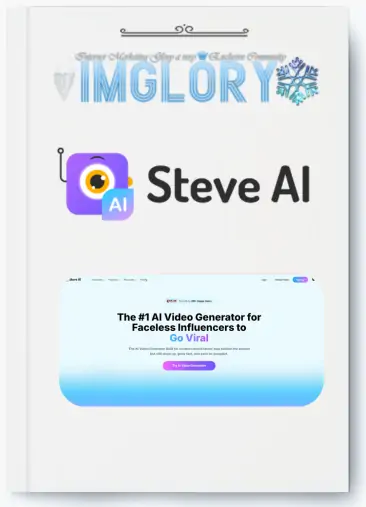
Steve.AI is an online Video making software that helps anyone to create Videos and animations in seconds.
If you’re a content creator, influencer, or busy marketer, Steve AI is like a mini production team in your pocket. With just a few lines of text, an idea, you can see it turn into a vivid video with voiceover, illustrations, and professional effects. It sounds simple, but behind it is a powerful AI system, optimized to serve “faceless creators” – people who want to tell stories without revealing themselves.
What is Steve AI?

Steve AI is a Text-to-Video platform – meaning you just Enter text or ideas, the tool will automatically create a complete video. No need to know how to film, no need to worry about complicated editing, Steve AI will handle everything, from images, effects, to voiceover.
The special feature of Steve AI is the ability to customize according to each scene (scene-level control). After the video is created, you can still edit each part: change images, change voices, or add brand logos. This helps the final product to be both quick and personal.
Not only stopping at real footage, Steve AI also supports 2D animation, combined with a huge library of stock images and videos. This opens up countless creative possibilities – from explainer videos, short TikTok clips, Facebook advertising videos, to long-form YouTube content.
Key Features of Steve AI
In short, Steve AI is an all-in-one solution for creating videos from text. But to understand why it has such a big appeal, let's analyze each highlight.
Create a video from an idea in minutes

Imagine: you just came up with a script for a product promotion clip. Normally, you would need to hire a scriptwriter, find actors, film, edit… at least a few days, even a few weeks.
With Steve AI, you just need to:
- Type your idea or script into the input box
- Choose a suitable template
- Click “Generate” and wait a few minutes
Result: a complete video, with images, effects, and voiceovers that match the content. This speed is a “lifesaver” for marketing campaigns that need to be launched quickly or social media channels that need to be updated continuously.
Advanced Prompter – a smart “text-to-script” tool
Not everyone is good at writing good dialogue. Steve AI solves this with Advanced Prompter – an AI feature that helps refine the words, tone, and length of the script.
You just need to give a rough idea, AI will rewrite it into a complete script, suitable for the purpose: advertising, explainer video, tutorial video, or vlog.
The good thing is that you can adjust the style: whether you want to be funny, serious, or inspirational – Steve AI “knows how” to express it.
Multi-Voice Storytelling – multiple vivid reading voices
Steve AI doesn’t just have a few dry AI reading voices, but more than 250 voices, supporting 8+ languages and 50+ different styles.
The cool thing is that you can give each character in the video a unique voice. For example, an animated video with two characters talking – the AI will make it feel like they’re having a real conversation, with natural intonation and emphasis.
Edit each scene as you like
Once the AI has created the video, you’re not “stuck” with the result. You can:
- Replace the background image or video
- Change the voice or sound effects
- Insert your logo or brand slogan
This is especially important for businesses that want to keep the image and style consistent across all their media products.
Variety of video styles
Steve AI doesn’t limit you to one type of video. You can choose:
- 2D animation to explain concepts or tell stories gently
- Stock videos to create a professional and realistic feel
- Combine multiple styles to make videos more vivid
Thanks to that, you can easily create content suitable for each platform – from TikTok, Instagram Reels, YouTube Shorts to promotional videos on websites.
Rich resource store
With the paid plan, you will unlock:
- 300+ animated characters
- Thousands of high-quality AI images
- Premium video and stock photo store
These resources help you avoid “duplicating” content, while increasing the professionalism of your videos.
Where to buy Steve AI accounts at the best price cheap?

IMGlory– our shop – is providing a cheap licensed Steve AI account package. Instead of having to spend a large amount of money to buy a private account, you can completely share a shared account with many other people, but still enjoy all the benefits and features of the genuine version.
This way of buying together is not only cost-effective but also suitable for beginners who want to try it out before deciding to invest long-term. To be honest, at first we had to consider carefully because the cost of buying directly from the website is quite high, especially if you are not sure whether you will use it long-term or not. So buying a Steve AI account together at IMGlory is really a reasonable solution.
Why should you choose to upgrade your Steve AI account at IMGlory?
We believe that, in addition to price, service quality and quick support are the factors that make customers stick around. And IMGlory meets both of those.
- Much cheaper than buying directly
Buying from the official website, you will have to pay monthly or yearly at a rather “expensive” price for individuals or small startups. At IMGlory, we share copyright accounts to reduce costs for each user. - Genuine copyright – no worries about feature limitations
The accounts we provide are genuine copyrights, not cracked or bypassed versions. You can still use all the features of Steve AI, including advanced features such as Advanced Prompter, Multi-Voice Storytelling, or premium resource library. - Fast and enthusiastic support
During use, if you encounter problems with logging in, project synchronization, or any technical errors, IMGlory‘ support team will help you handle them immediately. We know that when you have an idea, time is very important – no one wants to be interrupted by creative inspiration just because of login problems. - Continuously updated according to the latest version
Steve AI regularly updates the interface, adds new voices, or improves AI to create more beautiful videos. When using an account from IMGlory, you will still be updated as when purchasing directly. - Personal information security
We do not ask you to provide sensitive information or personal email passwords. Sharing accounts is safe, completely separate from your private data.
Who is Steve AI account suitable for?
According to customer experience and feedback, we find that Steve AI is suitable for many different groups of users:
- Content creators on YouTube, TikTok, Facebook
Do you want to post clips regularly but don't have time to film? Steve AI helps you create videos in minutes, ready to post immediately. - Small businesses or startups
Instead of spending a large budget on a video production team, you can use Steve AI to make videos to promote products, introduce services or create interactive content with customers. - Teachers, speakers, coaches
Do you need to make a video to teach, guide techniques, or convey a message to students? Steve AI will help you have vivid, easy-to-understand illustrative videos without having to stand in front of the camera. - People doing affiliate marketing or online sales
Videos are always more attractive than still images. Steve AI helps you create product introduction clips, reviews, or user guides to increase conversion rates. - Newbie to video making
If you don't know how to use Premiere Pro or After Effects, Steve AI is a great “stepping stone” for you to get acquainted with video editing without having to learn too many complicated techniques.
Instructions for purchasing a Steve AI account at IMGlory
The purchasing process is extremely simple, taking only a few minutes:
- Access the IMGlory website
Go to the homepage and find the product Steve AI in the list of tools. - Choose the right service package
Depending on your needs, you can choose a monthly, quarterly or annual package. If you want to save the most, we recommend choosing a long-term package. - Secure payment
IMGlory supports many payment methods: bank transfer, e-wallet, or online payment gateway. - Receive account information via email
After payment, you will receive login information and detailed instructions to start using Steve AI. - Start creating videos now
Log in and freely turn your ideas into videos, without complicated settings.
Some frequently asked questions about Steve AI accounts at IMGlory
1. Are shared accounts limited in features?
No. You can still use all the features as a direct purchase account, including the premium resource store.
2. Can I save my own video projects?
Yes. Each user will be guided on how to store and manage their projects so they don't get mixed up with others.
3. What if I have a login error while using it?
Our support team will handle it right away, usually in just a few minutes.
4. I've never made a video before, is it difficult to use Steve AI?
Absolutely not. Steve AI is designed for anyone to use, even beginners. You just need to know how to type in your ideas and choose a template.
5. Is account security guaranteed?
Yes. Accounts are shared through a secure system, which does not affect your personal data.
Conclusion
Yes, hopefully with the cheap Steve AI account sharing service that IMGlory provides, you will easily own the genuine copyright of this software without having to worry about the cost.
So, if you are nurturing an idea, don't let it stay on paper. Let Steve AI turn it into images, sounds, and stories, to spread to thousands, millions of people. We at IMGlory are always ready to accompany you on that journey.
| Time | 1 Month, 1 Year, 3 Months, 6 Months, Lifetime, Trial |
|---|
Related products

GB SAAS Tools
$25.00
GB SAAS Tools
Original price was: $775.00.$43.00Current price is: $43.00.
GB SAAS Tools
Original price was: $290.00.$31.50Current price is: $31.50.
GB SAAS Tools
Original price was: $53.50.$25.00Current price is: $25.00.
GB SAAS Tools
Original price was: $216.00.$77.00Current price is: $77.00.