

[Group buy] Video Play GIF + OTOs
Original price was: $30.97.$17.00Current price is: $17.00.
What is Video Play GIF?

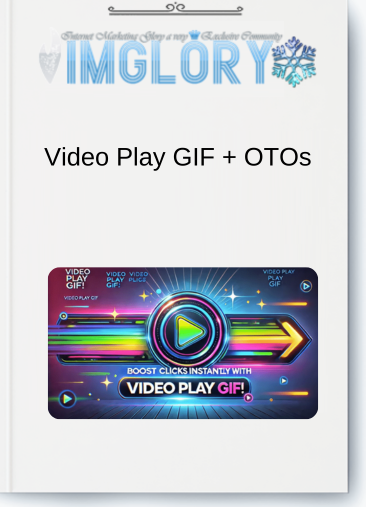
Video Play GIF is a tool created for the straightforward conversion of video clips into GIFs featuring a play button overlay, which is ideal for sharing, particularly in email promotional campaigns. It streamlines the task of choosing particular scenes from videos, adjusting the GIF's length, and providing flexible size options for different applications. This tool is particularly beneficial for marketers, content creators, or anyone aiming to share captivating video snippets in a lightweight and visually attractive format.
Video Play GIF Features:
FE – Video Play GIF Single Site License – $10.99
1. Simple Conversion from Video to GIF
Any video can be turned into a clickable GIF with a play button with this program. You only need to drag and drop your video, choose the segment you wish to convert, and Video Play GIF will produce a GIF in a matter of seconds. You can select any section of your movie, and the program will automatically determine the frame rate to produce a high-quality GIF. You are not restricted to using small snippets.
2. Editing Options That Can Be Customised
The process of creating a GIF is entirely within your hands. Select the video segment, change the length, and even fine-tune the frames to within a single pixel. You may capture the ideal moment using the tool's flexibility, which is lacking in standard GIF editors.
3. Increased Rate of Click-Through
Including a play button in your GIF can greatly increase engagement and revenue by arousing curiosity and promoting more clicks. Click-through rates soared to 43% or more in tests.
4. Conserve and Utilise GIFs
After creating your GIF, you may store it in your collection for convenient access at a later time. Marketers that wish to reuse GIFs in subsequent campaigns without having to look for them every time will find this functionality especially helpful.
5. Generation of Thumbnails
Additionally, Video Play GIF creates thumbnails for your videos in various sizes, whether or not the play button is present. These thumbnails are perfect for email, social media, and website video promotion.
6. Plan and Coordinate
By allowing you to label and describe your GIFs, the tool keeps you organised and makes it simpler to find and utilise them for various marketing objectives.
OTO1 – Video Play GIF Unlimited Domains Package – $19.98
- Install Video Play GIF on all your sites
- Unlimited creativity for less than $20
- Perfect for managing multiple websites
- Try it risk-free with a 30-day money-back guarantee
- No risk, just a powerful tool to boost engagement
- Level up your visuals and enhance your online presence
How Does Video Play GIF Work:
With the help of Video Play GIF, you can make GIFs with an eye-catching play button overlay, which may greatly increase engagement—particularly in email marketing. This is how it operates:
- Drag and drop a video into the tool from your desktop to upload it.
- Choose a segment of the video: Select the segment of the video you like to convert to a GIF and specify the length of time you want it to last.
- Add Play Button: To make the GIF more interactive, the tool automatically places a play button on top of it.
- Make the GIF: The tool makes the GIF, which is available for download, when the video segment and settings are selected.
- Customisable settings: For accuracy, you can use the fine-tuning settings to change the GIF's start and end frames.
- Save and Arrange: Once the GIF has been created, it may be saved to your collection for convenient access in the future.
- Create Thumbnails: For a variety of marketing objectives, the tool can also produce thumbnails for your GIFs, both with and without the play button.
Pros of Video Play GIF:
- Enhanced Engagement: Since viewers are more likely to interact with dynamic material than static photos, adding a play button to GIFs can greatly increase click-through rates. It has been demonstrated that the product generates click-through rates of 43-53%, which is remarkable for email marketing.
- Easy to Use: Even individuals with limited technical expertise may utilise the platform because of its easy drag-and-drop video selection features. In a few simple steps, users may generate unique GIFs with play buttons.
- Flexible Video Editing: There are no restrictions on the duration of the video; users can choose any segment to make the GIF. This makes it possible to have total control over the shared material and guarantee that it supports marketing objectives.
- GIF and Thumbnail Generation: The program not only creates GIFs but also creates thumbnails with and without the play button, providing a variety of presentation options and increasing marketing adaptability.
- Unrestricted Use: The technology gives advertisers freedom by enabling them to keep, reuse, and even resell the GIFs.
Cons of Video Play GIF:
- Restricted to GIF Creation: Although the tool works well for making GIFs with play buttons, it is only designed for this use case and might not provide all the functionality that users may require for video or picture editing.
- File Size Management: The size of the GIFs can vary depending on the video, which may make them difficult to handle or cause them to load slowly on some devices.
Who Is Video Play GIF For?
- Email marketers are ideal for anyone looking to increase engagement and click-through rates in their email marketing efforts. The application facilitates the creation of visually appealing GIFs with play buttons that increase interaction and conversions.
- Content producers and influencers: Including dynamic, clickable GIFs with play buttons in your content can draw viewers in and promote greater engagement with your work whether it comes to social media or promotional materials.
- Affiliate Marketers: Perfect for affiliate marketers that wish to use visually appealing, clickable GIFs that effectively highlight their goods or services in order to boost click-through rates and sales.
- E-commerce Companies: Using the application, online store owners can make promotional GIFs that highlight their goods or deals, increasing clicks and possibly increasing sales through social media and email marketing.
- Small Business Owners: This tool can offer a straightforward yet effective strategy to raise engagement and brand awareness for small businesses trying to make a name for themselves in a crowded market.
- Video marketers can use this tool to make GIFs that increase engagement by adding a play button, which gives videos a more interactive feel. This is useful for those who use videos to advertise their goods or services.
- Bloggers and Website Owners: Including interesting and clickable GIFs on your blog or website can improve user experience and raise the likelihood that visitors will interact with your material.
Conclusion
Increase Sales and Engagement with Video Play GIF!
Make visually striking GIFs with floating play buttons to increase click-through rates.
Get Video Play GIF right now to get started creating engaging GIFs!
Don't pass up the tool that is transforming email marketing. Use Video Play GIF to stand out in inboxes, get more hits, and boost sales! Improve your marketing approach by making a group purchase now at Imglory!
Related products

GB WordPress
GB WordPress
GB WordPress
GB WordPress
GB WordPress