
INSTANT
[Group buy] YayMail Pro LTD
Original price was: $237.00.$13.00Current price is: $13.00.
YayMail by YayCommerce – helps you design beautiful WooCommerce emails easily, no coding required
In today’s hyper-competitive eCommerce landscape where every pixel matters email remains a classic revenue driver that never goes out of style. If you’re running a WooCommerce store and want every outgoing email to reflect a clear, professional brand identity, YayMail is a solution well worth considering. Join Imglory as we explore how this plugin transforms plain transactional emails into visually engaging, personalized, and far more persuasive customer touchpoints.
What Is YayMail?

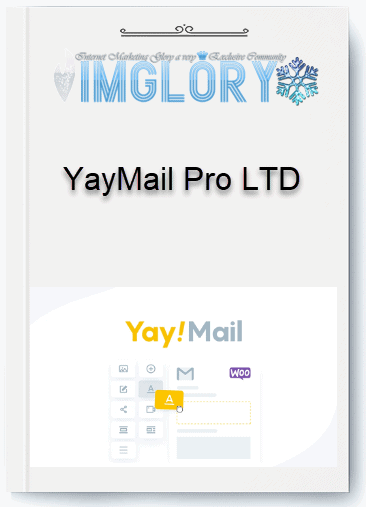
The YayMail workspace – where you design WooCommerce emails with drag and drop, no coding required
YayMail is a dedicated plugin for customizing WooCommerce emails in a visual, beginner-friendly way. Instead of wrestling with messy PHP or HTML files, you simply drag and drop content blocks logos, images, buttons, headings, or text to craft emails that truly match your brand’s look and feel.
What makes YayMail stand out is the level of control it offers. You can fine-tune fonts, colors, backgrounds, spacing, and even dynamic content such as customer names or order details. As a result, your emails stop being generic transaction notices and become a consistent communication channel that builds trust and encourages repeat purchases.
Beyond that, this tool integrates smoothly with many popular WooCommerce plugins, allowing you to pull in additional data and display it directly inside emails.
The Team Behind YayMail
YayMail is developed by YayCommerce, the team behind several well-known WooCommerce plugins. With over five years of experience and tens of thousands of active stores using their products, YayCommerce follows a clear philosophy: easy to use first, powerful when you need it. YayMail is a perfect example of that approach, making it suitable for both beginners and long-established online shops.
Key Features of YayMail
The core tools in YayMail that help WooCommerce emails look professional and consistent
It isn’t just about making emails look nicer—it’s about helping you sell more and communicate better. Key features include:
- Drag-and-drop email builder: Edit emails in real time with live previews on desktop and mobile.
- Full customization of default WooCommerce emails: Redesign critical emails such as new orders, processing orders, refunds, and account creation.
- Smart sending conditions: The Pro version lets you define logic so emails reach the right customer at the right moment.
- Wide plugin compatibility: Easily pull data from shipping, payment, multilingual, and other WooCommerce extensions.
- Dynamic shortcodes: Personalize emails with customer names, order details, discount codes, or product lists.
- Pre-built email templates: Launch quickly without sacrificing design quality.
- RTL support: Ideal for international and multilingual eCommerce websites.
- Test sending & preview: Minimize display issues before emails reach your customers.
If you’re already using advanced form tools like SureForms to improve user experience, YayMail fits perfectly as the missing piece in post-purchase communication.
Basic Guide to Using YayMail
Getting started with YayMail is straightforward, even for beginners:
- Install and activate the YayMail plugin from the WordPress repository.
- Go to the YayMail section within WooCommerce to open the editor.
- Select the type of email you want to redesign.
- Drag and drop the content blocks you need into the email layout.
- Customize colors, fonts, and layout to match your brand identity.
- Send a test email to check how it looks.
- Save and apply the design to all transactional emails.
YayMail Plans and Pricing
| Plan | Payment Type | Single Site | 3 Sites | Unlimited Sites |
| Yearly | Annual Payment | $59 | $139 | $399 |
| Lifetime | One-Time Payment | $199 | $339 | $999 |
Notes:
- Yearly: Paid annually, the plan will renew each year.
- Lifetime: One-time payment, use permanently without renewal.
Where to Buy YayMail Safely at a Great Price for WooCommerce?
When choosing an email customization plugin for WooCommerce like YayMail, the decision is not just about features — it also comes down to the reliability of the provider. Among many platforms on the market, Imglory is widely considered a safe and cost-effective option for users who want a licensed plugin without paying premium international prices.
Instead of taking risks with unverified sources, Imglory allows you to access tool with full functionality, regular updates, and dedicated technical support included.
A major advantage of Imglory lies in its experience distributing WordPress and WooCommerce plugins, as well as form-building tools like SureForms — solutions trusted by many online store owners. This means you are not just buying a plugin, but investing in a long-term operational solution that minimizes conflicts and technical issues down the road.
Why Buy YayMail from Imglory?
It’s no coincidence that many WooCommerce store owners choose Imglory as their source for YayMail. Here are the practical reasons behind that decision:
- Clear licensing and stable performance
This tool provided by Imglory is an official, licensed version that works smoothly with the latest WooCommerce updates — a critical factor for stores that frequently update their websites. - Reasonable pricing and easy access
YayMail plans are clearly structured based on the number of websites used. Pricing is straightforward, transparent, and suitable for both small shops and multi-site systems. - Beginner-friendly technical support
Even if you’re not technically inclined, the support team guides you step by step through installation, activation, and usage. - Consistent updates
This tool regularly introduces new features such as mobile email previews, conditional logic, and an expanding template library. Imglory ensures users always receive the latest updates. - Community-proven reputation
Many WordPress users who have purchased plugins like SureForms and YayMail through Imglory consistently praise its transparency note support speed and clarity.
How to Buy YayMail on Imglory
The purchasing process on Imglory is simple and beginner-friendly:
- Visit the Imglory website and locate YayMail in the WooCommerce plugin category.
- Select the plan that matches your needs (single site, multiple sites, or unlimited).
- Add the product to your cart and complete payment using your preferred method.
- After successful payment, you will receive the plugin download link along with detailed installation instructions.
Within minutes, this tool will be ready for you to start customizing emails for your WooCommerce store.
What Benefits Does YayMail Bring to WooCommerce Stores?
It does more than just improve email design — it significantly enhances customer experience:
- Visual drag-and-drop email builder with no coding required.
- Full customization of colors, fonts, and layouts to match your brand identity.
- Easy insertion of logos, CTA buttons, and social media links.
- Conditional logic for personalized email content.
- Compatibility with most popular WooCommerce themes.
This tool becomes even easier thanks to the similar drag-and-drop and personalization workflow.
Who Should Use YayMail?
- WooCommerce store owners who want professional emails without hiring a designer.
- Businesses that need consistent brand identity across all transactional emails.
- Freelancers and agencies building eCommerce websites for clients.
- Users already leveraging SureForms who want to upgrade their email experience alongside their forms.
Frequently Asked Questions
- Is YayMail difficult to use?
Not at all. The drag-and-drop interface allows beginners to get started within minutes. - Do I need coding skills to use YayMail?
No. All customization is done visually through an intuitive interface. - Can YayMail be used on multiple websites?
Yes. Simply choose the appropriate plan when purchasing from Imglory. - Can YayMail be combined with SureForms?
Absolutely. Both tools work well together to enhance user experience. - Does Imglory provide long-term support?
Yes. You receive ongoing support throughout your entire usage period.
Conclusion
YayMail is a powerful solution for transforming standard WooCommerce emails into professional, brand-driven communication tools. When combined with other plugins, your store benefits from a system that is visually appealing, highly personalized, and effective at retaining customers.
For a secure and cost-effective way to use YayMail, Imglory is a highly recommended option. Beyond providing licensed plugins, Imglory offers clear guidance and reliable support — making it suitable for both beginners and advanced users.
Learn more:
Official Homepage:
https://yaycommerce.com/yaymail-woocommerce-email-customizer/
Related products
GB WordPress
$24.00

GB WordPress
Original price was: $77.00.$11.00Current price is: $11.00.
GB WordPress
Original price was: $2,410.00.$150.00Current price is: $150.00.

GB WordPress
Original price was: $530.00.$58.00Current price is: $58.00.
GB WordPress
Original price was: $249.00.$27.00Current price is: $27.00.