

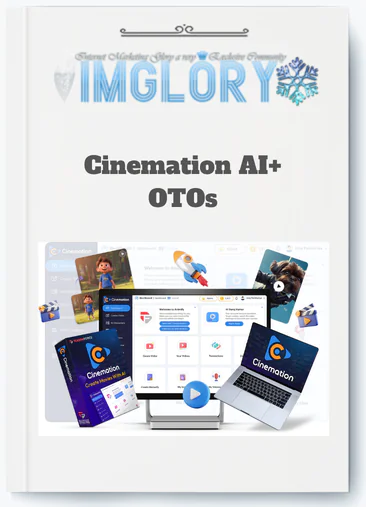
[Group buy] Cinemation AI+ OTOs
$37.00
Cinemation AI is an AI-powered video creation platform that transforms scripts and story prompts into cinematic, long-form videos using automated characters, scenes, and production workflows.
There is a specific frustration that most storytellers, educators, and creative entrepreneurs know intimately. It is not the frustration of not having ideas. The ideas are there. It is not the frustration of not having an audience. The audience exists or could exist. It is the frustration of the gap between the story that exists clearly and completely in your imagination and your current practical ability to put that story on screen in a way that does it justice.
Traditional video production closes that gap expensively and slowly. You need a camera, lighting, a location, actors who can deliver the performances the story requires, a director who knows how to capture them, an editor who can assemble the footage into the pacing the story needs, and a budget that puts the entire process out of reach for most independent creators, educators, and small marketing teams.
AI video tools in 2024 and early 2025 seemed to promise a solution and then revealed a structural limitation. They could generate a five second clip that looked cinematic. They could not generate the same character in the next scene, or the scene after that, or across twelve episodes of a series where that character needed to remain recognizably the same person. The gap was not in visual quality. It was in narrative infrastructure.
Cinemation AI was built specifically to close that infrastructure gap and make the story in your head into the video on screen without the production budget, the film crew, or the structural limitations of short-form clip generation.
What Is Cinemation AI?
Cinemation AI is a desktop AI video application that turns scripts and story prompts into long-form, cinematic videos with consistent characters and locations across scenes and episodes, without cameras, actors, or traditional film production infrastructure.
The platform sits in a genuinely different category from the AI video tools that dominated 2024 and 2025. Those tools were optimized for generating five to twenty second social clips from single text prompts, producing visually impressive but structurally disconnected outputs with no continuity between generations. Cinemation AI is built for multi-minute, story-driven content where the same characters need to appear recognizably across thirty scenes of a fifteen-minute episode, the same locations need to recur with visual consistency across twelve episodes of a series, and the overall output needs to follow a scripted narrative structure rather than a randomly generated visual sequence.
The technical foundation that makes this possible is library-based character and location management. Character profiles saved to the project library apply consistently across every scene in which a character appears through stored visual parameters rather than per-scene reinterpretation from a text description. Location profiles saved to the project library reappear with visual continuity across scenes and projects without requiring reconstruction for each new appearance. This continuity infrastructure is the specific capability that separates Cinemation AI from clip generators and makes serious narrative content production practically achievable for independent creators.
The Four Transformations Cinemation AI Creates for Different Creator Types
For educators and course creators: The transformation is from producing static slide-based courses that engage learners inadequately to producing narrative video lessons with consistent AI characters serving as recurring visual guides across every module. A subject matter expert who previously could not afford professional video production for their knowledge products now produces a complete twenty-lesson animated course from a laptop without coordinating a production team.
For indie storytellers and filmmakers: The transformation is from having scripts and story concepts that cannot be demonstrated visually without a production budget to having pilot episodes, short films, and animated story adaptations that show investors, festival programmers, and creative partners exactly what the story looks and feels like. The gap between the idea and the visual demonstration closes for the first time without requiring a budget that most independent creators do not have.
For brand marketers and small business owners: The transformation is from commissioning expensive one-off animated explainers that cannot maintain visual consistency with previous brand content to building a consistent brand visual world with recurring brand characters and established environments that appear recognizably across every piece of content produced.
For content creators and YouTubers: The transformation is from publishing disconnected individual video pieces to building an episodic series with a consistent cast and visual world that gives audiences a reason to return for the next episode and the one after that.
Main Features of Cinemation AI

Long-Form Video Generation
Cinemation AI produces videos extending from several minutes to tens of minutes per project, which is the foundational capability that makes it serve narrative content needs that every short-form AI tool structurally cannot address. The approach integrates scene and shot stitching, character and location reuse for visual continuity, and pacing logic across extended runtimes rather than generating independent clips and assembling them afterward.
The practical significance of genuine long-form capability is most visible when compared against the realistic alternatives. A fifteen-minute educational episode delivers instructional depth and learner engagement that five disconnected three-minute clips on the same topic cannot match regardless of how well each individual clip is produced. A ten-minute pilot episode demonstrates a story's potential and gives viewers the character development and narrative momentum that a three-minute clip preview cannot communicate with the same impact. Long-form capability is not a technical specification; it is the foundational requirement that determines whether a platform can serve serious narrative content creation at all.
Character Consistency System
Characters saved to the project library maintain their visual identity across every scene through stored profile parameters rather than per-scene generation from a text description. Each profile captures appearance, style, clothing, and defined attributes that the platform applies consistently each time the character appears rather than producing a new interpretation.
The creative impact of genuine character consistency compounds with every additional scene and episode added to a series. An educational course where the AI instructor guide looks identical across all twenty lessons builds learner familiarity that supports engagement through the full course length in a way that a differently rendered guide in every lesson would undermine. A narrative series where the lead character maintains recognizable visual identity across a full season functions as a coherent franchise that viewers invest in over time.
The honest qualification is that character consistency performs best with stable rendering parameters. Significant style changes or major rendering adjustments can introduce variations, which is why committing to consistent parameters early in a project is the production practice that makes the consistency system work as designed.
Location Consistency and Reusable World Building
Location libraries save environments for reuse across scenes and projects without requiring reconstruction for each new appearance. The structural distinction between a saved location and a scene that uses that location allows a single classroom, detective office, or spaceship bridge to serve dozens of scenes across multiple episodes while maintaining the visual consistency that makes recurring places feel like established, real parts of the story world.
For series creators, the efficiency value of reusable locations compounds dramatically as the project grows. A twelve-episode series where all locations were built once and reused throughout compresses the ongoing production overhead of each new episode to character placement, scene direction, and shot planning rather than environment reconstruction. For educators maintaining visual world consistency across a full course, the same efficiency applies at equivalent scale across all lesson videos.
Multi-Style Visual Output
Style categories cover two-dimensional animation for explainer and children's content, three-dimensional animation for product visualization and detailed world building, cinematic realism for promotional and commercial content, and stylized aesthetics including comic book and watercolor for distinctive brand identities and creative projects. The style selection decision matters most at project initiation because committing to consistent visual parameters across the full production maintains the coherence that makes narrative content feel unified rather than disjointed across scenes.
AI Script and Story Support
Story generation from basic premises, outline-to-script expansion, dialogue refinement, and scene description enhancement provide the writing assistance layer that makes script development accessible without prior screenwriting experience and accelerates development for experienced writers exploring new concepts. The practical pre-production compression this provides changes the total timeline from concept to finished video for solo creators who would otherwise need to invest significantly more time in the writing phase before any visual production could begin.
Desktop Application Workflow
Windows and Mac desktop applications with local file management provides stable performance for complex long projects, easier organization for productions spanning hundreds of scenes and assets, and local preview capability without continuous internet dependency. Desktop architecture is meaningfully more suitable than browser-only tools for the sustained multi-hour production sessions that serious long-form narrative projects require, avoiding the performance degradation and tab management challenges that browser tools accumulate across extended sessions.
Beginner-Friendly Creation Infrastructure
Guided wizards, templates, presets, and built-in AI assistance for script writing, character design, and scene creation lower the technical barrier for first-time creators without filmmaking or animation expertise. No filmmaking knowledge, animation skill, or advanced editing experience is required to produce working first projects. Basic storytelling fundamentals still determine the quality ceiling because the platform amplifies the creative input it receives rather than generating compelling narrative structure from absent creative direction.
Pricing Plans and OTOs detailed
Front-End – Cinemation Elite ($47 one-time)
- One-time payment with no recurring subscriptions
- Includes 10,000 welcome credits
- Generate up to 3 videos daily
- Supports up to 10 characters and 10 locations
- Self-business use license included
- 1 year of free upgrades included
- 24/6 chat support access
- Built for personal creators and beginner users
- Includes 30-day money-back guarantee
OTO 1 – Cinemation Pro ($67 one-time)
- Includes 30,000 welcome credits
- Unlimited daily video generation
- No limits on video length
- Shot-level video editing tools
- Team collaboration access included
- Full commercial license included
- 2 years of free upgrades included
- Built for advanced creators and marketers
OTO 2 – Cinemation Reseller ($197 one-time)
- Includes 70 Pro licenses for resale
- Can be used for agency services or client sales
- Keep profits from sold licenses
- Built for agencies and reseller businesses
OTO 3 – TubeRank Jeet Pro ($67 one-time)
- AI-powered YouTube ranking toolkit
- Unlimited keyword research included
- Hashtag generation tools included
- Video optimization features supported
- Designed for YouTube growth and SEO
OTO 4 – Freezur Pro ($67 one-time)
- Includes 50,000 additional credits
- Unlimited video generation access
- All AI models unlocked
- Image-to-video generation included
- Advanced AI creation features included
- Built for high-volume creators and agencies
How Cinemation AI Works
Start With a Complete Script
Write or generate a structured script before touching character or location creation. The script defines which characters are needed, which environments are required, and how the story splits into scenes and shots for the production pipeline. Scripts with clear, specific scene descriptions including time of day, mood, key actions, and explicit visual hints produce better visual outputs than vague or abstract descriptions. Short direct sentences work better than flowing literary prose because the platform extracts visual instructions from text rather than interpreting literary language.
Build Your Complete Asset Library Before Production
Create every recurring character the script requires with detailed descriptions before beginning any scene work. Build every location the script requires before assembling scenes. The investment in building a complete, well-described library before production begins pays efficiency and consistency returns across every subsequent scene and episode that draws from those saved assets. Mid-production asset creation interrupts the production flow and risks creating assets with slightly different style parameters than those already in the library.
Commit to Visual Style and Rendering Parameters
Select style and rendering parameters and maintain them consistently across the entire project. Style consistency is what makes the character and location library system produce the visual coherence it is designed to deliver. Projects that commit to style early and maintain it throughout produce stronger narrative consistency than projects that shift style parameters across scenes.
Plan Shots Thoughtfully for Each Scene
Review AI-suggested shot angles, use shot variety to prevent static pacing, and override automatic suggestions where the intended scene feel differs from the default interpretation. Mixing establishing shots, wide shots, close-ups, over-the-shoulder angles, and reaction shots produces professional cinematic pacing. The difference between thoughtful shot planning and default single-angle rendering is the difference between professional narrative pacing and amateur-feeling output from the same underlying script content.
Review, Refine, and Iterate Before Full Production
Review early scene outputs before completing the full production. Initial scenes reveal character profile adjustments, location description refinements, and parameter corrections that are far easier to address at the scene level than after the complete production has been rendered. Using the first two to three scenes as production refinement stages before proceeding to the full project produces significantly better final output than completing everything and attempting corrections afterward.
Pros and Cons
Pros
- Genuine long-form video capability extending to tens of minutes is the structural capability that makes serious narrative content production possible where every short-form AI tool fails at the foundational level.
- Library-based character consistency provides the visual continuity that makes multi-scene, multi-episode content function as coherent storytelling rather than a collection of generically similar clips.
- Location reusability across scenes and projects compounds production efficiency for series and course creators while maintaining the world continuity that viewer and learner familiarity requires over time.
- Multi-style output covering the primary visual categories that different creator types need supports the range of narrative content use cases without requiring separate specialized tools.
- AI script and story assistance compresses pre-production timelines significantly for non-writers and accelerates concept development for all experience levels.
- Desktop application stability for complex long projects is meaningfully more suited to sustained multi-hour narrative production sessions than browser-only alternatives.
- One-time $47 front-end pricing makes the initial investment accessible and compares compellingly against every realistic alternative for producing the same content type.
Cons
- Not suitable for live events, testimonials, or ultra-high-end commercial production requiring authentic real-world footage and human presence.
- Output quality scales directly with input quality. The platform amplifies creative input. It does not compensate for weak scripts or vague prompts.
- Five to ten hours of learning investment is realistic before professional-quality output is consistently achievable.
- Character consistency performs best with stable rendering parameters and may show slight variations with extreme style changes.
- Hardware quality significantly affects render performance for complex long-form projects.
- Front-end tier constraints on daily generation and character and location counts require the Pro upgrade for unlimited production capacity.
Who Is Cinemation AI For?
- Educators and course creators who have subject matter expertise to share but have been priced out of professional video production for their knowledge products represent one of the most directly served creator categories. The platform makes producing animated narrative lesson content with consistent characters and unified visual worlds practically accessible for the first time for independent educators at any budget level.
- Story-focused YouTubers and episodic content creators building animated series with recurring casts and established visual worlds use Cinemation AI to produce professional narrative content without animation expertise, production coordination, or per-episode production costs that scale unfavorably with series length.
- Indie storytellers, novelists, and aspiring filmmakers who have developed scripts and story concepts that they cannot demonstrate visually without traditional production infrastructure use the platform to produce pilot episodes, short films, and animated story adaptations that show the work rather than just describing it.
- Brand marketing teams and small business owners developing consistent brand character campaigns, product story content, and animated explainers use the library system to build visual brand world coherence that compounds in recognition value across all content produced.
- Beginners experimenting with new channel concepts, course ideas, or creative projects use the accessible interface and AI assistance to produce first video content without prior production expertise, testing concepts at low cost before making larger creative or commercial commitments.
Less suited for: Live event coverage requiring real-time recording, testimonial content where authentic human presence is the core value, ultra-high-end commercial production for major brand advertising campaigns, and creators whose sole content need is short social media clips.
Frequently Asked Questions
- What is the most important thing to understand about Cinemation AI before using it?
The platform's output quality is a direct reflection of the creative input provided to it rather than a fixed quality level the platform delivers regardless of input. Cinemation AI is a production amplifier: it takes scripts, character descriptions, location prompts, and style parameters and produces them at visual quality levels that would otherwise require expensive traditional production. A specific, well-structured script with clear visual descriptions, detailed character profiles, and committed style parameters produces genuinely professional narrative video.
A vague summary with minimal character detail and generic scene descriptions produces generic output regardless of how sophisticated the rendering technology is. Understanding this relationship and investing accordingly in script quality and asset library development before beginning production is the most important preparation any new user can make.
- How does the experience change for an educator who adopts Cinemation AI for their course production?
The most significant shift is from the absence of viable production options for affordable narrative video to having a complete narrative video production workflow accessible from a desktop without a production team. Educators who previously produced text-based or slide-based courses because professional video production was financially inaccessible can produce animated narrative lessons with consistent AI characters, unified visual environments, and professional production quality at a fraction of the cost and timeline.
The second shift is the ability to update course content efficiently. Traditional video production makes course updates expensive and time-consuming because re-filming requires reassembling the original production setup. Updating a Cinemation AI lesson requires script revision and re-render using the existing library assets rather than a new production from scratch.
- What makes Cinemation AI specifically valuable for an indie filmmaker without a production budget?
The specific value for an indie filmmaker without a production budget is the ability to produce a visual demonstration of a story concept rather than simply describing it in written form. Investors, commissioning editors, festival programmers, and creative collaborators who review hundreds of written pitches and treatments respond differently to a visual proof of concept that shows what the story actually looks and feels like.
A fifteen-minute AI-produced pilot episode built from a well-written script with consistent characters and professional shot planning demonstrates a story's visual potential and emotional tone at a level of specificity that a written treatment cannot match, at a production cost that most independent filmmakers can actually afford. This changes the practical capability for independent storytellers to attract the creative and commercial partners that moving a project forward requires.
- How should a YouTuber planning an animated series approach their first Cinemation AI series project?
Start with a three-episode first season rather than planning a twelve or twenty-four episode run before validating the concept with real audience data. Build the complete character and location library for the full season based on the series bible before producing any episodes, ensuring all asset creation is complete and consistent before production begins. Produce all three pilot episodes from the same asset library to establish the visual world coherence that makes the series feel like a unified production from the first episode.
Publish the three episodes in rapid succession rather than individually to give the algorithm and early audience enough content to evaluate the series as a series rather than a single video. Use the audience data from the first three episodes to inform the visual and narrative decisions for the second season before committing additional production resources.
- What is the most effective way to use AI script assistance for a creator who has never written a script before?
Start with a detailed story summary that describes the characters, the central conflict, the key events of the narrative, and the resolution. Use this summary as the input for the AI outline expansion feature, which develops it into a structured scene-by-scene outline. Review the generated outline for alignment with the intended story, make adjustments where the AI interpretation diverges from the intended direction, and then use the approved outline as the input for scene-level script expansion.
Review each generated scene for dialogue authenticity, visual description specificity, and pacing appropriateness before accepting it into the production script. This iterative approach uses AI assistance at each stage while maintaining creative control over the story at every step, which produces scripts that reflect the creator's actual vision rather than a generic AI interpretation of a minimal premise.
- How does Cinemation AI handle action sequences compared to dialogue-driven scenes?
Action sequences benefit significantly from thoughtful shot planning that captures different aspects of the action from multiple angles, creating dynamic visual energy rather than the static quality that a single continuous wide shot would produce across an extended action sequence. The shot planning system's AI suggestions typically provide appropriate dynamic shot variety for action content, including wide shots that establish the action context, medium shots that show character movement, and close-ups on specific action details.
Dialogue-driven scenes benefit from alternating shot angles that maintain visual engagement through character exchanges, including over-the-shoulder shots, reaction shots, and close-ups on the speaking character at emotionally significant moments. Both scene types benefit from explicit shot direction in the scene planning stage rather than relying entirely on AI defaults.
- What is the most practical income opportunity Cinemation AI creates for creators with an existing audience?
Educational course production represents the most direct and practical income opportunity for creators with an existing audience who have subject matter expertise to share but have been deterred from course creation by video production costs. An audience of ten thousand YouTube subscribers in a specific niche represents a meaningful potential buyer pool for a video course at $97 to $497 price points.
Producing that course through Cinemation AI at a fraction of traditional video production cost changes the economics from a high-risk, high-cost production investment to an accessible, low-cost production that can be profitable at modest sales volumes. The combination of existing audience trust, subject matter expertise, and accessible video production infrastructure creates a viable educational product income stream for many creators who previously could not justify the production investment.
- How does the Freezur Pro upgrade specifically extend Cinemation AI's production capabilities for high-volume creators?
The Freezur Pro upgrade adds 50,000 additional credits, access to all available AI models, unlimited video generation, and image-to-video generation capability. For high-volume creators producing multiple episodes or courses simultaneously, the expanded credit pool addresses the production bottleneck that accumulated credit consumption creates across large projects. All AI models unlock the full capability range available on the platform rather than the subset available at lower tiers. Image-to-video generation allows existing visual assets including brand imagery, illustrated characters, and product photography to serve as production inputs alongside text-to-video generation, extending the range of source materials that can feed the production workflow.
- What makes the cinematic realism style appropriate for specific business content use cases?
Cinematic realism style produces visual outputs that approach the appearance of actual filmed content rather than the clearly animated look of 2D or 3D animation styles. This is most appropriate for business content where the visual credibility of the output affects how seriously it is received by the target audience.
Investor pitch visualizations where professional production quality signals the seriousness of the proposal, product demonstrations where the product needs to appear as close to its real-world appearance as possible, brand story content where emotional resonance requires the visual weight that realistic rendering provides, and client presentation materials where animation styles might undermine the professional context all benefit from the cinematic realism style over animation alternatives. The honest qualification is that ultra-high-end commercial production for major advertising campaigns requiring actual photographic realism still benefits from traditional filming.
- How does Cinemation AI fit into a production workflow where the finished video will receive additional editing in Adobe Premiere or Final Cut?
Cinemation AI functions most effectively as the visual production stage that generates the base video output, with external editing tools handling the polish and enhancement layer that takes the AI production from functional to broadcast-quality for demanding applications. The typical workflow exports the finished Cinemation AI video as an MP4, imports it into the editing platform, adds professional voice-over or music tracks, applies color grading for consistent visual tone, inserts any additional text overlays or graphic elements, and finalizes the export for the intended distribution channel.
For educational content, this workflow produces results where the AI handles the visual scene generation and the editing stage handles audio, pacing refinement, and platform optimization. For brand content, the same workflow allows the AI to generate the visual narrative and the editing stage to apply the specific finishing quality that brand standards require.
- What should a beginner expect their first three Cinemation AI projects to look like in terms of quality progression?
The first project typically produces functional but imperfect output as the creator learns how the platform interprets different types of script descriptions, character prompts, and location definitions. The most common first project issues are generic visual outputs from vague scene descriptions, character profiles that need refinement to produce the intended visual identity, and pacing that feels static from insufficient shot variety. The second project, informed by the specific lessons learned from the first, typically produces noticeably better character and location consistency, more specific and intentional visual scene interpretation, and more dynamic pacing from deliberate shot variety decisions.
The third project, produced from a well-built asset library with refined prompting practices, typically achieves the production quality level that justifies the platform's place in the creator's regular content production workflow. Planning for this three-project learning arc rather than expecting professional results from the first attempt produces a more accurate and productive relationship with the platform from the start.
- What is the single most transformative long-term practice for creators building a narrative content library with Cinemation AI?
Treating the character and location library as a permanent creative asset that grows in value with every new project rather than as a project-specific configuration that gets rebuilt for each new production is the practice that most directly transforms Cinemation AI from a useful tool into a compounding creative infrastructure. A character library built across two years of consistent production, containing dozens of well-developed characters with detailed visual profiles refined across hundreds of scenes, is a creative asset that makes every new project faster to start, more visually consistent from the first scene, and more connected to the broader creative world that the creator has built.
The same principle applies to location libraries that accumulate the visual world across an entire series or course catalog. Creators who build and maintain their libraries as permanent assets rather than temporary project configurations accumulate a creative infrastructure that makes each successive project more efficient and more visually coherent than the one before it, which is the compound creative return that transforms consistent platform use into a genuinely distinctive content production capability over time.
Be the first to review “Cinemation AI+ OTOs”
You must be logged in to post a review.
Related products

GB SAAS Tools
GB SAAS Tools
GB SAAS Tools

GB SAAS Tools
GB SAAS Tools
Reviews
There are no reviews yet.