
INSTANT
[Group buy] Element Pack Pro Agency
Original price was: $250.00.$26.00Current price is: $26.00.
Element Pack – A versatile Elementor addon, integrating many impressive widgets and creative layouts for modern websites
You can absolutely build a website with Elementor using just a handful of familiar widgets. But if your goal is to create a distinctive interface that improves conversions, works seamlessly for both blogs and WooCommerce stores, and still maintains stable loading speed, the default toolkit will eventually reach its limits. That is exactly when Element Pack shows its true value. This is not simply an add on plugin. It is a comprehensive expansion platform that helps you build WordPress websites in a smarter, faster, and more professional way.
What Is Element Pack?

Element Pack is a premium extension plugin developed exclusively for Elementor on WordPress. It does not replace Elementor. Instead, it expands its capabilities with an extensive collection of widgets, utilities, and prebuilt templates that the core version does not provide.
Once installed, Element Pack gives you access to:
- More than 300 widgets covering WooCommerce, advanced blogging, mega menu systems, forms, QR codes, dark mode, and interactive components.
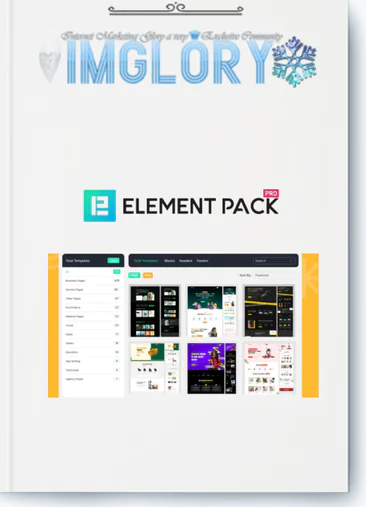
- Over 2700 professionally designed templates that can be inserted directly into the editor with a single click.
- An integrated Theme Builder that allows you to design headers, footers, product pages, and archive pages without touching code.
- Live Copy Paste functionality to transfer layouts between Elementor websites while preserving styling.
- A flexible performance system that lets you enable or disable individual widgets to avoid unnecessary resource loading.
- Compatibility with WPML, RTL, ACF, WooCommerce, LearnPress, and bbPress along with many other popular plugins.
- White Label mode that allows you to rebrand the plugin under your own identity, ideal for agencies and web service providers.
Currently, you can explore and use Element Pack through the Imglory platform to reduce costs while maintaining full feature access.
The Developer Behind Element Pack
Element Pack is created and maintained by BdThemes, a WordPress focused company based in Bangladesh that has been active since 2012. Over more than a decade, BdThemes has built a strong ecosystem of plugins including Prime Slider, Ultimate Post Kit, Ultimate Store Kit, Pixel Gallery, and several other professional products.
By focusing on product quality and user experience, BdThemes has earned solid credibility within the global WordPress community.
Features of Element Pack
- Mega Menu
Build advanced grid based navigation systems with images icons and short descriptions. Perfect for content rich websites and online stores that require clear navigation structure. - Variation Swatches
Display product variations as color options images or intuitive buttons instead of traditional dropdown menus for a more engaging shopping experience. - Dynamic Content
Automatically display data driven content, ideal for news platforms advanced blogs and complex database driven websites. - Smooth Scroller
Create fluid scrolling effects that enhance readability on long content pages. - Live Copy Paste
Copy and paste sections or widgets between Elementor websites in seconds without losing design integrity. - Essential Shortcodes
Insert interface elements quickly using shortcodes without complex configuration. - Integrated Template Library
Access ready made layouts directly inside the editor to reduce development time significantly. - ACF Integration
Display Advanced Custom Fields data with flexibility and precision. - Duplicator
Replicate websites or specific sections efficiently when deploying similar structures across multiple projects. - SVG Support
Ensure sharp vector graphics across all screen sizes. - White Label Branding
Replace the original branding with your own for agency level presentation. - Visibility Controls
Control content visibility based on device login status or user role. - Parallax and Scroll Effects
Add depth and motion for a modern interactive appearance. - Notation
Add internal notes directly within the design interface for team collaboration. - Widget Tooltip
Show helpful hints on hover without cluttering the interface. - Transform Effects
Apply rotation scaling and other visual transformations for emphasis. - Section Sticky
Keep important sections fixed while scrolling, commonly used for navigation bars or call to action elements. - Custom CSS and JS
Insert custom code directly into pages to extend design flexibility. - Assets Manager
Optimize loaded resources to improve website speed. - Ajax Search
Provide real time search results as users type keywords. - Background Overlay
Add color overlays or visual effects to enhance contrast and highlight content. - Cursor Effects
Introduce interactive cursor animations for stronger engagement. - Custom Icons
Use personalized icon sets for brand consistency. - Floating Effects
Add subtle motion to elements for dynamic presentation. - Image Masking
Apply creative masks to images for unique layouts. - Liquid Glass Effect
Create modern frosted glass visuals suitable for premium minimalist designs. - Shape Builder
Design custom shapes for more flexible layout composition. - Text Gradient Background
Apply gradient color effects to text for eye catching headlines. - Theme Builder
Design headers footers blog posts and product templates independently from your theme.
How to Use Element Pack
Step 1 Install and Activate
Log in to your WordPress Dashboard and navigate to Plugins Add New. Search for Element Pack Addons for Elementor, click Install Now, and activate the plugin. Then go to Element Pack Core Widgets to enable the free widgets. If you are using the Pro version from Imglory, upload the plugin file, activate it, and enter your license key to unlock advanced features such as Theme Builder.
Step 2 Add Widgets to Your Page
Open any page using Edit with Elementor. In the left panel you will see the Element Pack widget group. Drag and drop elements like Gallery Accordion Flip Box Review Card or Call To Action into your layout. Adjust text colors images and visual effects to match your overall design strategy.
Step 3 Create Header and Footer with Theme Builder
Go to Element Pack Theme Builder and select Add New. Choose to create a Header or Footer template and set display conditions for your entire website. You can select a prebuilt template from the library and customize the logo navigation menu background colors and content according to your brand identity. Once you click Publish, the new header and footer will apply across your site automatically.
With the support of Element Pack and the Imglory platform, building a professional optimized and visually distinctive website is no longer complicated. The key is clarity in your goals and choosing the right tools to bring that vision to life.
Element Pack Pricing Plan Comparison
| Feature | Personal | Business | Developer | Lifetime Unlimited |
| 💻 Number of Websites | 1 Website | 3 Websites | Unlimited Websites | Unlimited Websites |
| 💰 Price | $39 / year | $59 / year | $89 / year | $249 (one-time payment) |
| 🔄 Renewal Required | Yes | Yes | Yes | No renewal |
| 🎨 190+ Widgets & Extensions | ✔ | ✔ | ✔ | ✔ |
| 📦 Template Library | ✔ | ✔ | ✔ | ✔ |
| 🛠 Header & Footer Builder | ✔ | ✔ | ✔ | ✔ |
| 🧩 WooCommerce Builder | ✔ | ✔ | ✔ | ✔ |
| 🚀 Dynamic Content | ✔ | ✔ | ✔ | ✔ |
| 🔧 Support & Updates | 1 year | 1 year | 1 year | Lifetime |
| 👨💻 Best For | Individuals | Freelancers | Agencies | Long-term Agencies |
Best Place to Buy Element Pack at a Competitive and Reliable Price
If you are searching for a smarter way to access Element Pack Pro without paying the full cost of separate licenses for every website, then Imglory is a solution worth serious consideration. The platform operates under a shared access model, offering premium WordPress plugins and tools to freelancers, marketers, and small business website owners.
Instead of investing a large budget into individual licenses, you can optimize your expenses while still unlocking all essential features. For professionals managing multiple web design or SEO projects at the same time, this approach creates significant long term savings.
Why Choose Element Pack at Imglory
- More affordable compared to purchasing a standalone license directly from the developer
- Guidance and support during installation and setup
- Regular plugin updates to maintain stability and security
- Transparent policy regarding access duration and usage rights
- Suitable for web service providers SEO specialists and affiliate marketers
When evaluating shared tool platforms, clarity and real support should always be top priorities. Imglory performs well in both areas, especially for users who may not have deep technical expertise but still want full control over their websites.
How to Buy Element Pack from Imglory
- Visit the official Imglory website and enter the keyword Element Pack into the search box.
- Select the plan that aligns with your project requirements.
- Create a new account or sign in if you already have one.
- Complete your payment by following the instructions provided on the platform.
- After confirmation, you will receive activation details and step by step usage instructions.
If you experience any difficulties during the process, simply contact the support team for direct assistance.
Advantages and Limitations of Element Pack
No digital tool is perfect. To make an informed decision, it is important to evaluate both the strengths and the practical considerations.
Key Strengths
- Over 300 versatile widgets suitable for personal blogs business websites and ecommerce stores
- A library of more than 2700 ready made templates that dramatically shortens development time
- Deep WooCommerce integration with specialized widgets for product grids cart pages checkout layouts and product variations
- Flexible module control that allows you to enable or disable individual components to avoid unnecessary resource loading
- Visual drag and drop design that does not require programming knowledge
- Live Copy Paste feature that lets you reuse layouts across projects within seconds
- Reasonable pricing especially when choosing a lifetime plan for long term cost efficiency
- Support for WPML and RTL making it suitable for multilingual websites
Points to Consider
- The large number of options may feel overwhelming for beginners at the start
- Activating every widget without proper selection may affect website speed
- Some previous updates included minor issues though they were resolved quickly
- Support response times can vary depending on workload
- Advanced Custom Fields integration in certain setups may require additional configuration
Who Should Use Element Pack?
Element Pack is not designed for every scenario. However, it becomes a strong investment if you fall into one of the following categories.
- Freelance web designers who handle multiple projects and need to reuse layouts efficiently
- WordPress agencies managing many websites that require flexible licensing and white label capability
- WooCommerce store owners aiming to upgrade product pages and checkout experiences without hiring a developer
- Bloggers and content creators who want richer layouts including timelines news tickers and dynamic post elements
- Small and medium sized businesses seeking a professional website within a controlled budget
- WordPress developers integrating ACF CPT conditional display logic and dynamic content
If your goal is simply to build a basic landing page, the free version of Elementor may be enough. However, once you begin expanding your digital presence or managing multiple websites, Element Pack demonstrates its real value.
Frequently Asked Questions About Element Pack Pro
- 1. What is Element Pack Pro and what makes it stand out?
It is a comprehensive addon suite for Elementor featuring more than 200 widgets and thousands of ready designs. Its advantage lies in its all in one approach, covering interface design WooCommerce integration document display and advanced data visualization tools. - 2. How does Live Copy work?
You simply visit the official Element Pack demo site select a design and click Live Copy. Then paste it directly into your Elementor editor. The full structure styling and visual effects transfer almost instantly. - 3. Does a plugin with many widgets slow down a website?
Not when managed properly. Element Pack allows you to activate or deactivate each widget individually. Only active components load resources, helping maintain strong performance. - 4. Can it replace other plugins?
Yes. With Element Pack Pro, you can reduce the need for separate plugins such as table builders social media feeds chart generators document viewers and animated background tools. - 5. Is Elementor Pro required?
It is not mandatory. Most Element Pack widgets function well with the free version of Elementor. Features such as header builder footer builder and WooCommerce widgets are already included. - 6. How does it support WooCommerce?
The plugin offers more than 50 specialized widgets for online stores allowing customization of product listings add to cart buttons product comparison tables and various display effects. - 7. Where does chart data come from?
You can input data manually or connect to Google Sheets and CSV files to generate pie bar or line charts suitable for reporting and analytics websites.
Conclusion
After a comprehensive evaluation, it is clear that Element Pack is far more than a simple addon. It is a powerful extension system that enables you to build professional WordPress websites without relying on numerous scattered plugins.
From dynamic content creation and advanced layout building to WooCommerce integration and the practical Live Copy feature, the Pro version delivers meaningful value for its cost. If you want access at a reasonable price with dependable support, Imglory is a practical destination for freelancers and agencies in Vietnam seeking a cost effective licensed solution.
Learn more at https://www.elementpack.pro/
Related products
GB WordPress
Original price was: $530.00.$58.00Current price is: $58.00.
GB WordPress
$20.00

GB WordPress
Price range: $21.00 through $41.00
GB WordPress
$41.00

GB WordPress
Original price was: $225.00.$22.50Current price is: $22.50.