


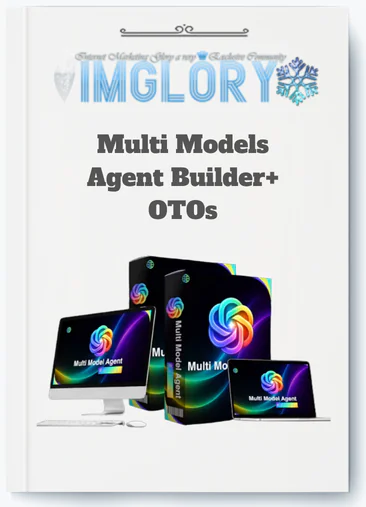
[Group buy] Multi Models Agent Builder+ OTOs
$15.00
Multi Models Agent Builder is a cloud-based no-code platform that enables users to create, manage, and deploy AI agents powered by multiple language models from a single dashboard.
The AI tools market in 2026 is crowded with platforms making similar promises: build AI agents without coding, deploy across multiple channels, replace your entire support team with automation, and generate income on autopilot. If you have been researching AI agent builders for any length of time, you have likely encountered Multi Models Agent Builder somewhere in that landscape, surrounded by the kind of enthusiastic affiliate review content that tells you everything is amazing and nothing has limitations.
This review takes a different approach. It examines what Multi Models Agent Builder actually does, where its mechanics create genuine value, where its limitations become operationally relevant, and how it compares honestly to the alternatives most people are already considering. The goal is not to sell you on the platform or talk you out of it. It is to give you the specific, evidence-based information needed to decide whether Multi Models Agent Builder fits your situation, your technical capacity, and your actual use case before you commit money to it in 2026.
What Is Multi Models Agent Builder?
Multi Models Agent Builder is a cloud-based, no-code platform that enables businesses, marketers, agencies, and non-technical professionals to build and deploy AI agents powered by multiple large language models including GPT-4, Claude, and Gemini, all managed from a single centralized dashboard without writing code.
The platform sits in a specific and genuinely useful category: between simple rule-based chatbot builders that cannot handle natural language or open-ended questions, and developer-grade AI frameworks that require programming expertise most business users do not have. Multi Models Agent Builder's core proposition is making LLM-powered agent deployment accessible to non-technical operators while providing the multi-model flexibility and centralized management architecture that professional deployment at scale requires.
The honest framing that matters before going further: Multi Models Agent Builder is a tool that accelerates and simplifies AI agent creation and deployment. It is not a tool that creates demand for your business, generates leads from nothing, or produces revenue without human strategy, ongoing oversight, and realistic patience with deployment timelines. Anyone evaluating this platform primarily on the strength of income automation claims made in third-party affiliate reviews is evaluating the wrong thing. The platform should be assessed on whether its actual capabilities match your specific deployment requirements.
Key Features of Multi Models Agent Builder

Multi-Model Engine
The multi-model engine is the feature that most warrants honest scrutiny because it is also the one most prominently marketed. The genuine value of multi-model support is real but specific: different large language models have meaningful performance differences across different task types that matter in production deployments. Assigning the most appropriate model to each agent rather than defaulting to one model universally produces better outcomes for operators with diverse agent requirements. The model comparison capability for evaluating outputs before committing to a production choice reduces the trial-and-error of finding the right model for a specific use case.
The honest limitation is equally worth stating. Multi-model support does not mean unlimited access to all model capabilities at no additional cost. The platform's core functionality depends on continued access to third-party model APIs from OpenAI, Anthropic, Google, and others. Changes to those providers' pricing, availability, or API terms directly affect what you can build and at what operational cost. For operators building serious production deployments, understanding this dependency and its implications is more important than the feature's marketing presentation suggests.
No-Code Agent Builder Interface
The no-code interface delivers on its core promise for the standard use cases the platform is designed to serve. Customer support agents, lead qualification bots, internal knowledge assistants, and product recommendation tools can all be configured and deployed without programming skills by users with organized source materials and clear deployment goals. The honest boundary worth stating is that the no-code ceiling is real. Complex multi-step reasoning workflows, custom API integrations beyond native support, and advanced multi-agent collaboration push past what the no-code interface can currently accommodate. Operators whose requirements include these advanced capabilities will encounter the platform's constraints before they encounter the limits of what LLMs can do.
Knowledge Base Management
The knowledge base management system handles document ingestion, organizational structure, and multi-agent content assignment in ways that are genuinely useful for content-rich business deployments. The ability to assign different document sets to different agents within one account, with a shared product knowledge base powering a customer-facing support agent and an internal staff agent simultaneously, reduces the configuration and maintenance overhead that separate deployments would require.
The practical limitation is that the system is optimized for the document volumes and organizational complexity of small and medium business deployments. Very large enterprise content libraries with thousands of documents, complex permission structures, and advanced version control requirements may encounter the management tool's ceiling before reaching the limits of what the platform can technically ingest.
Deployment Channels
The deployment channel coverage addresses the primary surfaces where AI agents deliver practical value for the business types Multi Models Agent Builder serves. Website embed compatibility with mainstream builders and funnel tools covers the most common customer-facing deployment context. WhatsApp Business integration covers a messaging channel with genuinely significant business communication volume in many markets. Telegram deployment covers the community and professional network contexts where that platform dominates.
The honest note for prospective buyers is that channel availability and integration quality should be verified against current platform documentation for your specific deployment context rather than assumed from the general channel list. Deployment quality on specific platforms, including any limitations on message types, conversation threading, or media handling, varies and is worth confirming before committing to a client-facing deployment that depends on a specific channel's full functionality.
Conversation Monitoring and Analytics
The monitoring and analytics tools provide the visibility that responsible production deployment requires. Conversation log access for reviewing actual agent interactions, analytics dashboards for aggregated performance patterns, and user feedback collection within conversations collectively generate the data that informs ongoing optimization. The honest assessment of this feature is that the analytics depth is appropriate for small to medium business deployment monitoring and may not satisfy the more sophisticated measurement requirements of larger operations with complex attribution modeling or multi-touchpoint journey analytics needs. For the target user profile, the available metrics cover what matters most for making practical optimization decisions.
Escalation and Human Handoff
The escalation routing capability is one of the most operationally important features in Multi Models Agent Builder and one of the most consistently underutilized by first-time deployers. Configuring explicit escalation triggers for queries outside the knowledge scope, sensitive topics requiring human judgment, and user frustration signals is not an optional enhancement. It is the professional standard that determines whether an AI agent deployment enhances or damages the user experience when it encounters the real-world query range it was not specifically prepared for. The platform provides the escalation configuration tools. Using them comprehensively before any agent goes live is the operator's responsibility.
Multi-Agent Management
The ability to create and manage multiple separate agents within a single account, each with independent role definitions, knowledge bases, model assignments, and deployment configurations, is what makes Multi Models Agent Builder practically useful for operators with multiple deployment needs rather than a single-use-case tool. The centralized management view that covers all active agents, their deployment status, and their performance metrics from one interface reduces the operational overhead of managing a growing agent portfolio compared to maintaining separate platform instances for each deployment.
Pricing Plans and OTOs detailed
Front-End – Multi Models Agent Builder ($14.95 one-time)
- One-time payment with lifetime access
- Multi-model AI agent creation platform
- Access to ChatGPT, Claude, Gemini, Grok, and DeepSeek models
- Create and deploy AI agents for business automation
- Includes workflow automation and AI training tools
- Commercial license included
- Built for marketers, freelancers, agencies, and business owners
- No monthly subscriptions required
- 30-day money-back guarantee
OTO 1 – Multi Models Agent Builder Unlimited Edition ($67 – $147 one-time)
- Removes all platform restrictions
- Unlimited AI agents, workflows, and deployments
- Unlimited conversations and automation usage
- Access to premium AI models with faster processing
- Advanced automation and scaling features included
- Commercial rights and agency tools included
- Future updates included
- Designed for agencies, marketers, freelancers, and businesses
OTO 2 – DFY AI Agent Pack ($97 one-time)
- Done-for-you AI agent templates and workflows
- Prebuilt sales, support, and marketing automations
- Ready-made conversation prompts included
- Deployment-ready AI systems
- Skip manual setup and workflow planning
- Built for beginners, freelancers, and agencies
OTO 3 – Automation Suite ($97 one-time)
- Advanced AI business automation system
- Automates support, sales, lead generation, and workflows
- Reduces repetitive manual tasks
- 24/7 automation capabilities included
- Designed for marketers, agencies, and business owners
OTO 4 – ChatGPT, Gemini, Grok Creative Studio ($67 one-time)
- All-in-one AI creative workspace
- Generate voiceovers, visuals, scripts, and summaries
- Create multi-format content from one dashboard
- Analyze files and documents with AI
- Built for creators, marketers, freelancers, and agencies
OTO 5 – Profit Machine ($47 one-time)
- AI monetization and client acquisition system
- Learn how to sell AI-powered services
- Includes pricing, delivery, and income strategies
- Built for freelancers, consultants, marketers, and agency owners
- Focuses on building recurring AI income streams
OTO 6 – Multi Models Agent Builder Agency ($197 one-time)
- Create unlimited client accounts
- Sell platform access under your own pricing
- Keep 100% of client payments
- Recurring income business model included
- DFY support for customer management
- Built for agencies and SaaS-style businesses
OTO 7 – AutoFlow Engine ($47 one-time)
- Hands-free AI workflow automation
- Trigger workflows using schedules, events, and conditions
- Run continuous AI automations in the background
- Multi-workflow execution included
- Built for scaling AI-powered productivity systems
OTO 8 – Multi Models Agent Builder Franchise License ($67 one-time)
- Promote the platform as a franchise partner
- Keep 100% of front-end profits
- Earn 50% commissions on OTO sales
- Vendor handles support, delivery, and maintenance
- Built for affiliates, marketers, and entrepreneurs
OTO 9 – Multi Models Agent Builder Whitelabel ($297 one-time)
- Launch your own branded AI software business
- Full white-label and rebranding rights included
- Custom branding and software naming
- Vendor handles hosting, updates, and support
- Sell access under your own brand
- Built for agencies, SaaS entrepreneurs, and marketers
How Multi Models Agent Builder Works: A Step-by-Step Walkthrough
Step 1: Goal Definition and Deployment Planning
Effective use of Multi Models Agent Builder begins with clarity about what you want the agent to achieve before the platform is opened. The most common failure mode in AI agent deployment is not technical but strategic: building a general-purpose agent without a clearly defined objective and then being disappointed when it delivers mediocre results across multiple use cases simultaneously. Defining the agent's primary tasks, target audience, deployment channels, and success metrics in writing before configuration begins prevents this failure pattern.
Step 2: Knowledge Base Preparation
Knowledge base quality is the primary performance variable in any Multi Models Agent Builder deployment, and it is entirely within the operator's control rather than the platform's. Document uploads in PDF, DOCX, CSV, and plain text formats and URL ingestion for web pages feed the agent's knowledge foundation. The retrieval accuracy of responses is directly tied to how clearly and consistently the source material is organized. Well-structured content with descriptive headings, current information, and no internal contradictions produces accurate, relevant responses. Disorganized, outdated, or contradictory content produces vague, inconsistent responses regardless of which underlying model is assigned to the agent.
Step 3: Agent Configuration
Agent configuration defines role, persona, tone, behavioral scope, and escalation triggers through the no-code interface. Model selection assigns the most appropriate underlying LLM for the specific task requirements. System instructions specify the behavioral boundaries that determine what the agent will and will not address in real conversations. This configuration phase is where strategic thinking about the agent's purpose translates into the operational rules that govern its behavior, and it deserves more time and care than most first-time users invest in it.
Step 4: Channel Deployment
Deployment connects the configured agent to the channels where users will interact with it: website embed widgets for web pages, WhatsApp Business integration for messaging channel interactions, and Telegram bot deployment for communities and support channels. The multi-channel capability of a single agent configuration is one of Multi Models Agent Builder's clearest practical advantages, allowing one knowledge base and one configuration to simultaneously power multiple deployment contexts without redundant build work.
Step 5: Monitoring and Optimization
Post-deployment monitoring through conversation logs, analytics dashboards, and user feedback collection is where the gap between high-performing and mediocre deployments is created. Operators who review conversation data regularly, update knowledge bases in response to identified gaps, and refine system instructions based on observed edge cases produce improving agent performance over time. Operators who deploy once and check back months later find performance has drifted from initial standards in ways that regular maintenance would have prevented.
Advantages of Multi Models Agent Builder
- Multi-model flexibility provides genuine task-specific performance optimization that single-model platforms cannot offer. The ability to match the underlying LLM to each agent's specific requirements rather than accepting one model for all deployments produces measurably better outcomes for operators with diverse agent needs across different business functions.
- No-code accessibility makes LLM-powered agent deployment practical for non-technical users. The platform delivers the majority of practical AI agent capability without requiring programming skills, API configuration, or developer involvement, which makes it relevant for the large population of business operators who understand their use case well but lack the technical background to build from first principles.
- Unified knowledge base architecture reduces configuration and maintenance overhead. One knowledge base powering multiple simultaneous agent deployments across multiple channels saves the redundant build work that separate single-channel tools would require for equivalent coverage.
- Speed from deployment planning to live agent is measured in days rather than months. A functional agent serving real users with organized source material can be configured and deployed within a single working day, which compares favorably to the development timelines that building comparable functionality from API calls and custom code would require.
- Centralized multi-agent management scales efficiently as deployment portfolios grow. Overseeing multiple agents for different departments, brands, or client accounts from one dashboard reduces the operational complexity that separate tool instances for each deployment would otherwise create.
Disadvantages of Multi Models Agent Builder
- The no-code ceiling is real and becomes binding for advanced workflow requirements. Multi-step reasoning chains, multi-agent collaboration, and complex conditional automation are significantly more capable in developer-grade frameworks. Operators discovering these requirements after purchase will find the platform's constraints frustrating rather than manageable.
- Platform dependency on third-party model APIs introduces genuine operational risk. The platform's core value depends on continued access to model providers whose pricing, availability, and API terms can change independently of Multi Models Agent Builder's own decisions. This is a structural risk that multi-provider support reduces but does not eliminate.
- Output accuracy requires ongoing human oversight without exception. Hallucinations, response drift, and knowledge base gaps that emerge over time make regular conversation log review and knowledge base maintenance genuine operational responsibilities rather than optional best practices for any serious production deployment.
- Vendor longevity requires evaluation for lifetime deal purchases. Multi-model AI platforms carry significant ongoing infrastructure costs. Lifetime deals are sustainable only when the vendor has a sound business model beyond initial sales. Evaluating the vendor's track record and operational sustainability before committing to a lifetime purchase is appropriate due diligence.
- Enterprise compliance requirements exceed what the platform currently certifies. Organizations with SOC 2 Type II, HIPAA, or regional data residency mandates need purpose-built enterprise solutions rather than consumer-grade SaaS tools regardless of functional capability.
Who Is Multi Models Agent Builder For?
- Small and medium businesses needing functional AI agents without developer resources are the clearest fit. The combination of no-code accessibility, multi-model flexibility, and multi-channel deployment addresses the specific challenges of deploying AI practically without a technical team or a large software budget.
- Marketing agencies managing multiple client AI deployments benefit from the centralized multi-agent management, unified knowledge architecture, and the operational efficiency of overseeing all client agents from a single dashboard rather than separate tool instances per account.
- Non-technical professionals in content-rich businesses with large existing document libraries including e-commerce stores, SaaS companies with extensive documentation, and professional services firms with detailed FAQ libraries get the most value from the knowledge base ingestion tools that turn organized existing content into accurate agent responses without manual scripting.
- AI-curious business operators exploring practical LLM-powered agent deployment without committing to a full development project get a genuinely functional entry point that produces real deployment results rather than just experimentation outputs.
Who Is Multi Models Agent Builder Not For?
- Development teams wanting full programmatic control over LLM calls, custom prompt pipelines, fine-tuned models, or self-hosted infrastructure will find the no-code ceiling limiting. Frameworks like LangChain and LlamaIndex provide the control these teams need at the cost of requiring programming expertise.
- Enterprise organizations with strict compliance requirements need purpose-built enterprise platforms with verified compliance certifications that consumer-grade SaaS tools do not currently provide regardless of functional capability.
- Operators expecting autonomous AI operation without human oversight will be disappointed regardless of which AI agent platform they choose. No current platform eliminates the need for ongoing monitoring, knowledge base maintenance, and human review of production agent interactions.
Multi Models Agent Builder vs. The Alternatives: A Detailed Comparison
| Criteria | Multi Models Agent Builder | Rule-Based Chatbot Builder | Developer AI Framework | Single-Model No-Code Agent Tool |
| Reasoning Engine | LLM-powered (multiple models) | Rule-based / keyword matching | LLM-powered (custom) | LLM-powered (one model) |
| Multi-Model Support | Yes | No | Yes (custom built) | No |
| No-Code Accessibility | Yes | Yes | No | Yes |
| Knowledge Base Depth | Full document and URL ingestion | Manual FAQ scripting | Custom built | Varies |
| Multi-Channel Deployment | Yes | Limited | Custom built | Limited |
| Natural Language Understanding | Yes | Limited | Yes | Yes |
| Agency Multi-Client Management | Yes | Limited | Custom built | Limited |
| Setup Time | Hours to days | Hours | Weeks to months | Hours to days |
| Technical Skill Required | None | None | High | None |
| Compliance Certifications | SMB level | SMB level | Depends on build | SMB level |
Multi Models Agent Builder occupies a genuinely useful position in the AI tools landscape for its target audience. It is not the most powerful AI agent platform available, and it is not trying to be. It is the most accessible and operationally practical combination of multi-model flexibility, unified knowledge management, and multi-channel deployment for non-technical users who need functional LLM-powered agents without developer resources. The right evaluation question is not whether it is the best AI agent platform in absolute terms but whether it is the best fit for your specific requirements, technical capacity, and operational context.
Frequently Asked Questions About Multi Models Agent Builder
- Is Multi Models Agent Builder legitimate or just another overhyped launch product?
Multi Models Agent Builder is a real software platform delivering genuine LLM-powered agent building and deployment functionality. The appropriate caution is directed at third-party affiliate promotions that sometimes attach exaggerated income automation claims or guaranteed ROI promises that the platform itself does not make. Evaluating Multi Models Agent Builder on its documented feature set and realistic use cases rather than on affiliate marketing claims is the correct approach for any serious buyer.
- How does Multi Models Agent Builder actually differ from a standard chatbot builder?
The fundamental difference is the reasoning engine. Standard chatbot builders use rule-based decision trees that match keywords to preset responses and fail when users phrase questions outside anticipated patterns. Multi Models Agent Builder uses large language models as the reasoning engine, which means agents understand natural language contextually, handle questions outside predefined scopes, and generate responses from a document knowledge base rather than a fixed script. This difference matters most for use cases involving open-ended questions, complex knowledge retrieval, and users who phrase familiar questions in unfamiliar ways.
- What is the biggest mistake new Multi Models Agent Builder users make?
The most consistent failure pattern is underinvesting in knowledge base preparation and then attributing poor agent performance to the platform. Users who upload disorganized, incomplete, or contradictory source materials and configure a basic agent in an hour consistently produce lower-quality deployments than users who invest several hours in thorough knowledge base preparation before opening the configuration interface. Knowledge base quality is the primary performance variable, and it is entirely within the operator's control rather than the platform's.
- Does multi-model support mean I get unlimited access to all models at no extra cost?
No. The platform provides the interface for selecting and switching between supported models, but the underlying model API access depends on the platform's provider relationships and the operational costs involved in running those APIs. The specific model access included at different plan tiers, any usage limits that apply, and how the economics of multi-model access work at production scale should be verified against current platform documentation rather than assumed from the general multi-model marketing positioning.
- How does Multi Models Agent Builder handle sensitive industries like healthcare or legal services?
With strict limitations that operators are responsible for implementing. Agents built for healthcare, legal, financial, or other sensitive topic areas should be explicitly restricted to general informational responses and human handoff routing rather than individualized advice, diagnosis, or guidance. Explicit disclaimers should be configured within the agent interface. For any professional services context, legal counsel review of the agent's scope and disclaimer language is appropriate before deployment. No AI agent platform changes the fundamental liability considerations that apply to regulated content categories.
- Can I switch the underlying model for a deployed agent without rebuilding everything?
Yes. Model switching without full configuration rebuild is one of Multi Models Agent Builder's specifically highlighted capabilities. This means testing a different model's performance on an existing deployment, responding to model deprecations from provider updates, or optimizing model selection based on observed production performance does not require rebuilding the agent's knowledge base or system instructions from scratch. The practical value of this flexibility is highest for operators who actively monitor and optimize model performance rather than setting model selection once and never revisiting it.
- How does Multi Models Agent Builder compare to building directly with AI APIs?
Direct API development with OpenAI, Anthropic, or Google provides maximum flexibility, full control over every aspect of agent behavior, and no platform dependency at the cost of requiring programming skills, ongoing development maintenance, and the full time investment of building from first principles. Multi Models Agent Builder provides the majority of practical LLM agent capability at a fraction of the setup time and without the technical skill requirement. For teams without developer resources, the platform delivers substantially more accessible and faster deployment. For teams with developer resources who need granular control or complex custom integrations, direct API development retains advantages the no-code platform cannot match.
- What conversation volume can Multi Models Agent Builder realistically handle?
Conversation volume capacity depends on both the platform's plan-level limits and the underlying API rate limits from the model providers whose APIs power the agents. High-traffic deployments need to account for both dimensions. Verifying current plan-level conversation volume specifications and understanding how API costs scale with production usage volume are necessary steps before committing to a deployment where conversation volume will be significant from day one.
- How long should I evaluate Multi Models Agent Builder before deciding if it is working?
A minimum thirty-day evaluation period on a deployment with meaningful user traffic provides enough conversation data for an initial performance assessment. The first two weeks primarily serve to accumulate data and identify early configuration improvements. The second two weeks reflect the performance of the refined configuration. For lower-traffic deployments, extending the evaluation window to sixty days provides the data volume needed for reliable pattern identification. Drawing conclusions from fewer than thirty conversations is not sufficient for meaningful performance evaluation regardless of what those individual conversations showed.
- Is the lifetime deal option a good value or a risk?
The lifetime deal represents good value when the vendor demonstrates platform stability through a history of consistent product updates, a clear and sustainable business model beyond the initial sale, and a realistic plan for covering the ongoing API infrastructure costs that multi-model platforms incur. It represents elevated risk when the product is very new, the vendor's track record is limited, and the lifetime pricing seems below what ongoing operational costs would suggest is financially sustainable.
The standard evaluation framework applies: if you plan to use the platform actively and the vendor demonstrates the stability signals that predict longevity, a lifetime deal is worth considering. If you are uncertain about fit or vendor stability, a monthly subscription provides an exit path without sunk cost.
- How does Multi Models Agent Builder handle knowledge base updates when business information changes?
The knowledge base management system supports document updates and additions after initial setup. When products, pricing, policies, or other business information changes, updating the relevant knowledge base documents and refreshing the agent's knowledge ensures responses remain accurate and current. Establishing a standard procedure that triggers a knowledge base review and update whenever significant business changes occur, rather than treating post-deployment updates as occasional maintenance, prevents accuracy drift from accumulating between review cycles.
- What does long-term success with Multi Models Agent Builder actually require?
Long-term success requires four sustained practices: consistent knowledge base maintenance that keeps source material current with business evolution, systematic conversation log review and configuration refinement that compounds improvement over time, realistic expectations about what AI agents can and cannot do autonomously, and genuine commitment to the human oversight that responsible production AI deployment demands.
Operators who sustain these practices realize compounding performance improvement that initial deployment alone cannot achieve. Operators who treat deployment as the final step rather than the beginning of an ongoing optimization cycle realize a fraction of the platform's potential regardless of how well the initial configuration was executed.
Be the first to review “Multi Models Agent Builder+ OTOs”
You must be logged in to post a review.
Related products
GB SAAS Tools

GB SAAS Tools
GB SAAS Tools
GB SAAS Tools

GB SAAS Tools
Reviews
There are no reviews yet.