
[Group buy] WP Security Ninja
Price range: $5.00 through $30.00
WP Security Ninja – Powerful plugin that secures WordPress by scanning, blocking, and preventing online threats
| Deliver | Product FE – 1 or 10 sites |
|---|---|
| Access | Install Service |
| Type | Sercurity Plugin |
| License | GPL License |
| Details | GB Details |
WP Security Ninja is a powerful WordPress plugin designed to strengthen your website’s security. If you’ve ever woken up one morning only to find your website hacked, you’ll know how devastating it feels: data gone, SEO rankings tanked, and sometimes even a dreaded Google “malware warning.” It’s every webmaster’s nightmare. That’s exactly why WP Security Ninja was created – a lightweight yet robust security plugin that shields WordPress against all kinds of threats.
This is the very tool Imglory trusts, uses, and brings to the community at an incredibly affordable price. Let’s explore the details!
What is WP Security Ninja?

WP Security Ninja is an all-in-one WordPress security plugin designed to enhance protection against cyberattacks, malware, and vulnerabilities. In today’s digital age, where a website is the “face” of your business, securing it has become more critical than ever.
Acting like a “silent gatekeeper,” WP Security Ninja delivers quick setup and complete WordPress protection. With proactive detection and fixes for vulnerabilities, it helps maintain website stability, reputation, and trustworthiness – ensuring your site is safe from potential threats.
19 Powerful Features to Protect Your Website

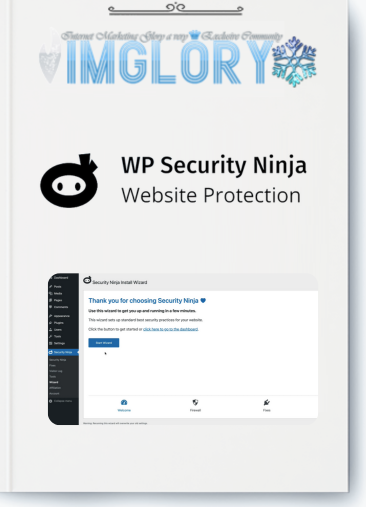
- Quick Setup Wizard: Get started with essential security in just minutes.
- MainWP Integration: Manage and monitor security across multiple websites with ease.
- Firewall Protection: Automatically block suspicious visitors and filter harmful traffic.
- Malware Scanner: Detect malicious code and threats on your website.
- One-Click Fixes: Instantly resolve security issues with a single click.
- Scheduled Security Scans: Automate scans and receive alerts about any changes.
- Country Blocking: Restrict access from unwanted countries.
- Secure Login Forms: Prevent unauthorized login attempts with customizable security settings.
- Plugin Integrity Checker: Verify installed plugins for integrity and safety.
- Premium U.S.-based Support: Get assistance directly from plugin developers.
- Vulnerability Scanner: Get alerts on plugins prone to attacks.
- Custom Login URL: Hide and change your default login URL for added security.
- Block 600+ Million Malicious IPs: Daily updates to block harmful IPs.
- Event Logging: Track over 50 detailed events happening on your site.
- WordPress Core File Verification: Ensure the integrity of WordPress core files.
- Redirect Blocked Visitors: Send blocked users to a custom redirect page.
- Suspicious Request Blocking: Stop harmful requests before they damage your site.
- Import/Export Settings: Easily configure and clone setups across multiple websites.
- White Label Options: Manage licenses and customer info remotely.
WP Security Ninja Pricing Plans
| Plan | Original Price (Monthly) | Discounted Price | Save (%) | Number of Sites | Features |
| Solo | $11.10 | $9.99 | 10% | 1 website | Setup wizard, firewall, malware scan, event logs, one-click fixes, premium updates & support |
| Team | $22.49 | $17.99 | 20% | 3 websites | All Solo features, extended site coverage |
| Business 🏆 | $26.65 | $19.99 | 25% | 5 websites | Scheduled malware scans, stronger firewall, event logging |
| Professional | $57.13 | $39.99 | 30% | 10 websites | All premium features, perfect for agencies and multiple sites |
Where to Buy WP Security Ninja Cheap?

If you buy directly from wpsecurityninja.com, the Pro version is quite expensive – often beyond the budget of beginners or those managing multiple sites.
Here’s the great news: Imglory offers a special shared purchase solution so you can enjoy premium WP Security Ninja features at a fraction of the cost:
- 1 site package for only $5.5
- 10 site package for only $30.5
No need to worry about licenses or updates – the Imglory team has already handled everything. All you have to do is install and enjoy full website protection.
Why You Should Buy WP Security Ninja at Imglory
- Maximum Cost Savings: Instead of spending a large amount to buy separately, you only pay a fraction thanks to the group-buy option.
- Regular Updates: Always get the latest plugin version, no worries about using outdated releases.
- Local Support: Get quick, easy-to-understand assistance in your language, without waiting for international support.
- Proven Reputation: Thousands of users have trusted our group-buy service for years. We guarantee safety and sustainability.
In short: cheaper, safer, with a dedicated support team by your side.
How to Buy WP Security Ninja at Imglory
- Go to the Imglory website and choose your package (1 site or 10 sites).
- Make your payment via PayPal, bank transfer, or other convenient methods.
- Once completed, you will receive your account details and installation guide with license activation to start securing your website.
How WP Security Ninja Works:
Secure your WordPress website with these simple steps:
- Step 1: Choose a reliable hosting provider with advanced security technology to protect your site from online threats.
- Step 2: Use strong passwords and enable two-factor authentication for extra protection.
- Step 3: Install and configure WP Security Ninja to detect vulnerabilities, control access, and run regular malware scans. Monitor email alerts for potential threats to stay aware.
Following these steps will protect your WordPress website from malicious hackers trying to exploit system weaknesses.
Advantages:
- User-Friendly Installation: WP Security Ninja offers a simple setup process that doesn’t require deep technical knowledge.
- Powerful Firewall: The plugin features a strong firewall to block harmful IPs and filter suspicious activities, boosting your site’s security.
- Login Protection and Auto-Blocking Rules: Configure login protection and automatic blocking rules to reduce unauthorized access risks.
- Event Logger: Keep track of all website activities and monitor changes with built-in logging features.
Disadvantages:
- Currently, none!
Who Should Use WP Security Ninja?
- Website Owners: Individuals or businesses running WordPress sites who prioritize security.
- Website Administrators: Professionals managing and maintaining WordPress websites for clients.
- WordPress Developers: Developers building or customizing WordPress websites for themselves or clients.
- Online Businesses: eCommerce stores, blogs, forums, and any digital business on WordPress.
- Agencies: Digital marketing agencies, web development companies, and IT consulting firms offering website security services.
- Anyone Concerned About Website Security: Individuals or organizations seeking proactive protection against cyber threats and vulnerabilities.
Frequently Asked Questions About WP Security Ninja
- Does WP Security Ninja protect login from brute force attacks?
Yes. It supports limiting failed login attempts, blocking suspicious IPs, changing the login URL, and integrating 2FA. - Does it automatically scan for malware?
Yes, the Pro version supports scheduled scans (daily/weekly) to detect malicious files or unusual changes. - How does it check WordPress core files?
The Core Scanner compares your core files with the official WordPress version to detect differences. - Does it block harmful IPs or countries?
Yes. The built-in firewall allows blocking IPs, countries, and suspicious requests. - What’s the difference between the Free and Pro versions?
The free version only offers basic checks. The Pro version includes firewall, malware scan, 2FA, auto-scans, event logging, and one-click fixes. - How to manage multiple sites?
WP Security Ninja has a MainWP add-on that supports centralized management of multiple sites. - Does it slow down the site?
No. It’s lightweight, works on schedules, and doesn’t constantly run in the background. - Can it fix errors with one click?
Yes. Issues like file permissions or database prefixes can be fixed instantly with a single click. - Does it support webhook/Zapier?
Yes. You can receive alerts via webhook and integrate with Zapier. - Is it multilingual and GDPR compliant?
Mainly supports English. For GDPR, it temporarily logs IP addresses but doesn’t collect sensitive personal data. - How does it compare to Wordfence?
WP Security Ninja is lighter, easier to use, and focused on security checks and fixes. Wordfence is more powerful but more complex for beginners. - Is there a free version?
Yes. But for full features, upgrading to Pro is recommended. - What if my site gets hacked?
The plugin helps detect suspicious files and logs events, but restoring requires backups. Use it alongside a backup plugin. - Is the group-buy version different from the official version?
No. It includes the same features and updates as the original Pro version. - Can it be used on multiple sites reliably?
Yes, the 10-site package works smoothly across multiple projects. - Does it conflict with other plugins?
Usually not. However, it’s best to use one main security plugin to avoid overlapping features.
Conclusion
WP Security Ninja is not just a plugin, but a reliable shield protecting WordPress websites from hackers. With features like malware scanning, brute force protection, a powerful firewall, and many advanced tools, it’s a smart choice for both individuals and businesses.
With prices starting at 1 site package for only $5.5 and 10 site package for only $30.5 at Imglory, you can confidently run your website without fear of attacks or security risks. A small investment that brings huge protection, definitely worth choosing today!
Simply install and enjoy comprehensive website security.
| Site | 1 Site, 10 sites |
|---|
Related products

GB WordPress
Original price was: $77.00.$11.00Current price is: $11.00.

GB WordPress
Original price was: $530.00.$58.00Current price is: $58.00.
GB WordPress
Original price was: $199.00.$20.00Current price is: $20.00.
GB WordPress
Original price was: $249.00.$27.00Current price is: $27.00.

GB WordPress
$24.00